
1. Уводзіны
This manual provides detailed instructions for the installation, operation, and maintenance of your Ctronics 5MP 30X Optical Zoom Outdoor WiFi PTZ Camera (Model: CTIPC-550C). Please read this manual thoroughly before using the product to ensure proper functionality and safety.
The camera features a 5MP resolution for high-definition imaging, 30X optical zoom, and Pan-Tilt-Zoom (PTZ) capabilities for comprehensive area coverage. It supports both 2.4GHz and 5GHz WiFi networks and offers advanced features such as automatic cruise, human detection, and automatic tracking. The robust metallic construction and IP66 weather resistance ensure reliable performance in various outdoor conditions.
2. Змесціва ўпакоўкі
Калі ласка, пераканайцеся, што ўсе прадметы прысутнічаюць у камплекце:
- Ctronics 5MP 30X Optical Zoom Outdoor WiFi PTZ Camera
- Адаптар сілкавання
- Мантажныя шрубы і дзюбелі
- Waterproof Kit for Network Cable
- Кароткае кіраўніцтва
3. Настройка і ўстаноўка
Каб наладзіць камеру, выканайце наступныя дзеянні:
- Выберыце месца ўстаноўкі: Выберыце месца, якое забяспечвае аптымальныя viewing angles and is within range of your WiFi network. Ensure the surface is sturdy enough to support the camera.
- Устанавіце камеру: Use the provided mounting template (if included) to mark drill holes. Secure the camera bracket to the wall or ceiling using the screws and wall plugs. Attach the camera to the bracket.
- Падключыце харчаванне: Connect the power adapter to the camera and plug it into a power outlet. The camera will power on and initiate its self-test.
- Падключэнне да сеткі:
- Бесправоднае злучэнне: Download the Ctronics Pro app (or specified app) on your smartphone. Follow the in-app instructions to connect the camera to your 2.4GHz or 5GHz WiFi network.
- Правадное падключэнне (неабавязкова): For a stable connection, connect an Ethernet cable from your router to the camera's network port. Use the waterproof kit to protect the connection if installed outdoors.
- Першапачатковая канфігурацыя: Complete the initial setup through the mobile app, including setting a strong password for your camera.
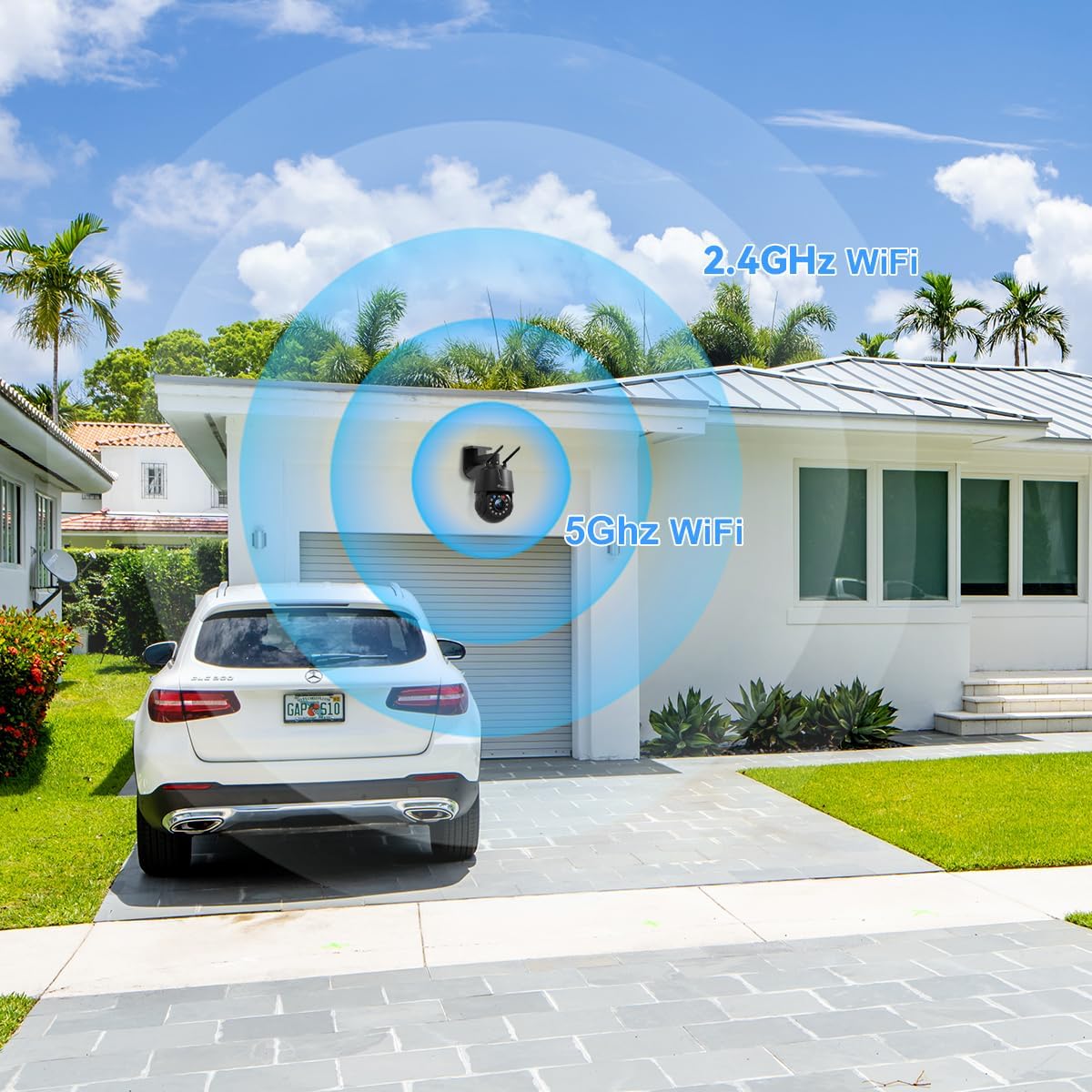
Figure 3.1: The camera supports both 2.4GHz and 5GHz WiFi for flexible network integration.
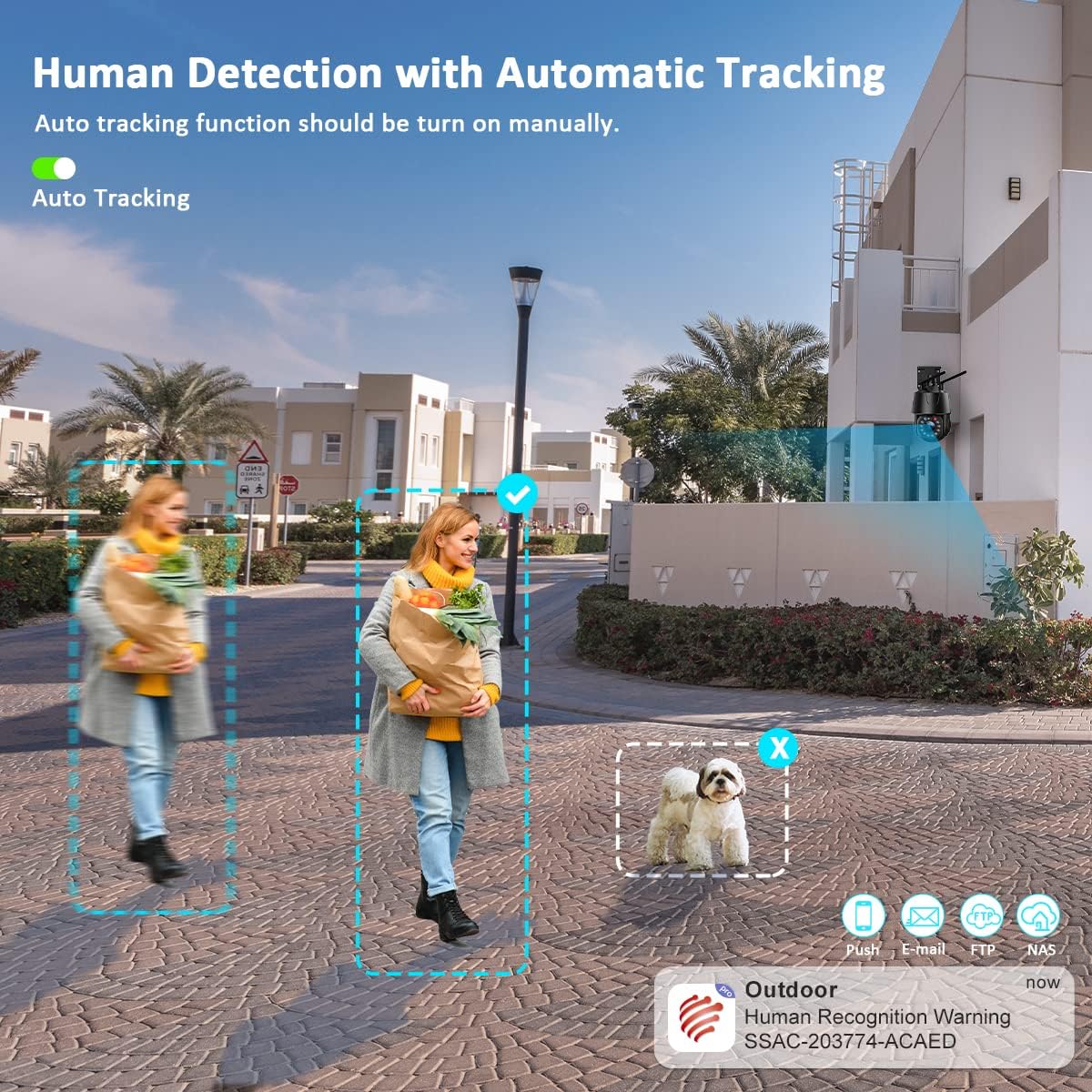
Figure 3.2: The camera system is compatible with various operating systems and devices, including iOS, Android, Windows, and Mac OS, through dedicated applications like Ctronics Pro and HIP2P Client.
4. Інструкцыя па эксплуатацыі
Your Ctronics camera offers a range of features for effective surveillance:
4.1. Жыць View і кіраванне PTZ
Access the live video feed through the mobile app or desktop software. Use the on-screen controls to pan (355°), tilt (90°), and zoom (30X optical) the camera to monitor different areas. The 5MP resolution (2560 x 1920P) ensures clear and detailed images.
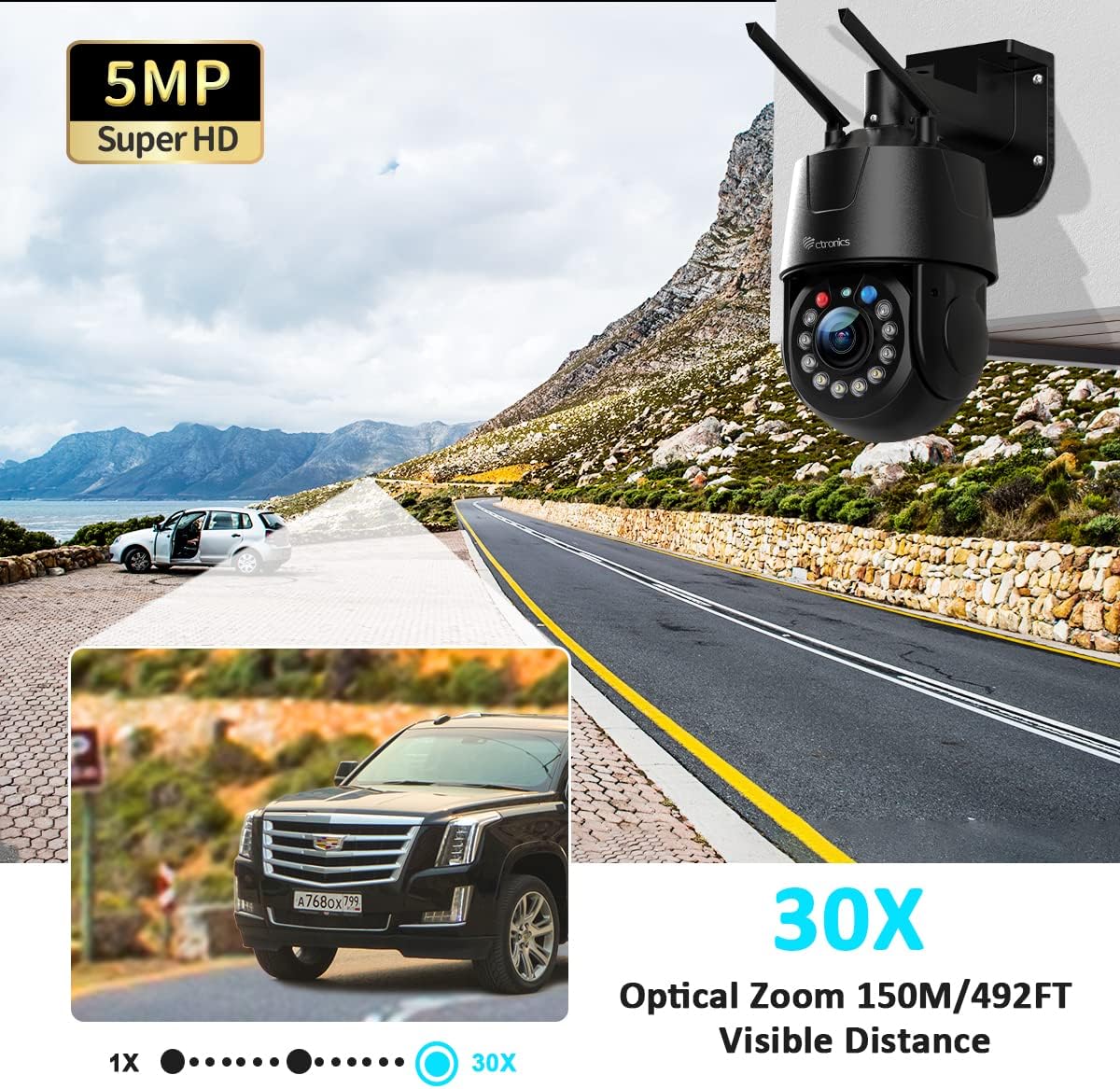
Figure 4.1: The 5MP Super HD resolution combined with 30X optical zoom allows for clear magnification of distant objects up to 150 meters (492 feet).
4.2. Automatic Cruise and Zoom
The camera supports automatic cruise functions with preset points. You can configure two types of cruise modes:
- Zoom Cruise: Follows up to 16 preset points, automatically zooming in on each point.
- Normal Cruise: Follows up to 30 preset points without automatic zoom.
If human movement is detected during zoom cruise, the camera will automatically zoom and track the movement.
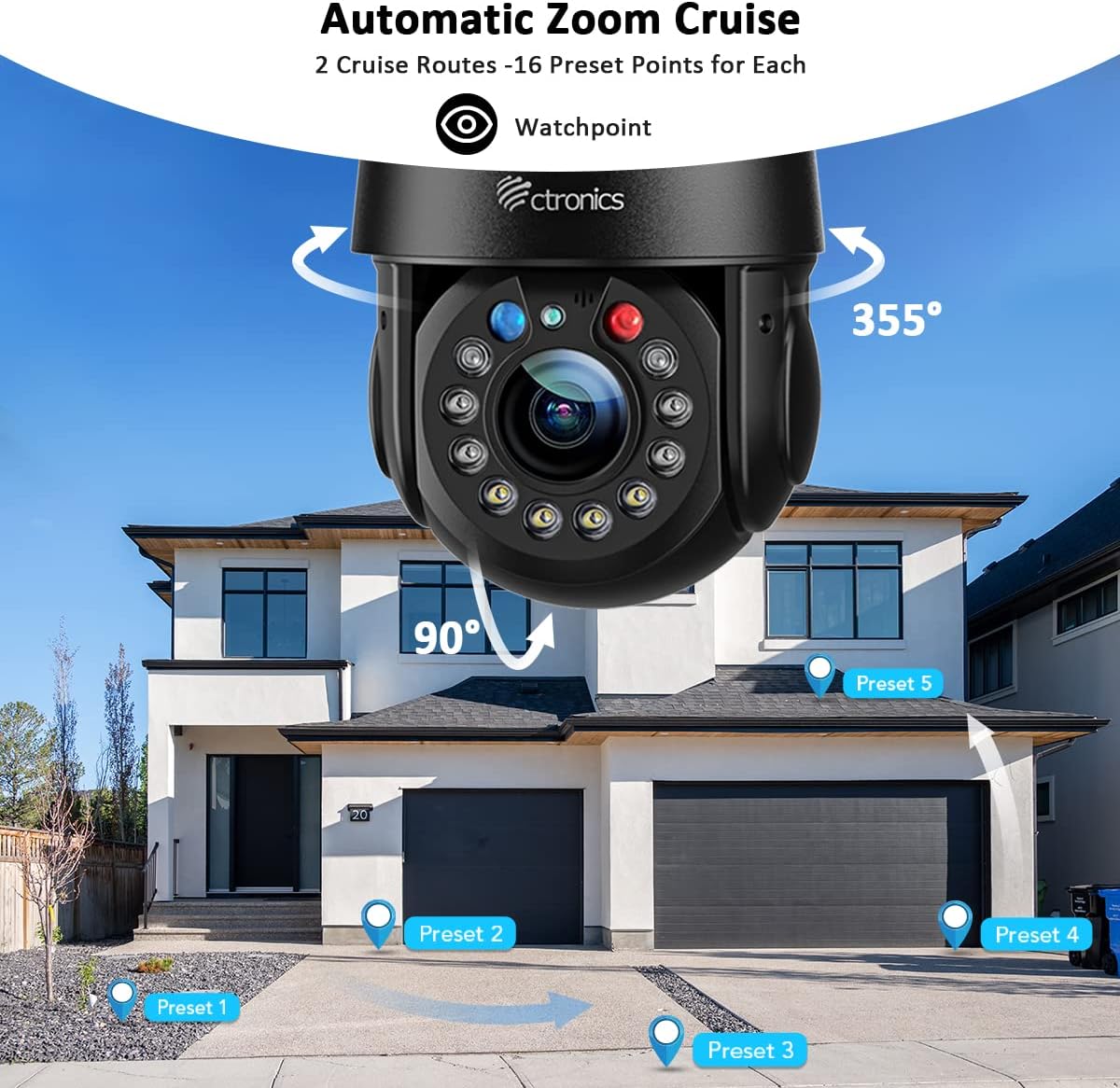
Figure 4.2: Configure automatic zoom cruise routes with multiple preset points for comprehensive area monitoring.
4.3. Intelligent Optical Zoom and Auto Tracking
The camera's intelligent optical zoom automatically adjusts magnification based on the distance of detected objects. When auto-tracking is enabled, the camera will follow detected human movement, keeping the subject in view.
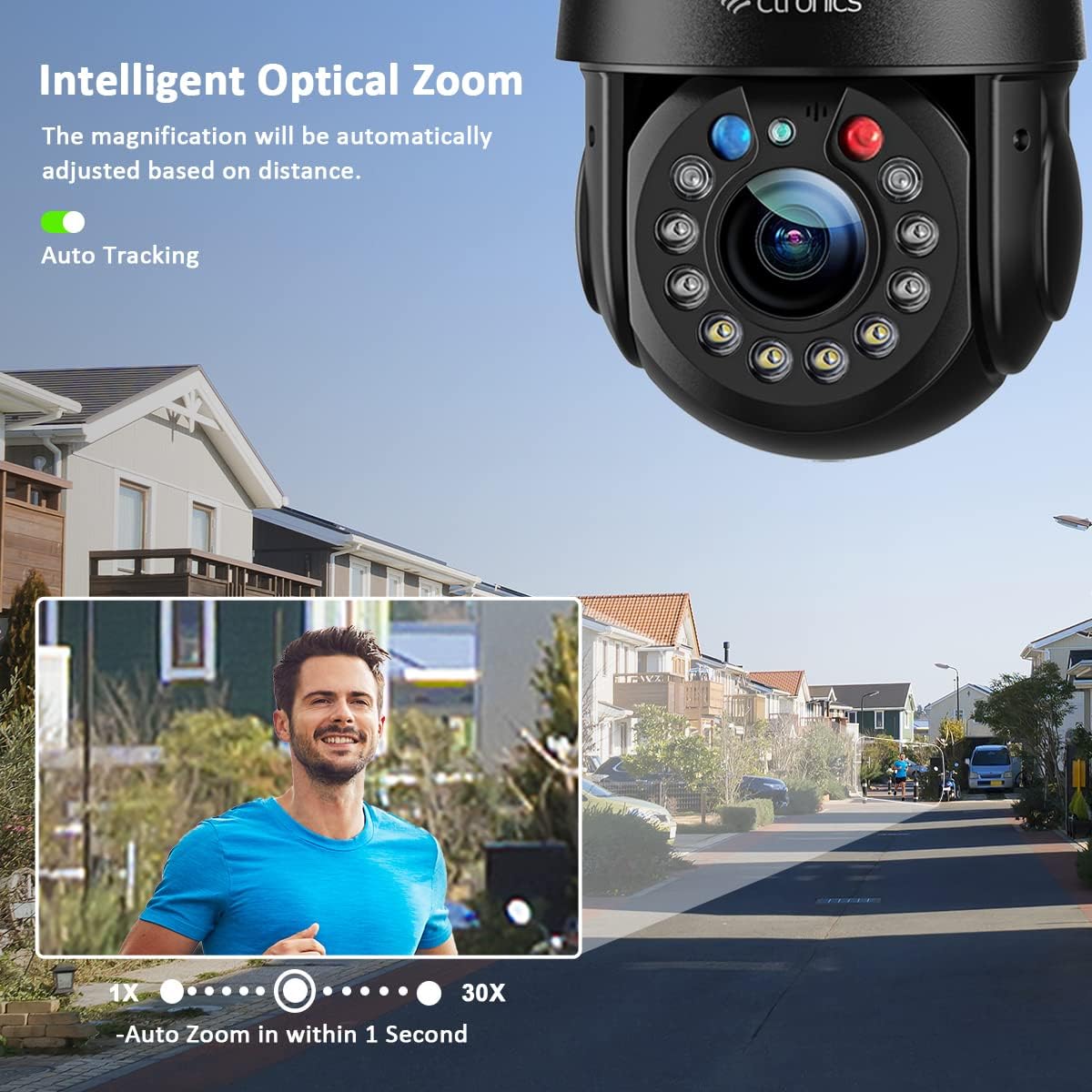
Figure 4.3: Intelligent optical zoom automatically adjusts to maintain clarity, while auto-tracking keeps moving subjects in focus.
4.4. Рэжымы начнога бачання
Камера прапануе тры рэжымы начнога бачання:
- Інфрачырвонае начное бачанне: Provides clear black and white images up to 150 meters (492 feet) using 2 laser IR LEDs and 4 IR LEDs.
- Каляровы начны бачанне: Utilizes 4 white LEDs to provide full-color images up to 50 meters (164 feet).
- Разумнае начное бачанне: Automatically switches between IR and color night vision based on detected motion.
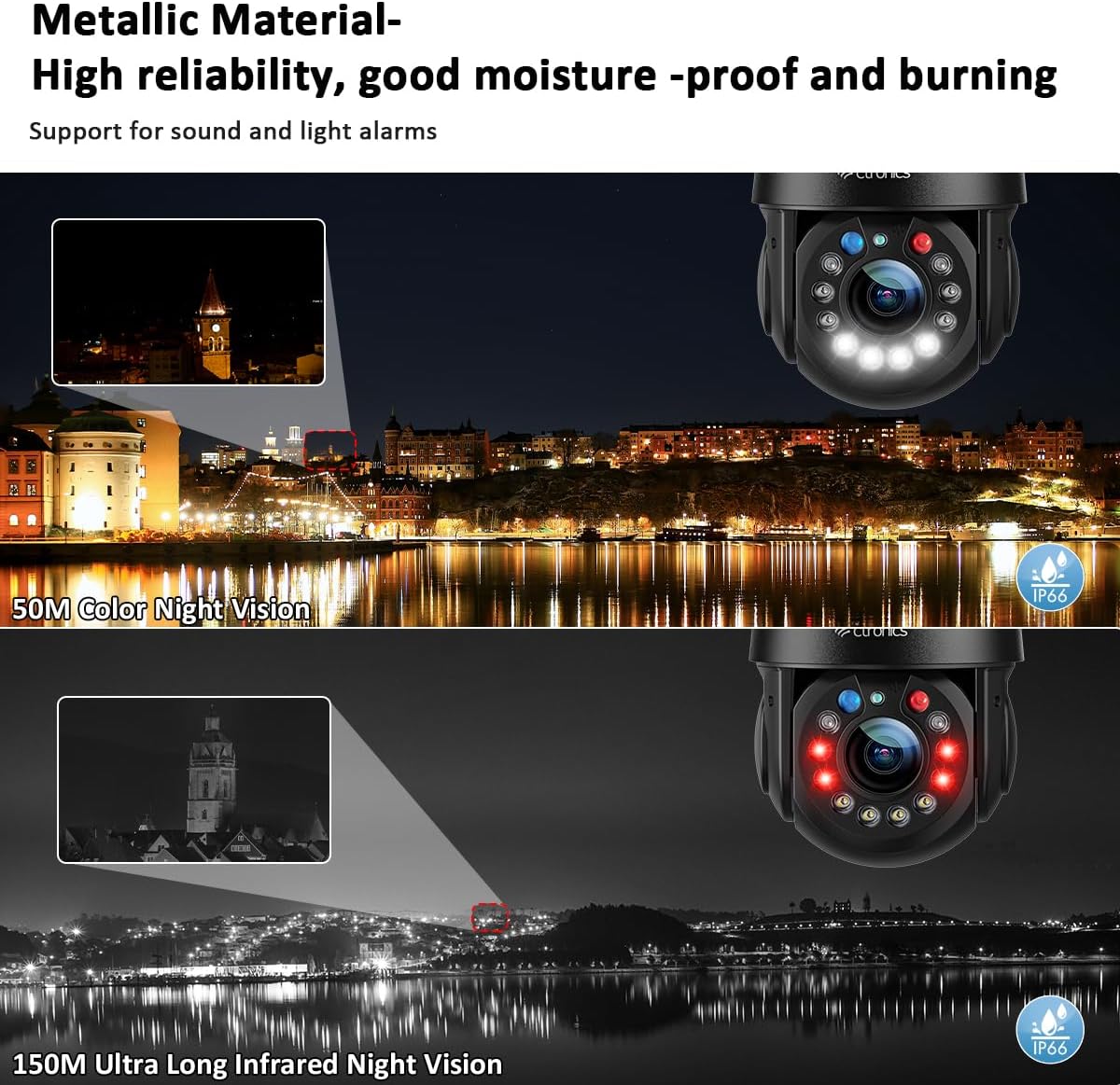
Figure 4.4: Experience clear surveillance with 150M infrared night vision or 50M color night vision.
4.5. Human Detection and Alarms
The camera's human detection feature distinguishes human movement from other motions, reducing false alarms by up to 95%. When a human is detected, the camera can automatically track the movement, trigger red and blue alarm lights, sound a customizable alarm, and send alerts to your smartphone app.
Figure 4.5: Human detection accurately identifies people, triggering alerts and auto-tracking while ignoring non-human movements.
4.6. Двухбаковая аўдыёсувязь
With built-in high-quality speakers and microphones, the camera supports two-way audio communication. This allows you to speak to visitors or deter intruders directly through the camera from your mobile device.
4.7. Video Playback and Storage
Запісана footage can be stored on a microSD card (not included) or via cloud storage (subscription may be required). Access and review recorded events through the mobile app or desktop software.
Video 4.1: This video demonstrates the key features of the Ctronics 5MP 30X Optical Zoom Outdoor WiFi PTZ Camera, including its metallic body, various night vision modes (laser, infrared, white light), 360° field of view, 30X optical zoom, customizable preset and cruise tracking, automatic tracking and resizing, 5MP resolution comparison, 150M infrared night vision, 50M color night vision, manual detection and automatic tracking, acoustic and visual alarms, two-way audio, and IP66 weather resistance against rain and snow.
5. Тэхнічнае абслугоўванне
Рэгулярнае тэхнічнае абслугоўванне забяспечвае аптымальную прадукцыйнасць і даўгавечнасць вашай камеры:
- Уборка: Акуратна працярыце аб'ектыў і корпус камеры мяккай губкайamp тканіна. Не выкарыстоўвайце агрэсіўныя хімікаты або абразіўныя ачышчальнікі.
- Абнаўленні прашыўкі: Periodically check for and install firmware updates through the mobile app. Updates often include performance improvements and security enhancements.
- Праверка кабеля: Regularly inspect power and network cables for any signs of wear or damage. Ensure waterproof connections are secure.
- Бяспека сеткі: Change your camera's password regularly and ensure your WiFi network is secured with a strong password.
6. Выпраўленне непаладак
Калі ў вас узніклі праблемы, звярніцеся да наступных распаўсюджаных крокаў па ліквідацыі непаладак:
- Камера не падключаецца да Wi-Fi:
- Ensure the camera is within range of your router.
- Verify that you are connecting to the correct 2.4GHz or 5GHz network and have entered the correct password.
- Перазагрузіце маршрутызатар і камеру.
- No Video Feed:
- Праверце, ці ўключана камера, а адаптар сілкавання надзейна падключаны.
- Праверце падключэнне да сеткі.
- Ensure the mobile app or desktop software is up to date.
- Дрэнная якасць выявы:
- Ачысціце аб'ектыў камеры.
- Check your network speed; a slow connection can affect streaming quality.
- Adjust camera settings for resolution and bitrate in the app.
- Ілжывыя трывогі:
- Adjust the sensitivity of human detection.
- Define specific detection zones to exclude areas with frequent non-human movement.
If the issue persists, please contact Ctronics customer support.
7. Тэхнічныя характарыстыкі
| Асаблівасць | Апісанне |
|---|---|
| Мадэль прадукту | CTIPC-550C |
| дазвол | 5MP (2560 x 1920P) |
| Аптычны зум | 30X |
| Дыяпазон павароту/нахілу | Панарамаванне: 355°, нахіл: 90° |
| Сувязь | 2.4GHz/5GHz WiFi, Wired Ethernet |
| Начное бачанне | 150M IR Night Vision, 50M Color Night Vision |
| Асаблівасці | Human Detection, Auto Tracking, Automatic Cruise, Two-Way Audio, Red & Blue Alarm Lights |
| Ўстойлівасць да надвор'я | IP66 |
| Матэрыял | Металік |
8. Інфармацыя аб гарантыі
Ctronics products are covered by a limited warranty from the date of purchase. Please refer to the warranty card included in your package or visit the official Ctronics webпадрабязныя ўмовы гарантыі глядзіце на сайце. Захоўвайце чэк аб куплі як пацвярджэнне пакупкі для прэтэнзій па гарантыі.
9. Падтрымка кліентаў
For technical assistance, product inquiries, or warranty support, please contact Ctronics customer service through the following channels:
- Webсайт: Наведайце афіцыйны сайт Ctronics webсайт з часта задаванымі пытаннямі, артыкуламі падтрымкі і кантактнымі формамі.
- электронная пошта: Refer to your quick start guide or the Ctronics webсайт для атрымання адпаведнага адраса электроннай пошты службы падтрымкі.
- Падтрымка ў дадатку: Many issues can be resolved directly through the support features available in the Ctronics Pro mobile application.