
Уводзіны
This manual provides comprehensive instructions for the SENGBIRCH Keyboard Case, designed to enhance your iPad experience. Please read this manual thoroughly before using the product to ensure proper operation and longevity.
Сумяшчальнасць
The SENGBIRCH Keyboard Case is compatible with the following iPad models:
- iPad Air 13-inch (M3 2025, M2 2024)
- iPad Pro 12.9-inch 6th Generation (2022) - Models: A2436, A2437, A2764, A2766
- iPad Pro 12.9-inch 5th Generation (2021) - Models: A2378, A2379, A2461, A2462
- iPad Pro 12.9-inch 4th Generation (2020) - Models: A2229, A2069, A2232, A2233
- iPad Pro 12.9-inch 3rd Generation (2018) - Models: A1876, A2014, A1895, A1983
Спецыяльны напамін: This keyboard case is not compatible with iPad Pro 13-inch tablets. Please verify your iPad model before use.
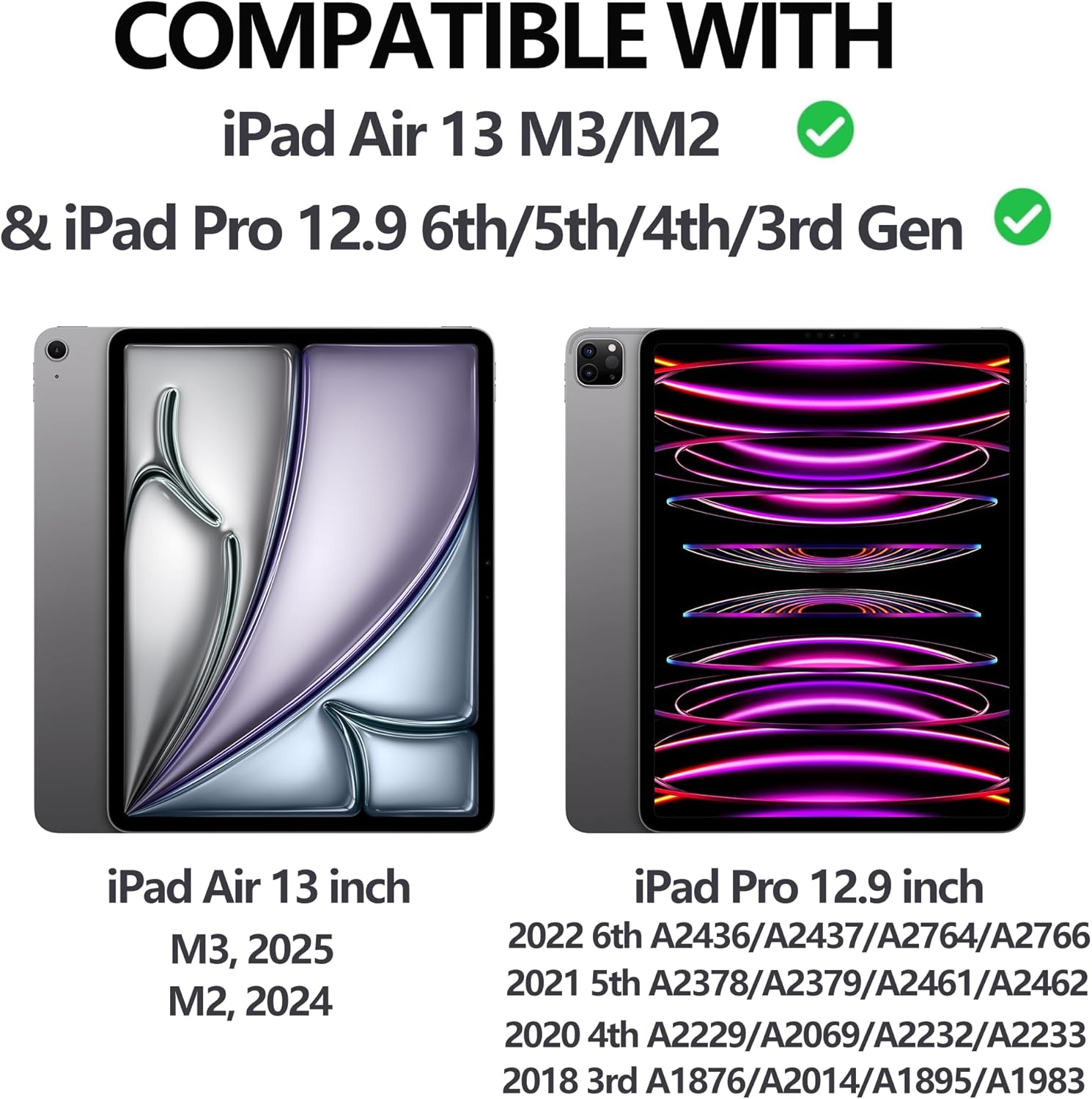
Figure 1: iPad Compatibility Chart
Што ў скрынцы
Пасля распакавання пераканайцеся, што ўсе наступныя рэчы наяўныя:
- 1 x Keyboard for iPad Pro 12.9 inch (3rd, 4th, 5th, 6th Generation)
- 1 x Case for iPad Pro 12.9 inch (6th, 5th, 4th, 3rd Generation)
- 1 х кабель для зарадкі USB-C
- 1 х Кіраўніцтва карыстальніка
Заўвага: Tablet and Apple Pencil are not included.
Інструкцыя па наладзе
1. Прымацаванне iPad да чахла
The case features a magnetic adsorption design for secure attachment of your iPad. Align the camera cutout of the case with your iPad's camera, and the iPad will magnetically snap into place.

Figure 2: Magnetic iPad Attachment and Detachable Keyboard
2. Зарадка клавіятуры
Before first use, fully charge the keyboard using the provided USB-C cable. Connect the USB-C end to the keyboard's charging port and the other end to a compatible USB power adapter (not included).
- Час зарадкі: прыблізна 2.5 гадзіны для поўнай зарадкі.
- Battery Life: Up to 70 hours of continuous work on a single charge.

Figure 3: Keyboard Charging and Battery Information
3. Connecting the Keyboard via Bluetooth
Follow these steps to pair your keyboard with your iPad:
- Switch the keyboard's ON/OFF switch to the "ON" position (located on the top right of the keyboard).
- Націсніце кнопку «Падключыцца» на клавіятуры.
- На вашым iPad перайдзіце па спасылцы Налады > Bluetooth.
- Ensure Bluetooth is enabled and select "Bluetooth 3.0 Keyboard" from the list of available devices to pair.

Малюнак 4: Этапы падключэння Bluetooth
Інструкцыя па эксплуатацыі
Наладка Viewвуглавыя куты
The case allows for adjustable viewing angles (115°, 120°, 130°) to suit your needs for typing, viewінг або маляванне.
Здымная клавіятура
The keyboard is magnetically attached to the case and can be easily detached if you prefer to use your iPad without the keyboard, offering flexibility for various tasks.
Функцыя падсвятлення
The keyboard features 7 colors of backlight and 3 levels of brightness adjustment. This allows for comfortable typing in low-light conditions.

Figure 5: 7-Color Backlit Keyboard

Figure 6: Keyboard Backlight in Use
Трымальнік для алоўкаў
The case includes a dedicated pencil holder that supports Apple Pencil charging, ensuring your stylus is always ready and secure.

Figure 7: Pencil Holder and Key Features
Auto Wake/Sleep Function
The smart cover utilizes a magnetic switch to automatically wake your iPad when opened and put it to sleep when closed, conserving battery life.

Figure 8: Auto Wake/Sleep Smart Cover
Спалучэнні клавіш
The keyboard supports various iOS shortcuts for efficient operation. Refer to your iPad's settings for a full list of available shortcuts. For exampле, націск Command + Tab allows you to switch between open applications.
Тэхнічнае абслугоўванне
To ensure the longevity and optimal performance of your keyboard case, follow these maintenance guidelines:
- Уборка: Выкарыстоўвайце мяккі, damp тканінай для працірання вонкавай паверхні корпуса і клавіятуры. Пазбягайце выкарыстання агрэсіўных хімічных рэчываў або абразіўных матэрыялаў.
- захоўванне: When not in use, store the keyboard case in a cool, dry place away from direct sunlight and extreme temperatures.
- Абарона: The case is made of premium PU leather and a silicone inner shell, providing all-round protection against scratches, bumps, and dents. However, avoid dropping the device from significant heights.
- Цеплааддача: The honeycomb grid pattern inner padding is designed to improve heat dissipation. Ensure the vents are not obstructed during use.
Ліквідацыю непаладак
If you encounter any issues with your SENGBIRCH Keyboard Case, please refer to the following common solutions:
- Keyboard not connecting to iPad: If the keyboard fails to connect, press Fn + Q simultaneously to switch the keyboard to iOS system mode. Then, attempt to re-pair via Bluetooth.
- Клавіятура не рэагуе: Ensure the keyboard is charged. If the battery is low, connect it to a power source using the USB-C cable.
- Не працуе падсветка: Check if the backlight function is enabled and adjust the brightness levels.
- iPad not waking/sleeping automatically: Пераканайцеся, што iPad правільна ўсталяваны ў чахол, а вечка цалкам зачынена.
For further assistance, please contact SENGBIRCH customer support.
Тэхнічныя характарыстыкі
| Марка | СЕНГБЕРОЗА |
| Нумар мадэлі | Air13 (M3/M2) & Pro 6th/5th/4th/3rd Gen |
| Памеры прадукту | 11.34 х 9.45 х 0.59 цалі |
| Вага прадмета | 2.16 фунта |
| Батарэі | 1 літый-палімерная батарэя (у камплекце) |
| Тэхналогія падлучэння | Bluetooth, USB-C |
| Апісанне клавіятуры | Wireless / Rechargeable / Detachable / Backlight |
| Асаблівасці | Backlit, Ergonomic, Hotkeys and Media Keys, Lightweight, Rechargeable |
| Колер | Black (Keyboard backlighting color support: RGB) |
Гарантыя і падтрымка
For warranty information or technical support, please contact SENGBIRCH customer service through the retailer where the product was purchased or visit the official SENGBIRCH webсайт.
Захоўвайце чэк аб куплі ў якасці пацверджання пакупкі ў выпадку любых гарантыйных прэтэнзій.