
1. Прадукт скончыўсяview
The TP-Link ER707-M2 is an Omada Multi-Gigabit VPN Router designed for high-performance networking environments. It features dual 2.5 Gigabit WAN ports, a Gigabit SFP WAN/LAN port, and multiple Gigabit RJ45 WAN/LAN ports, providing flexible connectivity and high-bandwidth aggregation. This router integrates seamlessly with the Omada SDN Controller for centralized management and offers robust security features including an SPI Firewall and various VPN protocols.
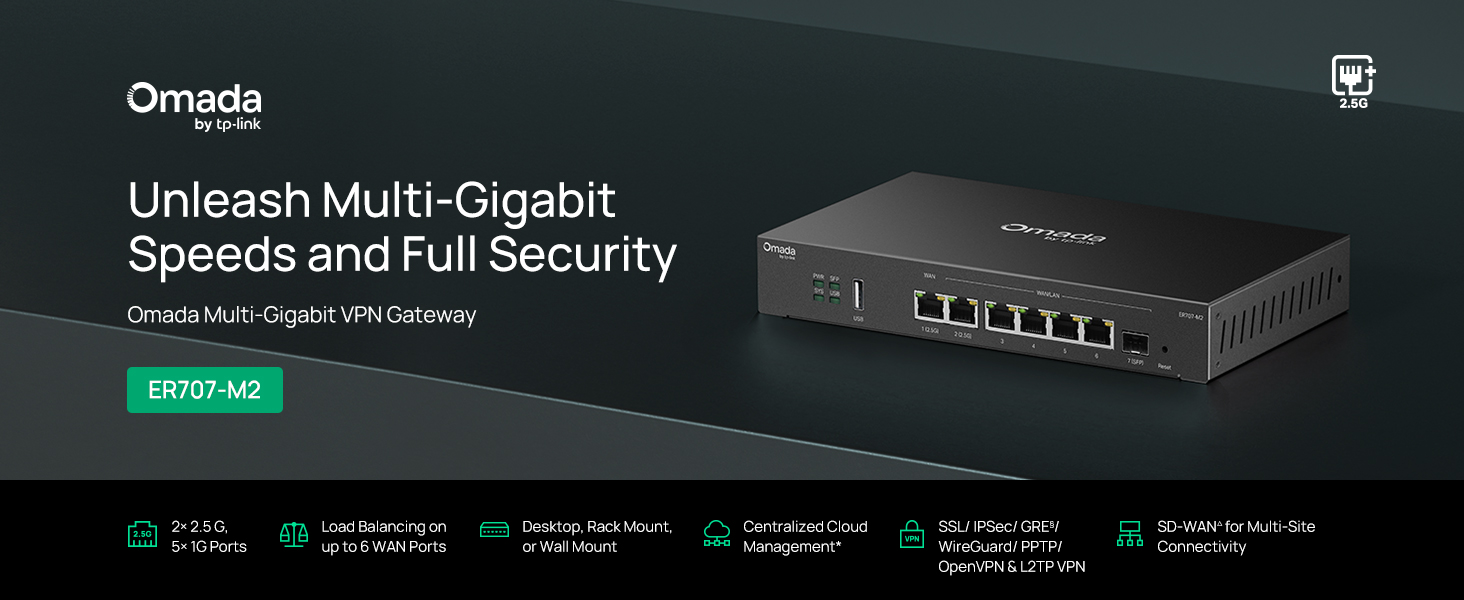
Малюнак 1: Спераду view of the ER707-M2 router, highlighting its ports and indicators.
Асноўныя характарыстыкі:
- Гнуткая канфігурацыя порта: Includes 1x 2.5Gigabit WAN Port, 1x 2.5Gigabit WAN/LAN Port, 4x Gigabit WAN/LAN Ports, 1x Gigabit SFP WAN/LAN Port, and 1x USB 2.0 Port.
- High-Performance Network Capacity: Supports up to 500,000 concurrent sessions and over 1000 clients.
- Воблачны доступ: Centralized cloud management via Omada app and web інтэрфейс.
- Highly Secure VPN: Supports up to 100 LAN-to-LAN IPsec, 66 OpenVPN, 60 L2TP, and 60 PPTP VPN connections.
- Палепшаная бяспека: Features SPI Firewall, Policy-based Firewall, Static Routing, Policy Routing, Multi-net DHCP, Guest Portal, and VLAN support.
- Load Balance & Link Backup: Optimizes multi-line broadband efficiency and reliability.
- Порт USB 2.0: Supports USB storage and LTE backup with a compatible LTE dongle.
2. Змесціва ўпакоўкі
Пераканайцеся, што ваш пакет змяшчае наступныя элементы:
- TP-Link ER707-M2 Omada Multi-Gigabit VPN Router
- Адаптар сілкавання
- Кіраўніцтва па хуткай ўстаноўцы
If any item is missing or damaged, please contact your reseller or TP-Link support.
3. Настройка
3.1 Устаноўка абсталявання
- Падключэнне сілкавання: Connect the provided power adapter to the router's power input and then to a power outlet.
- Падключэнне да глабальнай сеткі: Connect your modem or internet service provider's device to one of the WAN ports (e.g., WAN1 2.5G or WAN/LAN2 2.5G) using an Ethernet cable. For fiber connections, use the SFP port with a compatible SFP module.
- Падключэнне да лакальнай сеткі: Connect your local network devices (e.g., computers, switches, Omada Access Points) to the LAN ports (WAN/LAN2-6) using Ethernet cables.
- USB Device (Optional): If using a USB storage device or an LTE dongle for backup, insert it into the USB 2.0 port.
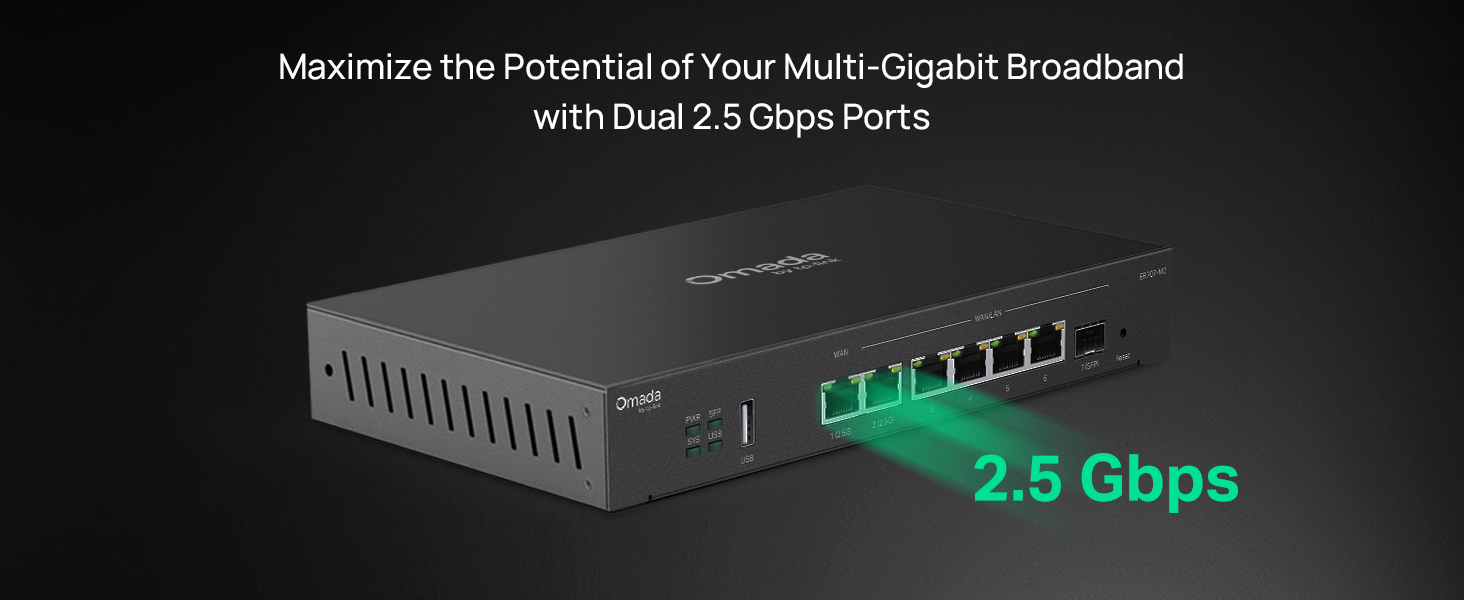
Figure 2: Illustration of the router's 2.5 Gbps ports for high-speed connectivity.
3.2 Пачатковая канфігурацыя
The ER707-M2 can be managed via the Omada SDN Controller or through its local web інтэрфейс.
- Падключэнне да маршрутызатара: Пераканайцеся, што ваш камп'ютар падключаны да аднаго з партоў LAN маршрутызатара.
- Доступ Web інтэрфейс: Адкрыйце a web браўзер і ўвядзіце IP-адрас па змаўчанні (звычайна
192.168.0.1or192.168.1.1) in the address bar. Refer to the Quick Installation Guide for the exact default IP and login credentials. - Выканайце дзеянні майстра налады: The first time you log in, a setup wizard will guide you through basic internet connection settings, changing the default password, and configuring Wi-Fi (if applicable).
- Інтэграцыя Omada SDN (неабавязкова): For centralized management, adopt the router into your Omada SDN Controller. This allows for remote management and unified control of your network devices.
4. Інструкцыя па эксплуатацыі
4.1 Канфігурацыя сеткі
The router offers extensive configuration options for your network:
- Налады глабальнай сеткі: Configure WAN ports for different connection types (Dynamic IP, Static IP, PPPoE).
- Налады лакальнай сеткі: Manage IP addresses, DHCP server, and VLANs for your local network segments.
- Multi-WAN Load Balancing: Distribute internet traffic across multiple WAN connections to optimize bandwidth and provide redundancy.
- Рэзервовае капіраванне спасылкі: Configure a secondary WAN connection (e.g., via LTE dongle) to automatically take over if the primary connection fails.
4.2 Функцыянальнасць VPN
The ER707-M2 supports various VPN protocols for secure remote access and site-to-site connectivity.
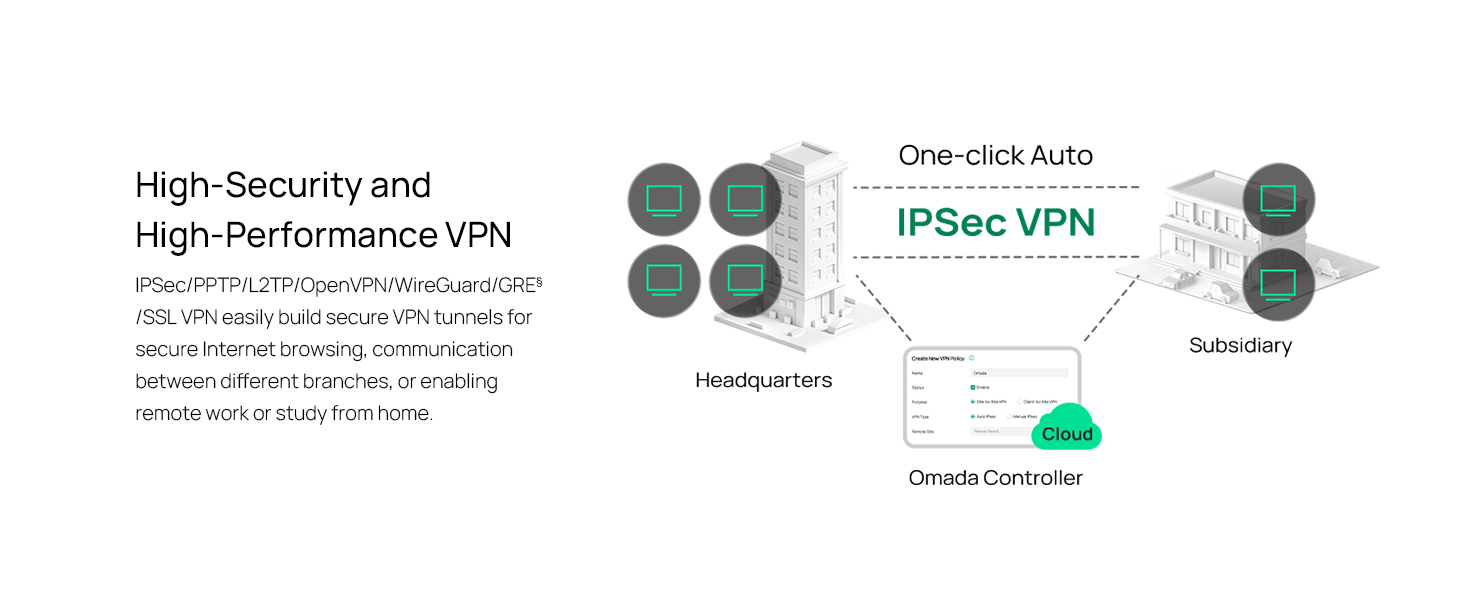
Figure 3: Visual representation of a secure VPN tunnel setup.
- IPsec VPN: Establish secure tunnels between networks (e.g., office to branch office).
- OpenVPN/SSL VPN: Provide secure remote access for individual users.
- PPTP/L2TP VPN: Legacy VPN protocols for various client connections.
4.3 Функцыі бяспекі
The router includes advanced security measures to protect your network:

Малюнак 4: Закончанаview of intelligent protection and performance features.
- Брандмаўэр SPI: Stateful Packet Inspection firewall for network protection.
- Policy-based Firewall: Define rules to control network traffic based on specific criteria.
- Абарона ад DoS/DDoS-атак: Defend against Denial of Service and Distributed Denial of Service attacks.
- Спіс кантролю доступу (ACL): Manage network access for specific devices or users.
4.4 Інтэграцыя Omada SDN
The ER707-M2 is part of the Omada Software-Defined Networking (SDN) solution, allowing for centralized management of your entire network.

Figure 5: How the ER707-M2 integrates into an Omada SDN network.
- Цэнтралізаванае кіраванне: Manage the router, access points, and switches from a single interface via the Omada Controller (hardware or software).
- Аддалены доступ: Access and manage your network from anywhere using the Omada app or cloud portal.
- Seamless Scalability: Easily expand your network by adding more Omada devices.
5. Тэхнічнае абслугоўванне
To ensure optimal performance and security of your ER707-M2 router, regular maintenance is recommended:
- Абнаўленні прашыўкі: Перыядычна правярайце афіцыйны сайт TP-Link. webсайт для найноўшых версій прашыўкі. Абнаўленне прашыўкі можа палепшыць прадукцыйнасць, дадаць новыя функцыі і выправіць уразлівасці бяспекі.
- Рэзервовае капіраванне канфігурацыі: Regularly back up your router's configuration settings. This allows for quick restoration in case of accidental changes or system issues.
- Фізічны агляд: Ensure the router is placed in a well-ventilated area, free from dust and obstructions. Check cable connections for secure fit.
- Security Review: Перыядычна пераview your firewall rules, VPN settings, and access control lists to ensure they meet your current security requirements.
6. Выпраўленне непаладак
If you encounter issues with your ER707-M2 router, consider the following troubleshooting steps:
- Няма доступу ў Інтэрнэт:
- Check all cable connections (WAN, LAN, Power).
- Verify your modem or ISP device is working correctly.
- Confirm WAN settings in the router's web інтэрфейс правільны.
- Restart the modem, then the router, and then your connected devices.
- Немагчыма атрымаць доступ Web Старонка кіравання:
- Пераканайцеся, што ваш камп'ютар падлучаны да LAN-порта маршрутызатара.
- Verify your computer's IP address is in the same subnet as the router (e.g., if router is 192.168.0.1, computer should be 192.168.0.x).
- Паспрабуйце ачысціць кэш браўзера або скарыстацца іншым браўзерам.
- If the issue persists, perform a factory reset (see below).
- Павольная хуткасць сеткі:
- Праверце хуткасць вашага інтэрнэт-правайдэра.
- Ensure all cables are Cat5e or higher for Gigabit/2.5Gig connections.
- Monitor network usage to identify bandwidth-intensive applications or devices.
- Verify duplex settings on connected devices and router ports.
- Скід да заводскіх налад: If all else fails, you can restore the router to its factory default settings. Locate the Reset button on the router (often a small pinhole button), press and hold it for about 5-10 seconds until the system LED blinks, then release. This will erase all custom configurations.
7. Тэхнічныя характарыстыкі
| Асаблівасць | Дэталь |
|---|---|
| Марка | TP-Link |
| Назва мадэлі | ER707-M2 |
| Тэхналогія падлучэння | Ethernet |
| Колькасць партоў | 6 (1x 2.5G WAN, 1x 2.5G WAN/LAN, 4x Gigabit WAN/LAN, 1x Gigabit SFP WAN/LAN, 1x USB 2.0) |
| Прапускная здольнасць порта лакальнай сеткі | 10/100/1000/2500 Мбіт / с |
| Хуткасць перадачы даных | 2500 мегабіт у секунду |
| Максімальная хуткасць перадачы дадзеных па ўзыходзячым патоку | 5000 мегабіт у секунду |
| Пратакол бяспекі | SSL, IPSec, GRE, SSH, IKEv1/v2, PPTP, L2TP, OpenVPN |
| Метад кантролю | дадатак, Web Інтэрфейс |
| Аперацыйная сістэма | ZyNOS (TP-Link Omada) |
| Вага прадмета | 1.1 кілаграма |
| Памеры прадмета (Д х Ш х У) | 12.9 см Д х 9.5 см Ш х 3.1 см В |
8. Інфармацыя аб гарантыі
The TP-Link ER707-M2 Omada Multi-Gigabit VPN Router is backed by an industry-leading 5-гадовая гарантыя вытворцыГэтая гарантыя распаўсюджваецца на дэфекты матэрыялаў і вырабу пры нармальным выкарыстанні. Калі ласка, захавайце пацвярджэнне пакупкі для прэтэнзій па гарантыі.
9. Падтрымка
For technical assistance, product information, or warranty inquiries, please contact TP-Link support:
- Падтрымка па тэлефоне: (866) 225-8139 (Available Monday to Friday, 6am to 6pm PST)
- Прадукт Webсайт: myproducts.tp-link.com/us
- Падтрымка па электроннай пошце: support.USA@tp-link.com