
1. Уводзіны
Thank you for choosing the HOETEK L51 Smartwatch. This manual provides essential information for setting up, operating, and maintaining your device. Please read it carefully to ensure optimal performance and longevity of your smartwatch.
The HOETEK L51 Smartwatch is designed to enhance your daily life with features such as Bluetooth calling, comprehensive health monitoring, and various sports modes. It features a 1.95-inch full touch screen and is compatible with Android and iOS devices.
2. Змесціва ўпакоўкі
Праверце наяўнасць усіх прадметаў у камплекце:
- HOETEK L51 Smartwatch
- Зарадны кабель
- Кіраўніцтва карыстальніка
3. Настройка
3.1 Зарадка разумнага гадзінніка
Before first use, fully charge the smartwatch. Connect the magnetic charging cable to the charging contacts on the back of the watch and plug the USB end into a standard USB power adapter (not included).

Image: The smartwatch connected to its magnetic charging cable, displaying a charging icon on the screen.
A full charge typically takes about 2 hours. The watch has an ultra-long standby life of up to 20 days and 7 days of normal use.
3.2 Усталёўка і спалучэнне праграм
The HOETEK L51 Smartwatch uses the 'Da Fit' application. Download the 'Da Fit' app from the App Store (iOS) or Google Play Store (Android).
- Пераканайцеся, што на вашым смартфоне ўключаны Bluetooth.
- Open the 'Da Fit' app and create an account or log in.
- In the app, navigate to 'Device' and select 'Add Device'.
- Select 'L51' from the list of available devices to pair.
- Пацвердзіце запыт на спалучэнне як на тэлефоне, так і на разумным гадзінніку.
3.3 Bluetooth Call Function Setup
To enable the Bluetooth call function:
- After initial pairing, go to your phone's Bluetooth settings.
- Look for a second Bluetooth device named 'L51_CALL' (or similar) and pair with it.
- Once connected, you can make and receive calls directly from your smartwatch.

Image: A person wearing the smartwatch, which displays a phone dial pad and call records. This illustrates the Bluetooth call function.
4. Інструкцыя па эксплуатацыі
4.1 Асноўная навігацыя
The HOETEK L51 Smartwatch features a 1.95-inch full touch screen and a rotatable crown for navigation.
- Правядзіце пальцам уверх/уніз: Пракручвайце меню і апавяшчэнні.
- Правядзіце пальцам улева/управа: Доступ да хуткіх функцый або розных экранаў.
- Націсніце: Выберыце элемент або пацвердзіце дзеянне.
- Націсніце Карону: Return to the home screen or wake the device.
- Rotate Crown: Scroll through lists or adjust settings.

Выява: Крупны план views of the smartwatch highlighting its 1.95-inch touch screen, 240x282 resolution, customizable dial, and rotatable crown.
4.2 Налада цыферблатаў гадзінніка
The smartwatch offers over 200 watch faces through the 'Da Fit' app. You can also upload personal photos to create custom dials.
- На гадзінніку: Long-press the home screen to quickly change watch faces.
- Праз прыкладанне: Open the 'Da Fit' app, go to 'Device' > 'Watch Faces' to browse and apply more options or customize with your photos.

Image: The smartwatch displaying a custom watch face with a family photo, demonstrating the custom dial feature.

Image: A row of smartwatches displaying different customizable watch faces, including a pet photo and abstract designs, illustrating the variety available.
4.3 Спартыўныя рэжымы і адсочванне актыўнасці
The smartwatch supports over 120 sports modes, including walking, running, cycling, yoga, hiking, jump rope, and football. It tracks daily steps, calories burned, and distance traveled.
- Access sports modes from the main menu.
- Select your desired activity to start tracking.
- View detailed activity records in the 'Da Fit' app.

Image: A collage showing various sports icons, the smartwatch displaying activity data (calories, distance, steps), and a close-up of the heart rate sensor on the back of the watch.

Image: A woman exercising in a gym, wearing the smartwatch which displays a 'Sports Record' screen with total moves, steps, calories, and average heart rate.
4.4 Маніторынг здароўя
The L51 Smartwatch includes a high-performance sensor for 24/7 heart rate and sleep monitoring.
- Частата сардэчных скарачэнняў: Гадзіннік пастаянна адсочвае ваш пульс. View дадзеныя ў рэжыме рэальнага часу на гадзінніку або падрабязныя тэндэнцыі ў дадатку «Da Fit».
- Маніторынг сну: The watch automatically tracks your sleep patterns, including light, moderate, and deep sleep, and awake time. Access sleep quality reports in the 'Da Fit' app to understand your body's state.
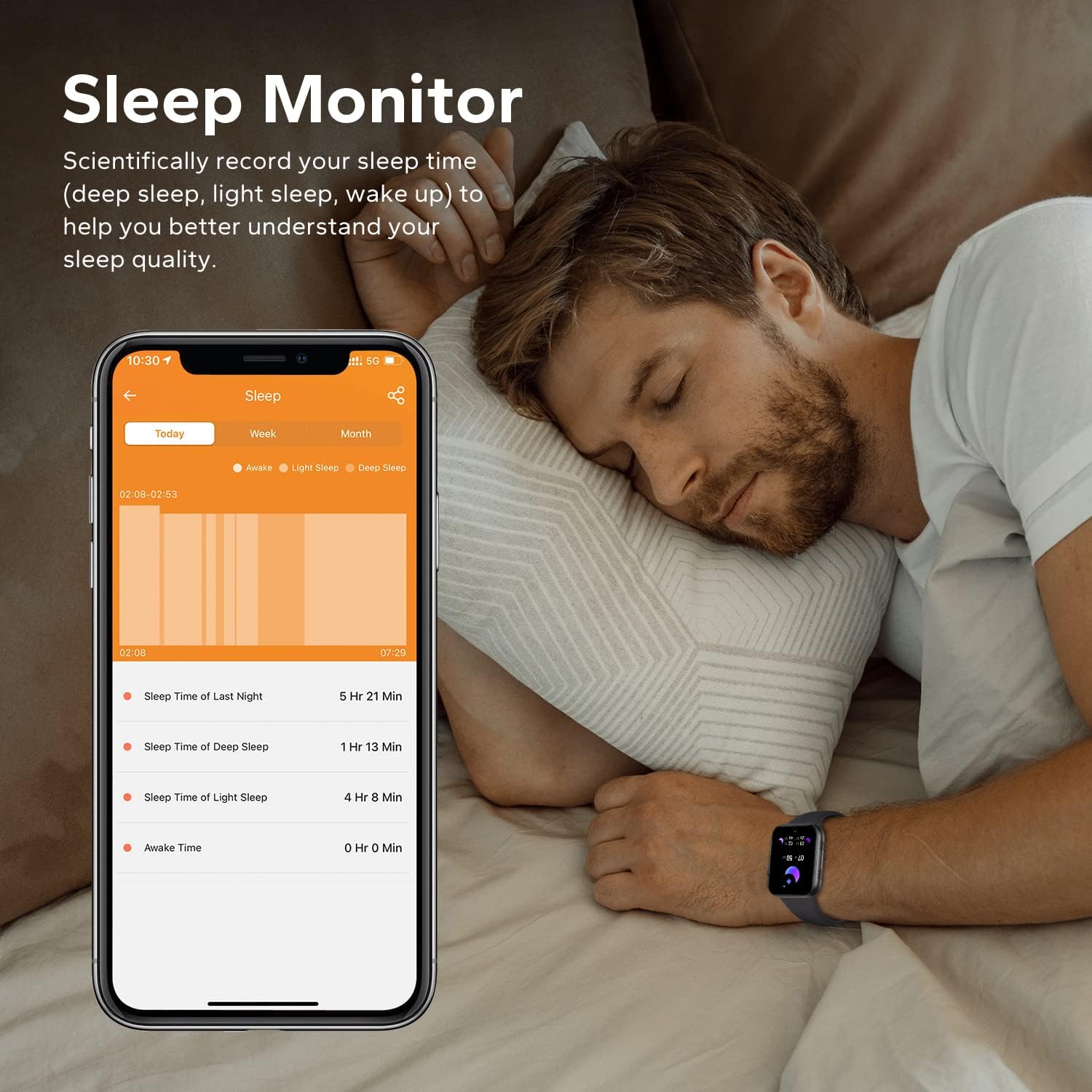
Image: A man sleeping while wearing the smartwatch, with a smartphone next to him displaying detailed sleep monitoring data, including sleep duration and stagэс.

Image: A close-up of the back of the smartwatch, showing the green light of the heart rate monitor sensor.
4.5 Разумныя апавяшчэнні
Receive call records and message notifications directly on your wrist. The watch supports notifications from various apps like Facebook, Twitter, WhatsApp, Instagram, and Messenger.
- Ensure the 'Da Fit' app has notification permissions enabled on your phone.
- In the app, select which applications you want to receive notifications from.
- Lift your wrist to view ўваходныя паведамленні і абвесткі.
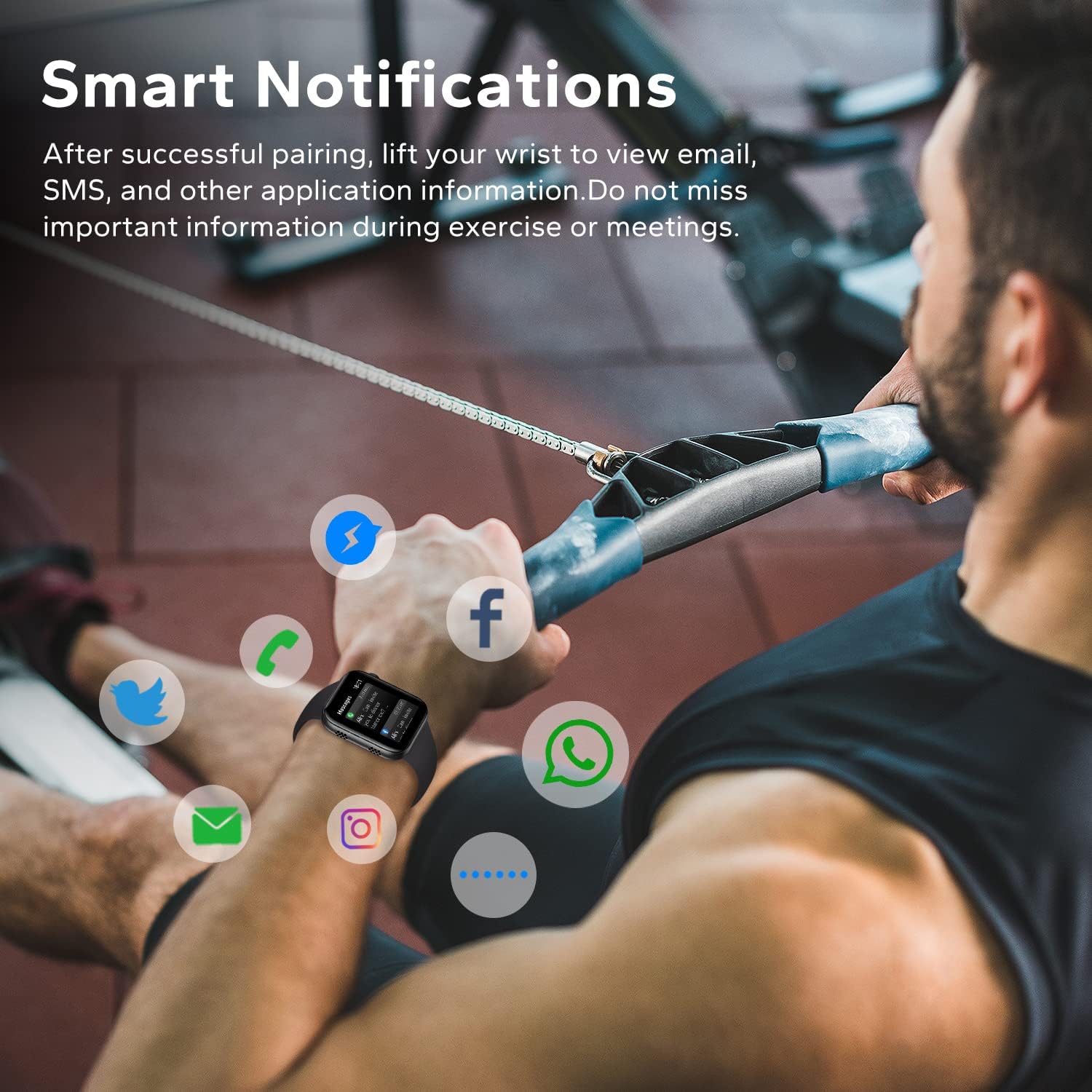
Image: A man exercising, wearing the smartwatch which displays various social media and communication app icons floating around it, indicating smart notification capabilities.
4.6 Іншыя практычныя функцыі
The HOETEK L51 Smartwatch offers additional features for convenience:
- Кіраванне музыкай: Кіруйце прайграваннем музыкі на тэлефоне непасрэдна з гадзінніка.
- Кіраванне камерай: Выкарыстоўвайце гадзіннік як пульт дыстанцыйнага кіравання затворам для камеры тэлефона.
- Сядзячы напамін: Атрымлівайце апавяшчэнні аб неабходнасці рухацца пасля перыядаў бяздзейнасці.
- Напамін пра ваду: Усталюйце напаміны пра неабходнасць піць ваду.
- Будзільнік: Set alarms directly on the watch or via the app.
- Секундамер і таймер: Basic timing functions.
- Знайсці тэлефон: Знайдзіце спалучаны смартфон, зрабіўшы так, каб ён званіў.

Image: The smartwatch screen showing a music player interface with playback controls and album art.

Image: Two people taking a selfie, with one person's smartwatch displaying a camera shutter button, indicating remote photo control.

Image: A hand wearing the smartwatch, which displays a 'Remind to Move' notification, encouraging activity.
5. Тэхнічнае абслугоўванне
5.1 Ачыстка
Regularly clean your smartwatch and strap to prevent skin irritation and maintain device functionality.
- Працірайце экран і корпус мяккай губкайamp, тканіна без ворса.
- Для раменьчыка выкарыстоўвайце мяккае мыла і ваду, затым старанна прамыйце і цалкам высушыце перад тым, як насіць.
- Пазбягайце выкарыстання агрэсіўных хімікатаў або абразіўных матэрыялаў.
5.2 Воданепранікальнасць (IP67)
The HOETEK L51 Smartwatch is IP67 rated, meaning it is resistant to dust and can withstand immersion in water up to 1 meter for 30 minutes. It is suitable for daily use, such as hand washing or light rain.

Image: The smartwatch covered in water droplets, with the text 'IP67 Waterproof', demonstrating its water resistance.
Важна:
- Do not use the watch for swimming, diving, or in hot water (e.g., showers, saunas), as steam and hot water can damage the seals.
- Воданепранікальнасць не з'яўляецца пастаяннай і можа змяншацца з часам пры нармальным зносе.
5.3 Сыход за акумулятарам
- Пазбягайце экстрэмальных тэмператур, якія могуць пагоршыць тэрмін службы батарэі.
- Рэгулярна зараджайце прыладу, але не пакідайце яе цалкам разраджанай на працяглы час.
6. Выпраўленне непаладак
If you encounter issues with your HOETEK L51 Smartwatch, refer to the following common solutions:
| выпуск | Магчымае рашэнне |
|---|---|
| Гадзіннік не ўключаецца | Пераканайцеся, што гадзіннік цалкам зараджаны. Падключыце яго да зараднай прылады як мінімум на 30 хвілін. |
| Немагчыма спалучыць прыладу з тэлефонам | 1. Ensure Bluetooth is enabled on your phone. 2. Make sure the watch is within range. 3. Restart both the watch and your phone. 4. Try unpairing and re-pairing through the 'Da Fit' app. |
| Апавяшчэнні не атрыманы | 1. Check if 'Da Fit' app has notification permissions. 2. Ensure notifications are enabled for specific apps within 'Da Fit'. 3. Verify Bluetooth connection. |
| Heart rate/sleep data inaccurate | Ensure the watch is worn snugly on your wrist, not too tight or too loose. Clean the sensor regularly. Note that data is for reference and not for medical use. |
| Bluetooth call not working | Ensure both 'L51' and 'L51_CALL' (or similar) are paired in your phone's Bluetooth settings. |
7. Тэхнічныя характарыстыкі
| Асаблівасць | Дэталь |
|---|---|
| Марка | ХЁТЭК |
| Нумар мадэлі | L51 |
| Памер экрана | 1.95 цаляў |
| Аперацыйная сістэма | Android (4.4 and above), iOS (10.0 and above) |
| Сувязь | Bluetooth 5.0 |
| Асаблівасці | Heart Rate Monitor, Sleep Monitor, Bluetooth Call, Activity Tracker |
| Склад батарэі | Літый-палімерны |
| Тэрмін службы батарэі (пры нармальным выкарыстанні) | 7 дзён |
| Час чакання | 20 дзён |
| Воданепранікальнасць | IP67 |
| Мэтавая аўдыторыя | Adult (Unisex) |
8. Гарантыя і падтрымка
For warranty information and customer support, please refer to the documentation provided with your purchase or contact HOETEK customer service through their official webсайт або прадаўца, дзе быў набыты тавар.