
Elite Aria
Elite Aria Smart Cooling Fan User Manual
Model: Aria (Part No. 3204003750)
1. Уводзіны
The Elite Aria Smart Cooling Fan is an advanced device designed to enhance your indoor cycling experience by replicating outdoor ride conditions. It features intelligent airflow adjustment based on your workout intensity and data, reaching speeds up to 50 km/h. The Aria fan offers extensive compatibility with various sensors and devices, ensuring a highly immersive and effective training environment.
This manual provides essential information for the safe and efficient operation, setup, and maintenance of your Elite Aria Smart Cooling Fan. Please read it thoroughly before using the product.
2. Інфармацыя па бяспецы
- Заўсёды пераканайцеся, што вентылятар усталяваны на ўстойлівай, роўнай паверхні, каб прадухіліць яго перакульванне.
- Keep hands, hair, and loose clothing away from the fan blades during operation.
- Не выкарыстоўвайце вентылятар з пашкоджаным шнуром харчавання або вілкай.
- Не апускайце вентылятар у ваду і не падвяргайце яго ўздзеянню празмернай вільгаці.
- Адключайце вентылятар ад разеткі перад чысткай або любым тэхнічным абслугоўваннем.
- Гэты прыбор не прызначаны для выкарыстання асобамі (уключаючы дзяцей) з абмежаванымі фізічнымі, сэнсарнымі або разумовымі здольнасцямі або з адсутнасцю вопыту і ведаў, за выключэннем выпадкаў, калі яны знаходзяцца пад наглядам або праінструктаваныя адносна выкарыстання прыбора асобай, адказнай за іх бяспеку.
3. Змесціва ўпакоўкі
Праверце наяўнасць усіх прадметаў у камплекце:
- Elite Aria Smart Fan Unit
- Адаптар сілкавання
- 2 x Activated Carbon Filters (pre-installed or separate)
- Кіраўніцтва карыстальніка (гэты дакумент)
4. Настройка
4.1 Распакоўка і размяшчэнне
- Carefully remove the Elite Aria Smart Cooling Fan from its packaging.
- Place the fan on a flat, stable surface in front of your training setup.
- Adjust the fan's angle to optimize airflow. The Aria features 10 adjustable positions, ranging from 0° to 50°, to best cover a cyclist's body shape.
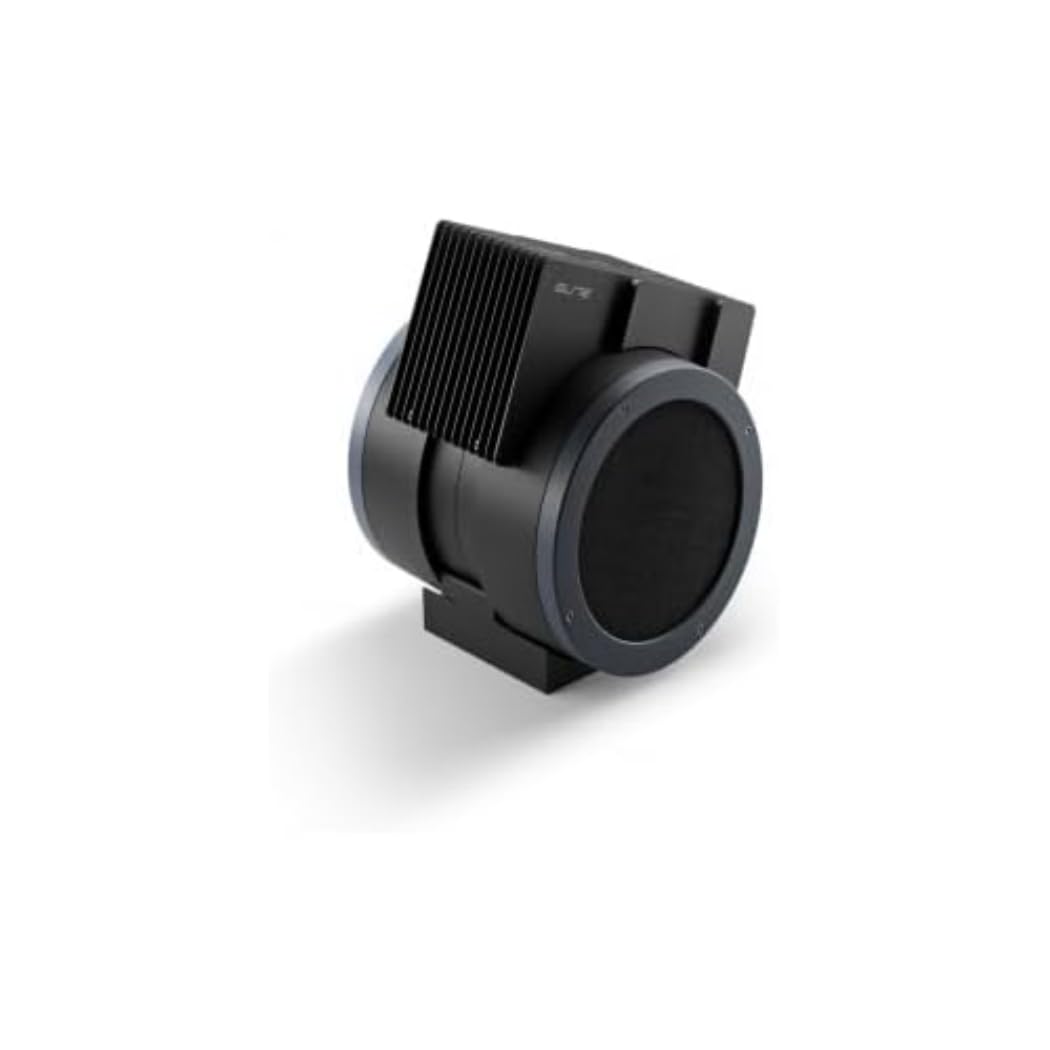
An image showing the Elite Aria Smart Cooling Fan, a black, cylindrical device with a rectangular top section containing cooling fins, designed for indoor cycling training.
4.2 Падключэнне харчавання
- Connect the power adapter to the fan's power input port.
- Падключыце адаптар сілкавання да адпаведнай электрычнай разеткі.
- The fan will power on in standby mode or manual mode, indicated by the control panel lights.
4.3 Усталёўка фільтра (калі ён не ўсталяваны загадзя)
The Aria includes 2 activated carbon filters designed to filter air and remove workout odors. If not pre-installed, follow these steps:
- Locate the filter compartments on the fan (refer to the diagram in the quick start guide if available).
- Insert the activated carbon filters into their respective slots. Ensure they are securely seated.
5. Рэжымы працы
5.1 Ручны рэжым
The Aria fan can be operated manually using the small keyboard on the unit:
- Кнопка харчавання: Press to turn the fan on/off or activate standby mode.
- Рэгуляванне хуткасці: Use the dedicated buttons to cycle through 4 manual wind intensity levels.
- Рэжым чакання: Activate standby mode when not actively training.
5.2 Smart Mode (Automatic Adjustment)
The Aria fan's primary feature is its ability to automatically adjust airflow based on your workout data. It communicates wirelessly with various sensors and devices:
- ANT+ FE-C & ANT+ Speed Devices/Sensors: For speed-based airflow.
- ANT+ Power Meters: For power-based airflow.
- ANT+ & BLE Heart Rate Monitors: For heart rate-based airflow.
- ANT+ Body Temperature Sensors: For body temperature-based airflow.
To pair with a device or sensor:
- Ensure your sensor/device is active and within range.
- On the Aria's keyboard, press the button to select the desired data source (speed, power, heart rate, body temperature).
- The fan will automatically search for and connect to compatible sensors. Once connected, airflow will adjust dynamically.
5.3 My E-Training App Control
The Elite Aria fan can also be controlled via the My E-Training app, providing quick access to all main functions and advanced settings:
- Download and install the My E-Training app on your smartphone or tablet.
- Open the app and ensure Bluetooth is enabled on your device.
- Follow the in-app instructions to connect to your Elite Aria fan.
- Through the app, you can select the device/sensor to be connected, adjust wind power percentage, and customize advanced settings to suit your workout needs.
Note: You do not need a subscription to the My E-Training app to access all of Aria's features within the app.
6. Тэхнічнае абслугоўванне
6.1 Ачыстка
- Заўсёды адключайце вентылятар перад чысткай.
- Працірайце вонкавыя паверхні вентылятара мяккай губкайamp тканіна. Не выкарыстоўвайце абразіўныя ачышчальнікі або растваральнікі.
- Сачыце за тым, каб вада не трапляла ва ўнутраныя кампаненты.
6.2 Activated Carbon Filter Replacement
The activated carbon filters help remove workout odors. They should be replaced periodically depending on usage and air quality.
- Адключыце вентылятар ад разеткі.
- Locate the filter compartments.
- Carefully remove the spent filters.
- Insert new activated carbon filters, ensuring they fit snugly.
- Dispose of old filters responsibly.
7. Выпраўленне непаладак
- Вентылятар не ўключаецца:
- Check if the power cord is securely plugged into both the fan and the electrical outlet.
- Ensure the electrical outlet is functional.
- No automatic airflow adjustment:
- Ensure your sensors/devices are turned on and within range of the fan.
- Verify that the correct data source (speed, power, HR, temp) is selected on the fan's control panel or via the My E-Training app.
- Check battery levels of your external sensors.
- Try restarting both the fan and your sensors/devices.
- Слабы паток паветра:
- In manual mode, increase the speed level.
- In smart mode, ensure your workout intensity data is being correctly transmitted and interpreted.
- Check if the air intake or output is obstructed.
- Consider replacing the activated carbon filters if they are old or heavily used.
8. Тэхнічныя характарыстыкі
| Асаблівасць | Спецыфікацыя |
|---|---|
| Фірмовае найменне | Элітны |
| Назва мадэлі | Арыя |
| Нумар дэталі | 3204003750 |
| Матэрыял | Тэрмапластык |
| Памеры прадмета (ДxШxВ) | 12.2 х 11.81 х 14.17 цалі |
| Памеры ўпакоўкі (ДxШxВ) | 17.72 х 17.32 х 14.76 цалі |
| Вага ўпакоўкі | 6.2 кілаграма |
| Максімальная хуткасць паветранага патоку | Да 50 км/г |
| Рэгуляваныя пазіцыі | 10 (ад 0° да 50°) |
| Сувязь | ANT+ FE-C, ANT+ Speed, ANT+ Power, ANT+ HR, BLE HR, ANT+ Body Temperature |
| Уключаныя кампаненты | Aria Smart Fan, 2 Activated Carbon Filters |
9. Гарантыя і падтрымка
Elite products are manufactured to high standards and are covered by a limited warranty. For specific warranty terms and conditions, please refer to the warranty card included with your product or visit the official Elite webсайт.
For technical support, troubleshooting assistance, or to inquire about replacement parts (such as activated carbon filters), please contact Elite customer service through their official webсайт або кантактную інфармацыю, указаную на ўпакоўцы прадукту.
Інтэрнэт-рэсурсы:
Ask a question about this manual
Ask about setup, troubleshooting, compatibility, parts, safety, or missing instructions. Manuals+ will review the question and use this page’s manual context to help answer it.