
1. Уводзіны
The ATTACK SHARK G6 Gaming Mouse is a versatile peripheral designed for both gaming and daily productivity. It offers three distinct connection modes: wired, 2.4G wireless, and Bluetooth, ensuring reliable and accurate transmission across various devices. Its ergonomic design, adjustable DPI settings, and customizable RGB lighting provide a tailored user experience.

Figure 1: The ATTACK SHARK G6 Gaming Mouse (Blue/White) with its USB receiver.
2. Асаблівасці
- Трохрэжымнае падключэнне: Seamlessly switch between wired (USB-C), 2.4G wireless (via USB receiver), and Bluetooth connections for maximum flexibility.
- Рэгуляваны DPI: Features 5 adjustable DPI levels (1200/1600/2000/2400/4000) for precise control and responsiveness, suitable for various tasks from detailed work to fast-paced gaming.
- 11 Chroma RGB Lighting Modes: Customize your setup with 11 distinct RGB lighting effects, enhancing your gaming atmosphere.
- 10 праграмуемых кнопак: Equipped with 10 function buttons, strategically placed for easy access, allowing for quick actions like light changes, one-click web access, and navigation.
- Эрганамічны дызайн: Specifically designed for right-hand users with a comfortable thumb rest, reducing fatigue during extended use.
- Бясшумныя кнопкі: Left and right buttons feature a silent click design, minimizing noise and preventing disturbance to others.
- Акумулятарная батарэя: Built-in 500mAh lithium battery, rechargeable via Type-C, providing long-lasting use on a single charge (approx. 3-4 hours for full charge).
- Шырокая сумяшчальнасць: Compatible with Windows, Mac, Android, and other operating systems, ensuring broad usability.

Малюнак 2: Закончанаview of the 10 programmable buttons and ergonomic finger rests.
3. Змесціва ўпакоўкі
Калі ласка, праверце змесціва пакета пасля распакавання, каб пераканацца ў наяўнасці ўсіх прадметаў:
- ATTACK SHARK G6 Gaming Mouse
- USB 2.4G Wireless Receiver
- Зарадны кабель USB-C
- Кіраўніцтва карыстальніка (гэты дакумент)
4. Настройка
4.1. Зарадка мышы
Before first use, it is recommended to fully charge the mouse. Connect the supplied USB-C charging cable to the mouse's Type-C port and the other end to a USB power source (e.g., computer USB port, USB wall adapter). The charging indicator will show status (refer to LED indicator section for details). A full charge typically takes 3-4 hours.

Figure 3: Charging the G6 Gaming Mouse via its Type-C port.
4.2. Рэжымы падключэння
The G6 mouse supports three connection methods:
- Бесправадны рэжым 2.4G:
- Locate the USB 2.4G wireless receiver, usually stored in a compartment on the underside of the mouse.
- Падключыце прыёмнік да вольнага порта USB на вашым кампутары.
- Уключыце мыш з дапамогай выключальніка харчавання на яе ніжняй панэлі. Мыш павінна падключыцца аўтаматычна.
- Рэжым Bluetooth:
- Turn on the mouse and switch it to Bluetooth mode (refer to the switch on the underside).
- На прыладзе (камп'ютары, планшэце, тэлефоне) перайдзіце ў налады Bluetooth і знайдзіце новыя прылады.
- Select "ATTACK SHARK G6" (or similar name) from the list to pair.
- Правадной рэжым:
- Connect the supplied USB-C cable to the mouse's Type-C port.
- Падключыце другі канец кабеля да USB-порта вашага кампутара.
- Мыш адразу ж пачне працаваць у правадным рэжыме і адначасова будзе зараджацца.
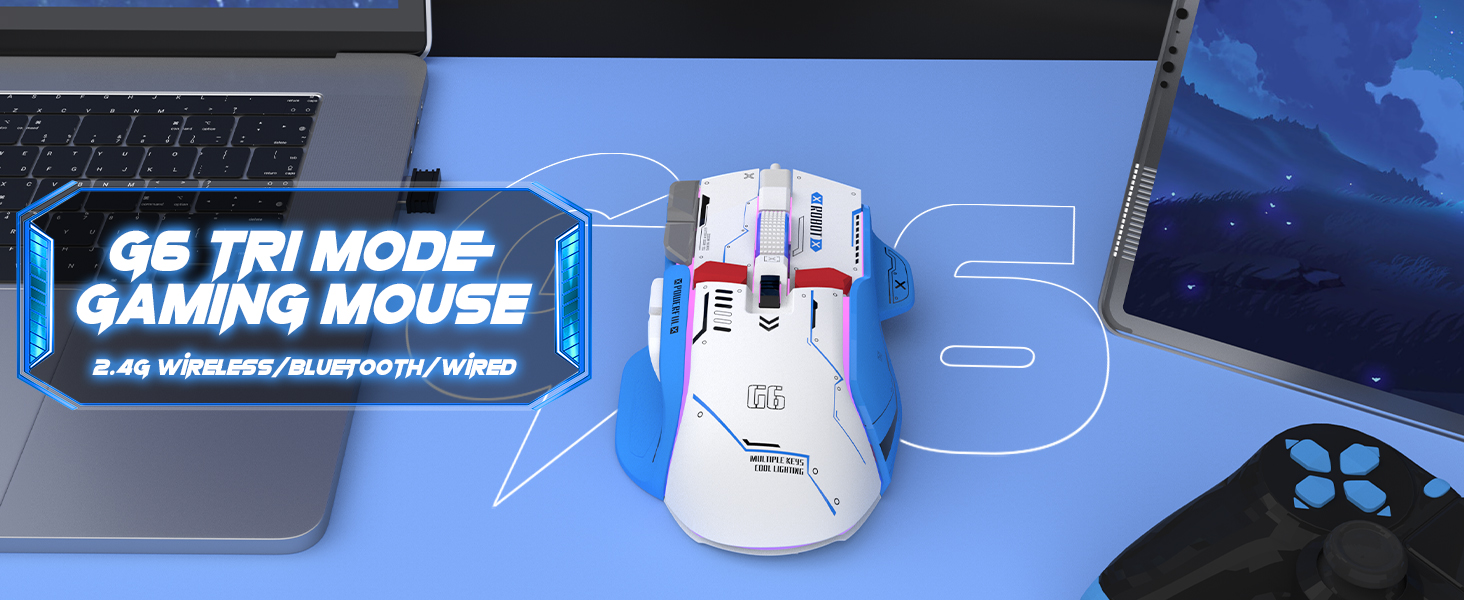
Figure 4: The G6 mouse supports 2.4G wireless, Bluetooth, and wired connections.
5. Інструкцыя па эксплуатацыі
5.1. Рэгуляванне DPI
The G6 mouse features a dedicated DPI button (refer to Figure 2 for location) to cycle through 5 adjustable DPI levels: 1200, 1600, 2000, 2400, and 4000. Press the DPI button to switch between sensitivity settings to match your preference or game requirements.
5.2. Кіраванне RGB-падсветкай
The mouse offers 11 Chroma RGB lighting modes. Use the dedicated Light Control button (refer to Figure 2) to cycle through the different lighting effects. To turn off the RGB lighting, continue pressing the button until the lights are off, or refer to the software if available for more advanced control.

Figure 5: The G6 mouse features 11 kinds of RGB backlight modes.
5.3. Функцыі кнопак
The G6 mouse has 10 function buttons. Their default functions are:
- Пстрычка левай кнопкай мышы: Стандартная левая кнопка мышы.
- Пстрыкніце правай кнопкай мышы: Standard right mouse button (silent click).
- Кола пракруткі: Пракрутка ўверх/уніз, клік сярэдняй кнопкай мышы.
- Кнопка DPI: Цыклічнае пераключэнне паміж наладамі DPI.
- Кнопка кіравання святлом: Пераключае рэжымы RGB-падсветкі.
- Кнопка "Наперад": Перамяшчаецца наперад web browsers/folders.
- Кнопка "Назад": Пераходзіць назад у web browsers/folders.
- Кнопка агню: Rapid fire function (default, may be programmable).
- Desktop Button: One-click access to desktop.
- Webpage Button: One-click access to web браўзер.

Малюнак 6: падрабязна view of key features including finger rests and Type-C port.

Figure 7: The silent click feature ensures quiet operation, ideal for shared spaces.
6. Тэхнічнае абслугоўванне
To ensure the longevity and optimal performance of your ATTACK SHARK G6 Gaming Mouse, follow these maintenance guidelines:
- Уборка: Выкарыстоўвайце мяккую сухую тканіну для працірання паверхні мышы. Для ўстойлівага бруду злёгкуamp cloth with mild soap can be used, but ensure no liquid enters the mouse. Do not use harsh chemicals or abrasive materials.
- захоўванне: Захоўвайце мыш у прахалодным, сухім месцы, удалечыні ад прамых сонечных прамянёў і экстрэмальных тэмператур.
- Пазбягайце кропель: Абараняйце мыш ад падзенняў і ўдараў, якія могуць пашкодзіць унутраныя кампаненты.
- Сыход за кабелем: When using wired mode or charging, handle the USB-C cable carefully to prevent bending or fraying.
7. Выпраўленне непаладак
If you encounter issues with your ATTACK SHARK G6 Gaming Mouse, please refer to the following common solutions:
| праблема | Магчымае рашэнне |
|---|---|
| Mouse not responding (Wireless/Bluetooth) |
|
| Налады DPI не мяняюцца |
|
| RGB-падсветка не працуе або завісла |
|
| Затрымка або перарывістае падключэнне |
|
7.1. Відэакіраўніцтва па прадукце
For a visual guide on the mouse's features and operation, please watch the official product video:
Video: G6 Wireless/wired/bluetooth gaming mouse. This video demonstrates the RGB lighting effects and general appearance of the G6 gaming mouse in different colors.
8. Тэхнічныя характарыстыкі
| Асаблівасць | Дэталь |
|---|---|
| Марка | АТАКА АКУЛА |
| Нумар мадэлі | G6 |
| Тэхналогія падлучэння | Bluetooth, Wired, Wireless (2.4G) |
| Тэхналогія выяўлення руху | Аптычны |
| Рэгуляваныя ўзроўні DPI | 1200/1600/2000/2400/4000 |
| Рэжымы RGB | 11 Chroma RGB modes |
| Колькасць кнопак | 10 |
| Ёмістасць батарэі | Літыевая акумулятарная батарэя ёмістасцю 500 мАг |
| Порт для зарадкі | Тып-C |
| Вага прадмета | 7.4 унцыі (прыблізна 210 грамаў) |
| Памеры ўпакоўкі | 6.38 х 5.43 х 2.13 цалі |
| Сумяшчальнасць | Windows, Mac, Android, iOS |
9. Гарантыя і падтрымка
ATTACK SHARK products are designed and manufactured to the highest quality standards. This product is covered by a limited warranty from the date of purchase. For detailed warranty terms, technical support, or customer service inquiries, please contact your retailer or visit the official ATTACK SHARK webсайт.
Інтэрнэт-падтрымка: Visit the ATTACK SHARK Store on Amazon