
Уводзіны
Thank you for choosing the Chieftec PPS-850FC-A3 850W ATX 3.0 Power Supply Unit. This manual provides essential information for the safe and efficient installation, operation, and maintenance of your new power supply. Please read this manual thoroughly before installation and retain it for future reference.
Інструкцыі па тэхніцы бяспекі
- Always disconnect the AC power cord from the wall outlet before installing or removing the power supply.
- Do not open the power supply unit casinг. Высокі аб'ёмtagУнутры ёсць пашкоджанні, і няма дэталяў, якія можна абслугоўваць самастойна. Адкрыццё крышкіasing анулюе гарантыю.
- Ensure the power supply is installed in a well-ventilated area, free from excessive heat, humidity, or dust.
- Use only the modular cables provided with this power supply. Using incompatible cables may cause damage to the PSU or connected components.
- Ensure all connectors are securely attached before powering on the system.
- Гэты прадукт прызначаны для выкарыстання ў персанальных камп'ютарах. Не выкарыстоўвайце яго для іншых мэтаў.
Змест пакета
Калі ласка, праверце змесціва ўпакоўкі. Калі якія-небудзь прадметы адсутнічаюць або пашкоджаныя, звярніцеся да прадаўца.
- Chieftec PPS-850FC-A3 850W ATX 3.0 Power Supply Unit
- Modular Cable Set (including PCIe Gen 5 connector)
- Шнур сілкавання
- Крапежныя шрубы
- Кіраўніцтва карыстальніка (гэты дакумент)
Настройка і ўстаноўка
Follow these steps to properly install your Chieftec PPS-850FC-A3 power supply unit.
1. Праверка перад устаноўкай
- Ensure your computer case supports ATX form factor power supplies.
- Verify that your motherboard and other components are compatible with an 850W power supply and ATX 3.0 standard.
2. Фізічная ўстаноўка
- Мантаж блока харчавання: Carefully slide the power supply into the designated PSU bay in your computer case. Ensure the fan is oriented correctly for optimal airflow (typically facing down if there's a bottom vent, or facing inside the case). Secure the PSU with the provided mounting screws.
- Падключэнне модульных кабеляў: Identify the necessary modular cables for your system components (motherboard, CPU, GPU, storage drives). Connect them to the appropriate ports on the power supply.

Image: Chieftec PPS-850FC-A3 power supply shown with its retail packaging, highlighting the unit itself and a detailed view of the PCIe Gen 5 connector, which is essential for modern high-performance graphics cards.
- Connecting to Motherboard: Падключыце 24-кантактны раз'ём харчавання ATX да матчынай платы.
- Connecting to CPU: Connect the 4+4-pin or 8-pin EPS/CPU power connector(s) to your motherboard.
- Connecting to GPU: For graphics cards, use the appropriate PCIe power connectors. For modern GPUs, utilize the dedicated 12VHPWR (PCIe Gen 5) connector if your GPU supports it.
- Connecting to Peripherals: Connect SATA power cables to SSDs/HDDs and Molex connectors to other peripherals as needed.
- Падключэнне да сеткі пераменнага току: Пасля таго, як усе ўнутраныя злучэнні будуць надзейна замацаваны, падключыце шнур харчавання пераменнага току да крыніцы харчавання, а затым да разеткі.
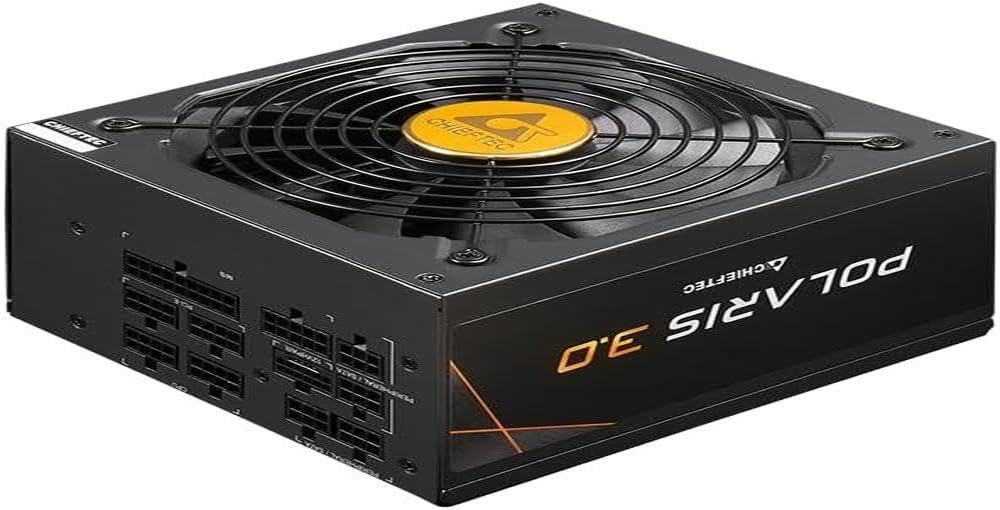
Выява: Прамы фронт view of the Chieftec PPS-850FC-A3 power supply, showcasing its large cooling fan and the protective grille. The Chieftec logo is visible in the center of the fan.
Інструкцыя па эксплуатацыі
After successful installation, ensure the power switch on the back of the PSU is in the 'ON' position (usually marked 'I'). You can then power on your computer system using the case's power button. The power supply will automatically manage power delivery to your components.
Тэхнічнае абслугоўванне
- Уборка: Periodically clean the exterior of the power supply and its fan grille to prevent dust buildup, which can impede airflow and cooling performance. Use compressed air to gently remove dust. Ensure the system is powered off and unplugged before cleaning.
- Вентыляцыя: Ensure that the computer case has adequate ventilation and that the power supply's fan intake and exhaust are not obstructed.
- Кабельнае кіраванне: Proper cable management can improve airflow within your case, contributing to better cooling for all components, including the PSU.
Ліквідацыю непаладак
Калі ў вас узніклі праблемы з блокам харчавання, звярніцеся да наступных распаўсюджаных крокаў па ліквідацыі непаладак:
- Няма харчавання:
- Праверце, ці надзейна падключаны шнур харчавання пераменнага току як да блока харчавання, так і да разеткі.
- Ensure the power switch on the PSU is in the 'ON' position ('I').
- Праверце працаздольнасць разеткі, падключыўшы да яе іншую прыладу.
- Confirm all internal power cables (24-pin ATX, CPU, GPU) are correctly and firmly seated.
- Нестабільнасць сістэмы/выпадковыя адключэнні:
- This could indicate insufficient power or a faulty component. Ensure your system's power requirements do not exceed the PSU's 850W capacity.
- Check for overheating of components.
- Ensure the PSU fan is spinning freely and not obstructed.
- Незвычайныя шумы:
- A rattling or grinding noise may indicate a fan issue. If the noise is persistent and loud, contact support.
- Coil whine (a high-pitched electronic noise) can occur under certain loads but is generally harmless.
If these steps do not resolve your issue, please contact Chieftec customer support or your retailer for further assistance.
Тэхнічныя характарыстыкі
| Асаблівасць | Спецыфікацыя |
|---|---|
| Назва мадэлі | PPS-850FC-A3 |
| Марка | Шэфтэк |
| Сумяшчальныя прылады | Персанальны кампутар |
| Тып раздыма | ATX |
| Выхад ватtage | 850 ват |
| Формаў-фактар | ATX |
| Спосаб астуджэння | паветра |
| Памер вентылятара | 120 міліметра |
| Максімальны аб'ём уваходуtage | 230 вольт |
| Тып раздыма, які выкарыстоўваецца на кабелі | ATX |
| System Bus Connector Type | 4 Pin |
| UPC | 753263078131 |
Гарантыя і падтрымка
This Chieftec PPS-850FC-A3 power supply unit comes with a manufacturer's warranty. Please refer to the warranty card included in your package or visit the official Chieftec webсайт для атрымання падрабязных гарантыйных умоў.
For technical support, product inquiries, or warranty claims, please contact Chieftec customer service through their official webсайт або кантактную інфармацыю, прадастаўленую пры пакупцы.