
1. Уводзіны
The GAMDIAS HELIOS P2-1000G is a fully modular power supply unit designed for high-performance computing systems. It features 80 Plus Gold certification for energy efficiency, supports ATX 3.1 and PCIe Gen 5.1 standards, and incorporates 100% Japanese capacitors for enhanced reliability. This manual provides essential information for the safe installation, operation, and maintenance of your power supply.
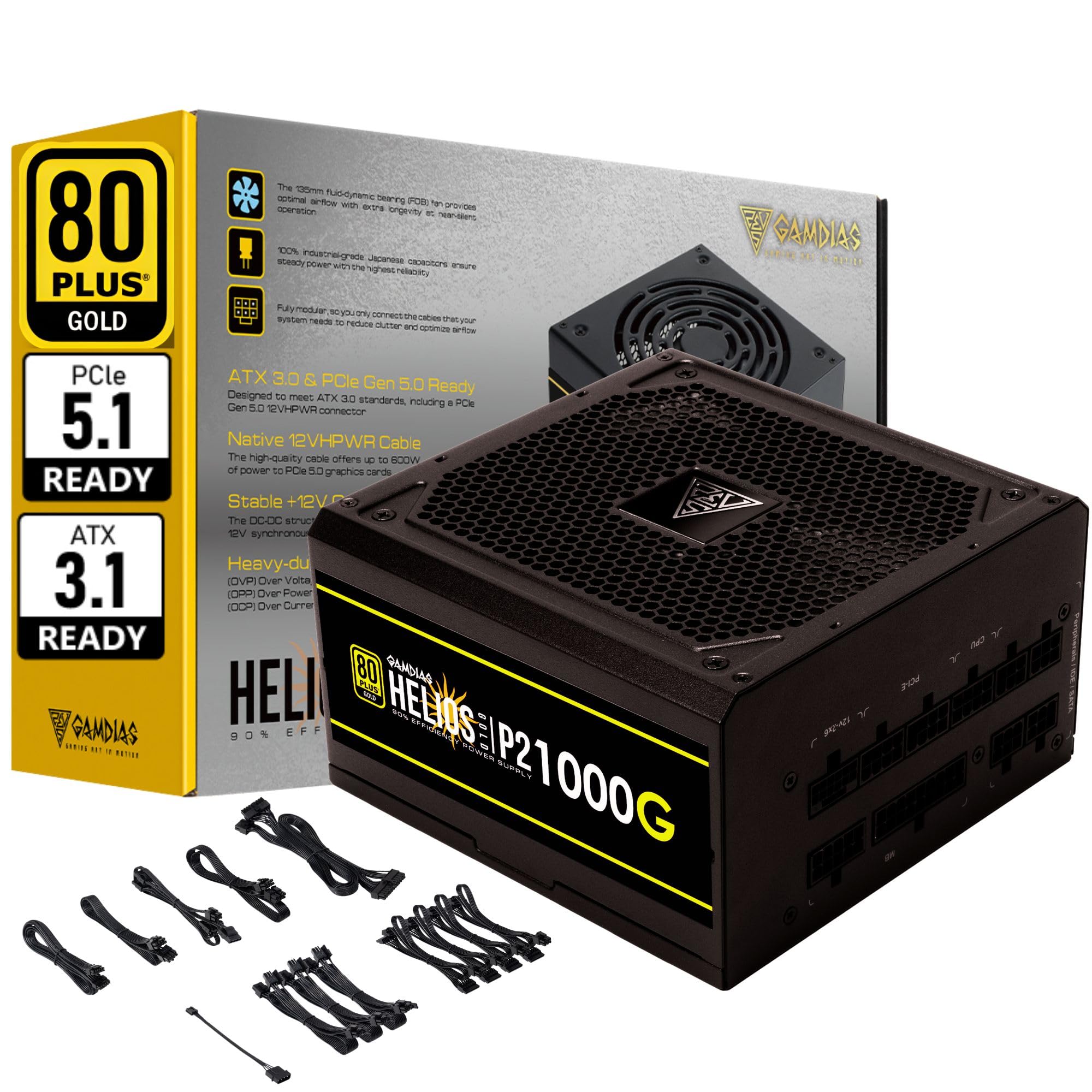
Выява 1.1: Канецview of the GAMDIAS HELIOS P2-1000G Power Supply.
2. Інфармацыя па бяспецы
- Высокі кнtage: Блок харчавання мае высокую напругуtagкампаненты. Не адкрывайце блок харчаванняasing. There are no user-serviceable parts inside. Opening the unit will void the warranty and poses a risk of electric shock.
- Правільнае зазямленне: Ensure the power supply is properly grounded using the provided power cord.
- Вентыляцыя: Не блакуйце вентыляцыйныя адтуліны блока харчавання. Забяспечце дастатковую цыркуляцыю паветра вакол прылады, каб прадухіліць перагрэў.
- Асяроддзе: Avoid installing the power supply in environments with high humidity, extreme temperatures, or excessive dust.
- Выключэнне: Always disconnect the AC power cord from the wall outlet before installing, removing, or cleaning the power supply or any connected components.
- Correct Wattage: Ensure the power supply's wattage is sufficient for your system's components.
3. Змесціва ўпакоўкі
Праверце наяўнасць усіх прадметаў у камплекце:
- GAMDIAS HELIOS P2-1000G Power Supply Unit
- Modular Cable Set (including 24-pin ATX, CPU, PCIe, SATA, Molex, and 12VHPWR cables)
- Шнур сілкавання
- Крапежныя шрубы
- Кіраўніцтва карыстальніка (гэты дакумент)
4. Асаблівасці прадукту
The HELIOS P2-1000G power supply incorporates several features designed for performance and reliability:
- Эфектыўнасць, сертыфікаваная 80 PLUS Gold: Achieves up to 92% efficiency at 50% load, reducing power consumption and heat generation.
- ATX 3.1 and PCIe Gen 5.1 Ready: Designed to meet the latest power standards, supporting next-generation graphics cards with up to 200% total power excursion.
- Native 12VHPWR Cable: Includes a native 16-pin (12VHPWR) PCIe connector capable of delivering up to 600W for PCIe 5.1 graphics cards.
- Quiet Operation with 135mm Dual-Ball Bearing Smart Fan: Features a high-quality 135mm fan with a dual-ball bearing design for durability and quiet operation. The smart fan control adjusts speed based on load to minimize noise.
- Цалкам модульная канструкцыя: Allows for connecting only the necessary cables, improving cable management and airflow within the PC case.
- Premium Japanese Capacitors: Built with 100% high-quality Japanese 105°C/221°F electrolytic capacitors for superior durability and power stability.
- Comprehensive Protection Mechanisms: Includes Over Current Protection (OCP), Over Temperature Protection (OTP), Over Voltage Protection (OVP), Over Power Protection (OPP), Under Voltage Protection (UVP), and Short Circuit Protection (SCP) to ensure system safety.
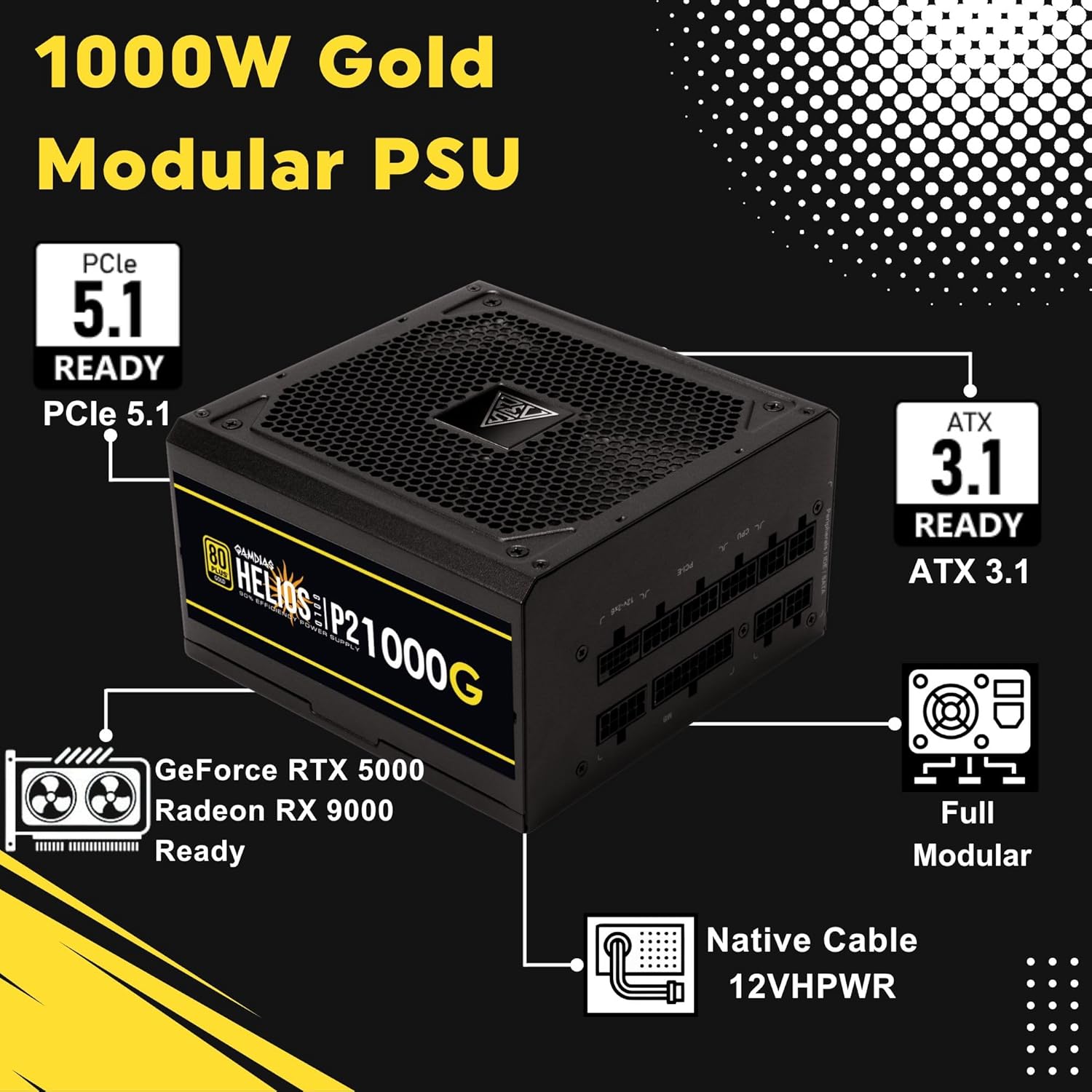
Image 4.1: Key features of the HELIOS P2-1000G, including PCIe 5.1 and ATX 3.1 readiness.

Image 4.2: The 80 Plus Gold certification ensures high energy efficiency.
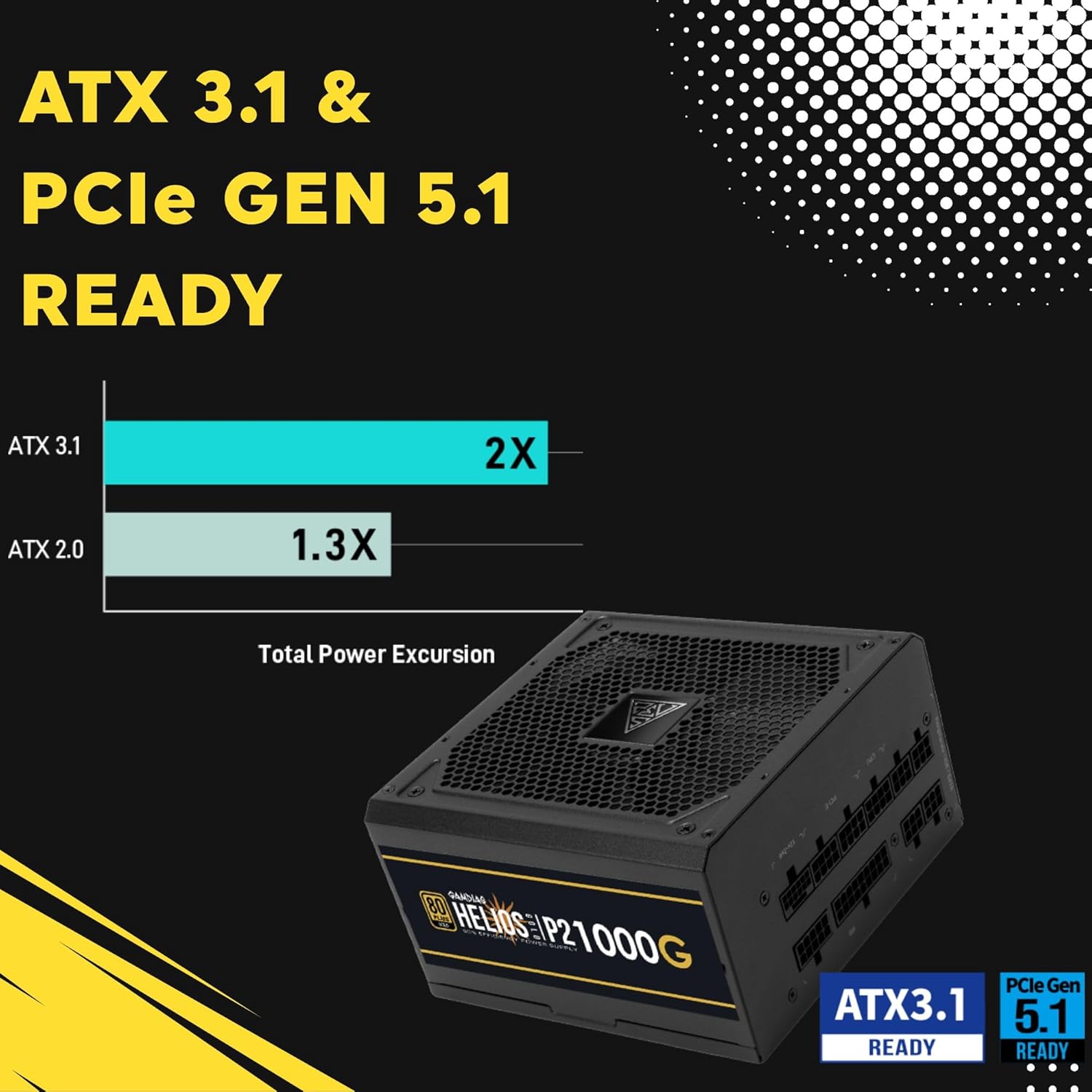
Image 4.3: The power supply is ready for ATX 3.1 and PCIe Gen 5.1, offering improved power excursion.

Image 4.4: Icons representing the various protection features integrated into the power supply.
5. Настройка і ўстаноўка
5.1 Фізічная ўстаноўка
- Падрыхтуйце сваю сістэму: Пераканайцеся, што ваш камп'ютар цалкам выключаны і адключаны ад разеткі.
- Усталюйце блок харчавання: Carefully slide the HELIOS P2-1000G into the power supply bay of your PC case. Ensure the fan is oriented correctly (typically facing downwards for bottom-mounted PSUs, or upwards if your case design requires it for optimal airflow).
- Secure the PSU: Use the provided mounting screws to secure the power supply to the PC case from the rear.
5.2 Кабельныя злучэнні
The HELIOS P2-1000G is fully modular. Connect only the cables required for your system components.
- 24-кантактны кабель для матчынай платы ATX: Connect the large 24-pin cable to the corresponding port on your motherboard. Ensure it clicks into place.
- CPU (EPS) Cable: Connect the 4+4-pin or 8-pin CPU cable to the CPU power connector(s) on your motherboard. High-end motherboards may require two 8-pin connectors.
- PCIe Graphics Card Cables:
- 12VHPWR Cable: For compatible PCIe 5.1 graphics cards, connect the native 16-pin 12VHPWR cable directly to the GPU. Ensure a firm connection.
- 6+2-pin PCIe Cables: For other graphics cards, connect the 6+2-pin PCIe cables to the GPU power connectors.
- Кабелі харчавання SATA: Connect SATA power cables to your SSDs, HDDs, and other SATA-powered devices.
- Перыферыйныя кабелі (Molex): Падключыце кабелі Molex для любых старых перыферыйных прылад, якія іх патрабуюць.
- Шнур сілкавання: Once all internal connections are made, connect the AC power cord to the power supply and then to a grounded wall outlet.

Image 5.1: The native 16-pin 12VHPWR cable for direct connection to PCIe 5.1 graphics cards.
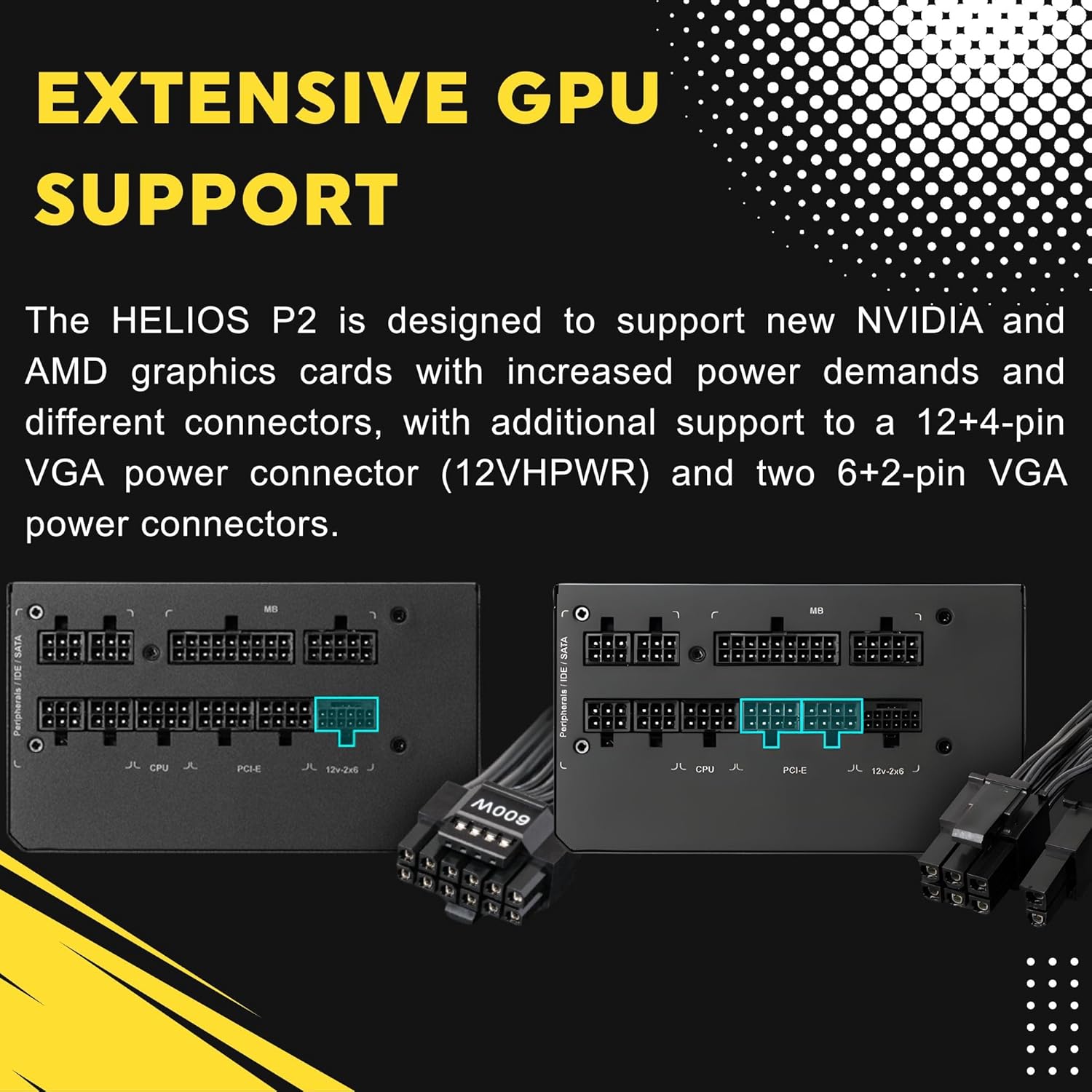
Image 5.2: Illustration of the fully modular design, showing various cable connections.
6. Інструкцыя па эксплуатацыі
6.1 Powering On Your System
After ensuring all cables are securely connected, flip the power switch on the back of the power supply to the 'ON' (I) position. You can then power on your computer using the case's power button.
6.2 Smart Fan Control
The HELIOS P2-1000G features a smart fan control system. The 135mm fan will adjust its speed automatically based on the power supply's load and internal temperature. This ensures optimal cooling while minimizing noise during lighter loads.

Image 6.1: Graph illustrating the smart fan's speed adjustment relative to power output.
7. Тэхнічнае абслугоўванне
7.1 Ачыстка
To maintain optimal performance and longevity, periodically clean the power supply:
- Адключыць харчаванне: Always unplug the AC power cord from the wall outlet and the power supply before cleaning.
- Выдаленне пылу: Use compressed air to gently blow dust out of the fan grille and ventilation openings. Hold the fan blades to prevent them from spinning rapidly during cleaning, which can damage the bearings.
- Знешняя ачыстка: Wipe the exterior of the power supply with a soft, dry cloth. Do not use liquid cleaners or solvents.
7.2 Захоўванне
If storing the power supply, keep it in a cool, dry environment, away from direct sunlight and extreme temperatures. Use its original packaging if available to protect it from dust and physical damage.
8. Выпраўленне непаладак
Калі ў вас узніклі праблемы з блокам харчавання, звярніцеся да наступных распаўсюджаных крокаў па ліквідацыі непаладак:
- Няма харчавання:
- Пераканайцеся, што шнур харчавання пераменнага току надзейна падключаны як да крыніцы харчавання, так і да разеткі.
- Праверце, ці знаходзіцца выключальнік харчавання на задняй панэлі блока харчавання ў становішчы «УКЛ.» (I).
- Verify all modular cables are firmly seated in both the power supply and the components.
- Праверце разетку з дапамогай іншай прылады, каб пераканацца, што ў ёй ёсць напружанне.
- Нестабільнасць/збоі сістэмы:
- Пераканайцеся, што патрабаванні да харчавання вашай сістэмы не перавышаюць магутнасць блока харчавання ў 1000 Вт.
- Праверце наяўнасць няшчыльных злучэнняў кабеляў, асабліва да матчынай платы і відэакарты.
- Забяспечце належную вентыляцыю ўнутры корпуса ПК, каб прадухіліць перагрэў кампанентаў, у тым ліку блока харчавання.
- Гучны шум вентылятара:
- The fan speed adjusts based on load. High system load will naturally increase fan speed.
- Check for dust accumulation in the fan or vents and clean as described in the Maintenance section.
If issues persist after performing these steps, contact GAMDIAS customer support.
9. Тэхнічныя характарыстыкі
| Асаблівасць | Спецыфікацыя |
|---|---|
| Назва мадэлі | HELIOS P2-1000G |
| Марка | ГАМДЫЯС |
| Выхад ватtage | 1000 ват |
| Формаў-фактар | ATX |
| Сертыфікацыя эфектыўнасці | Золата 80 PLUS |
| Спосаб астуджэння | Air (135mm Dual-Ball Bearing Smart Fan) |
| Тып раздыма | ATX, PCI Express (Native 12VHPWR) |
| Сумяшчальныя прылады | Персанальны кампутар |
| Памеры прадукту (Д х Ш х У) | 12.8 х 8.27 х 4.13 цалі |
| Вага прадмета | 7.28 фунта (3300 грамаў) |
| Дата першай даступнасці | 19 красавіка 2023 г |
10. Інфармацыя аб гарантыі
GAMDIAS products are manufactured to the highest quality standards. For detailed warranty terms and conditions, please refer to the official GAMDIAS webсайт або гарантыйны талон, які ўваходзіць у камплект пастаўкі прадукту. Захоўвайце пацвярджэнне пакупкі для прэтэнзій па гарантыі.
11. Падтрымка кліентаў
If you require technical assistance or have questions regarding your GAMDIAS HELIOS P2-1000G power supply, please visit the official GAMDIAS support website or contact their customer service department. Contact information can typically be found on the GAMDIAS webсайце або ва ўпакоўцы прадукту.