
1. Уводзіны
The Anykit 360° Articulating Engine Borescope is an advanced industrial inspection camera designed for detailed examination of hard-to-reach areas. Featuring a 0.33-inch steerable snake camera, a 5-inch IPS display, and adjustable LED lighting, this borescope provides clear visuals for mechanics, maintenance technicians, and DIY enthusiasts. Its robust design includes IP67 waterproofing and high-temperature protection, ensuring reliable performance in various demanding environments.

Image: Anykit 360° Articulating Engine Borescope in use, showing the main unit and flexible probe inspecting an engine.
2. Змесціва ўпакоўкі
Праверце, ці ўсе пералічаныя ніжэй прадметы ўваходзяць у вашу ўпакоўку:
- Borescope Handle x 1
- Detachable Screen x 1
- Зарадны кабель x 1
- Інструкцыя па эксплуатацыі x 1
- Сумка для пераноскі x 1

Image: Diagram showing all components included in the Anykit borescope package.
3. Асноўныя магчымасці
- Шарнірны зонд на 360°: The 0.33-inch inspection camera features 4-way joystick articulation, allowing effortless navigation through tight spaces and inspection from various directions.
- Auto Focus Borescope: Equipped with a 2.0MP camera for clear details and 5X zoom. Six high-intensity LED lights offer 3 adjustable brightness levels for different dark situations.
- 5-Inch IPS Monitor: Provides a steady, crystal-clear view without requiring external apps or phone connections. Includes a built-in speaker and microphone for recording audio with videos.
- Waterproof Gooseneck: The articulated snake camera is IP67 waterproof, suitable for rainy and humid environments. The metal gooseneck cord offers sufficient ductility for expanded applications.
- Абарона ад высокіх тэмператур: Features an intelligent alarm that activates if the temperature exceeds 158°F (70°C), protecting the device and ensuring safety.
- Доўгі тэрмін службы батарэі: A 3000mAh battery provides up to 4 hours of continuous use.
- 32 ГБ памяці: Includes a 32GB memory card, capable of storing up to 5,000 images for future reference.
4. Тэхнічныя характарыстыкі
| Асаблівасць | Спецыфікацыя |
|---|---|
| Дыяпазон факусоўкі для макраздымкі | 0.8-4 цаляў |
| Дазвол відэазахопу | 1080p |
| Узровень воданепранікальнасці | Воданепранікальны IP67 |
| Памер экрана | 5 цалі |
| Viewшукальнік Тып | ВК-экран |
| Сярэдні тэрмін службы батарэі | 4 гадзін (3000 мАг) |
| Тып маштабавання | Digital Zoom (5X) |
| Тып ўспышкі | Built-In, Adjustable LED Light |
| Тып фокусу | Аўтафокус |
| Вага прадмета | 1.12 кілаграма |
5. Настройка
5.1 Зарадка прылады
Before first use, fully charge the borescope using the provided USB-C charging cable. The charging port is typically located on the side or bottom of the main unit.
5.2 Падключэнне зонда
Ensure the detachable screen is securely connected to the borescope handle. The probe is permanently attached to the handle.

Image: Connecting the detachable screen to the borescope handle.
5.3 Уключэнне/выключэнне
Націсніце і ўтрымлівайце кнопку харчавання (звычайна пазначаную сімвалам харчавання), каб уключыць або выключыць прыладу.
5.4 Installing Accessories (Hook/Magnet)
To install the hook or magnet attachments:
- Rotate and remove the threaded protective ring from the lens tip.
- Align the desired accessory (hook or magnet) with the threads.
- Rotate to securely install the accessory.
Video: This video demonstrates how to install the hook and magnet accessories onto the borescope's camera tip.
6. Інструкцыя па эксплуатацыі
6.1 Articulating the Camera Probe
Use the joystick control on the handle to articulate the camera tip 360 degrees. This allows for precise navigation and viewing in various directions within confined spaces.

Image: The 4-way articulation probe bending 360 degrees.
Video: This video illustrates the difference between 360-degree and 180-degree articulated borescopes, highlighting the enhanced flexibility of the 360-degree model.
Video: This video demonstrates how to achieve the maximum bend angle with the borescope's articulating probe.
6.2 Рэгуляванне фокусу (аўтаматычна/ручна)
The borescope defaults to Auto Focus (AF). To switch to Manual Focus (MF), press and hold the "OK" button for 2 seconds. Use the "▲" and "▼" buttons to adjust the focus as needed. To return to Auto Focus, press and hold "OK" for 2 seconds again.
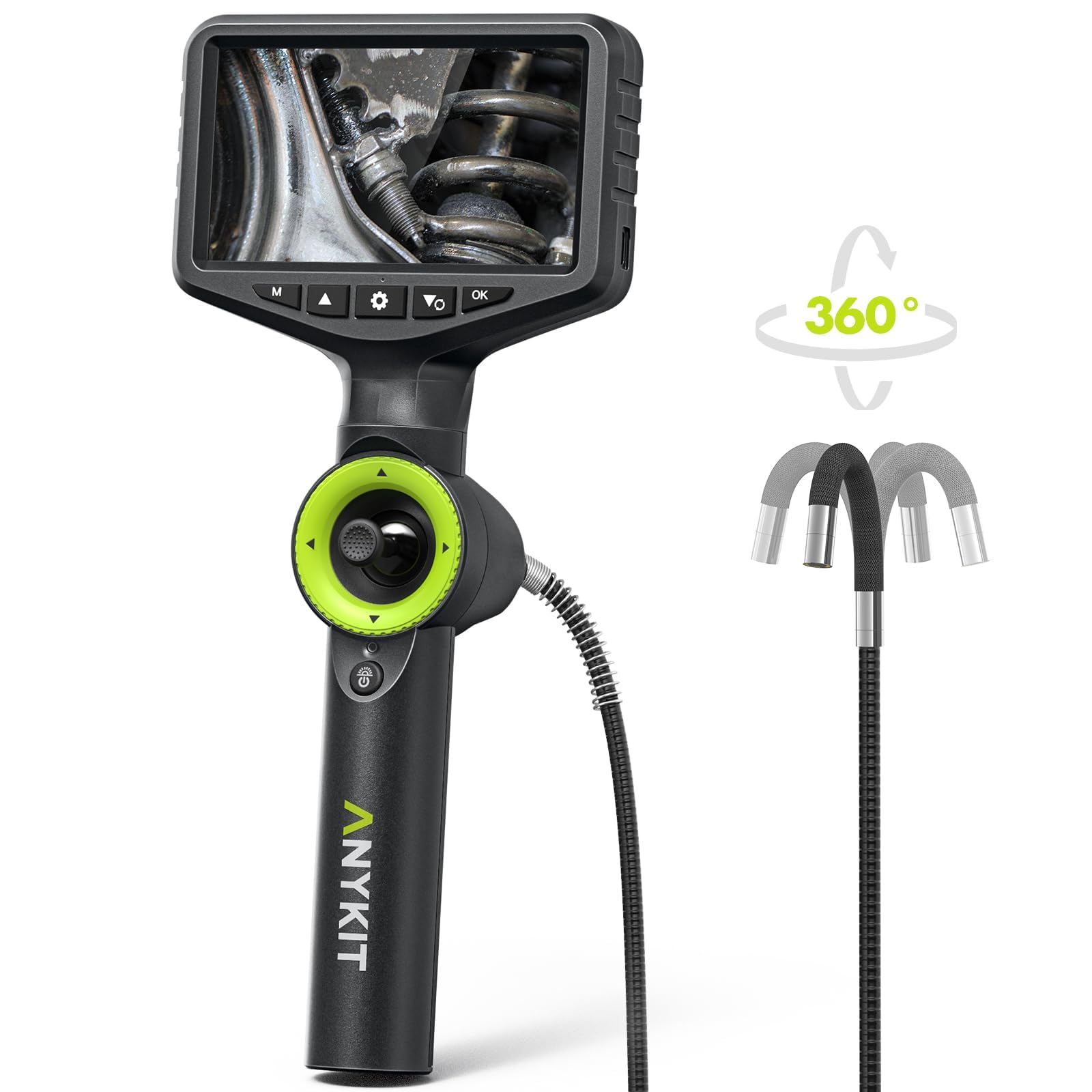
Image: Switching between Auto and Manual Focus Mode.
Video: This video explains how to switch between auto and manual focus on the AN150P borescope.
6.3 Adjusting LED Lighting
The borescope features 6 high-intensity LED lights with 3 adjustable brightness levels. Use the dedicated light adjustment button (often indicated by a light bulb icon) to cycle through brightness settings to suit your inspection environment.

Image: Adjustable LED Lights on the IP67 Waterproof Probe.
6.4 Capturing Images and Recording Videos
Use the dedicated photo/video button (often indicated by a camera or video camera icon) to capture still images or start/stop video recordings. All media is saved to the included 32GB memory card.

Image: Borescope screen indicating video recording and image capture with 32GB memory.
6.5 Выкарыстанне лічбавага павелічэння
The borescope supports 5X digital zoom to enhance your perspective and bring distant details closer. Use the zoom controls (refer to the device's buttons, often marked with '+' and '-' or specific zoom icons) to adjust the magnification.

Image: 5X Digital Zoom enhances viewкут нахілу.
7. Тэхнічнае абслугоўванне
7.1 Cleaning the Lens and Probe
After each use, especially in dirty or oily environments, gently clean the camera lens and probe tip. Use a soft, lint-free cloth or the provided cleaning wipes. For stubborn grime, a small amount of isopropyl alcohol can be used. Ensure the lens is dry before storage.
7.2 Захоўванне
Store the borescope in its protective carrying case in a cool, dry place away from direct sunlight and extreme temperatures. Ensure the lens protection cap is in place to prevent damage.
7.3 Сыход за акумулятарам
Каб падоўжыць тэрмін службы батарэі, пазбягайце частай поўнай разрадкі батарэі. Рэгулярна зараджайце прыладу, нават калі яна не выкарыстоўваецца працяглы час.
8. Выпраўленне непаладак
8.1 Няма харчавання
- Пераканайцеся, што прылада цалкам зараджана.
- Праверце зарадны кабель і адаптар на наяўнасць пашкоджанняў.
- Press and hold the power button for at least 3-5 seconds.
8.2 Размытае выява
- Старанна ачысціце аб'ектыў камеры.
- Adjust the focus using the auto/manual focus feature.
- Ensure adequate lighting by adjusting the LED brightness.
8.3 Probe Not Articulating
- Check for any obstructions around the articulating tip.
- Ensure the joystick control is functioning correctly.
- Avoid forcing the probe in tight bends.
8.4 High-Temperature Alarm
- If the high-temperature alarm sounds (above 158°F/70°C), immediately remove the probe from the hot environment.
- Allow the device to cool down before resuming operation.
9. Гарантыя і падтрымка
For warranty information, technical support, or service inquiries, please refer to the contact details provided in your product packaging or visit the official Anykit webсайт. Захоўвайце чэк аб пакупцы на выпадак прэтэнзій па гарантыі.