
1. Уводзіны
This manual provides detailed instructions for the proper use and maintenance of your LENVII F510 Wired Handheld Scanner. The F510 is designed for efficient and reliable scanning of various 1D and 2D barcodes, including those displayed on mobile phone and computer screens. Please read this manual thoroughly before operating the device to ensure optimal performance and longevity.
2. Змесціва ўпакоўкі
Праверце, ці ўсе пералічаныя ніжэй прадметы ўваходзяць у камплект. Калі якія-небудзь прадметы адсутнічаюць або пашкоджаныя, звярніцеся ў службу падтрымкі кліентаў.
- LENVII F510 Barcode Scanner
- Кабель USB
- Кіраўніцтва па хуткай наладзе

Image 2.1: Contents of the LENVII F510 package, showing the barcode scanner, USB cable, and quick setup manual.
3. Настройка
The LENVII F510 scanner is designed for simple plug-and-play operation, requiring no additional driver software for most operating systems.
3.1 Падключэнне сканера
- Падключыце кабель USB да порта сканера.
- Падключыце другі канец USB-кабеля да даступнага USB-порта на вашым кампутары або POS-тэрмінале.
- The scanner will automatically install necessary drivers (if required by the operating system) and be ready for use.

Image 3.1: The LENVII F510 scanner features plug-and-play functionality, connecting directly via USB without requiring driver software. It supports various payment systems and barcode types.
3.2 Сумяшчальнасць сістэмы
The F510 scanner is compatible with a wide range of operating systems, ensuring broad usability across different environments.
- вокны
- Mac OS
- Android
- Linux
- Other compatible systems

Image 3.2: The LENVII F510 scanner is compatible with multiple systems, including Windows, Mac OS, Android, and Linux, making it versatile for various setups.
4. Інструкцыя па эксплуатацыі
The LENVII F510 is designed for intuitive and efficient barcode scanning in various professional settings.
4.1 Асноўныя аперацыі сканавання
- Hold the scanner firmly, pointing the scanning window towards the barcode.
- Press the trigger button to activate the scanning beam.
- Position the scanner so that the red scanning line crosses the entire barcode.
- A successful scan will be indicated by a blue LED light and an audible beep.
4.2 Advanced Scanning Capabilities
The F510 utilizes advanced decoding algorithms to read a wide range of complex 1D and 2D codes, including those displayed on digital screens.
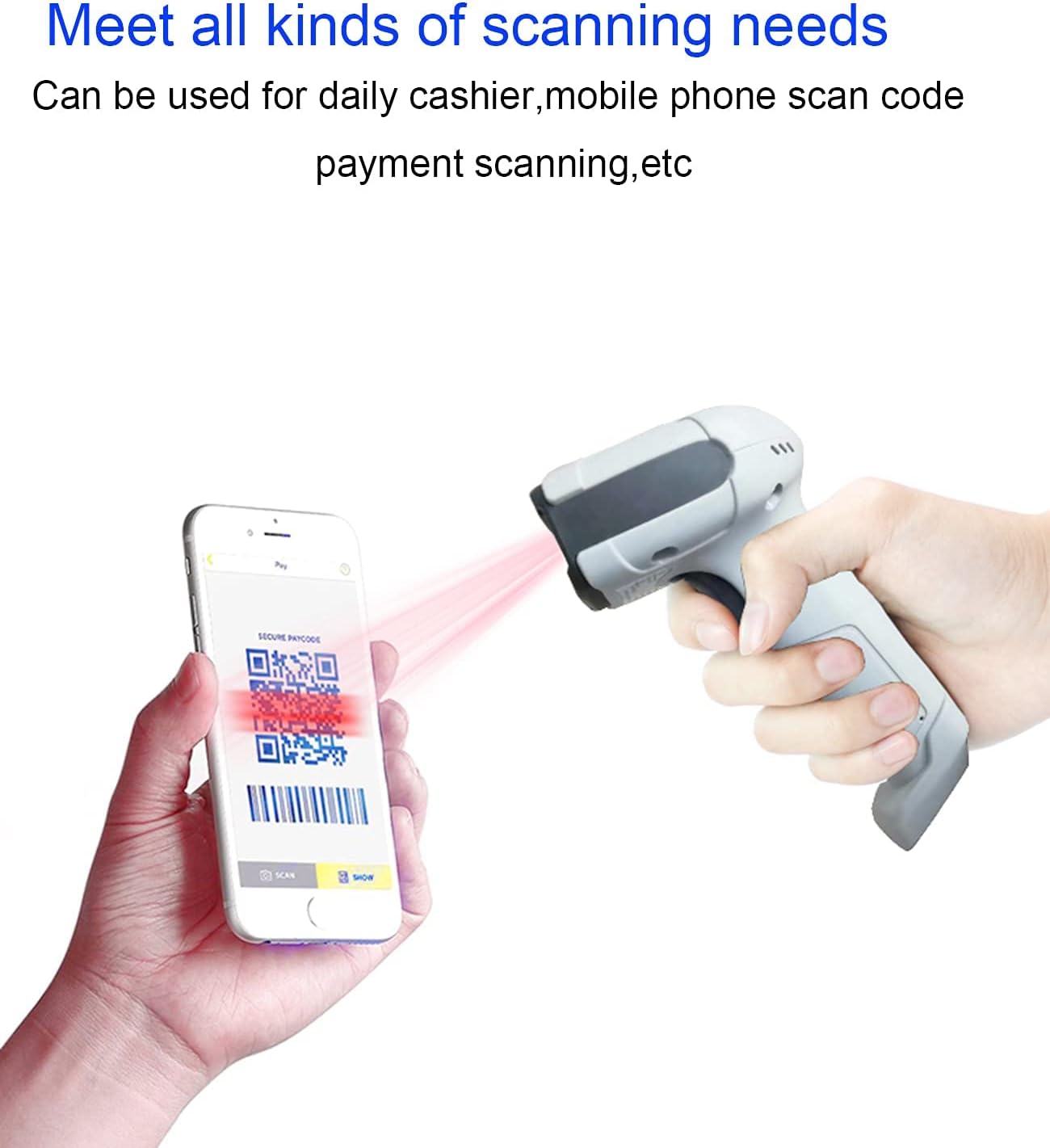
Image 4.1: The LENVII F510 scanner is capable of reading barcodes directly from mobile phone and computer screens, suitable for daily cashier operations and mobile payment scanning.

Image 4.2: The LENVII F510 scanner supports scanning most 1D and 2D QR codes, including standard 1D barcodes, incomplete codes, high-density codes, deformation codes, QR codes, DataMatrix, PDF417, Minitype codes, and Border codes.
4.3 Сцэнарыі прымянення
The F510 scanner is versatile and suitable for various environments:
- Commerce: Retail stores, supermarkets, clothing stores.
- Лагістыка: Warehouses, shipping and receiving.
- Ахова здароўя: Pharmacies.
- гасціннасць: Dining rooms, coffee shops.
- адукацыя: Bookstores.
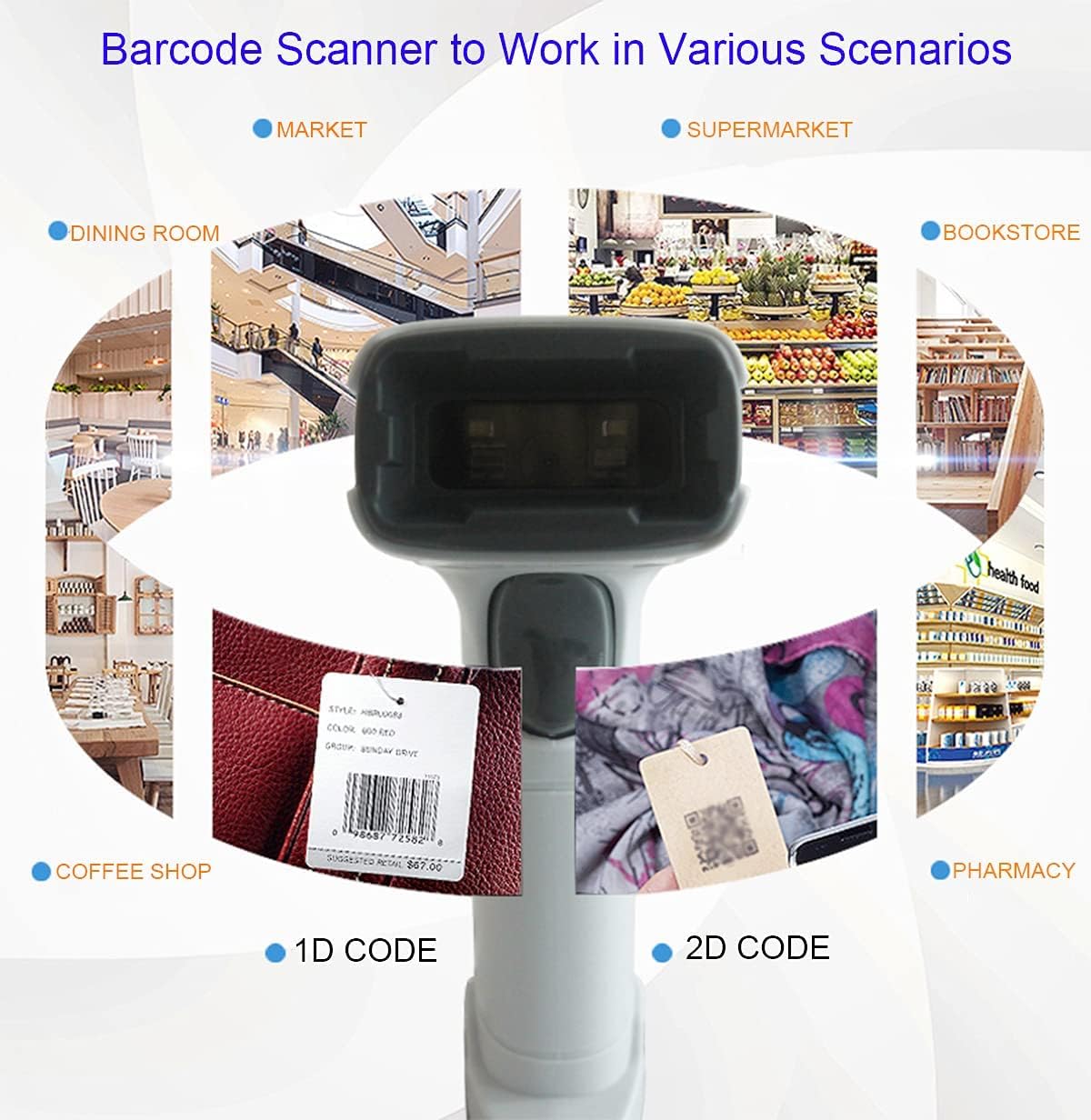
Image 4.3: The LENVII F510 barcode scanner is designed to work in various scenarios, including markets, supermarkets, dining rooms, bookstores, coffee shops, and pharmacies, efficiently scanning both 1D and 2D codes.
5. Тэхнічнае абслугоўванне
To ensure the longevity and optimal performance of your LENVII F510 scanner, follow these maintenance guidelines:
- Уборка: The scanner features a fully dust-proof design. For general cleaning, wipe the exterior with a soft, dry cloth. For stubborn dirt, use a slightly damp анучай, а затым старанна высушыце. Не выкарыстоўвайце абразіўныя ачышчальнікі або растваральнікі.
- захоўванне: Захоўвайце сканер у прахалодным, сухім месцы, удалечыні ад прамых сонечных прамянёў і экстрэмальных тэмператур.
- Сыход за кабелем: The USB cable is made of high and low temperature resistant materials and high-quality inner copper wires for durability. Avoid bending or twisting the cable excessively to prevent damage.
- Трываласць: The scanner is designed with anti-shock and anti-fall features to withstand typical operational impacts. However, avoid intentional drops or severe impacts.

Image 5.1: The LENVII F510 scanner is built with anti-shock and anti-fall properties, enhancing its durability in various working environments.
6. Тэхнічныя характарыстыкі
Below are the detailed technical parameters for the LENVII F510 Handheld 2D Barcode Scanner:
| Асаблівасць | Апісанне |
|---|---|
| Выява (пікселі) | 640 пікселяў (Г) * 480 пікселяў (В) |
| Крыніца святла | 617 нм святлодыёд |
| Viewing кут | 65° / Tilt 30° / Bevel 55° |
| Кантраст друку | Больш за 25% |
| Рэжым чытання | Manual / Automatic Induction |
| Індыкацыя | LED blue light, Buzzer, Vibration indication |
| Тып раздыма | Кабель USB |
| Памеры прадукту | 173mm * 67mm * 94mm (L * W * H) |
| Вага | 190 г (0.42 фунта) |
| UPC | 727244741680 |
6.1 Recognizable Barcodes
The F510 scanner supports a comprehensive range of 1D and 2D barcode symbologies:
- 1D штрых-коды: UPC / EAN / JAN, UPC-A & UPC-E, EAN-8 & EAN-13, JAN-8 & JAN-13, ISBN / ISSN, Code 39 (with full ASCII), Codabar (NW7), Code 128 & EAN 128, Code 93, Interleaved 2 of 5 (ITF), Addendum 2 of 5 IATA Code, MSI / Plessy, China Postal Code, Code 32 (Italian Pharmacode), RSS 14, RSS Limited, RSS Expanded.
- 2D штрых-коды: QR-код, матрыца дадзеных, PDF417, Aztec, Maxicode і г.д.

Image 6.1: Physical dimensions of the LENVII F510 scanner, measuring 160mm x 64mm (6.29in x 2.5in) and weighing 140.5g (0.3lb).
7. Выпраўленне непаладак
If you encounter issues with your LENVII F510 scanner, please refer to the following common troubleshooting steps:
- Сканер не адказвае: Ensure the USB cable is securely connected to both the scanner and the host device. Try plugging the scanner into a different USB port or a different computer to rule out port or system issues.
- No Scan Indication: Check if the scanner's trigger button is functioning correctly. Ensure the barcode is clean, undamaged, and within the scanner's optimal reading range and angle.
- Вывад няправільных даных: Verify that the scanner's configuration (if any specific settings were applied) matches the expected output format. Refer to the quick setup manual for default settings or configuration options.
- Перарывістае сканаванне: Ensure there are no loose connections. Avoid scanning in environments with excessive glare or poor lighting conditions that might interfere with the scanner's optical sensor.
8. Падтрымка кліентаў
For further assistance, technical support, or warranty inquiries regarding your LENVII F510 scanner, please contact your retailer or the LENVII customer service department. Please have your product model number (F510) and purchase information ready when contacting support.