
1. Важная інфармацыя па бяспецы
Please read all safety instructions carefully before using the BYINTEK P70 Smart WiFi Projector. Keep this manual for future reference.
- Крыніца харчавання: Выкарыстоўвайце толькі адаптар сілкавання, які ўваходзіць у камплект. Пераканайцеся, што гучнасцьtagадпавядае патрабаванням праектара.
- Бяспека акумулятара: The projector contains a built-in lithium-ion battery. Do not expose to extreme temperatures, puncture, or disassemble.
- Вентыляцыя: Забяспечце належную вентыляцыю вакол праектара, каб прадухіліць перагрэў. Не блакуйце вентыляцыйныя адтуліны.
- Цяпло: The projector may become warm during operation. This is normal. Avoid touching the lens or vents immediately after use.
- Асвятленне: Не глядзіце непасрэдна ў аб'ектыў праектара, калі ён уключаны.amp уключаны, бо яркае святло можа выклікаць напружанне вачэй або іх пашкоджанне.
- Вада і вільгаць: Трымайце праектар далей ад вады, дажджу і празмернай вільготнасці. Не карыстайцеся ім мокрымі рукамі.
- Уборка: Адключыце сілкаванне перад чысткай. Выкарыстоўвайце мяккую сухую тканіну. Не выкарыстоўвайце вадкія або аэразольныя ачышчальнікі.
- дзеці: Трымайце праектар і яго аксэсуары ў месцах, недаступных для дзяцей.
2. Прадукт скончыўсяview
The BYINTEK P70 is a portable smart DLP projector designed for versatile entertainment and presentation needs. It features an 8000mAh built-in battery, Android 9.0 operating system, auto-focus, and 3D support.
2.1 Змест пакета
- BYINTEK P70 Projector x 1
- Пульт дыстанцыйнага кіравання x 1
- Адаптар сілкавання x 1
- Міні-штатыў x 1
- Сумка для захоўвання x 1
- Кіраўніцтва карыстальніка x 1
2.2 Асноўныя магчымасці
- Партатыўны дызайн: Кампактны і лёгкі для зручнай транспарціроўкі.
- Убудаваны акумулятар: 8000mAh battery provides 1.5 to 3 hours of playback.
- Smart Android OS: Android 9.0 for app downloads, online streaming, and gaming.
- Аўтафокус: Automatic focus adjustment for clear images.
- 6D карэкцыя трапецападобнага скажэння: Advanced keystone correction for flexible placement.
- Падтрымка 3D: Атрымлівайце асалоду ад захапляльнага 3D-кантэнту.
- Бесправаднае падключэнне: Supports wireless screen mirroring from Android, iOS, and PC devices.
- Правадное падключэнне: USB data cable sync for iOS and select Android devices.
- Вялікі памер праекцыі: Up to 200 inches.
- 4K Playback: Supports up to 4K video input.
- Long LED Lamp жыццё: 30,000 гадзіны.
- Два стэрэадынамікі: Integrated 2x5W speakers for clear audio.

Image: Infographic detailing the BYINTEK P70's features including 4K support, DLP display, 6D keystone, 8000mAh battery, 3D, Type-C charge, 2G+32G memory, Android OS, and stereo speakers.
3. Настройка
3.1 Зарадка праектара
Before first use, fully charge the projector. Connect the provided power adapter to the projector's Type-C port and plug it into a power outlet. The charging indicator will show the charging status.

Image: The BYINTEK P70 projector connected to a power bank via a Type-C cable, illustrating its portable charging capability.
3.2 Пачатковае размяшчэнне
Размясціце праектар на ўстойлівай, роўнай паверхні. Для аптымальнага viewing, position it directly in front of your projection screen or wall. The included mini tripod can be used for angle adjustments.
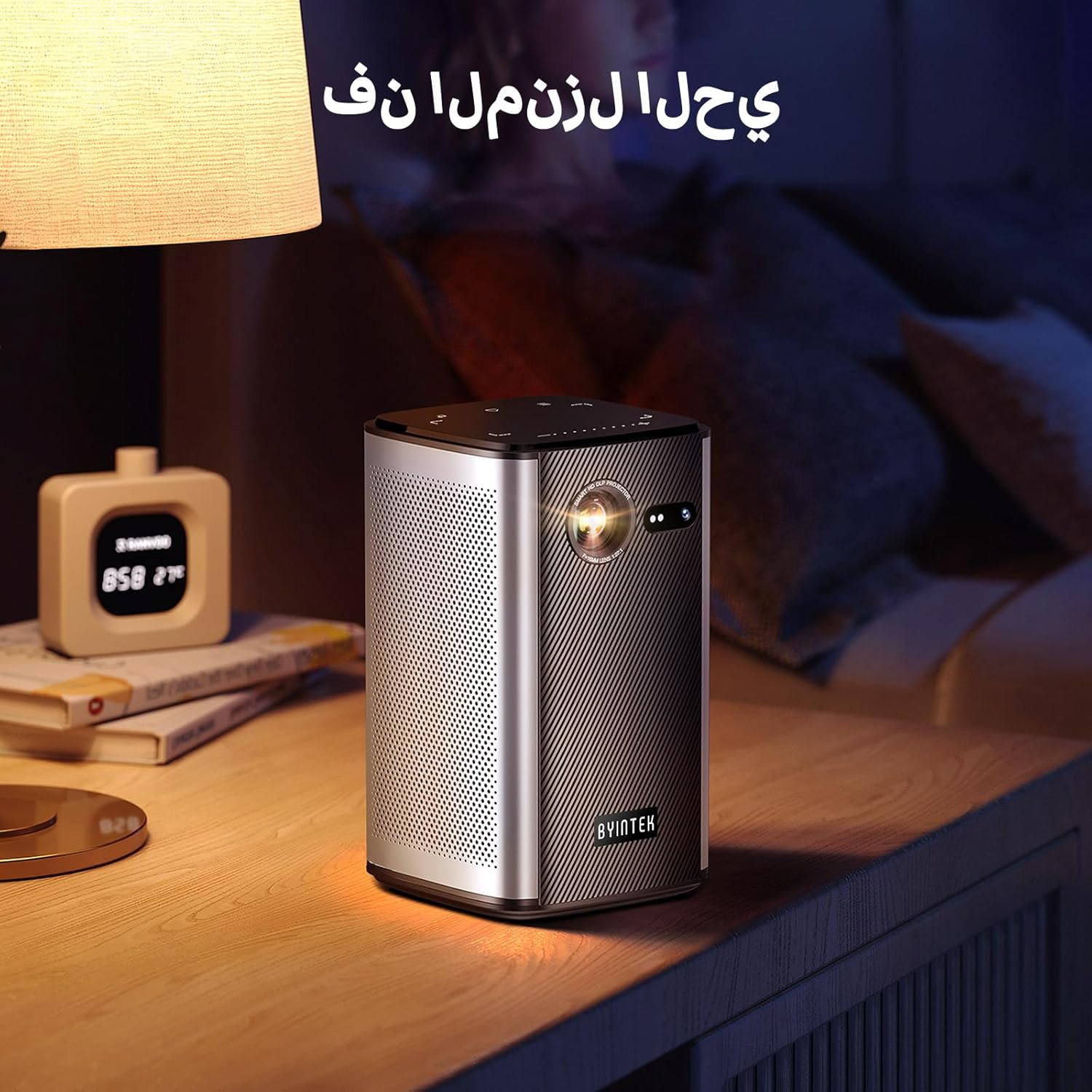
Image: The BYINTEK P70 projector placed on a bedside table, ready for indoor use.
3.3 Уключэнне/выключэнне
Press and hold the power button on the projector or remote control to turn the device on or off.
3.4 Фокус і карэкцыя трапецападобнага скажэння
The BYINTEK P70 features automatic focus. For keystone correction, navigate to the settings menu using the remote control. The 6D keystone correction allows for precise image adjustment, even with side projection.

Image: A visual representation of the projector's auto-focus feature, showing a clear image projected onto a wall.
4. Інструкцыя па эксплуатацыі
4.1 Навігацыя па аперацыйнай сістэме Android
Use the remote control to navigate the Android 9.0 interface. The home screen provides access to pre-installed apps and settings. You can download additional applications from the app store.

Image: The projector displaying its Android operating system interface with various application icons like Miracast, Settings, AirPlay, Market, File Explorer, YouTube, and Netflix.
4.2 Wireless Screen Mirroring
The projector supports wireless screen mirroring for Android, iOS, and PC devices. Access the 'Miracast' or 'AirPlay' app on the projector's home screen and follow the on-screen instructions to connect your device.
4.3 Wired Screen Mirroring
For iOS devices and some Android devices, you can use a USB data cable for wired screen synchronization. Connect your device to the projector's USB port using its original data cable.
4.4 Прайграванне 3D
The BYINTEK P70 supports 3D content. To enjoy 3D movies, ensure your media file is in a compatible 3D format (e.g., Blu-ray 3D, SBS, TNB) and use active shutter 3D glasses (sold separately).

Image: A family wearing 3D glasses, enjoying a 3D movie projected by the BYINTEK P70, showcasing its 3D capability.
4.5 Лічбавы зум
Adjust the image size from 50% to 100% using the digital zoom function on the remote control. This allows you to fit the image perfectly to your screen without moving the projector.
5. Тэхнічнае абслугоўванне
5.1 Ачыстка аб'ектыва
Выкарыстоўвайце мяккую тканіну без ворса, спецыяльна распрацаваную для аптычных лінзаў, каб акуратна праціраць аб'ектыў праектара. Пазбягайце выкарыстання абразіўных матэрыялаў або агрэсіўных хімічных рэчываў.
5.2 Знешняя ачыстка
Wipe the exterior of the projector with a soft, dry cloth. Do not use liquid cleaners or sprays directly on the device.
5.3 Захоўванне
When not in use, store the projector in a cool, dry place, away from direct sunlight and extreme temperatures. Use the provided storage bag to protect it from dust and scratches.
5.4 Сыход за акумулятарам
Каб падоўжыць тэрмін службы акумулятара, пазбягайце частай поўнай разрадкі. Пры працяглым захоўванні зараджайце акумулятар прыкладна да 50% і падзараджайце яго кожныя некалькі месяцаў.
6. Выпраўленне непаладак
| праблема | Магчымая прычына | Рашэнне |
|---|---|---|
| Няма праецыравання выявы | Projector not powered on; input source not selected; cable not connected. | Ensure projector is on. Select correct input source (HDMI, USB, Wireless). Check cable connections. |
| Відарыс размыты | Out of focus; projector too close/far from screen; lens dirty. | Allow auto-focus to adjust. Adjust projector distance. Clean the lens. |
| Пульт дыстанцыйнага кіравання не працуе | Batteries low/dead; remote not paired; obstruction. | Replace remote batteries. Ensure line of sight to projector's IR receiver. Re-pair remote if necessary (refer to specific pairing instructions in the full manual). |
| Няма гуку | Volume too low; external audio device connected; audio format not supported. | Increase projector volume. Disconnect external audio devices. Check audio format compatibility. |
| Wireless mirroring issues | Poor Wi-Fi signal; device compatibility; firewall settings. | Ensure strong Wi-Fi signal. Check device compatibility with Miracast/AirPlay. Disable firewalls temporarily for testing. |
| Праектар пераграваецца | Blocked ventilation; prolonged use in hot environment. | Ensure vents are clear. Operate in a well-ventilated area. Allow projector to cool down. |
7. Тэхнічныя характарыстыкі
| Асаблівасць | Спецыфікацыя |
|---|---|
| Марка | BYINTEK |
| Нумар мадэлі | P70 |
| Памеры прадукту | 8.2 х 8.2 х 14.2 см |
| Вага прадмета | 1.58 кілаграма |
| акумулятар | 1 Lithium Ion battery (included), 8000mAh, 29.6 Wh |
| Аперацыйная сістэма | Android |
| Дазвол дысплея | 960 х 540 |
| Максімальнае дазвол дысплея | 4K Ultra HD Megapixel |
| Тэхналогія падлучэння | Wi-Fi |
| Асаблівасці | Auto-focus, 3D Ready, Built-in Wi-Fi Receiver |
| Рэкамендуемае выкарыстанне | Хатні кінатэатр |
| Тып дысплея | DLP |
| Формаў-фактар | Партатыўны |
| Тып мацавання | Мацаванне штатыва |
| Парты USB 3.0 | 1 |
| Парты HDMI | 1 |
| тtage | 12 вольт |
| Ватtage | 25 ват |
| Крыніца харчавання | Пераменны ток і акумулятар |
8. Гарантыя і падтрымка
The BYINTEK P70 Smart WiFi Projector comes with a standard manufacturer's warranty. For specific warranty details, please refer to the warranty card included in your product packaging or contact BYINTEK customer support.
If you encounter any issues or have questions regarding your projector, please contact BYINTEK customer support through their official website or the contact information provided in your product documentation. Please have your model number (P70) and purchase details ready when contacting support.