
1. Уводзіны
Thank you for choosing the TrueLife FitScale W7 BT Smart Scale. This manual provides essential information for the safe and effective use of your new smart scale. Please read it thoroughly before first use and keep it for future reference. The FitScale W7 BT is designed to help you monitor your body composition, including weight, and track your progress through its Bluetooth connectivity and companion application.
This scale supports up to 8 user profiles, allowing multiple individuals to track their personal health data independently.
2. Інфармацыя па бяспецы
- Не выкарыстоўвайце гэту прыладу, калі ў вас ёсць кардыёстымулятар або іншая ўнутраная медыцынская прылада.
- Не выкарыстоўвайце гэта прылада, калі вы цяжарныя.
- Always place the scale on a hard, flat surface for accurate measurements. Avoid carpets or soft flooring.
- The scale's surface can be slippery when wet. Ensure the surface is dry before stepping on.
- Не ўскоквайце на вагі і не выкарыстоўвайце іх для іншых мэтаў, акрамя ўзважвання.
- Захоўвайце батарэі ў месцах, недаступных дзецям. Пры пападанні ўнутр неабходна неадкладна звярнуцца па медыцынскую дапамогу.
- Утылізуйце выкарыстаныя батарэі ў адпаведнасці з мясцовымі правіламі.
- Не спрабуйце разбіраць або рамантаваць вагі самастойна. Звярніцеся ў службу падтрымкі кліентаў, калі ўзнікнуць праблемы.
3. Змесціва ўпакоўкі
Пераканайцеся, што ўсе прадметы ёсць у наяўнасці і ў добрым стане пасля распакавання:
- TrueLife FitScale W7 BT Smart Scale
- 1 х батарэя 12 В
- Кіраўніцтва карыстальніка (гэты дакумент)
4. Настройка
4.1. Устаноўка батарэі
The TrueLife FitScale W7 BT uses one 12V battery. The battery is included in the package.
- Перавярніце вагі, каб атрымаць доступ да батарэйнага адсека на ніжняй панэлі.
- Адкрыйце крышку батарэйнага адсека.
- Insert the 12V battery, ensuring the polarity (+ and -) matches the indicators inside the compartment.
- Надзейна зачыніце крышку батарэйнага адсека.
4.2. Размяшчэнне шкалы
Place the scale on a hard, flat, and stable surface. Uneven or soft surfaces (like carpets) can affect measurement accuracy.
4.3. Загрузка праграмы і спалучэнне праз Bluetooth
To utilize the smart features and body composition analysis, download the official TrueLife companion app from your smartphone's app store (iOS or Android).
- Download and install the TrueLife app on your smartphone.
- Уключыце Bluetooth на вашым смартфоне.
- Open the TrueLife app and follow the on-screen instructions to create your user profile.
- Step onto the scale briefly to activate it. The scale will automatically attempt to pair with the app via Bluetooth. Confirm the pairing within the app if prompted.
Note: Ensure your phone is within range of the scale during pairing and measurement synchronization.
5. Інструкцыя па эксплуатацыі
5.1. Першапачатковая каліброўка
Before first use or after moving the scale, perform an initial calibration:
- Gently step on the scale until the display lights up, then step off immediately.
- The display will show "0.0" or similar, indicating it's ready for use.
5.2. Правядзенне вымярэнняў
For accurate body composition analysis, ensure your feet are bare and clean.
- Step onto the scale with bare feet, positioning them evenly on the electrodes (metal pads).
- Stand still until your weight is displayed and stabilized.
- If connected to the app, your data (weight and body composition metrics) will automatically synchronize to your profile.
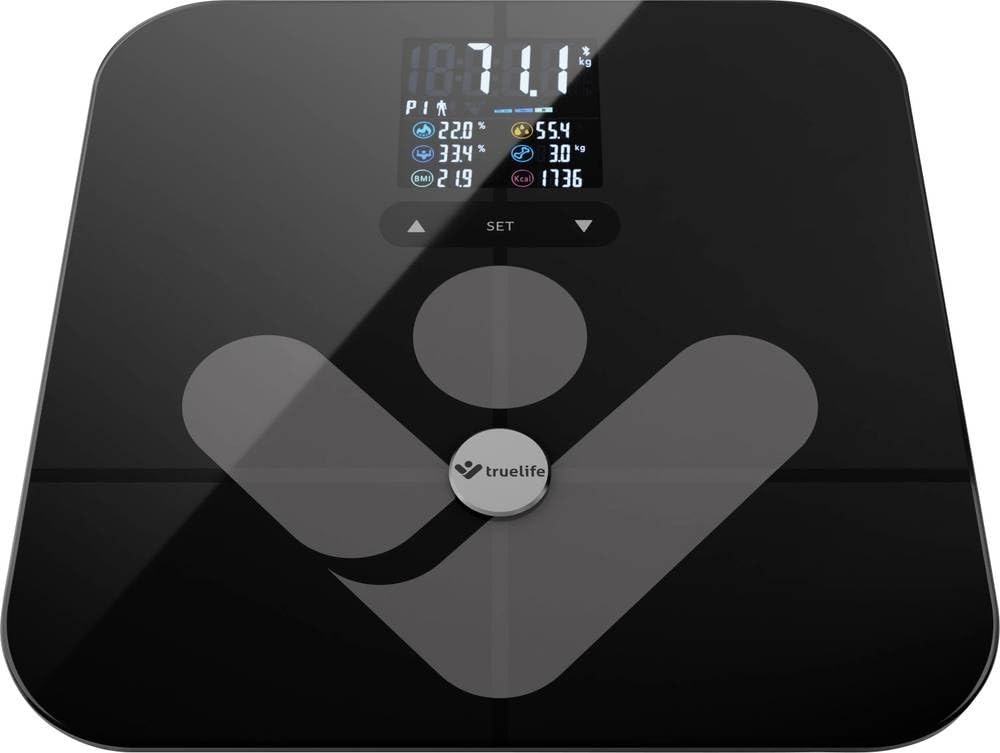
Image: TrueLife FitScale W7 BT Smart Scale. This image shows the sleek black glass surface of the scale with a digital display.
5.3. Managing User Profiles
Шалі падтрымліваюць да 8 прафесійных карыстальнікаўfiles. Each user should create their profile within the TrueLife app. The scale will automatically recognize the user based on their weight and body composition data once a profile усталёўваецца.
- Стварэнне Profile: Open the app, navigate to the user management section, and add a new user. Enter personal details such as age, height, and gender for accurate body composition calculations.
- Аўтаматычнае распазнаванне: When a registered user steps on the scale, the app will identify them and record the measurement to their specific profile.
6. Тэхнічнае абслугоўванне
6.1. Уборка
To keep your scale in optimal condition:
- Працярыце паверхню мяккай, damp тканіна.
- Не выкарыстоўвайце абразіўныя ачышчальныя сродкі і не апускайце шалі ў ваду.
- Перад захоўваннем або наступным выкарыстаннем пераканайцеся, што шалі сухія.
6.2. Захоўванне
Захоўвайце вагі ў прахалодным, сухім месцы, удалечыні ад прамых сонечных прамянёў і экстрэмальных тэмператур.
6.3. Замена батарэі
When the display shows a "Lo" indicator, it's time to replace the battery. Follow the steps in section 4.1 for battery installation.
7. Выпраўленне непаладак
| праблема | Магчымая прычына | Рашэнне |
|---|---|---|
| Няма дысплея / Вагі не ўключаюцься | Батарэя разраджаная або няправільна ўсталяваная. | Check battery polarity or replace the 12V battery. |
| Адлюстравана «Lo» | Нізкі зарад батарэі. | Заменіце батарэю 12 В. |
| Паказваецца «Памылка» | Перагрузка (вага перавышае 180 кг) або памылка вымярэння. | Ensure weight is within limits. Step off and on again. Ensure scale is on a flat surface. |
| Няправільныя паказанні | Scale on uneven surface, not calibrated, or feet not properly placed. | Place on a hard, flat surface. Perform initial calibration (Section 5.1). Ensure bare feet are centered on electrodes. |
| Праблемы з падключэннем Bluetooth | Bluetooth off, app not open, or scale not activated. | Ensure Bluetooth is enabled on your phone. Open the TrueLife app. Step on the scale to activate it. Try restarting both the scale (by removing/reinserting battery) and your phone. |
| Body composition data not showing | Feet not bare, not making good contact with electrodes, or profile не настроена ў дадатку. | Ensure bare, clean feet are making full contact with the metal electrodes. Verify your profile is complete in the TrueLife app. |
8. Тэхнічныя характарыстыкі
| мадэль: | TLFSW7BTB |
| Марка: | Сапраўднае жыццё |
| Памеры: | 35 х 34 х 4 см |
| Вага: | 1.8 кг |
| Максімальная ёмістасць: | 180 кілаграма |
| Тып дысплея: | ВК |
| матэрыял: | Шкло |
| Крыніца харчавання: | 1 батарэя 12 В (у камплекце) |
| Асаблівасці: | Body Composition Analysis, Bluetooth Connectivity, Up to 8 User Profiles |
9. Гарантыя і падтрымка
9.1. Інфармацыя аб гарантыі
TrueLife products are covered by a manufacturer's warranty. For specific warranty terms and conditions, please refer to the warranty card included with your product or visit the official TrueLife website. Keep your proof of purchase for warranty claims. Information regarding spare parts availability is not provided in this manual; please consult the manufacturer's webсайт або ваш прадавец.
9.2. Падтрымка кліентаў
If you encounter any issues or have questions regarding your TrueLife FitScale W7 BT, please contact TrueLife customer support or your retailer. Contact details can typically be found on the TrueLife official webсайце або на ўпакоўцы вашага прадукту.