
1. Уводзіны
Thank you for choosing the LD Systems MAUI 28 G3 Compact Cardioid Column PA System. This system is designed to deliver powerful, clear, and precise sound for a variety of applications, including live music, DJ sets, and public address. Its compact design and advanced acoustic features make it an ideal solution for professionals seeking high-quality audio performance and ease of use.
This manual provides essential information for the safe and efficient operation of your MAUI 28 G3 system. Please read it thoroughly before initial use and keep it for future reference.
2. Інструкцыі па тэхніцы бяспекі
Калі ласка, выконвайце наступныя меры бяспекі, каб пазбегнуць паражэння электрычным токам, пажару або пашкоджання прылады:
- Крыніца харчавання: Падключайце прыладу толькі да разеткі пераменнага току пазначанай магутнасці.tage.
- Зазямленне: Пераканайцеся, што прылада належным чынам зазямлена, каб пазбегнуць паражэння электрычным токам.
- Вільготнасць: Не падвяргайце прыладу ўздзеянню дажджу або вільгаці. Не стаўце на прыладу прадметы, напоўненыя вадкасцямі.
- Вентыляцыя: Забяспечце належную вентыляцыю. Не блакуйце вентыляцыйныя адтуліны.
- Цяпло: Не размяшчайце прыладу побач з крыніцамі цяпла або пад прамымі сонечнымі прамянямі.
- Абслугоўванне: Не спрабуйце абслугоўваць прыладу самастойна. Давярайце ўсе работы па абслугоўванні кваліфікаваным спецыялістам.
- Кабелі: Абараняйце шнуры сілкавання ад наступання або заціскання.
- Стабільнасць: Place the system on a stable, level surface to prevent tipping.
3. Змесціва ўпакоўкі
Праверце наяўнасць усіх кампанентаў у вашай упакоўцы:
- 1 x MAUI 28 G3 Subwoofer
- 2 x MAUI 28 G3 Column Elements
- 1 х кабель харчавання
- 1 х Кіраўніцтва карыстальніка (гэты дакумент)
4. Прадукт скончыўсяview
The MAUI 28 G3 system consists of a powerful subwoofer and two column elements that integrate seamlessly to form a compact and high-performance PA system.
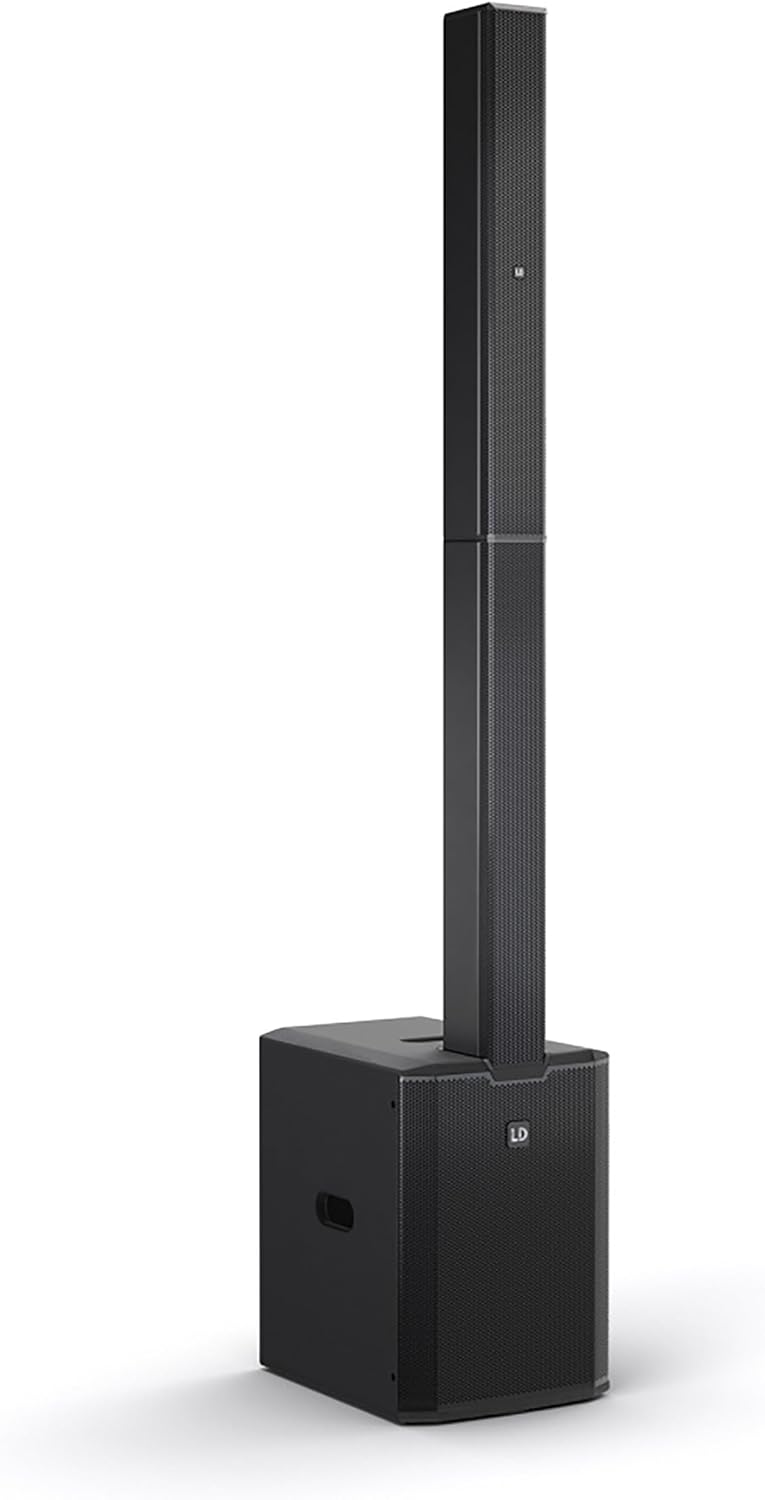
This image displays the complete LD Systems MAUI 28 G3 PA system, showing the subwoofer base with the two column elements securely mounted on top, forming a single, integrated unit.
4.1. Сабвуфер
Сабвуфер змяшчае асноўны amplifier, power supply, and all input/output connections and controls. It provides robust bass frequencies for a full-range sound experience.

A direct, clear view of the MAUI 28 G3 subwoofer's control panel, detailing all labels for inputs, outputs, and adjustment knobs for main, sub, and cardioid settings.
Subwoofer Rear Panel Controls:
- MAIN Level: Рэгулюе агульную гучнасць выхаднога гуку сістэмы.
- SUB Level: Adjusts the volume of the subwoofer independently.
- Cardioid ON/OFF: Activates or deactivates the cardioid dispersion mode for the subwoofer, reducing rearward sound radiation.
- Input L/R: XLR/TS combo jacks for connecting audio sources (e.g., mixer, instrument).
- THRU L/R: XLR outputs for linking to additional PA systems or monitors.
- SUB OUT: XLR output for connecting an external subwoofer.
- Выключальнік сілкавання: Уключае або выключае прыладу.
- Уваход харчавання: Для падлучэння кабеля харчавання пераменнага току.

An angled close-up of the subwoofer's rear panel, showing the various input and output connectors, level controls, and mode switches.
4.2. Column Elements
The two column elements contain 12 x 3.5-inch midrange drivers and 2 x 1-inch tweeters, designed for even sound distribution and constant horizontal dispersion. They connect directly to the subwoofer.

Падрабязны view of the protective metal grille covering the speakers within one of the MAUI 28 G3 column elements.

A close-up image of the base of a column element, highlighting the multi-pin connector and alignment pins used to secure it to the subwoofer or another column element.
5. Настройка
Follow these steps to assemble and connect your MAUI 28 G3 system:
- Распакуйце кампаненты: Акуратна выміце ўсе кампаненты з упакоўкі.
- Пазіцыя сабвуфера: Place the subwoofer on a stable, level surface in your desired location.
- Assemble Column Elements:
- Take the first column element and align its base connector with the top connector of the subwoofer. Gently push down until it clicks into place.
- Take the second column element and align its base connector with the top connector of the first column element. Gently push down until it clicks into place.
- Падключэнне крыніцы гуку: Connect your mixer, instrument, or other audio source to the Input L/R XLR/TS combo jacks on the subwoofer's rear panel.
- Падключыце харчаванне: Plug the supplied power cable into the power inlet on the subwoofer and then into a suitable AC power outlet.

The subwoofer and the two column elements are shown individually, positioned to demonstrate how they connect to form the complete PA system.

This image illustrates the three main components of the MAUI 28 G3 system: the subwoofer base and the two distinct column elements, shown detached and ready for assembly.
6. Аперацыя
- Уключэнне: Ensure all connections are secure, then switch the power button on the subwoofer to the 'ON' position.
- Адрэгулюйце ўзроўні: Пачніце з MAIN Level і SUB Узровень knobs set to their minimum positions. Gradually increase the MAIN Level to your desired overall volume. Adjust the SUB Узровень to balance the bass frequencies with the rest of the sound.
- Кардыяідны рэжым: If you wish to reduce sound radiation behind the subwoofer, activate the Cardioid ON switch. This can help minimize stage rumble and improve sound clarity in certain environments.
- Monitoring/Linking: Выкарыстоўвайце ПРАЗ Л/П outputs to send the audio signal to additional PA systems or stage monitors if required. The ВЫХОД can be used to connect an external subwoofer for enhanced bass.
- Выключэнне: Before disconnecting power, turn down all level controls to minimum, then switch the power button to 'OFF'.
7. Тэхнічнае абслугоўванне
- Уборка: Use a soft, dry cloth to clean the exterior surfaces of the system. Do not use abrasive cleaners or solvents.
- захоўванне: When not in use, store the system in a dry, dust-free environment. If transporting, use appropriate protective covers or cases.
- агляд: Перыядычна правярайце ўсе кабелі і раздымы на наяўнасць зносу або пашкоджанняў.
8. Выпраўленне непаладак
| праблема | Магчымая прычына | Рашэнне |
|---|---|---|
| Няма ўлады | Power cable disconnected; Power outlet faulty; Unit switched off | Check power cable connection; Test power outlet; Ensure power switch is ON |
| Няма выхаду гуку | Input cables disconnected; Volume levels too low; Source device not playing | Check all audio cable connections; Increase MAIN/SUB levels; Verify audio source is active |
| Скажоны гук | Input signal too high; Volume levels too high; Faulty cable | Reduce input signal level from source; Lower MAIN/SUB levels; Try a different audio cable |
| Не працуе сабвуфер | SUB Level too low; Cardioid mode affecting perception | Increase SUB Level; Test with Cardioid mode OFF |
9. Тэхнічныя характарыстыкі
| Асаблівасць | Дэталь |
|---|---|
| Нумар мадэлі | MAUI 28 G3 |
| Крыніца харчавання | Правадная электрычная |
| Матэрыял | Алюміній |
| Вага прадмета | 60 фунта |
| Колькасць каналаў | 2 |
| Аўдыё ўваход | XLR/TS, 1/4'' (for line-level sources) |
| Тэхналогія падлучэння | XLR |
| Колер | Чорны |
| Тып мацавання | Мацаванне штэкера |
| Сумяшчальныя прылады | Headphone, Keyboard, DVD Player, Headset, Guitar, Smartphone, Television, Drum, Tablet, Laptop, Piano, MP3 Player |
10. Гарантыя і падтрымка
LD Systems products are manufactured to high-quality standards and come with a manufacturer's warranty. For specific warranty terms and conditions, please refer to the warranty card included with your product or visit the official LD Systems webсайт.
For technical support, service, or inquiries, please contact your authorized LD Systems dealer or visit the Сістэмы LD webсайт для атрымання кантактнай інфармацыі.