
1. Прадукт скончыўсяview
The GOLOZA Digital Alarm Clock (Model TCA-245) features a modern curved design with a conspicuous 6-color RGB display. It offers 5 levels of brightness control, including an off option, 2 volume levels, 3 alarm tones, a snooze function, and power-off memory. The clock supports both 12-hour and 24-hour time formats.

Figure 1: GOLOZA Digital Alarm Clock with its large, easy-to-read display and curved screen.
2. Што ў скрынцы
Пасля адкрыцця ўпакоўкі пераканайцеся, што ўсе наступныя рэчы наяўныя:
- GOLOZA Digital Alarm Clock
- USB Charging Cable (71 inches / 1.8 meters)
- Адаптар сілкавання
- Кіраўніцтва карыстальніка

Figure 2: Contents of the product package, including the alarm clock, charging cable, power adapter, and user manual.
3. Інструкцыі па ўсталёўцы
3.1 Падключэнне харчавання
- Connect the USB charging cable to the Type-C port on the back of the alarm clock.
- Падключыце другі канец USB-кабеля да прыкладзенага адаптара харчавання.
- Устаўце адаптар сілкавання ў звычайную электрычную разетку.
The clock is powered by corded electric. It includes a replaceable battery for power-off memory, which preserves time and settings during a power outage.

Figure 3: Connecting the Type-C power cable to the alarm clock.
3.2 Пачатковае размяшчэнне
Before placing the clock, ensure to remove the plastic covering from the bottom rubber sticker. This non-slip design helps keep the clock stable on your tabletop and protects the surface.

Figure 4: Illustration of the non-slip bottom design, advising to remove the protective film.
4. Інструкцыя па эксплуатацыі
4.1 Setting the Time (12/24H Format)
Refer to the user manual included in the box for specific button functions to set the time and switch between 12-hour and 24-hour formats. Typically, a "Time Set" or "Mode" button is used to enter time setting mode, and "+"/"-" buttons adjust the hours and minutes.
4.2 Рэгуляванне яркасці дысплея
The clock features 5 levels of adjustable brightness, including an 'off' setting. Use the dedicated brightness control button (often indicated by a sun icon) to cycle through the brightness levels. This allows for comfortable viewing in various lighting conditions, from bright daylight to complete darkness.

Figure 5: The clock display showing different brightness levels, from bright to off, for comfortable sleep.
4.3 Setting Alarms and Volume
The alarm clock offers 3 distinct alarm tones and 2 adjustable volume levels. Consult the included user manual for detailed instructions on how to set an alarm, select an alarm tone (Beep, Chord, Birds Song), and adjust the alarm volume.

Figure 6: Visual representation of the three available alarm sounds: Beep, Chord, and Birds Song.

Figure 7: The clock offers two volume levels, 75dB and 85dB, for personalized wake-up experiences.
4.4 Функцыя паўтору
When the alarm sounds, press the large snooze button to activate a 9-minute snooze period. The alarm will sound again after 9 minutes. This function is designed for ease of use, even when half-awake.
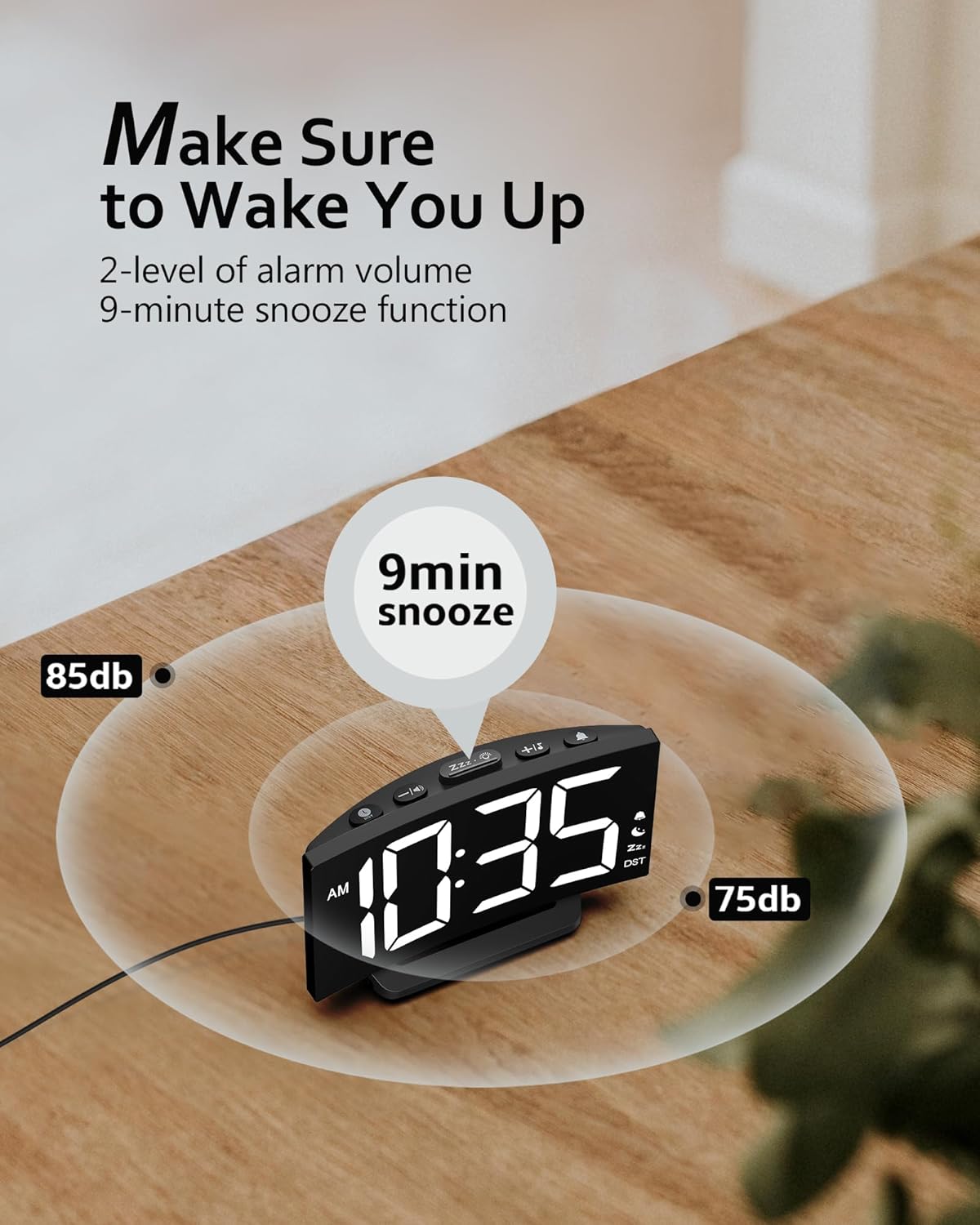
Figure 8: The clock's snooze function provides an additional 9 minutes of sleep.
5. Тэхнічнае абслугоўванне
To ensure the longevity and proper functioning of your GOLOZA Digital Alarm Clock, follow these simple maintenance guidelines:
- Уборка: Use a soft, dry cloth to wipe the clock's surface. Avoid abrasive cleaners, solvents, or spray cleaners, as they may damage the finish or display.
- Размяшчэнне: Пастаўце гадзіннік на ўстойлівую, роўную паверхню, удалечыні ад прамых сонечных прамянёў, празмернага цяпла або вільгаці.
- Магутнасць: Always use the provided power adapter and cable. Do not attempt to use incompatible power sources.
- Замена батарэі: The internal battery is for power-off memory only. If the clock consistently loses time or settings after a power outage, the internal battery may need replacement. Refer to the full user manual for instructions or contact customer support.
6. Выпраўленне непаладак
If you encounter issues with your GOLOZA Digital Alarm Clock, please refer to the following common troubleshooting steps:
| праблема | Магчымая прычына | Рашэнне |
|---|---|---|
| Clock display is off or blank. | Няма падключэння да харчавання або адсутнасці харчаванняtage. | Ensure the power adapter is securely plugged into both the clock and the wall outlet. Check if the outlet is functional. If there was a power outage, the clock should retain settings due to power-off memory. |
| Сігналізацыя не гучыць. | Alarm not set, alarm volume too low, or alarm is disabled. | Verify that the alarm is set correctly and enabled. Increase the alarm volume. |
| Час няправільны. | Time was not set correctly or internal battery issue. | Reset the time according to the operating instructions. If the time consistently drifts or resets after power interruptions, the internal memory battery may need attention. |
| Дысплей занадта яркі/цьмяны. | Патрабуецца рэгуляванне ўзроўню яркасці. | Use the brightness control button to cycle through the 5 brightness levels until the desired setting is reached. |
If these steps do not resolve the issue, please contact GOLOZA customer support for further assistance.
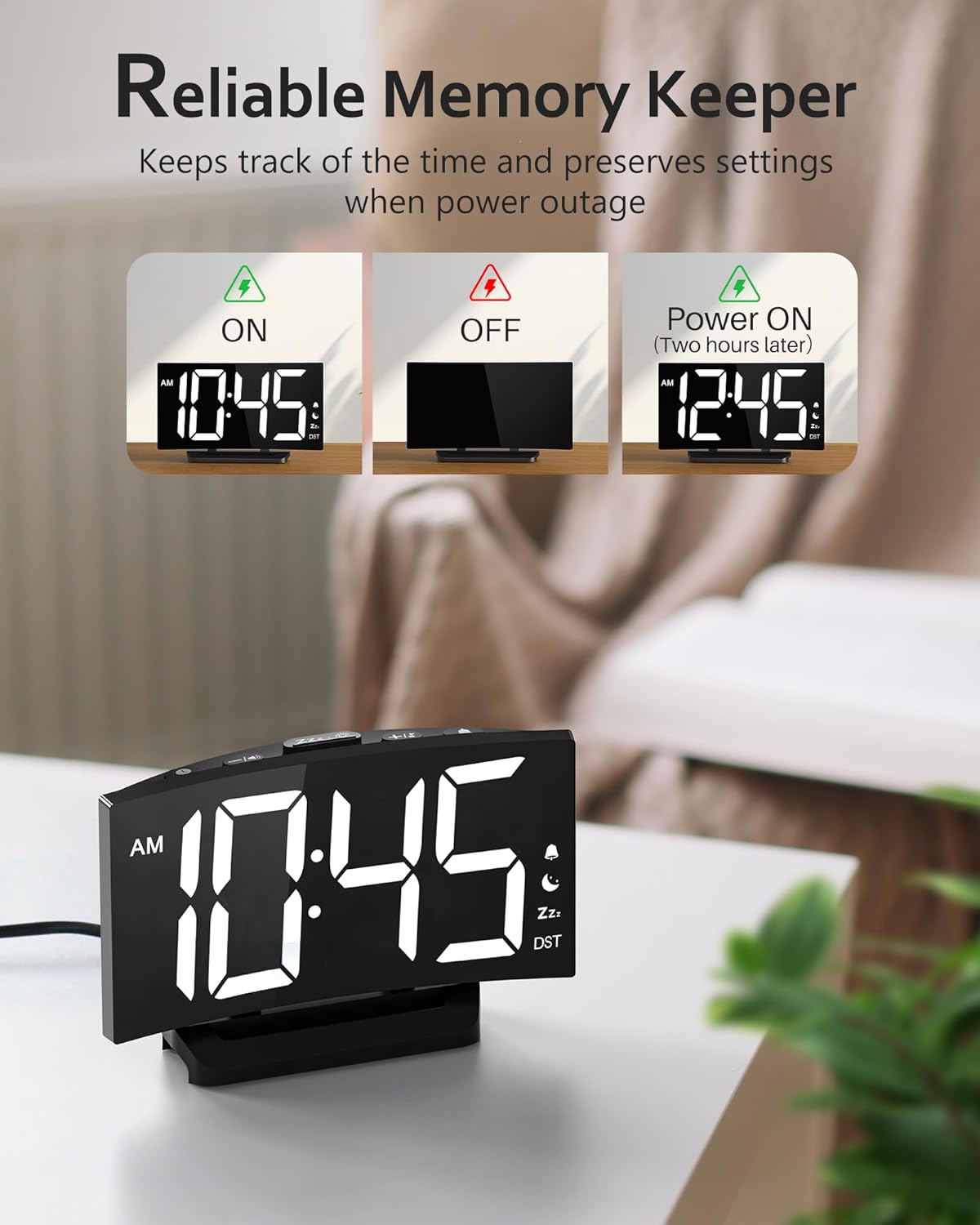
Figure 9: The clock's power-off memory feature ensures settings are retained during power interruptions.
7. Тэхнічныя характарыстыкі
| Асаблівасць | Дэталь |
|---|---|
| Марка | ГАЛОЗА |
| Нумар мадэлі | ТЦА-245 |
| Тып дысплея | святлодыёд |
| Колеры дысплея | 6 колераў RGB |
| Узроўні яркасці | 5 levels + Off |
| Мелодыі будзільніка | 3 (Beep, Chord, Birds Song) |
| Узроўні гучнасці | 2 |
| Працягласць адкладання | 9 хвілін |
| Фармат часу | 12/24 гадзіны |
| Крыніца харчавання | Электрычны шнур (тыпу C) |
| Памяць пры выключэнні | Yes (via internal battery) |
| Памеры прадукту | 5.75"Ш х 3.73"В |
| Вага прадмета | 0.25 кілаграма (8.8 унцыі) |
| Матэрыял каркаса | Пластыкавыя |
| UPC | 647697054024 |
| ASIN | B0C4KBQLBS |
8. Гарантыя і падтрымка
GOLOZA provides a Гарантыя 24 месяцаў for this product. For any questions, concerns, or support needs, please contact GOLOZA customer service through your purchase platform.
Як звязацца са службай падтрымкі:
- Go to your Account.
- Navigate to "Orders".
- Select "Order Detail" for your GOLOZA Digital Alarm Clock purchase.
- Find "Sold by: GOLOZA" and click "Ask a question".
Figure 10: GOLOZA customer support details, including warranty information and contact method.