
1. Уводзіны
This manual provides detailed instructions for the installation, operation, and maintenance of your Ctronics 4G Indoor Surveillance Camera. This camera is designed for indoor use, offering 4G LTE connectivity, automatic tracking, color night vision, and two-way audio for comprehensive monitoring.
Калі ласка, уважліва прачытайце гэтую інструкцыю перад выкарыстаннем прадукту, каб забяспечыць яго належную працаздольнасць і бяспеку.
2. Змесціва ўпакоўкі
Праверце, ці ёсць усе прадметы ў вашай упакоўцы:
- Ctronics 4G Indoor Surveillance Camera
- Адаптар сілкавання
- Мантажны кранштэйн
- Інструкцыя па эксплуатацыі (гэты дакумент)
- Test SIM Card (300MB data included)

Figure 2.1: Ctronics 4G Indoor Surveillance Camera with its main components and a free SIM card.
3. Кіраўніцтва па наладцы
3.1. Ўстаноўка SIM-карты
- Знайдзіце слот для SIM-карты на камеры.
- Insert the provided test SIM card or your own activated 4G SIM card into the slot. Ensure the SIM card is correctly oriented.
- If using your own SIM card, ensure it is activated and the PIN request is disabled before inserting it into the camera.
- For advanced users experiencing connectivity issues with a third-party SIM, connect the camera via LAN (if available) during initial setup. Access 4G settings in the app/PC client, set APN mode to "Manual," and enter your SIM provider's APN details.

Figure 3.1: The camera highlighting its 4G LTE capability and the inclusion of a SIM card for connectivity.
3.2. Уключэнне
Падключыце адаптар сілкавання да камеры і ўстаўце яе ў разетку. Камера пачне працэс запуску.
3.3. App and PC Client Installation
- Download the "Ctronics Pro" app from your smartphone's app store (iOS/Android) or the "HiP2P Client" for PC from the official Ctronics webсайт.
- Follow the on-screen instructions to register an account and add your camera. You may need to scan a QR code on the camera or enter its UID.

Figure 3.2: The Ctronics Pro mobile application and HiP2P Client for PC, demonstrating multi-device access.
3.4. Варыянты мантажу
The camera can be placed on a flat surface, mounted on a wall, or installed on a ceiling. Use the provided mounting bracket and hardware for wall or ceiling installations.

Малюнак 3.3: Выпamples of flexible installation options for the camera, including tabletop, wall, and ceiling mounts.
4. Інструкцыя па эксплуатацыі
4.1. Жыць View і аддалены доступ
Once the camera is connected and added to your app/PC client, you can access the live video feed from anywhere with an internet connection. Open the Ctronics Pro app or HiP2P Client and select your camera to view жывы паток.

Figure 4.1: Remote monitoring of the camera feed via both a laptop and a smartphone application.
4.2. Кіраванне панарамаваннем, нахілам і маштабаваннем (PTZ)
The camera offers 355° horizontal pan and 90° vertical tilt capabilities. Use the controls within the app or PC client to adjust the camera's viewвугал дыстанцыйна.
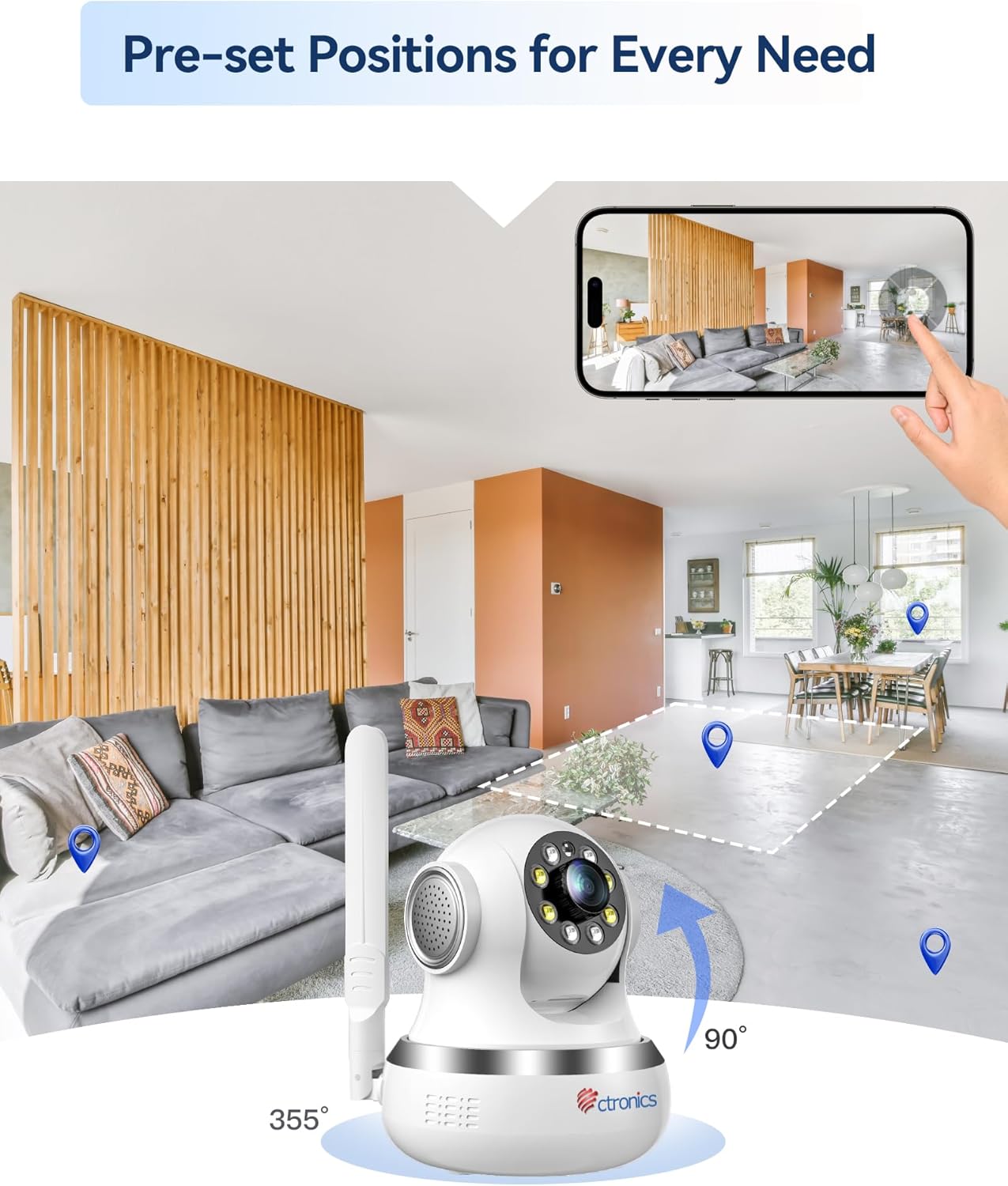
Figure 4.2: Visual representation of the camera's 355-degree horizontal rotation and 90-degree vertical tilt capabilities.
4.3. Зададзеныя пазіцыі
You can save up to 8 preset positions for quick navigation to specific areas. Configure these presets in the camera settings within the application.
4.4. Аўтаматычнае адсочванне
The camera features intelligent automatic tracking, allowing it to detect and follow moving subjects (people or animals) within its field of view. Enable this feature in the camera settings.
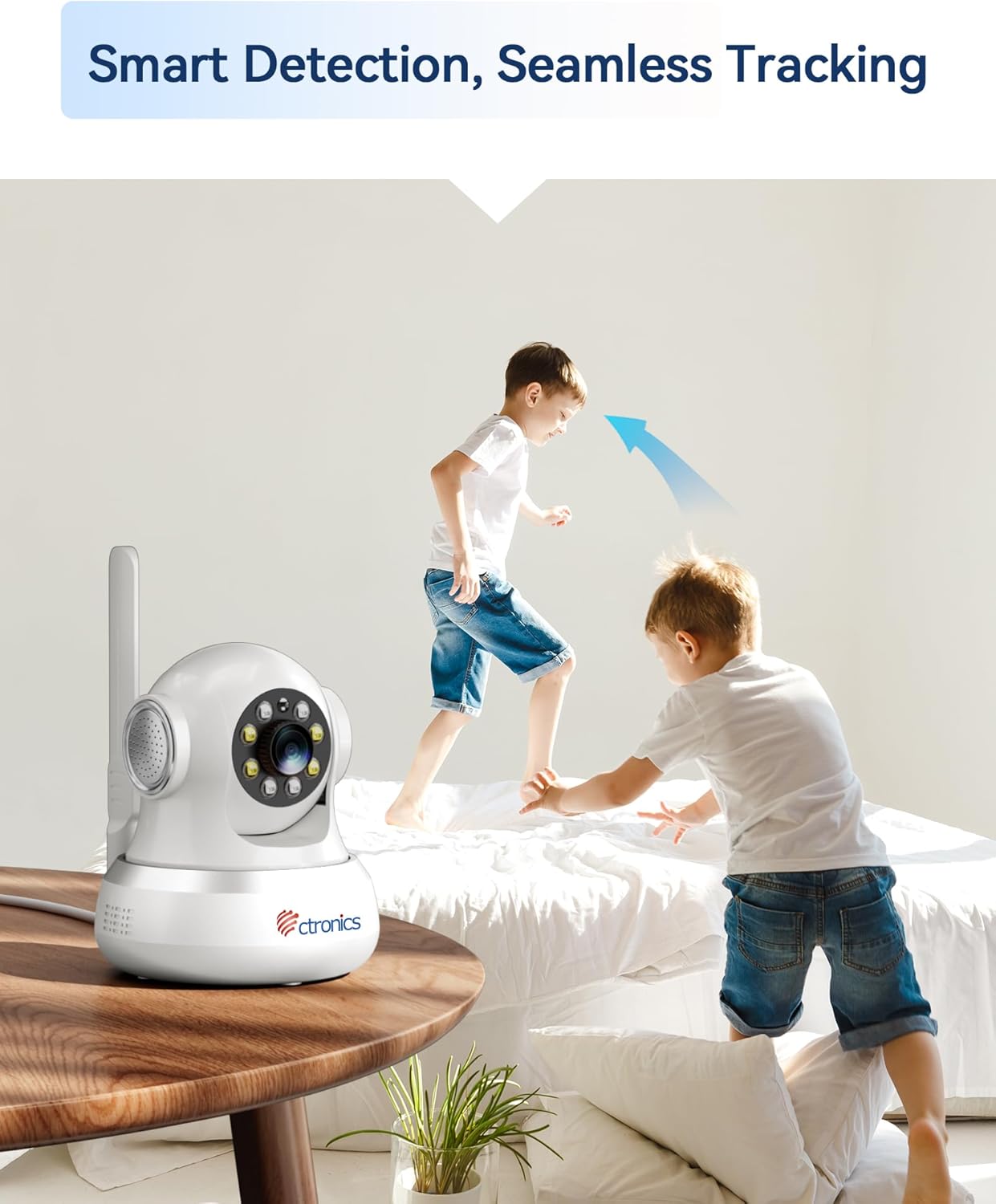
Figure 4.3: The camera's smart detection and seamless tracking feature, illustrated by its ability to follow moving subjects.
4.5. Выяўленне руху і абвесткі
Configure motion detection zones and sensitivity. Upon detecting movement, the camera can trigger audible and visual alarms, and send notifications to your connected devices.
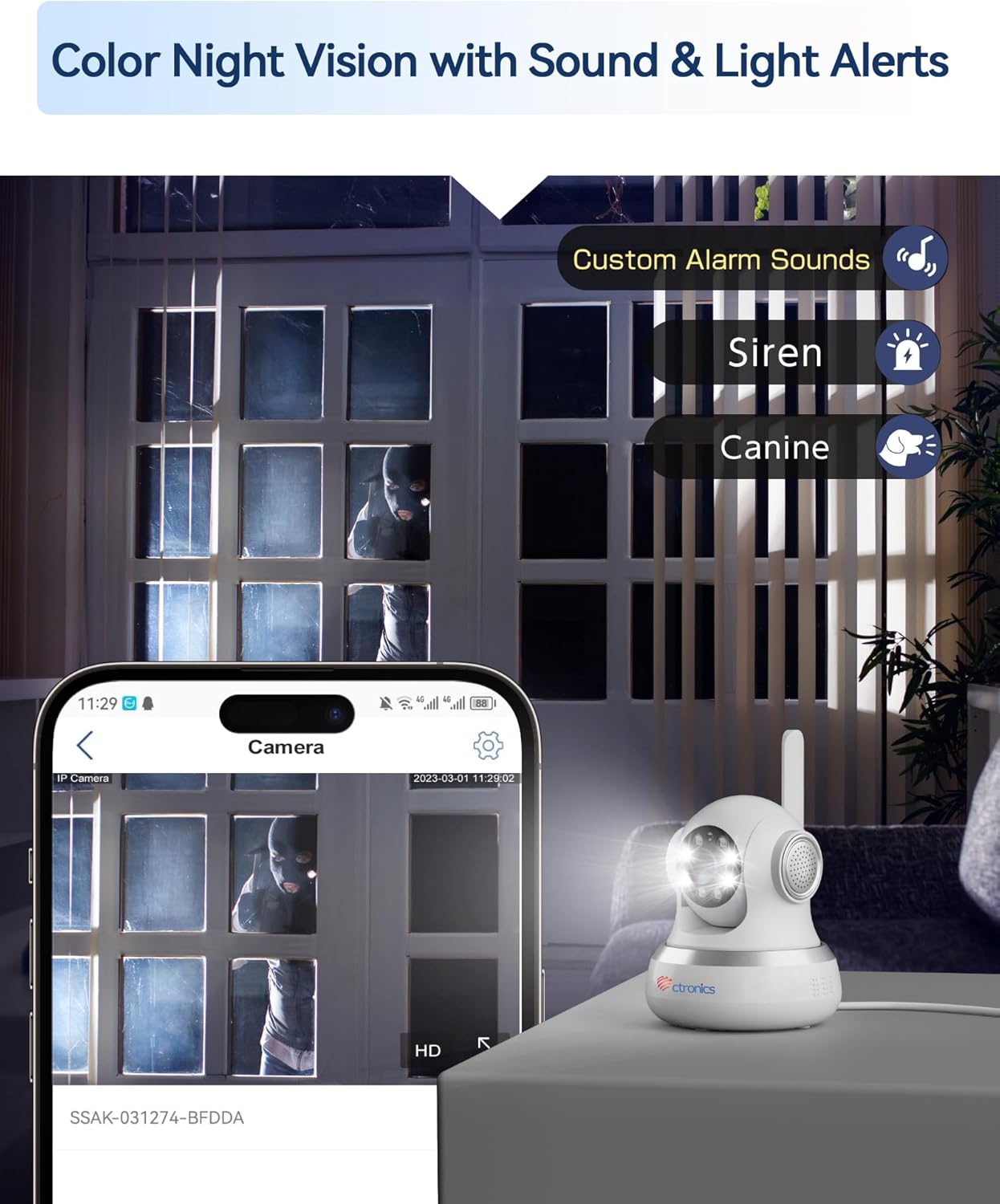
Figure 4.4: The camera's color night vision capability combined with customizable sound and light alerts for enhanced security.
4.6. Двухбаковая аўдыёсувязь
Utilize the built-in microphone and speaker to communicate with individuals near the camera. This feature is accessible through the live view interface in the app/PC client.

Figure 4.5: The camera's two-way audio feature, allowing for communication and sharing of live moments.
4.7. Каляровы начны зрок
The camera provides clear 1080P HD images both day and night, with a night vision range of up to 20 meters, enhanced by infrared and white LEDs for full-color night vision.
4.8. Запіс і захоўванне
Recordings can be stored locally on a MicroSD card (not included, but supported up to 256GB based on customer reviews) or via cloud storage services (subscription may be required). The camera also supports FTP storage.

Figure 4.6: The camera's support for both local MicroSD card storage and cloud storage options.
5. Тэхнічнае абслугоўванне
- Уборка: Акуратна працярыце аб'ектыў і корпус камеры мяккай сухой тканінай. Пазбягайце выкарыстання агрэсіўных хімічных рэчываў або абразіўных матэрыялаў.
- Абнаўленні прашыўкі: Regularly check for and install firmware updates through the Ctronics Pro app or HiP2P Client to ensure optimal performance and security.
- Кіраванне сховішчам: Перыядычна пераview і кіраваць запісаным footage. Delete unnecessary files to free up storage space on your MicroSD card or cloud service.
6. Выпраўленне непаладак
| праблема | Магчымая прычына | Рашэнне |
|---|---|---|
| No 4G Connection | SIM card not activated, incorrect APN settings, poor signal. | Ensure SIM is activated and PIN is disabled. Check APN settings in the app/PC client (refer to Section 3.1). Relocate camera for better signal. |
| Дрэнная якасць выявы | Брудны аб'ектыў, недастатковае асвятленне, праблемы з прапускной здольнасцю сеткі. | Clean the camera lens. Ensure adequate lighting. Check your 4G signal strength. |
| Дэтэктар руху не спрацоўвае | Detection sensitivity too low, detection zone not configured. | Adjust motion detection sensitivity and configure detection zones in the app settings. |
| No Two-Way Audio | Microphone/speaker disabled, volume too low. | Check audio settings in the app/PC client. Ensure microphone and speaker are enabled and volume is adequate. |
| Камера ў аўтаномным рэжыме | No power, 4G signal loss, network issues. | Check power connection. Verify 4G signal. Restart the camera. |
7. Тэхнічныя характарыстыкі
| Асаблівасць | Дэталь |
|---|---|
| Нумар мадэлі | CTIPC-750C-4G |
| Дазвол запісу відэа | 1080p |
| Колер | Белы |
| Уключаныя кампаненты | Power adapter, Instruction manual, Mounting bracket |
| Колькасць каналаў | 2 |
| Тэхналогія бесправадной сувязі | 4G LTE (Note: While Wi-Fi is listed in some specifications, the primary connectivity for this model is 4G LTE.) |
| Формаў-фактар | Купал |
| Viewing кут | 90 градусаў |
| Дыяпазон начнога бачання | 20 метраў |
| Частата кадраў | 15 кадраў у секунду |
| Матэрыял | Акрыланітрылбутадыенстырол (АБС) |
| тtage | 5 вольт |
| Магутнасць | 5 ват |
| Памеры прадмета (Д х Ш х У) | 14.3 х 12 х 12 см |
| Узровень воданепранікальнасці | Not specified for indoor use (Note: "Waterproof" was listed in general specs, but product is specified as "Indoor".) |
| Вытворца | Ctronics |
| Колькасць | 1 |
| Тып лямпы | Інфрачырвоны |
| Асаблівасці | Motion detector, PTZ Technology, Night vision |
| Выкарыстанне | 360 degree coverage, Surveillance |
| Батарэйкі ў камплекце/патрабуюцца | няма |
| Рэкамендуемае выкарыстанне | Назіранне |
| Тэхналогія падлучэння | 4G LTE (Note: While "Wired" is listed in some specifications, the primary connectivity for this model is 4G LTE.) |
| Выкарыстанне ў памяшканні/на вуліцы | У памяшканні |
| Сумяшчальныя прылады | Computer, Laptop, Smartphone, Tablet |
| Крыніца харчавання | Пераменнае сілкаванне |
| Тып кантролера | Android (для кіравання праграмай) |
| Тып мацавання | Wall Mount, Ceiling Mount, Tabletop |
8. Гарантыя і падтрымка
For warranty information and technical support, please visit the official Ctronics website or contact their customer service directly. Customer reviews indicate responsive support for setup and troubleshooting.
Ctronics Official Webсайт: www.ctronics.com