
1. паview
The ThermoPro TP50 Digital Hygrometer is designed to provide accurate and reliable measurements of indoor temperature and humidity. This device helps you monitor the air conditions in your home, ensuring a comfortable and healthy environment. It features a clear display, high accuracy, and records of high/low readings, making it a versatile tool for various indoor settings.
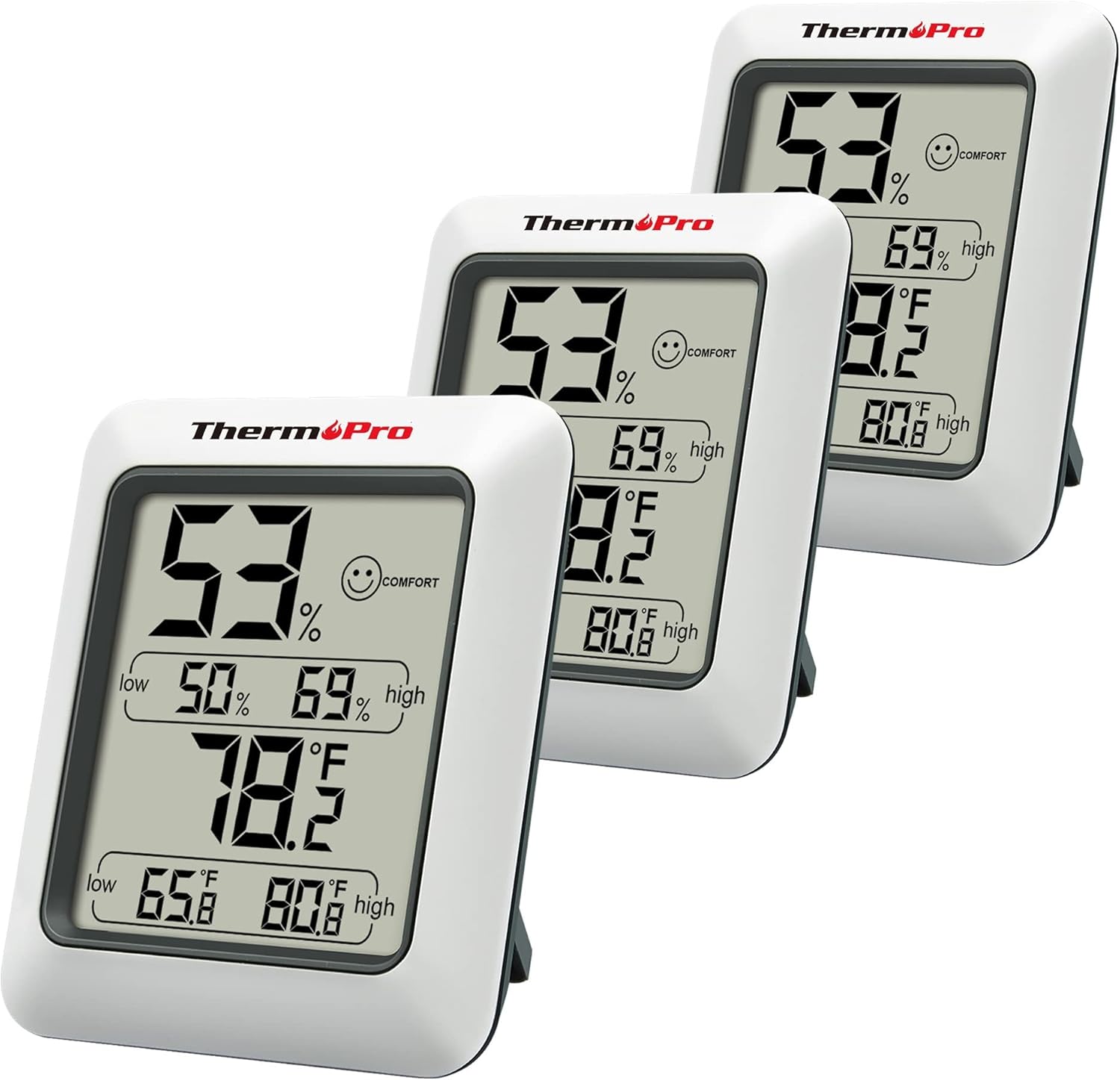
Figure 1: The ThermoPro TP50 Digital Hygrometer, shown in a pack of three, displays current humidity, temperature, and high/low records.
2. Змесціва ўпакоўкі
- 1 x ThermoPro TP50 Digital Hygrometer
- 1 х ААА батарэі
3. Асаблівасці прадукту
- Індыкатар паветранага камфорту: This humidity meter features a humidity level icon (DRY/COMFORT/WET) to indicate current air conditions, allowing for quick assessment of your home's environment.
- High Accuracy & Quick Refresh Rate: The indoor thermometer provides high accuracy of +/-2–3%RH and +/-1°F. Data measurements are updated every 10 seconds for real-time environmental monitoring.
- High & Low Records: Displays the highest and lowest temperature and humidity levels recorded since the last reset, enabling comparison of environmental data.
- Універсальнае выкарыстанне: Suitable for various applications including a refrigerator thermometer, freezer thermometer, reptile thermometer, soil thermometer, humidor hygrometer, and cigar hygrometer.
- Практычны дызайн: Features a tabletop stand and a magnetic back for flexible placement options. Includes a °F/°C selector.
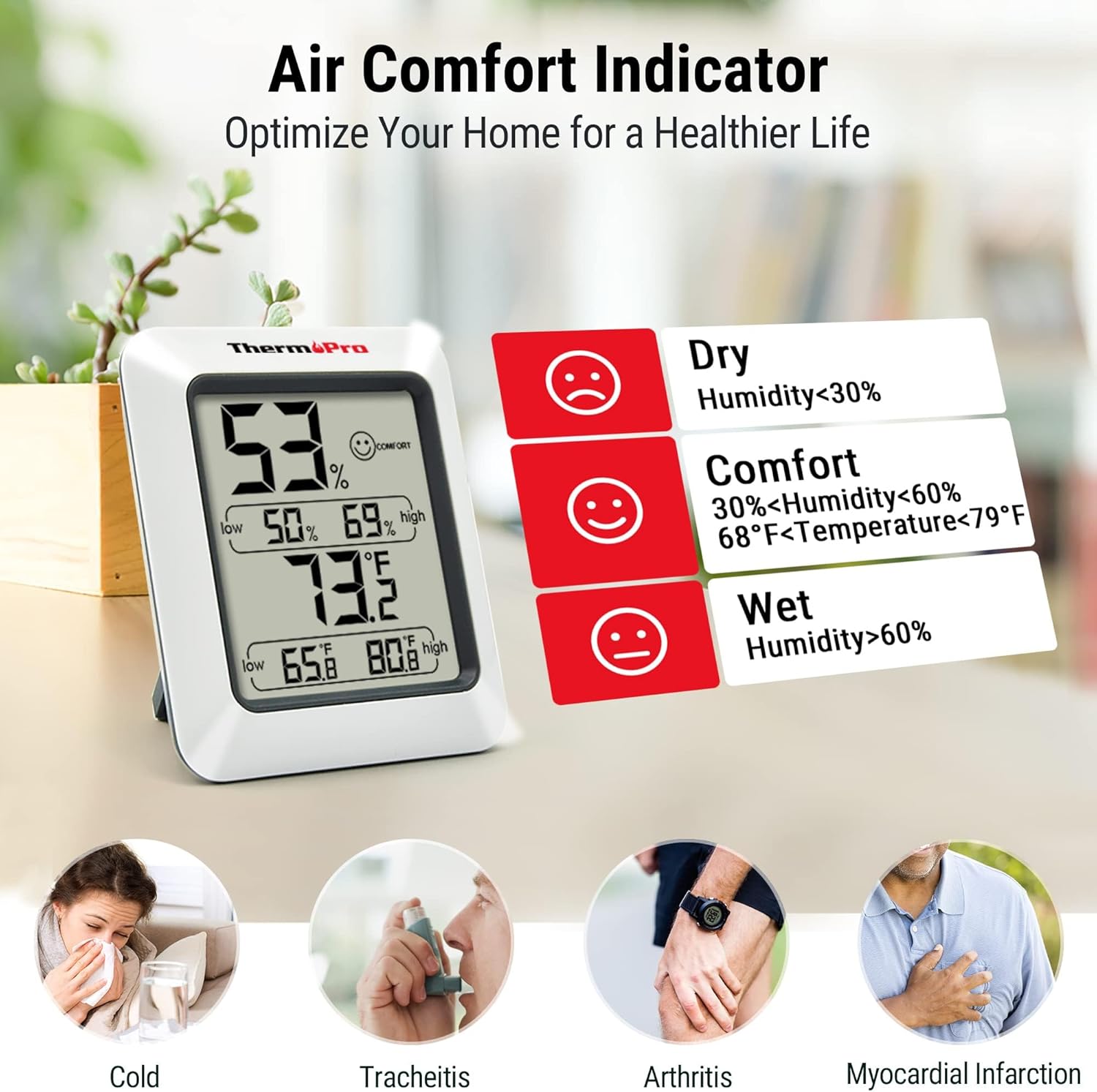
Figure 2: The Air Comfort Indicator uses a smiley face icon to quickly communicate humidity levels: Dry (<30% RH), Comfort (30-60% RH & 68-79°F), and Wet (>60% RH).

Figure 3: The device features a 10-second refresh rate, providing rapid updates on temperature and humidity changes in the environment.

Figure 4: The TP50 features a large, easy-to-read LCD display with magnified numbers for clear visibility from a distance.

Figure 5: The practical design includes a magnetic back for attachment to metal surfaces and a foldaway stand for tabletop use.
Video 1: This official video provides a visual guide to the ThermoPro TP50, highlighting its display, comfort indicator, and min/max record functions.
4. Настройка
4.1 Устаноўка батарэі
The ThermoPro TP50 operates on one AAA battery. To install or replace the battery:
- Знайдзіце батарэйны адсек на задняй частцы прылады.
- Адкрыйце крышку батарэйнага адсека.
- Insert one AAA battery, ensuring the correct polarity (+/-).
- Надзейна зачыніце крышку батарэйнага адсека.
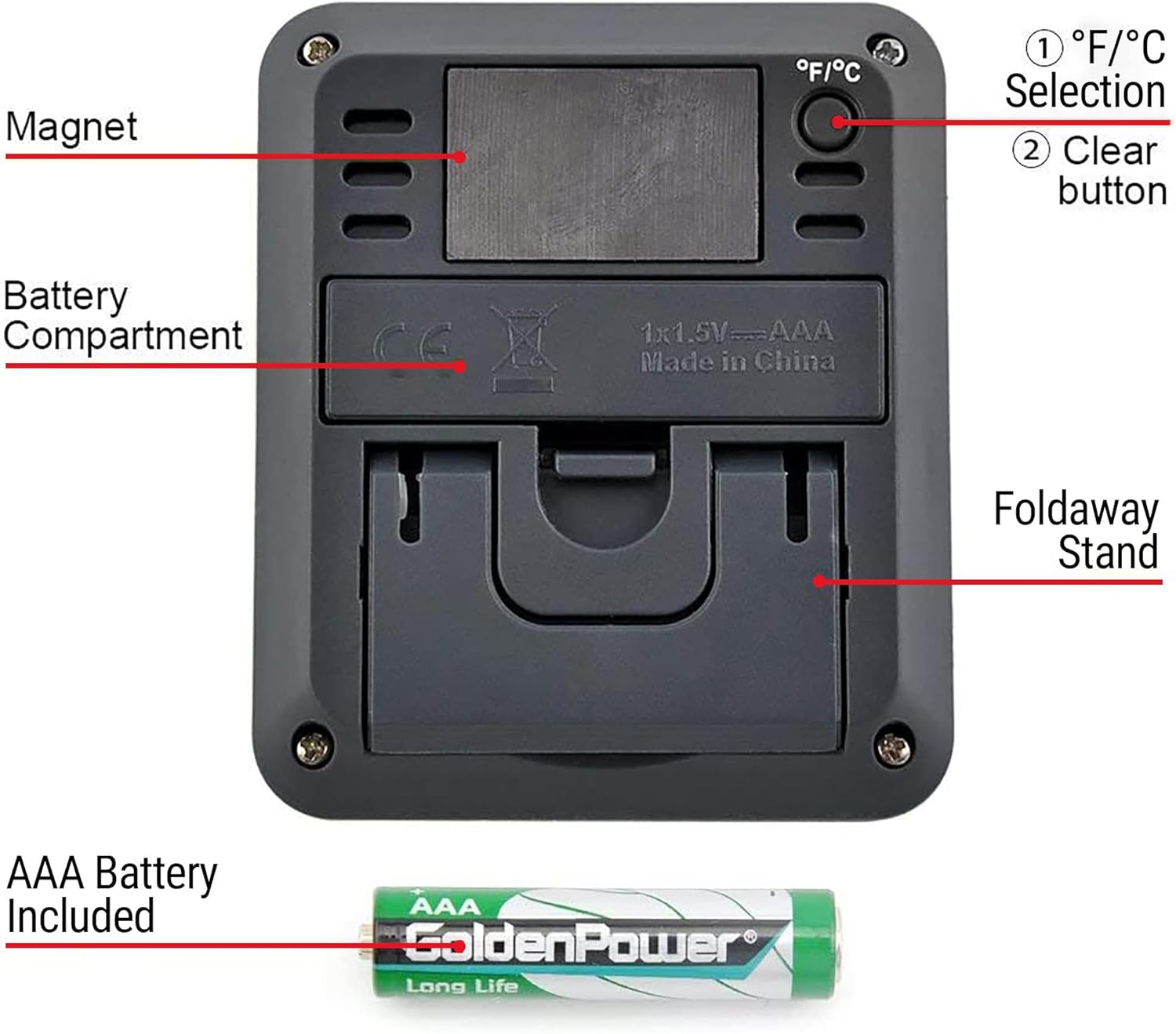
Figure 6: The back of the unit houses the battery compartment for one AAA battery, a button to switch between Fahrenheit and Celsius, and a clear button to reset high/low records.
5. Інструкцыя па эксплуатацыі
5.1 °F/°C Selection
To switch between Fahrenheit (°F) and Celsius (°C), press the °F/°C button located on the back of the unit.
5.2 High/Low Records
The device automatically records the highest and lowest temperature and humidity readings. To reset these records, remove and reinsert the battery.
5.3 Comfort Indicator
The smiley face icon on the display indicates the current comfort level based on humidity and temperature:
- СУХІ: Humidity below 30% RH.
- КОМФОРТ: Humidity between 30% and 60% RH, and temperature between 68°F and 79°F.
- Мокрае: Humidity above 60% RH.
6. Рэкамендацыі па размяшчэнні
The ThermoPro TP50 offers flexible placement options:
- Стальніца: Utilize the integrated foldaway stand to place the unit on any flat surface, such as a desk, shelf, or bedside table.
- Магнітнае мацаванне: The strong magnetic back allows for easy attachment to metal surfaces like refrigerators or metal shelves.
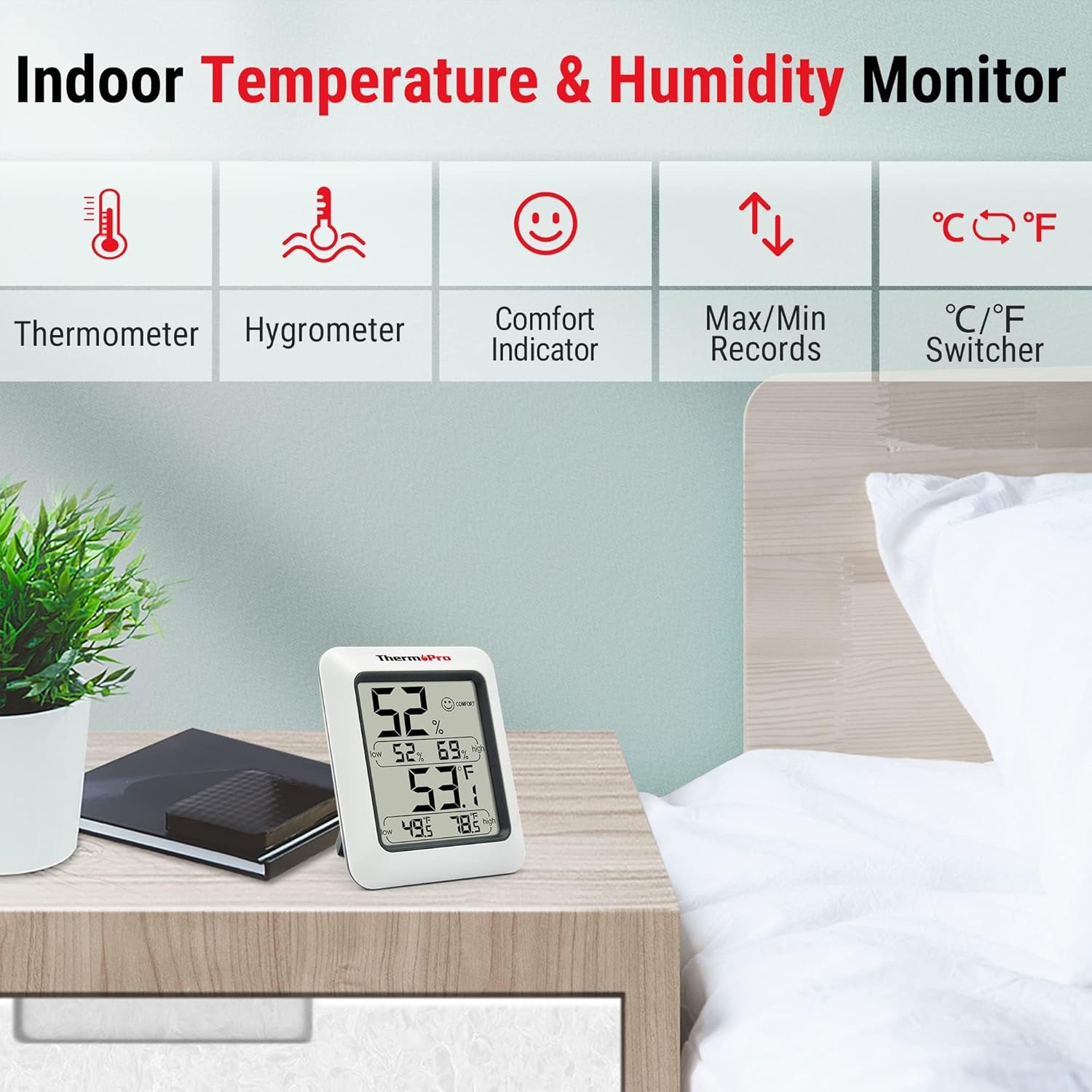
Figure 7: The ThermoPro TP50 is designed for indoor use, suitable for placement on tables or shelves to monitor room conditions.
7. Тэхнічнае абслугоўванне
- Ачысціце прыладу мяккім, damp тканіна. Не апускаць у ваду.
- Пазбягайце выкарыстання абразіўных ачышчальнікаў або растваральнікаў.
- Remove the battery if the unit will not be used for an extended period.
8. Выпраўленне непаладак
- Няма дысплея/Слабы дысплей: Check if the battery is installed correctly with the right polarity. Replace the battery if necessary.
- Няправільныя паказанні: Ensure the device is placed in a location free from direct sunlight, drafts, or heat sources. Allow sufficient time (at least 30 minutes) for the readings to stabilize after placement or significant environmental changes.
- High/Low Records Not Resetting: To clear the high/low records, remove the battery for a few seconds and then reinsert it.
9. Тэхнічныя характарыстыкі
| Асаблівасць | Дэталь |
|---|---|
| Марка | ThermoPro |
| Назва мадэлі | TP50 |
| Асаблівасць | Высокая дакладнасць |
| Колер | Белы |
| Тып дысплея | Лічбавы |
| Крыніца харчавання | Працуе ад батарэек (1 х AAA ў камплекце) |
| Дакладнасць тэмпературы | +/-1°F |
| Дакладнасць вільготнасці | +/-2–3%RH |
| Час водгуку | 10 секунд |
| Выкарыстанне ў памяшканні/на вуліцы | У памяшканні |
| Вага прадмета | 7 унцыі |
| Даўжыня прадмета | 3.82 цалі |
10. Гарантыя і падтрымка
ThermoPro provides a warranty for this product. Please refer to the product packaging or the official ThermoPro website for detailed warranty information and registration. For customer service and technical support, please contact ThermoPro directly. Contact information may be found on the product packaging or the official ThermoPro webсайт.