1. Прадукт скончыўсяview
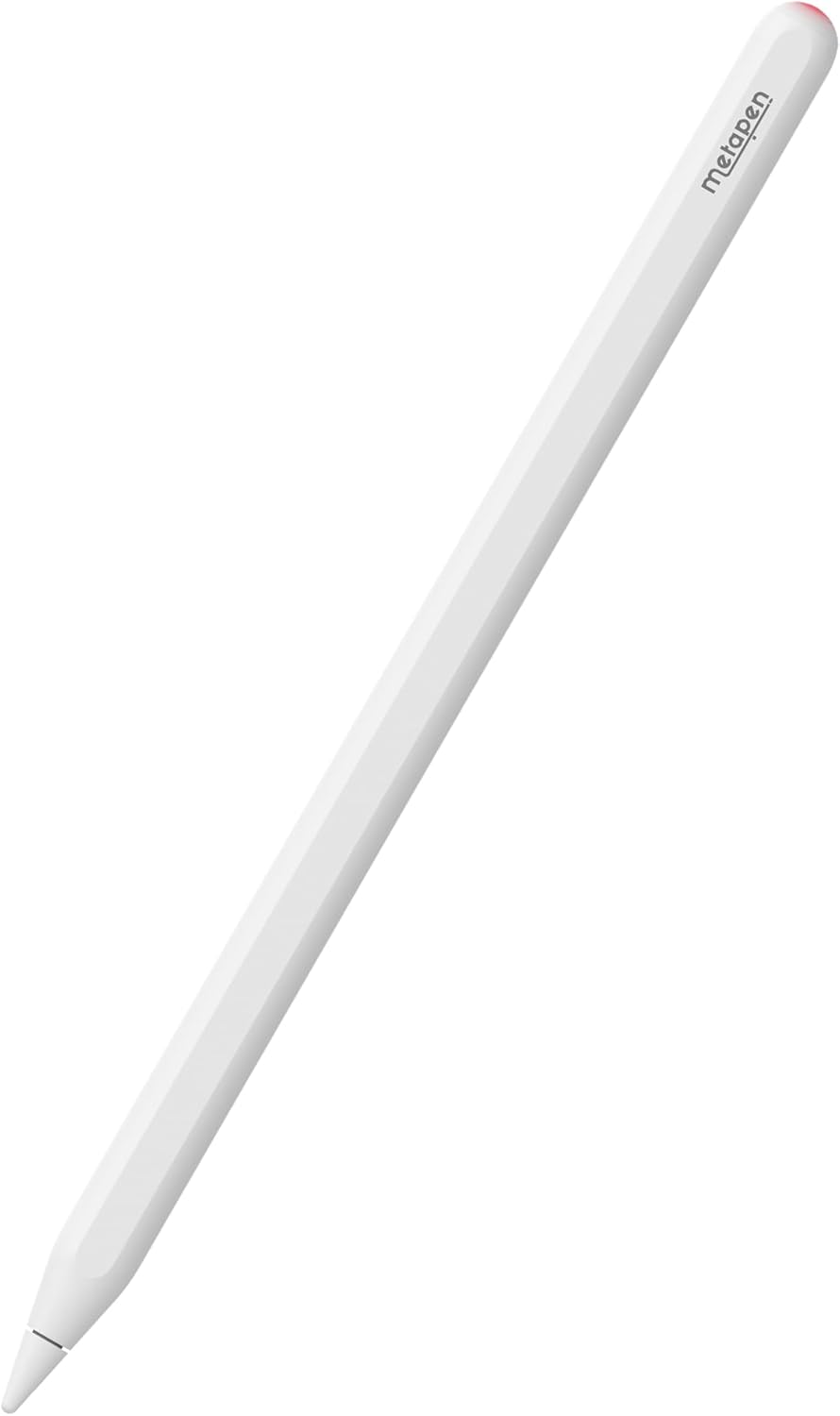
The Metapen Pencil A14 is a wireless magnetic charging stylus pen designed to enhance your iPad experience. It offers precise control, quick responsiveness, and advanced features like palm rejection and hotkey shortcuts, making it ideal for note-taking, drawing, and navigation.
2. Сумяшчальнасць
The Metapen Pencil A14 is specifically designed for certain iPad models to ensure full functionality, including wireless charging. Please verify your iPad model before use.
- iPad Pro 12.9" (6th, 5th, 4th, 3rd generation)
- iPad Pro 11" (4th, 3rd, 2nd, 1st Gen)
- iPad Air (5th, 4th Gen)
- iPad Mini (6-га пакалення)
Заўвага: This stylus is NOT compatible with iPad Pro M4 2024, iPad Air M2 2024 3rd Gen, iPad 6/7/8/9/10th Gen, or iPad Mini 5/7th Gen.

3. Настройка
3.1. Што ў скрынцы
- Metapen Pencil A14 Stylus
- Replacement Tips (2 included)
- Кіраўніцтва карыстальніка
3.2. Пачатковае спалучэнне (Bluetooth)
- Ensure your iPad's Bluetooth is turned ON (Settings > Bluetooth).
- Press the top button of the Metapen Pencil A14 once to turn it on.
- On your iPad, a Bluetooth Pairing Request will appear. Tap 'Pair' to connect.
If you have previously paired with other devices, please disconnect them first.
3.3. Adding Battery Display Widget
To monitor your Metapen Pencil A14's battery level directly on your iPad:
- Long press on any application icon on your home screen.
- Tap 'Edit Home Page'.
- Tap the '+' icon in the top-left corner.
- Пошук 'Batteries' and select the Batteries Widget.
- Choose your preferred display size and add it to your home screen.
4. Інструкцыя па эксплуатацыі
4.1. Wireless Magnetic Charging
The Metapen Pencil A14 supports wireless magnetic charging. Simply attach the stylus to the magnetic charging area on your compatible iPad. Two strong magnets ensure a secure connection.
- Час поўнай зарадкі: Прыкладна 90 хвілін.
- час працы: Да 8 гадзін бесперапыннага выкарыстання.
- Аўтаматычны рэжым сну: After 5 minutes of inactivity to conserve battery.
- Час чакання: Да 365 дзён.
The LED indicator on the stylus provides battery status:
- Чырвонае дыханне: Зарадка
- Суцэльны чырвоны: 1% - 20% зарада батарэі
- Суцэльны сіні: 20% - 60% зарада батарэі
- Суцэльны белы: 60% - 100% зарада батарэі
- Суцэльны белы: Цалкам зараджаны

4.2. Hotkey Shortcuts
Utilize the top button for quick navigation and multitasking:
- Націсніце адзін раз: Return to the Home Screen page.
- Націсніце двойчы: Switch to the Multitasking menu (App Switcher).

4.3. Writing and Drawing Experience
The Metapen Pencil A14 offers a smooth and precise writing and drawing experience:
- 0.1mm Pixel Precision: Ensures accurate and detailed input.
- Без затрымкі: Enjoy real-time responsiveness without delays.
- No Breakpoint: Consistent line drawing without interruptions.
- Адчувальнасць да нахілу: Adjust line thickness and shading by tilting the pen, similar to a graphite pencil (works with 'Pencil Brush' tools).


4.4. Адхіленне далоні
Rest your hand comfortably on the iPad screen while writing or drawing. The advanced palm rejection technology ensures that only the stylus input is registered, preventing accidental marks from your palm.

5. Тэхнічнае абслугоўванне
5.1. Замена наканечніка
The Metapen Pencil A14 uses POM tips, which are the same material as Apple Pencil tips, ensuring durability and a familiar feel. Replacement is easy:
- Gently twist the old tip counter-clockwise to remove it.
- Align the new tip and twist clockwise until secure. Do not overtighten.

5.2. Сыход і ўборка
The stylus features a moisture-proof paint coating to prevent discoloration or paint loss from sweat. To clean, gently wipe the stylus with a soft, dry cloth. Avoid using harsh chemicals or abrasive materials.

6. Выпраўленне непаладак
- Стылус не падключаецца/не спалучаецца: Ensure Bluetooth is enabled on your iPad. Forget any previously paired styluses in Bluetooth settings and try pairing again. Make sure the Metapen Pencil A14 is charged.
- Праблемы з зарадкай: Verify the stylus is correctly aligned on the iPad's magnetic charging area. Ensure your iPad is awake or in a state that allows accessory charging. Remove any thick cases that might interfere with magnetic connection.
- Няправільны або неадэкватны ўвод: Check if the stylus tip is securely attached. Replace the tip if it appears worn or damaged. Ensure your iPad screen is clean.
- Хутка разраджаецца батарэя: Confirm the stylus is entering automatic sleep mode when not in use. If the battery widget shows constant activity when attached but not in use, slightly adjust its position on the iPad to ensure it's not constantly 'waking up' or attempting to connect.
7. Тэхнічныя характарыстыкі
| Асаблівасць | Дэталь |
|---|---|
| Памеры прадукту | 6.53 х 0.35 х 0.35 цалі |
| Вага прадмета | 0.529 унцыі (15 грама) |
| Нумар мадэлі | A14 |
| Колер | Жамчужна-белы |
| Матэрыял | Алюміній |
| Час зарадкі | 90 хвілін |
| Тып батарэі | 1 батарэя CR5 (у камплекце) |
8. Гарантыя і падтрымка
Metapen is committed to providing excellent customer service and product support.
- 2 Years Care: Enjoy peace of mind with our 2-year product care.
- 30 Days Replacement: Hassle-free replacement within 30 days of purchase.
- 7x24 Hours Customer Service: Наша служба падтрымкі даступная кругласутачна, каб дапамагчы вам.
Па любых пытаннях або падтрымцы звяртайцеся да нас па адрасе Support@metapen.com.