
1. Уводзіны
The PHOTONTEK XT 1000W CO2 Pro LED is a high-performance grow light designed for professional indoor cultivation. This fixture delivers a balanced, full-spectrum light with high Photosynthetic Photon Flux Density (PPFD) levels, optimized for plant growth cycles. It is engineered for use in 5'x5' coverage areas, particularly when supplemented with CO2, but can also be adapted for 6'x6' areas without CO2 supplementation. This manual provides essential information for the safe and effective installation, operation, and maintenance of your PHOTONTEK XT 1000W CO2 Pro LED grow light.
2. Інфармацыя па бяспецы
Please read all safety warnings and instructions carefully before installing or operating the PHOTONTEK XT 1000W CO2 Pro LED. Failure to follow these instructions may result in electric shock, fire, or other serious injury.
- Always disconnect power before installation, maintenance, or moving the fixture.
- Do not operate the fixture with a damaged cord or plug.
- Пераканайцеся, што прыстасаванне надзейна замацавана, каб прадухіліць падзенне.
- Do not look directly at the operating LEDs; prolonged exposure can cause eye damage.
- Забяспечце дастатковую вентыляцыю вакол прыбора, каб пазбегнуць перагрэву.
- Гэты прадукт прызначаны толькі для выкарыстання ў памяшканнях.
- Захоўваць удалечыні ад вады і іншых вадкасцяў.
3. Што ў скрынцы
Upon unpacking, verify that all components are present and undamaged.
- PHOTONTEK XT 1000W CO2 Pro LED Panel
- Шнур харчавання
- Hanging Kit (typically includes hangers/ratchets)
- Інструкцыя па эксплуатацыі (гэты дакумент)
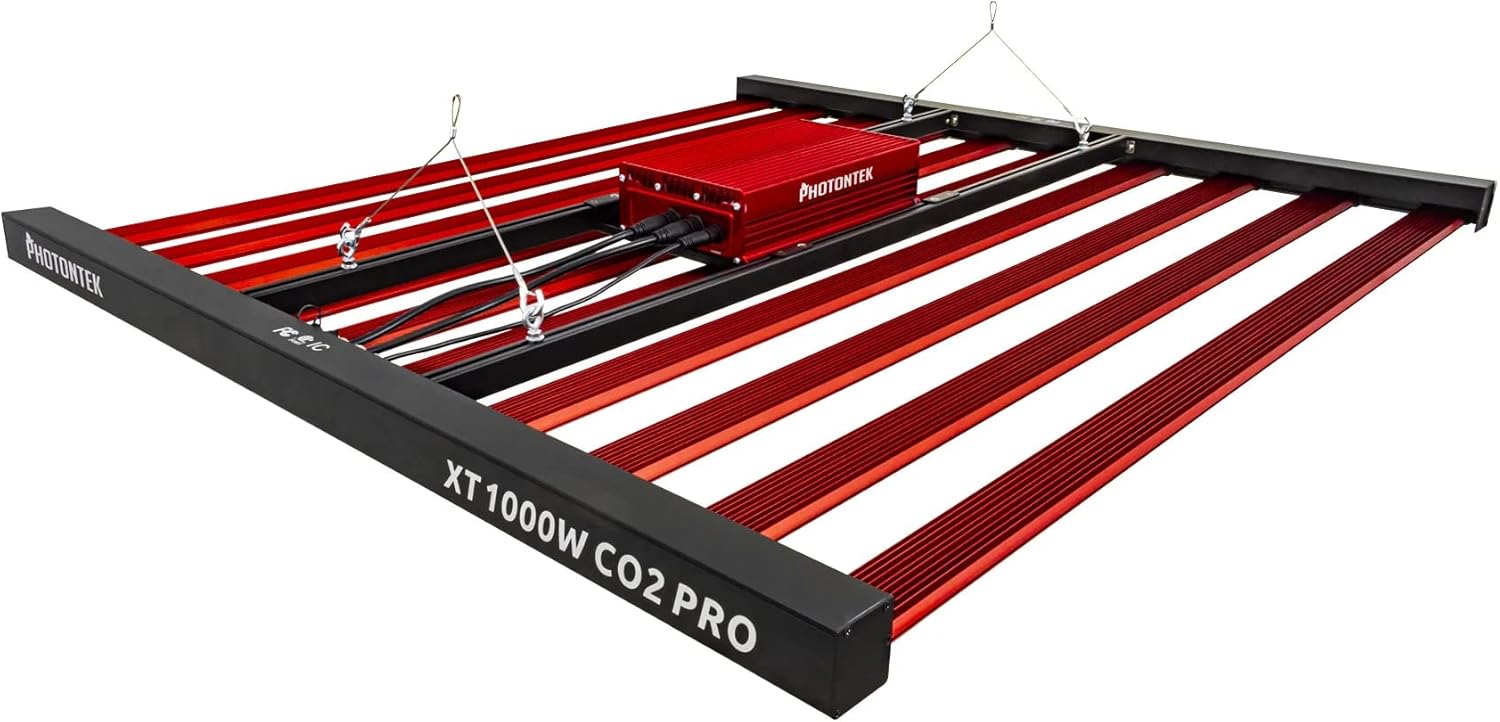
Малюнак 1: The PHOTONTEK XT 1000W CO2 Pro LED grow light, showing the multi-bar design and central driver box. This image illustrates the complete fixture as it would appear when assembled and ready for hanging.
4. Настройка і ўстаноўка
4.1 Распакаванне і праверка
- Акуратна дастаньце ўсе кампаненты з упакоўкі.
- Inspect the fixture for any signs of damage during transit. Contact your supplier immediately if any damage is found.
- Ensure all listed components in "What's in the Box" are present.
4.2 Мантаж свяцільні
The PHOTONTEK XT 1000W CO2 Pro LED is designed to be suspended above your plant canopy.
- Identify a sturdy overhead structure capable of supporting the weight of the fixture (approximately 39.7 pounds or 17.999 kg).
- Attach the provided hanging cables or ratchets to the designated hanging points on the fixture.
- Securely attach the other end of the hanging system to your overhead structure.
- Adjust the hanging height to achieve the desired distance from the plant canopy. Refer to the "Operating Instructions" section for recommended hanging heights based on CO2 usage.

Малюнак 2: Бокавы профіfile of the PHOTONTEK XT 1000W CO2 Pro LED, illustrating its slim design and the distribution of LED bars. This view helps in understanding the fixture's dimensions for proper placement.
4.3 Электрычнае падключэнне
Пераканайцеся, што крыніца харчавання адпавядае аб'ёмуtage requirements of the fixture (277 Volts AC).
- Connect the power cord to the input port on the fixture's driver box. Ensure a secure connection.
- Падключыце другі канец шнура сілкавання да заземленай электрычнай разеткі.
- If using a dimmer or external controller (Control Method: App, Switch Style: Dimmer, Push Button), connect it according to its specific instructions to the designated dimming ports on the fixture.
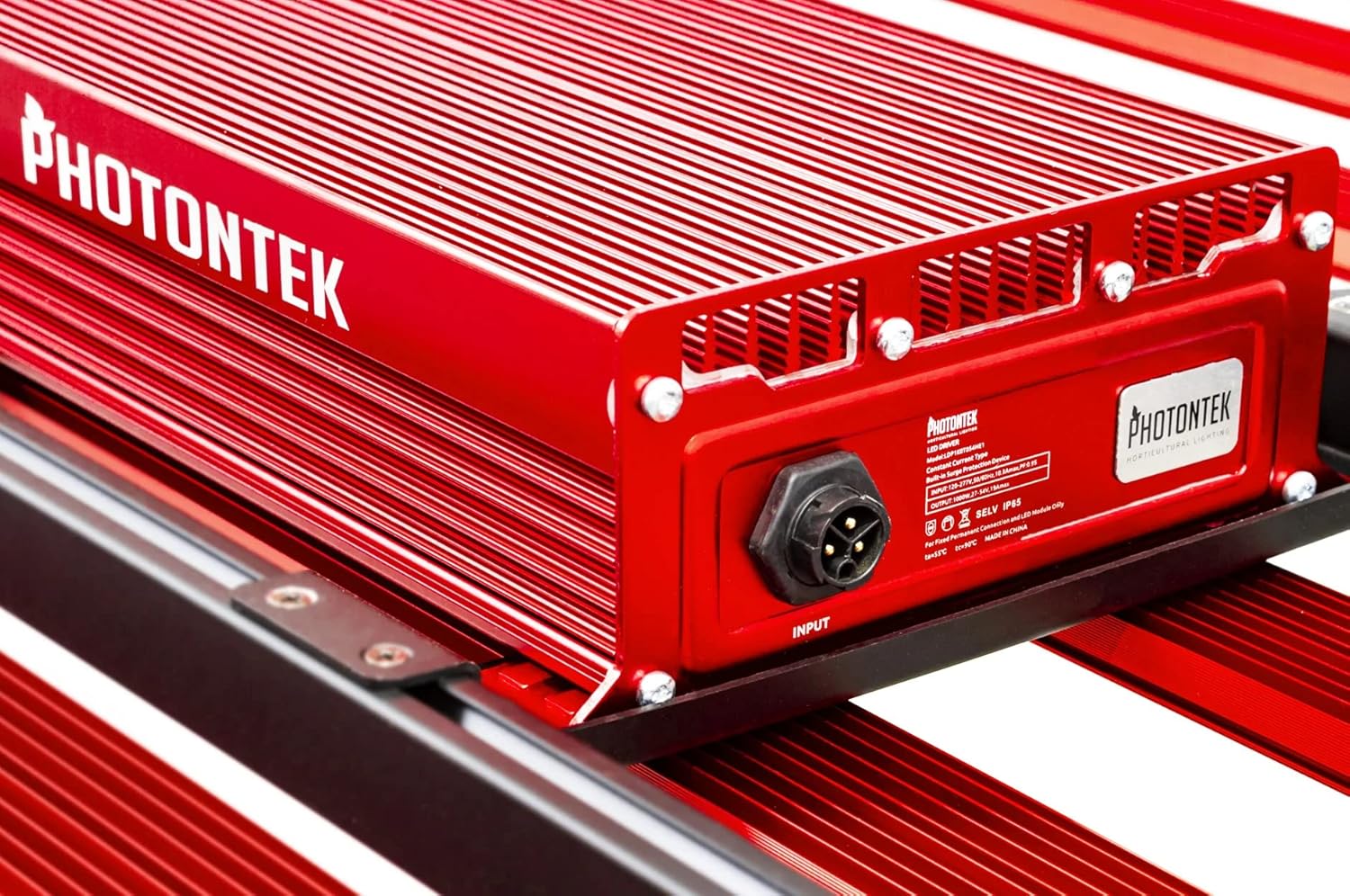
Малюнак 3: Падрабязны view of the PHOTONTEK XT 1000W CO2 Pro LED driver box, highlighting the input port and product labeling. This shows where the main power connection is made.
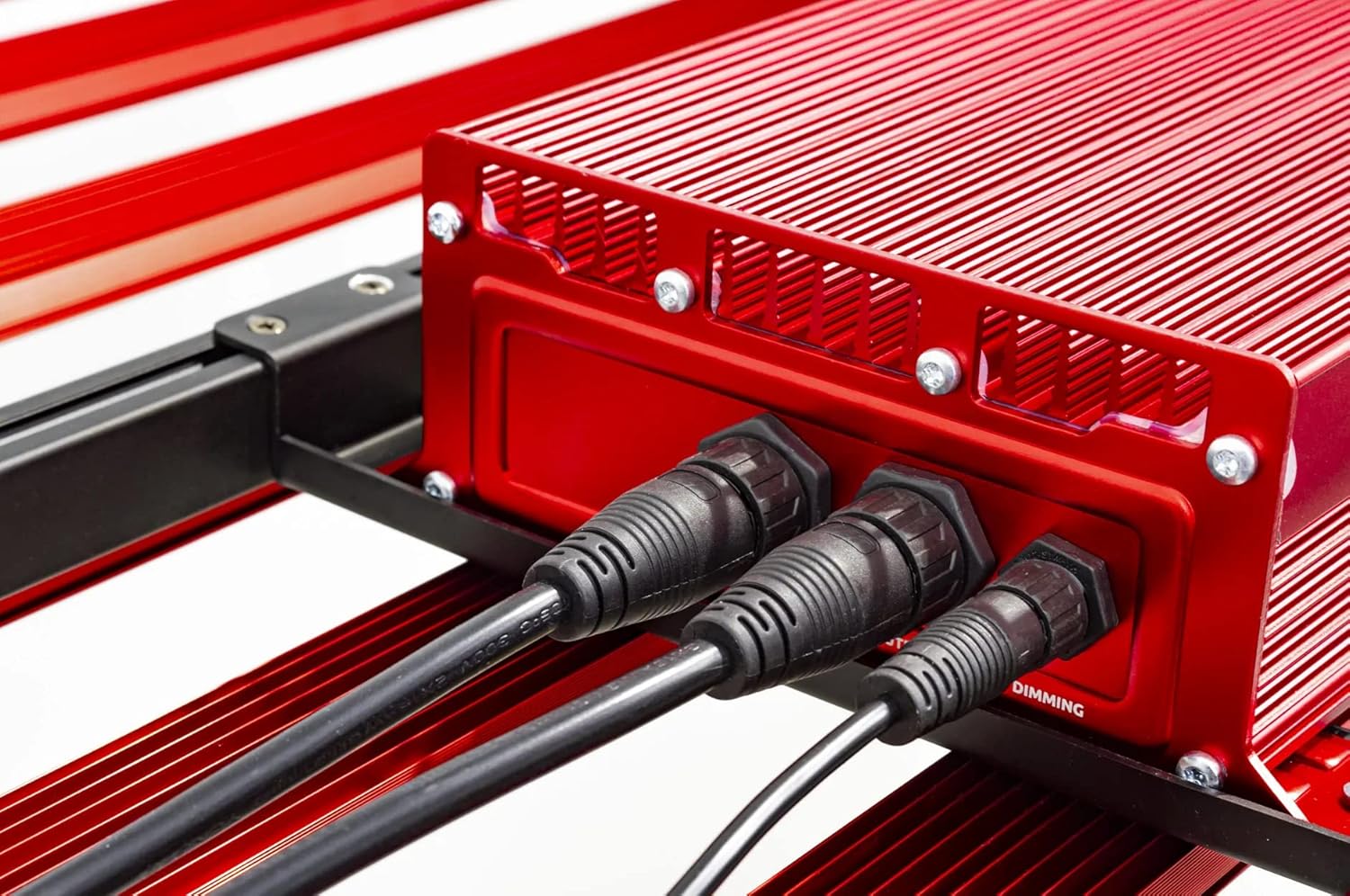
Малюнак 4: Close-up of the connection ports on the PHOTONTEK XT 1000W CO2 Pro LED driver, showing both power input and dimming control ports. This image clarifies where to connect the power cord and any optional dimming accessories.
5. Інструкцыя па эксплуатацыі
5.1 Уключэнне/выключэнне
Once the fixture is securely mounted and connected to power, it can be turned on.
- To power on, ensure the power cord is plugged into a live outlet. If using a timer, set the desired light cycle.
- To power off, disconnect the power cord from the outlet or use a connected timer/controller.
5.2 Light Intensity and Spectrum
The PHOTONTEK XT 1000W CO2 Pro LED provides a full spectrum light. The intensity can be adjusted using the integrated dimmer or an external app/controller.
- Кіраванне дыммерам: Use the push-button dimmer switch (if present) or the app control to adjust light output from 0-100%.
- Recommended PPFD Levels:
- For 5'x5' coverage with CO2 supplementation: Aim for PPFD levels up to 1500 µmol/s/m². Maintain CO2 levels up to 1500 PPM, matching PPFD levels 1:1 once exceeding 1000 µmol/s/m².
- For 6'x6' coverage without CO2 supplementation: Increase the distance between the fixture and the plant canopy to achieve optimal PPFD levels for the specific growth stage. This will result in lower overall PPFD intensity compared to CO2-supplemented setups.

Малюнак 5: Буйны план view of the individual LED diodes on one of the light bars of the PHOTONTEK XT 1000W CO2 Pro LED. This illustrates the quality and density of the light-emitting components.
6. Тэхнічнае абслугоўванне
Regular maintenance ensures optimal performance and longevity of your PHOTONTEK XT 1000W CO2 Pro LED.
- Уборка: Periodically clean the LED bars and driver box with a soft, dry cloth to remove dust and debris. Ensure the fixture is unplugged and cool before cleaning. Do not use abrasive cleaners or solvents.
- агляд: Regularly inspect the power cord, hanging cables, and all connections for any signs of wear or damage. Replace any damaged components immediately.
- Вентыляцыя: Ensure that the ventilation openings on the driver box are not obstructed to allow for proper heat dissipation.
7. Выпраўленне непаладак
If you encounter issues with your PHOTONTEK XT 1000W CO2 Pro LED, refer to the following common problems and solutions.
| праблема | Магчымая прычына | Рашэнне |
|---|---|---|
| Свяцільня не ўключаецца. | No power supply; loose connection; faulty power cord/outlet. | Check power cord connection; verify outlet is live; try a different outlet; inspect power cord for damage. |
| Святлодыёдны паток цьмяны або мігціць. | Dimmer setting too low; loose connection; power supply issue. | Adjust dimmer setting; check all electrical connections; ensure stable power supply. |
| Fixture is overheating. | Poor ventilation; obstructed vents. | Ensure adequate airflow around the fixture; clear any obstructions from vents. |
| Кіраванне праграмамі не працуе. | Connectivity issue; app malfunction; incorrect setup. | Check Bluetooth/Wi-Fi connection; restart the app and fixture; refer to app-specific instructions. |
If the problem persists after attempting these solutions, please contact PHOTONTEK customer support.
8. Тэхнічныя характарыстыкі
Detailed technical specifications for the PHOTONTEK XT 1000W CO2 Pro LED.
| Асаблівасць | Дэталь |
|---|---|
| Марка | ФАТОНТЭК |
| мадэль | XT 1000W CO2 Pro LED |
| Светлы тып | святлодыёд |
| Асаблівасць | Поўны спектр |
| Ватtage | 1000 ват |
| Светлы колер | Дзённае белае |
| тtage | 277 вольт (пераменны ток) |
| Колькасць адзінак | 1.0 Граф |
| Колькасць элементаў | 1 |
| Матэрыял | Алюміній, пластык |
| Выкарыстанне ў памяшканні/на вуліцы | У памяшканні |
| Крыніца харчавання | Правадная электрычная |
| Энергаспажыванне | 1000 ват |
| Тып крыніцы святла | святлодыёд |
| Вага прадмета | 39.7 фунта (17.999 кг) |
| Крыніца святла Ватtage | 1000 ват |
| Метад кантролю | дадатак |
| Сярэдняя жыццё | 5 гады |
| Эфектыўнасць | 2.9 мкмоль/Дж |
| стыль | Сучасны |
| UPC | 751448506226 |
| Нумар дэталі | 751448506226 |
| Колькасць агнёў | 1 (fixture) |
| Уключаныя кампаненты | Святлодыёдная панэль |
| Абажур Матэрыял | Пластыкавыя |
| Напрамак святла | LED (Direct) |
| Стыль пераключэння | Dimmer, Push Button |
| Пераключыць тып ўстаноўкі | Wall Mount (for external controller) |
| Дата першай даступнасці | 13 ліпеня 2022 г |
9. Гарантыя і падтрымка
PHOTONTEK products are manufactured to high standards and are designed for durability.
- Інфармацыя аб гарантыі: Specific warranty terms and conditions are typically provided with your purchase documentation or can be found on the official PHOTONTEK webсайт. Калі ласка, захавайце пацвярджэнне пакупкі для прэтэнзій па гарантыі.
- Падтрымка кліентаў: For technical assistance, troubleshooting beyond this manual, or warranty inquiries, please contact PHOTONTEK customer support directly through their official webсайт або кантактную інфармацыю, прадстаўленую разам з вашым прадуктам.