
edaiser P129 magic keyboard - Oxford Gray
edaiser Wireless Magic Keyboard Case
Кіраўніцтва па эксплуатацыі
Model: P129 Oxford Gray
Прадукт скончаныview
The edaiser Wireless Magic Keyboard Case is designed to enhance your Apple iPad experience, transforming it into a versatile workstation. It features a multi-touch trackpad, RGB backlit keys, and a durable magnetic design, offering both protection and functionality.
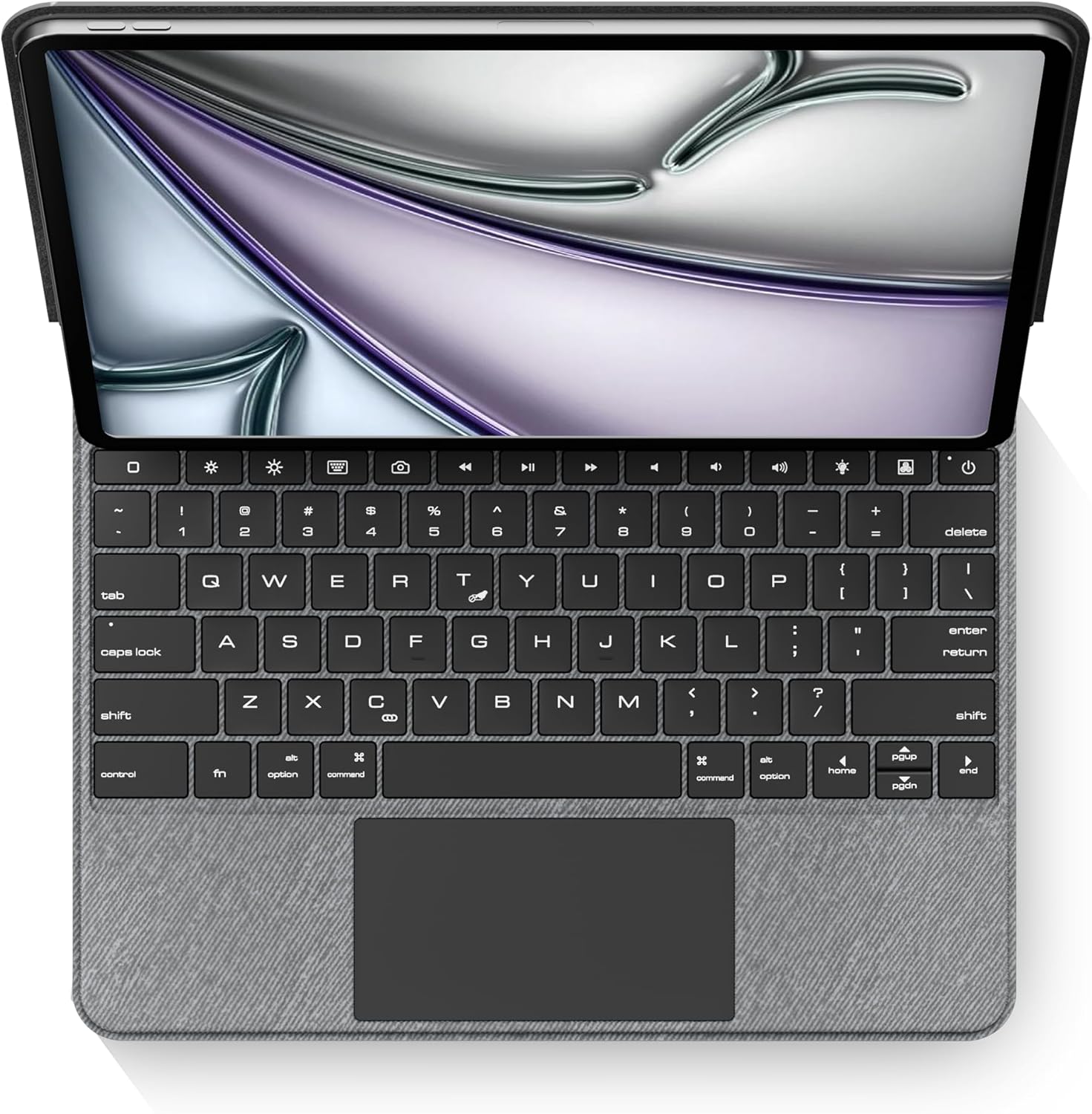
Выява: зверху ўніз view of the edaiser keyboard case with an iPad, showing the full keyboard and trackpad.
Сумяшчальнасць
This keyboard case is compatible with the following Apple iPad models:

Image: A table detailing compatible iPad generations and their model numbers, ensuring correct device fit.
| Пакаленне iPad | Нумар(ы) мадэлі |
|---|---|
| iPad Air 13-inch (M2) 2024 | A2898, A2899, A2900 |
| iPad Pro 12.9-inch 6th Gen 2022 | А2436, А2764, А2437, А2766 |
| iPad Pro 12.9-inch 5th Gen 2021 | А2378, А2379, А2461, А2462 |
| iPad Pro 12.9-inch 4th Gen 2020 | А2229, А2069, А2232, А2233 |
| iPad Pro 12.9-inch 3rd Gen 2018 | А1876, А2014, А1895, А1983 |
Змест пакета
Калі ласка, пераканайцеся, што ўсе прадметы прысутнічаюць у камплекце:
- 1 x edaiser Wireless Magic P129 Oxford Gray Keyboard Case
- 1 х кабель для зарадкі Type-C - Type-C
- 1 х Кіраўніцтва карыстальніка

Выява: Візуальнае адлюстраванне прадметаў, якія ўваходзяць у склад упакоўкі прадукту.
Кіраўніцтва па ўстаноўцы
Устаўце iPad:
Gently align your compatible iPad with the case and press it into place. Ensure the iPad is securely seated within the protective frame of the case.
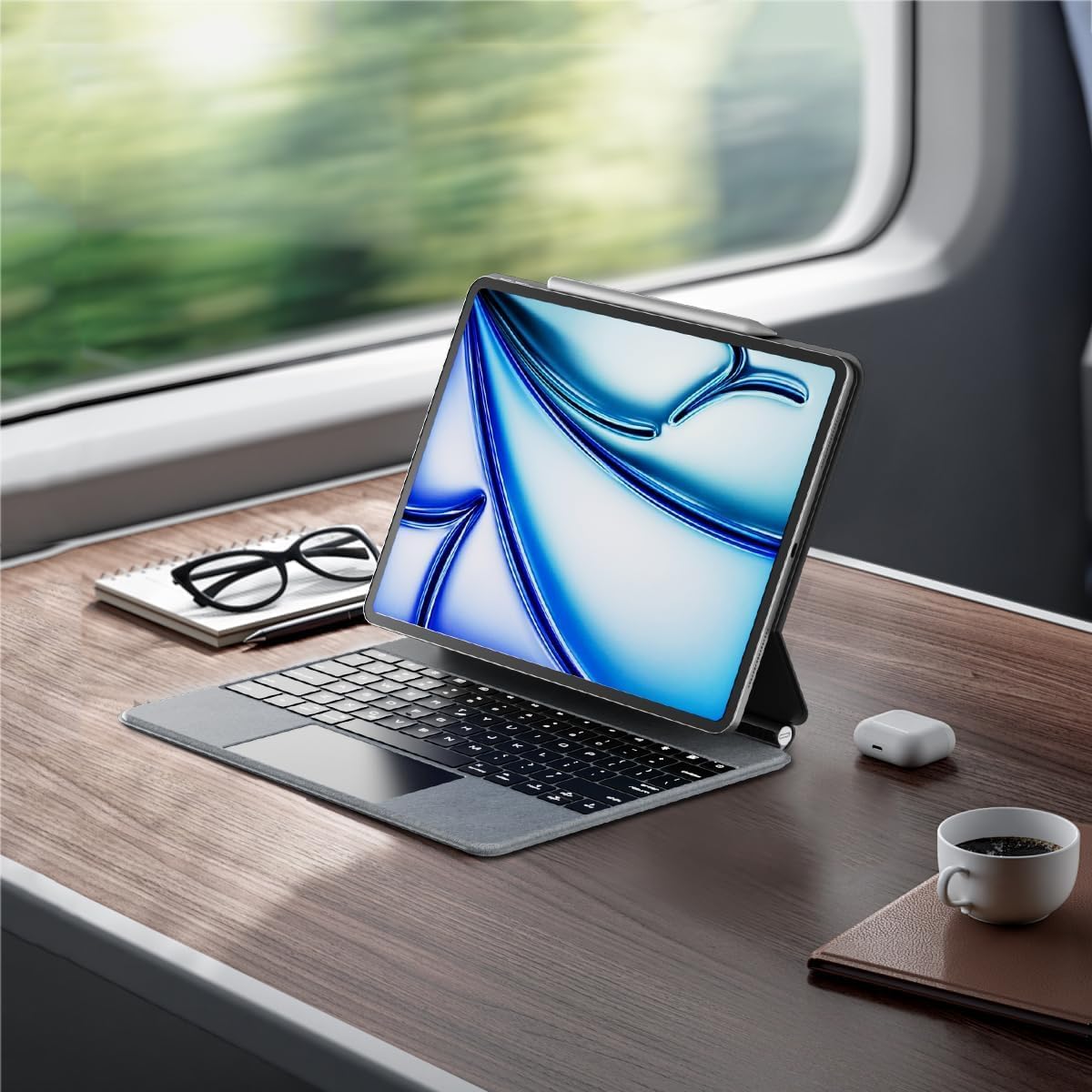
Image: An iPad inserted into the keyboard case, demonstrating the secure fit.
Зарадка клавіятуры:
Before first use, fully charge the keyboard. Connect the provided Type-C to Type-C charging cable to the keyboard's charging port and a compatible power adapter (not included). The charging indicator light will show charging status.
Уключэнне:
Locate the power button on the keyboard. Press and hold the power button for 3-5 seconds to turn on the keyboard. The power indicator light will illuminate.

Image: A detailed diagram highlighting the keyboard's function keys, including the power button (labeled 9).
Спалучэнне праз Bluetooth:
- На вашым iPad перайдзіце па спасылцы Налады > Bluetooth.
- Пераканайцеся, што Bluetooth уключаны On.
- На клавіятуры націсніце Ключ спалучэння Bluetooth (often indicated by a Bluetooth symbol or a specific function key combination, refer to keyboard diagram if available). The Bluetooth indicator light will flash, indicating it's in pairing mode.
- On your iPad, select "edaiser Keyboard" or a similar name from the list of available devices.
- Выконвайце падказкі на экране, каб завяршыць працэс спалучэння. Пасля паспяховага спалучэння індыкатар на клавіятуры перастане міргаць.
Інструкцыя па эксплуатацыі
Рэгуляваны Viewing кут
The keyboard case features a 125°-130° adjustable angle, allowing you to find the optimal viewing position for typing, watching, or drawing. Simply adjust the iPad's position relative to the keyboard base.

Выява: Side profile of the keyboard case demonstrating its adjustable viewкут нахілу.
Функцыі клавіятуры
The keyboard includes various function keys for quick access to iPad features:
- Home Key (1): Returns to the iPad home screen.
- Screen Brightness (2): Adjusts iPad screen brightness up or down.
- Onscreen Keyboard (3): Shows or hides the virtual onscreen keyboard.
- Screen Capture Key (4): Captures a screenshot of the iPad display.
- Multimedia Keys (5): Controls media playback (back, play/pause, forward).
- Volume Controls (6): Mutes, increases, or decreases iPad volume.
- Backlight Brightness (7): Adjusts the backlight brightness (3 levels).
- Backlight Color (8): Switches between 7 different backlight colors.
- Power Sources (9): Hold for 3-5 seconds to power on/off the keyboard.
Image: A visual guide to the keyboard's function keys and their respective operations.
Мультытач-трэкпад
The integrated multi-touch trackpad supports various iPadOS gestures for seamless navigation:
- Націск адным пальцам: Click/select.
- Пракрутка двума пальцамі: Пракручванне ўверх/уніз або ўлева/ўправа.
- Правядзенне трыма пальцамі ўверх: Go to home screen.
- Правядзенне трыма пальцамі ўлева/управа: Пераключэнне паміж адкрытымі праграмамі.
- Каб павялічыць: Павялічыць/паменшыць маштаб змесціва.
- Refer to iPadOS documentation for a complete list of supported gestures.

Image: A person using the multi-touch trackpad to navigate their iPad, illustrating its functionality.
Тэхнічнае абслугоўванне
- Уборка: Выкарыстоўвайце мяккую безворсовую тканіну, злёгку dampened with water to clean the exterior of the case and keys. Avoid harsh chemicals or abrasive materials.
- захоўванне: Калі клавіятура не выкарыстоўваецца працяглы час, захоўвайце яе ў прахалодным, сухім месцы.
- Сыход за батарэяй: To prolong battery life, avoid fully discharging the keyboard frequently. Charge it regularly, even if not in constant use. The battery is built-in and not user-replaceable.
Ліквідацыю непаладак
Клавіятура не падключаецца праз Bluetooth:
- Пераканайцеся, што клавіятура ўключана і цалкам зараджана.
- Check that Bluetooth is enabled on your iPad.
- Forget the device in iPad's Bluetooth settings and attempt to re-pair.
- Перазагрузіце iPad і клавіятуру.
Падсветка не працуе або цьмяная:
- Press the backlight brightness key (7) to cycle through brightness levels.
- Пераканайцеся, што клавіятура мае дастатковы зарад батарэі.
Trackpad unresponsive:
- Пераканайцеся, што клавіятура падключана праз Bluetooth.
- Праверце налады iPadOS на наяўнасць функцыянальнасці трэкпада.
- Перазагрузіце клавіятуру і iPad.
Клавішы не рэагуюць:
- Праверце падключэнне Bluetooth.
- Пераканайцеся, што клавіятура не знаходзіцца ў рэжыме сну (націсніце любую клавішу, каб абудзіць яе).
- Праверце ўзровень батарэі.
Тэхнічныя характарыстыкі
- мадэль: P129 magic keyboard - Oxford Gray
- Падключэнне: Bluetooth
- матэрыял: Premium PU Leather exterior, metal hinge
- Памеры: 11.3 х 9.13 х 0.73 цалі
- Вага прадмета: 2.83 фунта
- акумулятар: 1 Lithium Ion battery (built-in)
- Working Time (typing, backlight off): Да 180 гадзін
- Час чакання: Да 90 дзён
- Падсвятленне: RGB, 7 колераў, 3 узроўні яркасці
- Трэкпад: Multi-touch compatible
- Рэгуляваны кут: 125°-130°
Гарантыя і падтрымка
The edaiser Wireless Magic Keyboard Case is designed for long-lasting use and performance. For any product inquiries, technical support, or warranty claims, please refer to the contact information provided on the product packaging or visit the official edaiser webсайт.
Please note that the battery is installed in the product and cannot be disassembled or sold separately.
Звязаныя дакументы - P129 magic keyboard - Oxford Gray
 |
Кіраўніцтва карыстальніка чахла edaiser Magic Keyboard для iPad Pro і Air Падрабязнае кіраўніцтва карыстальніка для чахла edaiser Magic Keyboard з трэкпадам, якое ахоплівае ўстаноўку, характарыстыкі, падключэнне Bluetooth, функцыі клавіятуры, жэсты трэкпада і ліквідацыю непаладак для iPad Pro 11/12.9 цалі і iPad Air 10.9 цалі. |
 |
Metapen Pencil A8: кіраўніцтва па сумяшчальнасці, выкарыстанні і ліквідацыі непаладак для iPad Падрабязнае кіраўніцтва па стылісу Metapen Pencil A8, якое ўключае заўвагі па падрыхтоўцы да выкарыстання, сумяшчальнасць з рознымі мадэлямі iPad і рашэнні распаўсюджаных праблем з эксплуатацыяй. Уключае інфармацыю аб падтрымцы кліентаў. |
 |
Кіраўніцтва карыстальніка клавіятуры Typecase Edge Magic Style для iPad Pro 12.9 цаляў Падрабязнае кіраўніцтва карыстальніка для клавіятуры Typecase Edge Magic Style з падрабязным апісаннем налады, функцый і выкарыстання для iPad Pro 12.9 цаляў (6-га, 5-га, 4-га, 3-га пакаленняў) з трэкпадам і падсветкай клавіш. |
 |
AppleCare+ UAE: Умовы і палажэнні для планаў абслугоўвання прылад Афіцыйныя ўмовы абслугоўвання AppleCare+ у ААЭ, якія ахопліваюць абарону прылад, абслугоўванне абсталявання, выпадковыя пашкоджанні, тэхнічную падтрымку, адмену і абмежаванні. |
 |
AppleCare+ з праграмай страхавання ад крадзяжу і страты: агляд і раскрыццё інфармацыі Азнаёмцеся з AppleCare+ з Theft and Loss — дадатковым планам абароны для Apple Watch, iPad і iPhone, які пакрывае выпадковыя пашкоджанні, крадзеж і страты. Падрабязная інфармацыя пра пакрыццё, зборы і прэтэнзіі. |
 |
User Manual for iPad Keyboard Cases with Trackpad Comprehensive user manual for Pekarejue Magic Keyboard Cases with trackpad, compatible with various iPad Pro and iPad Air models. Includes setup, features, troubleshooting, and warranty information. |
Ask a question about this manual
Ask about setup, troubleshooting, compatibility, parts, safety, or missing instructions. Manuals+ will review the question and use this page’s manual context to help answer it.