

1. Уводзіны
This manual provides instructions for the installation, operation, and maintenance of your TEEHO Fingerprint Door Lock. Please read this manual thoroughly before installation and use to ensure proper function and safety.
The TEEHO Fingerprint Door Lock offers multiple access methods including fingerprint recognition, keypad codes, and traditional keys. It is designed for residential door security and keyless access control.
2. Змесціва ўпакоўкі
- Fingerprint Keypad Door Lock (Exterior and Interior Assemblies)
- 2 Passage Door Knobs / Levers
- Засоўванне засаўкі
- Страйк пліты
- Мантажнае абсталяванне
- Keys (for emergency override)
- Шаблон ўстаноўкі
3. Настройка і ўстаноўка
Before installation, ensure your door meets the required dimensions for compatibility.

Image: Diagram illustrating door compatibility and dimensions for installation, including backset (2-3/8" or 2-3/4"), door thickness (1-3/8" to 2"), and bore hole diameter (2-1/8").
3.1 Падрыхтоўка дзвярэй
- Verify door thickness and backset measurement.
- Use the provided template to mark and drill holes if necessary. The lock is suitable for 2-1/8" (54mm) door holes.
3.2 Усталёўка засаўкі
- Insert the deadbolt latch into the door edge. Ensure the 'UP' arrow is pointing upwards.
- Замацуеце шрубамі.
3.3 Installing the Exterior Assembly
- Feed the cable through the door hole, below the deadbolt latch.
- Align the exterior assembly with the deadbolt and door holes.
3.4 Installing the Interior Assembly
- Падключыце кабель ад вонкавага блока да ўнутранага вузла.
- Mount the interior assembly, ensuring proper alignment.
- Замацуеце мантажнымі шрубамі.
3.5 Устаноўка батарэі
- Зніміце вечка батарэйнага адсека на ўнутраным блоку.
- Insert 4 AA alkaline batteries (not included), observing polarity.
- Замяніце крышку батарэйнага адсека.
3.6 Installing Passage Door Levers
- Install the passage door levers according to their specific instructions.
4. Інструкцыя па эксплуатацыі
4.1 Разблакіроўка адбіткам пальца
The lock features 3D biometric fingerprint recognition. It can recognize your fingerprint in approximately 0.3 seconds and unlock the door in 1 second.
- Пакладзеце зарэгістраваны палец на сканер адбіткаў пальцаў.
- The lock will unlock upon successful recognition.

Image: A person using their finger on the fingerprint sensor of the TEEHO door lock for quick unlocking.
4.2 Keyless Entry (Keypad)
The lock supports up to 20 access codes, each 4-10 digits long.
- Enter your registered access code on the keypad.
- Press the '#' key (or equivalent confirmation key).
- Замок разблакуецца.
Anti-Peeping Password
To prevent others from guessing your code, you can enter random digits before or after your actual access code.

Image: Illustration of the anti-peep function, showing random digits entered before and after the actual password on the backlit keypad.
4.3 One-Time PIN Code
Generate a temporary PIN code for guests, cleaners, or delivery staff. This code will be automatically deleted after a single use.

Image: A person receiving a one-time PIN code on their phone for temporary access to the door.
4.4 Функцыя аўтаматычнай блакіроўкі
The lock can be configured to automatically lock after a set period. This period can be adjusted between 10 and 99 seconds.
4.5 One-Touch Locking
To manually lock the door instantly, press and hold any key on the keypad for 2 seconds.
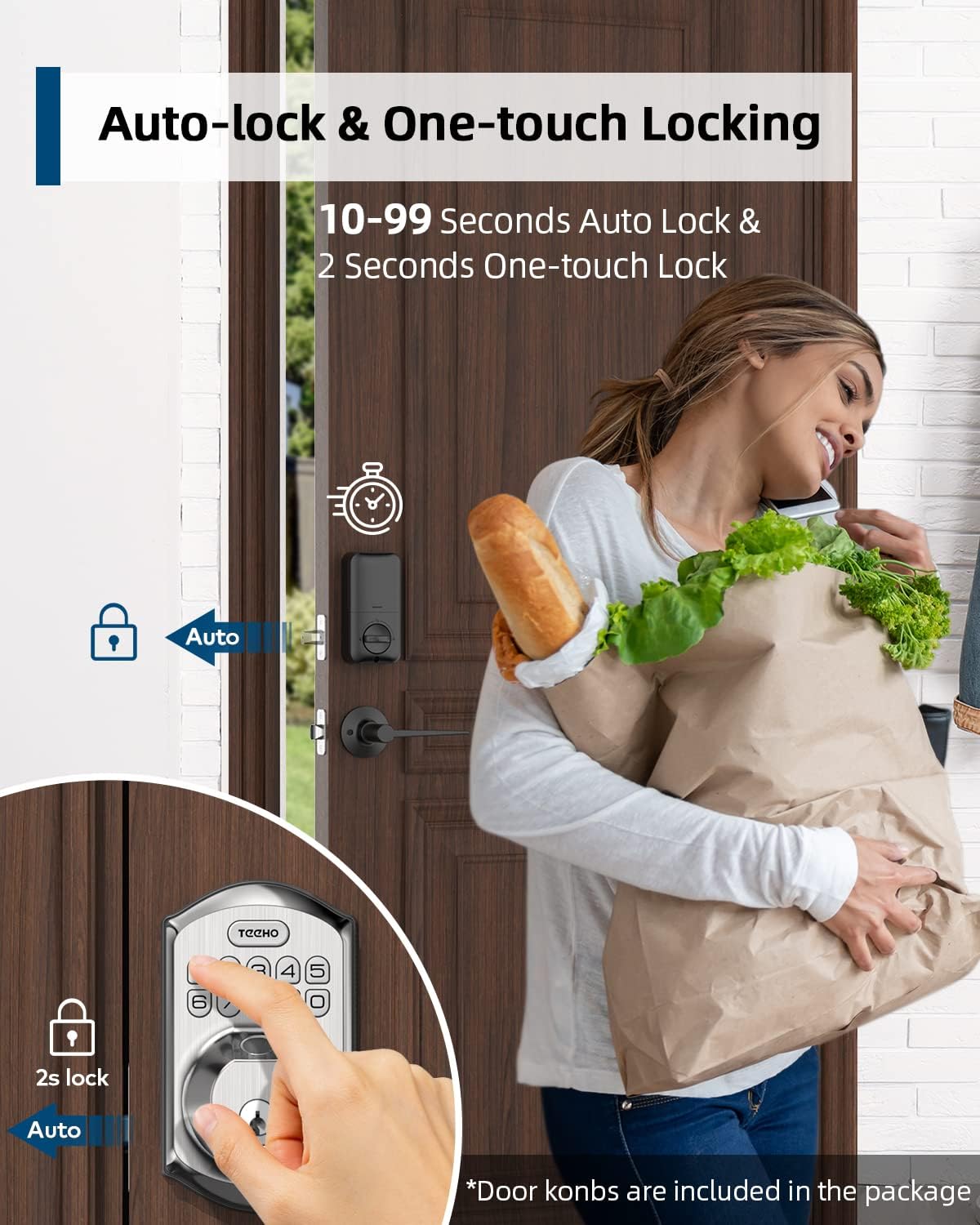
Image: Illustration showing the auto-lock function (10-99 seconds) and one-touch lock function (2 seconds hold) on the TEEHO door lock.
4.6 Дадатковыя магчымасці
- Рэжым адключэння гуку: Disables keypad sounds for quiet operation.
- Рэжым адпачынку: Павышае бяспеку, калі вы адсутнічаеце працяглы час.
- Клавіятура з падсветкай: Паляпшае бачнасць ва ўмовах нізкай асветленасці.
5. Тэхнічнае абслугоўванне
5.1 Замена батарэі
The lock is powered by 4 AA batteries, providing up to 1 year of battery life. The lock features a low battery indicator.

Выява: Зверхуview of lock features including 20 fingerprints, 20 user codes, auto-lock, IP54 waterproof rating, one-time PIN code, one-touch locking, low battery indicator, and up to 1 year battery life.
- When the low battery indicator appears, replace all 4 AA batteries promptly.
- Для аптымальнай працы выкарыстоўвайце новыя шчолачныя батарэі.
5.2 Ачыстка
Працярыце вонкавы бок замка мяккай губкайamp тканінай. Пазбягайце выкарыстання абразіўных ачышчальнікаў або растваральнікаў, якія могуць пашкодзіць пакрыццё або электронныя кампаненты.
5.3 Устойлівасць да ўздзеяння надвор'я
The lock has an IP54 weather resistance rating, providing protection against dust and splashing water. While durable, avoid direct exposure to heavy rain or prolonged submersion.
6. Выпраўленне непаладак
- Замак не рэагуе: Check battery level. Replace batteries if low. Ensure cables are securely connected.
- Адбітак пальца не распазнаны: Ensure your finger is clean and dry. Try placing your finger at different angles. Re-register your fingerprint if issues persist.
- Клавіятура не працуе: Verify battery power. Ensure you are entering the correct code. Check for any physical damage to the keypad.
- Аўтаматычная блакіроўка не спрацоўвае: Check the auto-lock settings to ensure it is enabled and the delay time is set correctly.
- Замак аслаблены: Tighten mounting screws on both interior and exterior assemblies.
7. Тэхнічныя характарыстыкі
| Асаблівасць | Дэталь |
|---|---|
| Марка | ТЫХА |
| мадэль | B0C69VNJ27 |
| Асаблівасць | Адбітак пальца |
| Тып замка | Клавіятура |
| Матэрыял | Нікель |
| Рэкамендуемае выкарыстанне | Residential door security and keyless access control |
| стыль | Сучасны |
| Колер | матавы нікель |
| Колькасць частак | 1 (set includes lock and 2 passage door knobs) |
| Уключаныя кампаненты | Fingerprint keypad door lock, 2 passage door knobs, door levers |
| Тып кантролера | Hand Control, Mechanical knob |
| Метад кантролю | Дакранацца |
| Крыніца харчавання | 4 батарэйкі тыпу АА (рэкамендуюцца шчолачныя) |
| Тэрмін службы батарэі | Да 1 года |
| Ўстойлівасць да надвор'я | IP54 |
| ANSI Rating | 3 клас |
8. Гарантыя і падтрымка
8.1 Інфармацыя аб гарантыі
Specific warranty details are not provided within this manual. Please refer to the product packaging, the manufacturer's official website, or your purchase documentation for comprehensive warranty information.
8.2 Падтрымка кліентаў
For technical assistance, troubleshooting beyond this manual, or inquiries regarding your TEEHO Fingerprint Door Lock, please contact TEEHO customer support through their official webсайт або прадаўца, дзе быў набыты тавар.