
Уводзіны
This manual provides comprehensive instructions for the setup, operation, and maintenance of your Blaupunkt BLP2250N Bluetooth Speaker. This device integrates Bluetooth audio streaming, FM radio, a clock with alarm functions, and playback capabilities via USB, AUX, and SD card. Please read this manual thoroughly before using the product to ensure proper operation and to maximize its features.
Настройка
1. Распакаванне
Carefully remove all components from the packaging. Inspect the speaker for any signs of damage. Retain the packaging for future transport or storage.
2. Зарадка акумулятара
The speaker is powered by a built-in Lithium-ion battery. Before first use, fully charge the speaker. Connect the provided charging cable to the speaker's charging port and to a suitable USB power adapter (not included). The charging indicator will illuminate during charging and turn off or change color once fully charged.
3. Уключэнне / выключэнне харчавання
To power on the speaker, press and hold the Power button for a few seconds. The display will light up. To power off, press and hold the Power button again until the display turns off.
4. Спарванне Bluetooth
- Ensure the speaker is powered on and in Bluetooth mode. If not, press the Mode button to switch to Bluetooth mode. The display will show 'BT' and an indicator will flash, signifying it is ready for pairing.
- На мабільнай прыладзе (смартфоне, планшэце) уключыце Bluetooth і знайдзіце даступныя прылады.
- Select 'BLP2250N' from the list of found devices.
- Once paired, the speaker will emit an audible confirmation, and the Bluetooth indicator will stop flashing.
5. Падключэнне іншых крыніц гуку
- Уваход AUX: Connect an external audio device (e.g., MP3 player) to the speaker's AUX port using a 3.5mm audio cable. Press the Mode button to select AUX input.
- Прайграванне праз USB: Устаўце флэш-назапашвальнік USB з аўдыёфайлам у фармаце MP3 fileу порт USB. Дынамік аўтаматычна пераключыцца ў рэжым USB і пачне прайграванне.
- Прайграванне SD карты: Устаўце SD-карту з аўдыё ў фармаце MP3 files into the SD card slot. The speaker will automatically switch to SD mode and begin playback.
Інструкцыя па эксплуатацыі
1. Панэль кіравання скончанаview
The speaker features a combination of push buttons and touch controls. Refer to the product diagram for specific button locations.
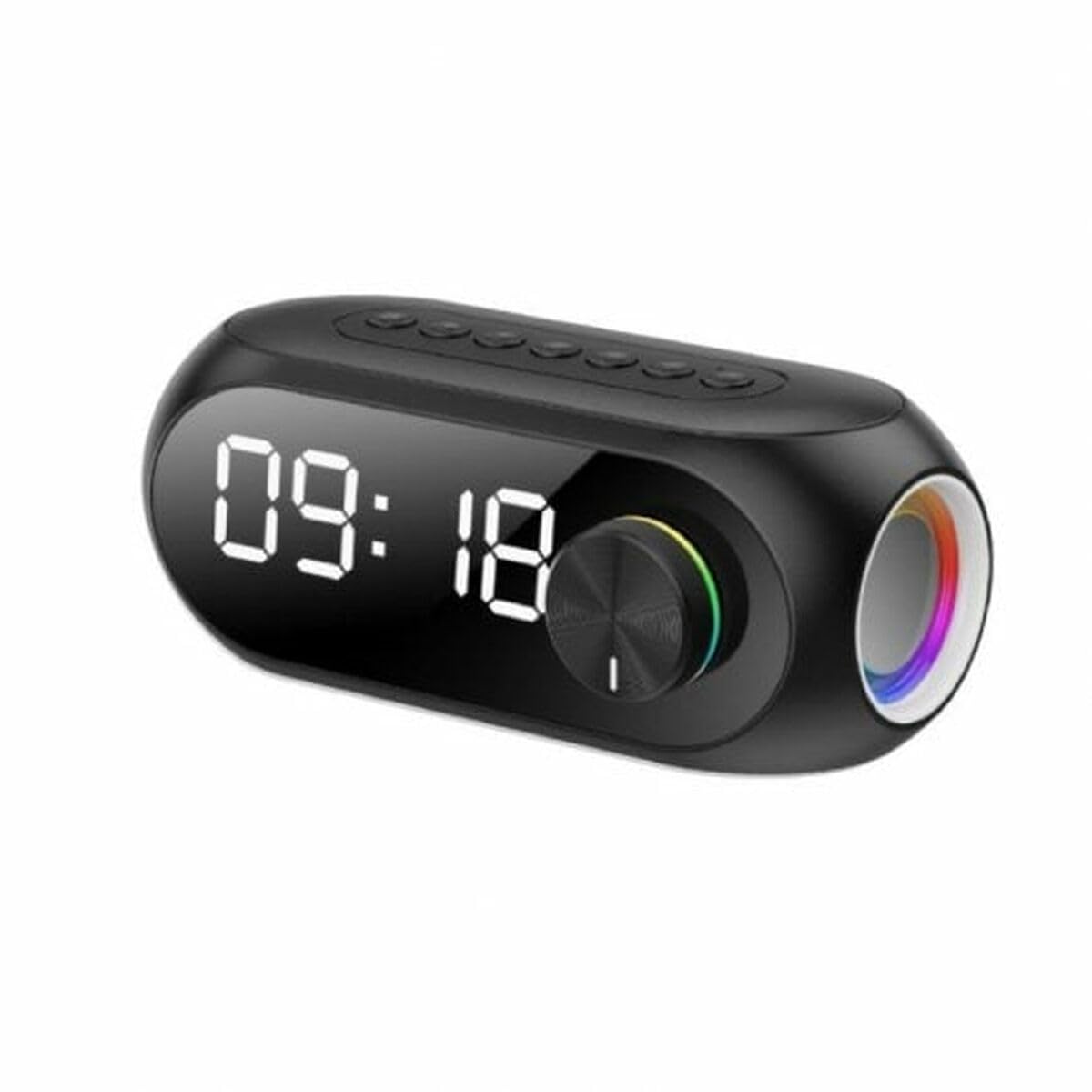
This image shows the front of the Blaupunkt BLP2250N Bluetooth Speaker. It features a central display, control buttons, and a sleek black finish.
- Кнопка харчавання: Націсніце і ўтрымлівайце, каб уключыць/выключыць.
- Кнопка рэжыму: Short press to cycle through Bluetooth, FM, AUX, USB, and SD modes.
- Кнопка прайгравання/паўзы: In playback modes, short press to play or pause. In FM mode, short press to auto-scan.
- Узмацненне гучнасці/наступны трэк: Short press for next track/station. Press and hold to increase volume.
- Паменшыць гучнасць/Папярэдні трэк: Short press for previous track/station. Press and hold to decrease volume.
- Clock/Alarm Set Button: Used to enter clock and alarm setting modes.
2. Setting the Clock and Alarm
- Настройка гадзінніка: In standby or clock display mode, press and hold the Clock/Alarm Set button. The hour digits will flash. Use the Volume Up/Down buttons to adjust the hour, then press Clock/Alarm Set again to confirm. Repeat for minutes.
- Ўстаноўка будзільніка: After setting the clock, press the Clock/Alarm Set button again. The alarm hour digits will flash. Adjust using Volume Up/Down, confirm with Clock/Alarm Set. Repeat for alarm minutes. Press Clock/Alarm Set one more time to enable/disable the alarm.
3. Работа FM-радыё
- Націсніце кнопку Mode, каб выбраць рэжым FM-радыё.
- Short press the Play/Pause button to initiate an automatic scan for FM stations. The speaker will save found stations.
- Use the Volume Up/Down buttons (short press) to navigate between saved stations.
Тэхнічнае абслугоўванне
1. Уборка
Wipe the speaker's exterior with a soft, dry, or slightly damp тканіна. Не выкарыстоўвайце абразіўныя ачышчальнікі, воск або растваральнікі, бо яны могуць пашкодзіць пакрыццё. Сачыце за трапленнем вадкасці ў адтуліны дынаміка.
2. Сыход за батарэяй
To prolong battery life, avoid fully discharging the battery frequently. Recharge the speaker regularly, even if not in use, to maintain battery health. Store the speaker in a cool, dry place when not in use for extended periods.
Ліквідацыю непаладак
- Няма харчавання: Ensure the battery is charged. Connect the speaker to a power source and try turning it on again.
- Няма гуку: Праверце ўзровень гучнасці як на дынаміку, так і на падлучанай прыладзе. Пераканайцеся, што выбраны правільны рэжым уваходу (Bluetooth, AUX, USB, SD).
- Bluetooth не падключаецца: Ensure the speaker is in Bluetooth pairing mode. Turn off and on Bluetooth on your device. Delete 'BLP2250N' from your device's Bluetooth list and attempt to re-pair. Ensure no other devices are currently connected to the speaker.
- Слабы прыём FM-станцыі: Extend the antenna fully if available. Reposition the speaker to improve signal reception.
- USB/SD Not Playing: Ensure the USB drive or SD card is formatted correctly (FAT32) and contains compatible audio files (MP3). Try a different USB drive or SD card.
Тэхнічныя характарыстыкі
| Марка | БЛАЎПУНКТ |
| Назва мадэлі | BLP2250N (Internal Model: 3609020002277) |
| Тэхналогія падлучэння | Дапаможны, Bluetooth, USB |
| Бесправадныя тэхналогіі | Bluetooth |
| Рэжым выхаду гуку | Стэрэа |
| Тып дынаміка | Сабвуфер |
| Тып мацавання | Настольнае мацаванне |
| Матэрыял | Acrylonitrile Butadiene Styrene Rubber |
| Асаблівасць | Bluetooth |
| Рэкамендуемае выкарыстанне | For music players, radios, or alarm clocks |
| Сумяшчальныя прылады | Смартфон, планшэт |
| Тып кіравання | Кнопка, дотык |
| Колер | Чорны |
| Сярэдні тэрмін службы батарэі | 8 гадзіны |
| Воданепранікальны | Хлусня |
| Крыніца харчавання | Харчаванне ад батарэі |
| Колькасць батарэек | Патрабуецца 1 літый-іённы акумулятар |
| Аўдыё каналы | 2.1 |
| Памеры прадмета (Д х Ш х У) | 10 х 10 х 10 сантыметраў |
| Вага прадмета | 2.23 кілаграма |
Інфармацыя аб гарантыі
This product comes with a Limited Warranty. Please refer to the warranty card included in the product packaging or contact Blaupunkt customer support for detailed terms and conditions regarding your warranty coverage.
Падтрымка
If you encounter any issues not covered in the troubleshooting section or require further assistance, please contact Blaupunkt customer support. Contact information can typically be found on the official Blaupunkt webсайце або на ўпакоўцы прадукту.