
Уводзіны
This manual provides detailed instructions for the installation, operation, and maintenance of your NOVOSTELLA Permanent Outdoor Lights. Please read this manual thoroughly before use to ensure proper functionality and safety.
Інфармацыя па бяспецы
- Перад устаноўкай або тэхнічным абслугоўваннем пераканайцеся, што крыніца харчавання адключаны.
- Гэты прадукт прызначаны толькі для выкарыстання на вуліцы.
- Do not attempt to repair or modify the product yourself. Contact customer support for assistance.
- Operating temperature range: -15.6 °C to 60 °C (4°F to 140°F).
Змест пакета
Праверце наяўнасць усіх кампанентаў у камплекце:
- Permanent Outdoor Lights (30.5m / 100 feet, 80 LED bulbs)
- Кантралёр
- Адаптар сілкавання
- Крапежныя шрубы
- Мантажныя заціскі
- Пульт дыстанцыйнага кіравання
- Кіраўніцтва карыстальніка (гэты дакумент)
Тэхнічныя характарыстыкі
| Асаблівасць | Дэталь |
|---|---|
| Марка | НАВАСТЭЛА |
| Нумар мадэлі | NVS100-RGBIC-US-F |
| Памеры (пакет) | 39.7 х 25.6 х 13.69 см |
| Вага | 3.42 кілаграма |
| Колькасць цыбулін | 80 |
| тtage | 24 В (пастаянны ток) |
| Ватtage | 39 ват |
| Светлавы струмень | 400 лм |
| Светлы тып | святлодыёд |
| Крыніца харчавання | AC |
| Асаблівасці | Voice Control, Rainbow Color, Music Mode |
| Тып кантролера | Voice Control, Remote Control, App Control |
| Рэйтынг абароны ад пранікнення (IP). | IP65 (Lights, Controllers, Power Supply) |
| Працоўная тэмпература | -15.6 °C да 60 °C (4 °F да 140 °F) |
| Працягласць жыцця | 25,000 гадзіны |
| Даўжыня | 30.5 метраў (100 футы) |
Інструкцыя па наладзе
1. Planning Installation
Before installation, plan the layout of your lights. The total length is 30.5 meters (100 feet) with 80 LED bulbs. Ensure the power cord can reach a suitable outdoor power outlet.
2. Мантаж лямпаў
Use the provided screws and mounting clips to securely attach the lights to your desired outdoor surface, such as eaves or walls. Ensure the clips are evenly spaced to support the light string.

Image: The lights are designed for robust installation using screws and clips, ensuring they remain secure against weather conditions.
3. Падключэнне сілкавання
Connect the light string to the controller, and then connect the controller to the power adapter. Plug the power adapter into a suitable outdoor power outlet. Ensure all connections are secure and waterproof.
4. App Connection (Smart Life App)
- Запампуйце праграму «Smart Life» з крамы праграм вашага смартфона.
- Зарэгіструйцеся або ўвайдзіце ў свой уліковы запіс Smart Life.
- Пераканайцеся, што ваша сетка Wi-Fi працуе на частаце 2.4 ГГц.
- Power on the lights. The lights should blink, indicating pairing mode. If not, refer to the app's instructions for resetting the device.
- In the Smart Life app, tap "+" to add a device. Select "Lighting" and then "Light Strip (Wi-Fi)".
- Follow the on-screen instructions to connect the lights to your Wi-Fi network.

Image: The Smart Life app allows for individual programming of brightness, dynamic effects, and colors via a Wi-Fi connection.
Інструкцыя па эксплуатацыі
1. Using the Smart Life App
Once connected, the Smart Life app provides comprehensive control over your lights:
- Выбар колеру: Choose from a wide spectrum of colors, including rainbow effects, for individual light segments.
- Рэгуляванне яркасці: Адрэгулюйце інтэнсіўнасць святла ад 1% да 100%.
- Дынамічныя эфекты: Select from various pre-set dynamic lighting modes or create your own DIY effects.
- Рэжым музыкі: Activate the music mode to synchronize light effects with audio. The app offers 9 dynamic music modes.
- Планаванне: Set timers and schedules for automatic on/off times.
- Галасавое кіраванне: Integrate with voice assistants (e.g., Amazon Alexa, Google Assistant) for hands-free control.

Image: The new music mode allows the lights to flash in dynamic rainbow effects, synchronizing with music for an enhanced experience.
2. Выкарыстанне пульта дыстанцыйнага кіравання
The included remote control provides quick access to common functions:
- Уключэнне/выключэнне харчавання
- Каляровыя пресеты
- Рэгуляванне яркасці
- Mode Selection (e.g., static, flash, fade)
- Music Mode Activation
- DIY Scene Saving: Save your customized lighting settings with a single button.

Image: The lights offer dual control options: infinite DIY customization through the app and daily routine control via the exclusive remote.
3. Галасавое кіраванне
After linking your Smart Life account to a compatible voice assistant (e.g., Amazon Alexa, Google Assistant), you can use voice commands to control your lights.
- «Алекса, уключы вулічнае асвятленне».
- «Гэй, Google, уключы вулічнае асвятленне на сіні колер».
- Алекса, прыглушы вулічнае асвятленне да 50%.
Тэхнічнае абслугоўванне
- Уборка: Перыядычна працірайце светлыя паверхні мяккай анучайamp тканінай, каб выдаліць пыл і смецце. Не выкарыстоўвайце агрэсіўныя хімікаты або абразіўныя ачышчальнікі.
- агляд: Regularly inspect the cables, connections, and mounting clips for any signs of wear, damage, or loosening.
- Гідраізаляцыя: Ensure all waterproof caps and seals are properly in place, especially after any adjustments or extreme weather. The lights are IP65 rated, meaning they are protected against dust and low-pressure water jets.
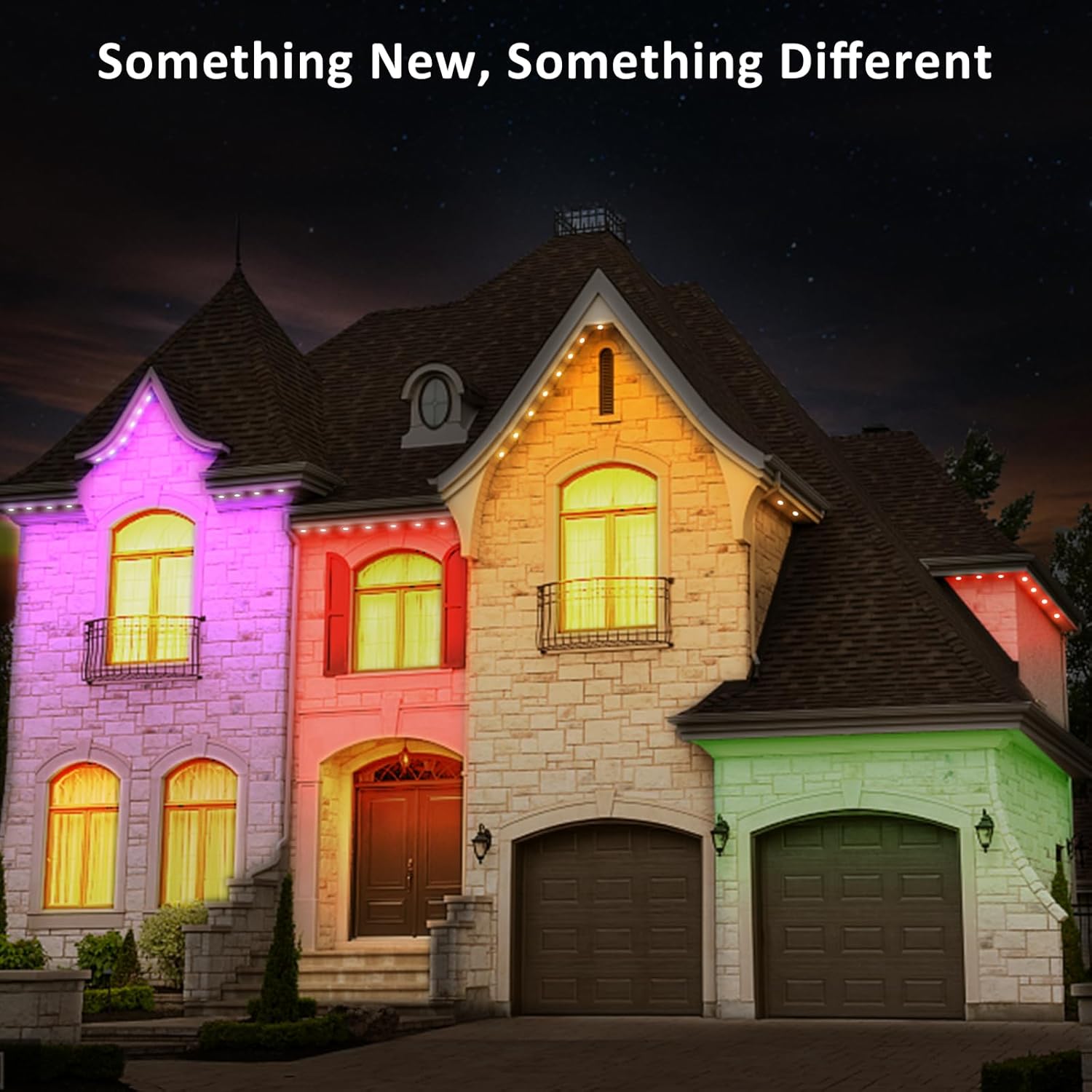
Image: All components of the NOVOSTELLA permanent outdoor lights are IP65 waterproof, designed to last long outdoors even in rainy conditions.

Image: The lights are durable throughout the year, with an operating temperature range of -4°F to 140°F and a lifespan of 25,000 hours.
Ліквідацыю непаладак
Святло не ўключаецца
- Праверце, ці надзейна падключаны адаптар сілкавання да спраўнай разеткі.
- Ensure all cable connections between the lights, controller, and power adapter are firm.
- Праверце, ці націснута кнопка харчавання на пульце дыстанцыйнага кіравання або ў дадатку.
Lights Not Connecting to Wi-Fi / App
- Ensure your Wi-Fi network is 2.4 GHz. These lights do not support 5 GHz Wi-Fi.
- Restart the lights by unplugging and re-plugging the power adapter.
- Reset the device (refer to the Smart Life app for specific reset instructions, usually involves powering on/off multiple times).
- Ensure your phone is close to the lights and Wi-Fi router during the pairing process.
Пульт дыстанцыйнага кіравання не працуе
- Праверце батарэйку ў пульце дыстанцыйнага кіравання і пры неабходнасці заменіце яе.
- Ensure there are no obstructions between the remote and the light controller.
- The remote control requires direct line of sight to the controller.
Inconsistent Colors or Effects
- This could indicate a loose connection or damage to a section of the lights. Inspect the entire length of the light string.
- Try resetting the lights and re-applying your desired settings via the app.
Інфармацыя аб гарантыі
NOVOSTELLA products are designed for reliability and performance. For specific warranty terms and conditions, please refer to the warranty card included with your product or visit the official NOVOSTELLA webсайт. Захоўвайце чэк аб куплі як пацверджанне пакупкі.
Падтрымка
If you encounter any issues not covered in this manual or require further assistance, please contact NOVOSTELLA customer support.
- Webсайт: Visit the official NOVOSTELLA webсайт з часта задаванымі пытаннямі і рэсурсамі падтрымкі.
- электронная пошта: Refer to your product packaging or warranty card for customer service email.
- тэлефон: Refer to your product packaging or warranty card for customer service phone number.
Please have your model number (NVS100-RGBIC-US-F) and purchase date ready when contacting support.