
Уводзіны
This manual provides detailed instructions for the setup, operation, and maintenance of your Arenti 360° View 5MP Pet Camera (P2F). Please read this guide thoroughly before using the device to ensure proper functionality and safety.

Figure 1: Arenti P2F 5MP Pet Camera Units
Змест пакета
Праверце, ці ўсе пералічаныя ніжэй прадметы ўваходзяць у вашу ўпакоўку:
- Arenti P2F 5MP Pet Camera Unit (2x)
- Адаптар сілкавання/зарадная прылада
- Кабель USB
- Мантажны кранштэйн
- Шрубы і насценныя анкеры
- Кіраўніцтва па эксплуатацыі
Прадукт скончаныview
The Arenti P2F camera offers advanced surveillance features for indoor use. It provides high-resolution video, extensive coverage, and smart functionalities.
Асноўныя характарыстыкі:
- 3K/5MP Resolution: Captures clear and detailed video, 2.5 times the pixel count of a standard 1080P camera.
- Двухдыяпазонны Wi-Fi: Supports both 5GHz and 2.4GHz Wi-Fi networks for flexible and stable connectivity.
- 360° Angle Covered: Features a 100° wide-angle lens with 355° horizontal and 93° vertical rotation for comprehensive room coverage.
- Адсочванне руху: Automatically tracks moving objects within its field of view.
- Smarter Detection: Includes motion and noise detection with adjustable sensitivity and zone detection.
- Двухбаковы аўдыё: Убудаваны мікрафон і дынамік для сувязі ў рэжыме рэальнага часу.
- Палепшанае начное бачанне: Enhanced night vision mode allows clear viewing up to 33ft/10m in the dark.

Figure 2: High-Resolution Video and Pan/Tilt Capabilities

Figure 3: Dual-Band Wi-Fi Connectivity
Кіраўніцтва па ўстаноўцы
Крок 1: Уключэнне
Connect the camera to a power source using the provided USB cable and power adapter. The camera will initiate its startup sequence.
Step 2: App Download and Connection
Download the Arenti App from your mobile device's app store (Google Play for Android or Apple App Store for iOS). Follow the in-app instructions to register an account and add your new P2F camera. Ensure your mobile device is connected to a 2.4GHz or 5GHz Wi-Fi network during the setup process.
Video 1: Installation and Powering On the Indoor Camera
Інструкцыя па эксплуатацыі
360° View and Motion Tracking
The P2F camera provides a comprehensive 360° view of its environment. You can remotely control the camera's pan (355° horizontal) and tilt (93° vertical) movements via the Arenti App. To enable automatic motion tracking, navigate to APP > Device (tap device to live video page) > Settings > PTZ Settings > Motion Tracking > ON.

Figure 4: Motion Detection and Auto Tracking in Action
Smart Detection and Instant Alerts
The camera supports both motion and noise detection. You can adjust the sensitivity to three levels (low, medium, high) within the app. Additionally, zone detection allows you to specify particular areas for monitoring. Upon detecting an event, the camera will immediately push a message and an image to your mobile phone.

Figure 5: Smart Motion and Sound Detection Features
Двухбаковае аўдыё
The integrated microphone and speaker enable seamless two-way audio communication. This feature is ideal for using the P2F as a baby monitor or pet camera, allowing you to speak and listen through the mobile app.
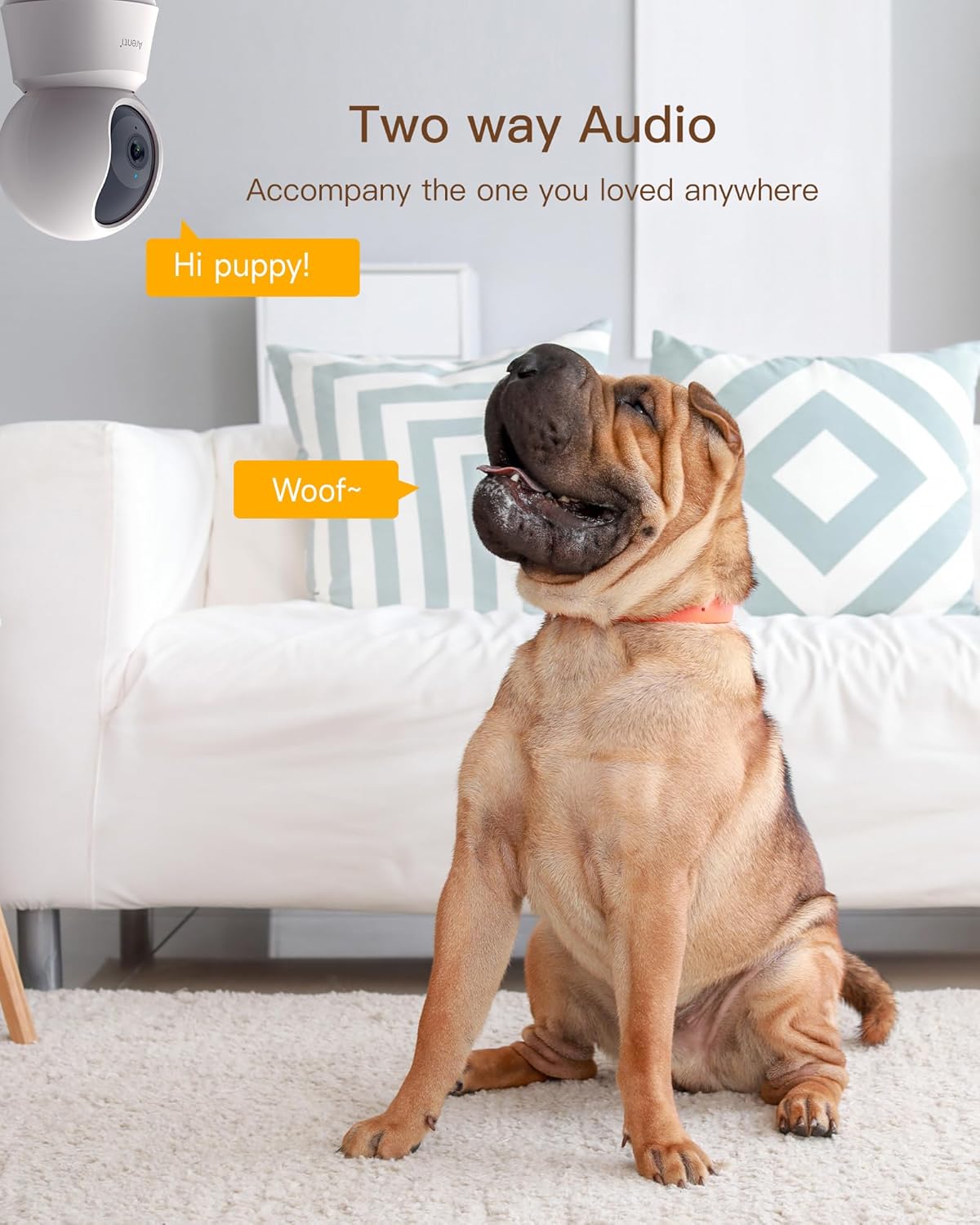
Малюнак 6: Двухбаковая аўдыёсувязь
Начное бачанне
The camera's enhanced night vision ensures clear monitoring even in complete darkness, with an effective range of up to 33 feet (10 meters).
Figure 7: Enhanced Night Vision
Рэжым прыватнасці
To protect your privacy, the camera features a privacy mode that allows you to disable the lens. You can also customize a sleep mode schedule to automatically turn off monitoring during specific times.

Figure 8: Privacy Mode and Scheduling

Figure 9: Your Privacy is a Top Priority
Параметры захоўвання
Захоўванне карты Micro SD
The camera supports local storage via a Micro SD card (FAT32 format) up to 256GB. This allows for continuous full-day recording, with videos exportable in MP4 format.

Figure 10: Built-in Micro SD Card Slot
Воблачнае сховішча
A complimentary 1-month cloud event recording service is available, with footage securely stored on AWS by Amazon.
Інтэграцыя разумнага дома
The Arenti P2F camera is compatible with Amazon Alexa. You can integrate your camera with Alexa-enabled devices to view live streams using voice commands.
Video 2: How to Work with Amazon Alexa
Тэхнічнае абслугоўванне
- Regularly clean the camera lens with a soft, dry cloth to ensure optimal image clarity.
- Avoid placing the camera in direct sunlight or facing bright windows/glass, as this can reduce image quality and affect motion tracking performance.
- Ensure the camera is placed in a stable location to prevent accidental falls.

Figure 11: Optimal Camera Placement Guidelines
Ліквідацыю непаладак
- Камера не падключаецца да Wi-Fi: Ensure your Wi-Fi network is active and within range. Verify that you are connecting to a 2.4GHz or 5GHz network and that your Arenti App is updated to the latest version.
- Motion Tracking Not Functioning: Check the app settings to confirm that motion tracking is enabled (APP > Device > Settings > PTZ Settings > Motion Tracking > ON).
- Дрэнная якасць выявы: Ensure the camera lens is clean. Avoid placing the camera directly facing strong light sources or reflective surfaces like glass, as this can cause glare or reduced clarity.
- Праблемы з адсутнасцю гуку/двухбаковай аўдыёсувяззю: Check the volume settings on your mobile device and within the Arenti App. Ensure there are no obstructions blocking the camera's microphone or speaker.
Тэхнічныя характарыстыкі
| Асаблівасць | Дэталь |
|---|---|
| Дазвол відэазахопу | 5 МП |
| Колер | Рознакаляровы |
| Колькасць элементаў | 2 |
| Уключаныя кампаненты | Зарадная прылада |
| Тэхналогія бесправадной сувязі | Bluetooth, Wi-Fi (2.4GHz & 5GHz) |
| Дыяпазон начнога бачання | 33 футы / 10 метраў |
| Матэрыял | Пластыкавыя |
| Выкарыстанне ў памяшканні/на вуліцы | У памяшканні |
| Сумяшчальныя прылады | Смартфон, планшэт |
| Крыніца харчавання | Правадная электрычная |
| Тып кантролера | Amazon Alexa |
| Тып мацавання | Насценнае мацаванне |
| Вага прадмета | 10 г |
Гарантыя і падтрымка
Your Arenti P2F camera comes with a 1-year warranty from the date of purchase. For technical support, troubleshooting assistance, or warranty claims, please contact Arenti customer service through their official website or the Arenti App.

Figure 12: Professional Support Team