
1. Уводзіны
This manual provides detailed instructions for setting up, operating, and maintaining your Beelink EQ13 Mini PC. The Beelink EQ13 is a compact and efficient mini PC powered by an Intel N100 processor, designed for various applications including office work, multimedia playback, and light computing tasks. Please read this manual thoroughly before using the device.
2. Змесціва ўпакоўкі
Праверце, ці ўсе пералічаныя ніжэй прадметы ўваходзяць у вашу ўпакоўку:
- 1 x Beelink EQ13 N100 Mini PC
- 1 x AC Cable
- 1 х Кіраўніцтва карыстальніка
- 1 кабель HDMI 100 см
- 1 х пакетная скрынка
3. Прадукт скончыўсяview
3.1 Размяшчэнне пярэдняй і задняй панэляў
Familiarize yourself with the ports and connectors on your Beelink EQ13 Mini PC.

Image: Front panel with USB-C and USB 3.2 ports, power button. Rear panel with dual HDMI, dual LAN, USB 3.2, and USB 2.0 ports.
- Пярэдняя панэль: 1x USB-C Port (10Gbps), 1x USB 3.2 Port (10Gbps), Power Button.
- Задняя панэль: 2x HDMI Ports (4K@60Hz), 2x 1000Mbps LAN Ports, 2x USB 3.2 Ports (10Gbps), 1x USB 2.0 Port (480Mbps), Power Input.
3.2 Built-in Power Supply
The Beelink EQ13 features a built-in power supply, simplifying cable management. Only one AC cable is required to power the device.

Image: The Beelink EQ13 Mini PC connected to an AC power outlet, demonstrating its built-in power supply design.
3.3 Унутраныя кампаненты
The Beelink EQ13 is equipped with 16GB DDR4 3200MHz memory and a 500GB M.2 2280 PCIe 3.0 SSD.

Выява: Унутраная view of the Beelink EQ13 Mini PC, highlighting the 16GB DDR4 RAM module and the 500GB M.2 PCIe 3.0 SSD.
4. Інструкцыі па ўсталёўцы
4.1 Падключэнне перыферыйных прылад
- Падключэнне дысплея: Use the provided HDMI cable to connect your monitor(s) to the HDMI ports on the rear panel of the Mini PC. The EQ13 supports dual 4K@60Hz displays.
- Падключэнне клавіятуры і мышы: Plug your USB keyboard and mouse into the available USB ports on the front or rear panel.
- Падключэнне да сеткі (неабавязкова): For a wired connection, connect an Ethernet cable from your router or modem to one of the 1000Mbps LAN ports on the rear panel. For wireless, the device supports WiFi 6.
4.2 Уключэнне
- Падключыце харчаванне: Plug the AC power cable into the power input on the rear of the Mini PC, then connect the other end to a wall outlet.
- Запуск: Націсніце кнопку харчавання, размешчаную на пярэдняй панэлі. Загарыцца індыкатар харчавання.
- Першапачатковая ўстаноўка: Follow the on-screen instructions to complete the operating system setup (e.g., Windows 11).
5. Інструкцыя па эксплуатацыі
5.1 Асноўныя аперацыі
- Уключэнне/выключэнне харчавання: Press the power button to turn on. To turn off, use the operating system's shutdown function or press and hold the power button for 5 seconds.
- Перазапуск: Скарыстайцеся функцыяй перазагрузкі аперацыйнай сістэмы.
5.2 Падключэнне да сеткі
- Правадная лакальная сетка: Connect an Ethernet cable to one of the two 1000Mbps LAN ports for a stable wired network connection.
- Бесправадная сувязь (Wi-Fi 6): The Mini PC supports WiFi 6 (802.11ax). Access network settings in your operating system to connect to available wireless networks.

Выява: Задняя частка view of the Beelink EQ13 Mini PC highlighting the two 1000Mbps LAN ports with Ethernet cables connected.
5.3 Злучэнне Bluetooth
The Beelink EQ13 includes Bluetooth 5.2 (AX101) for connecting wireless devices.
- Уключыце Bluetooth у наладах аперацыйнай сістэмы.
- Pair with compatible devices such as keyboards, mice, speakers, or headphones.
5.4 Dual Display Setup
The Mini PC supports dual 4K@60Hz displays via its two HDMI ports, enhancing productivity.
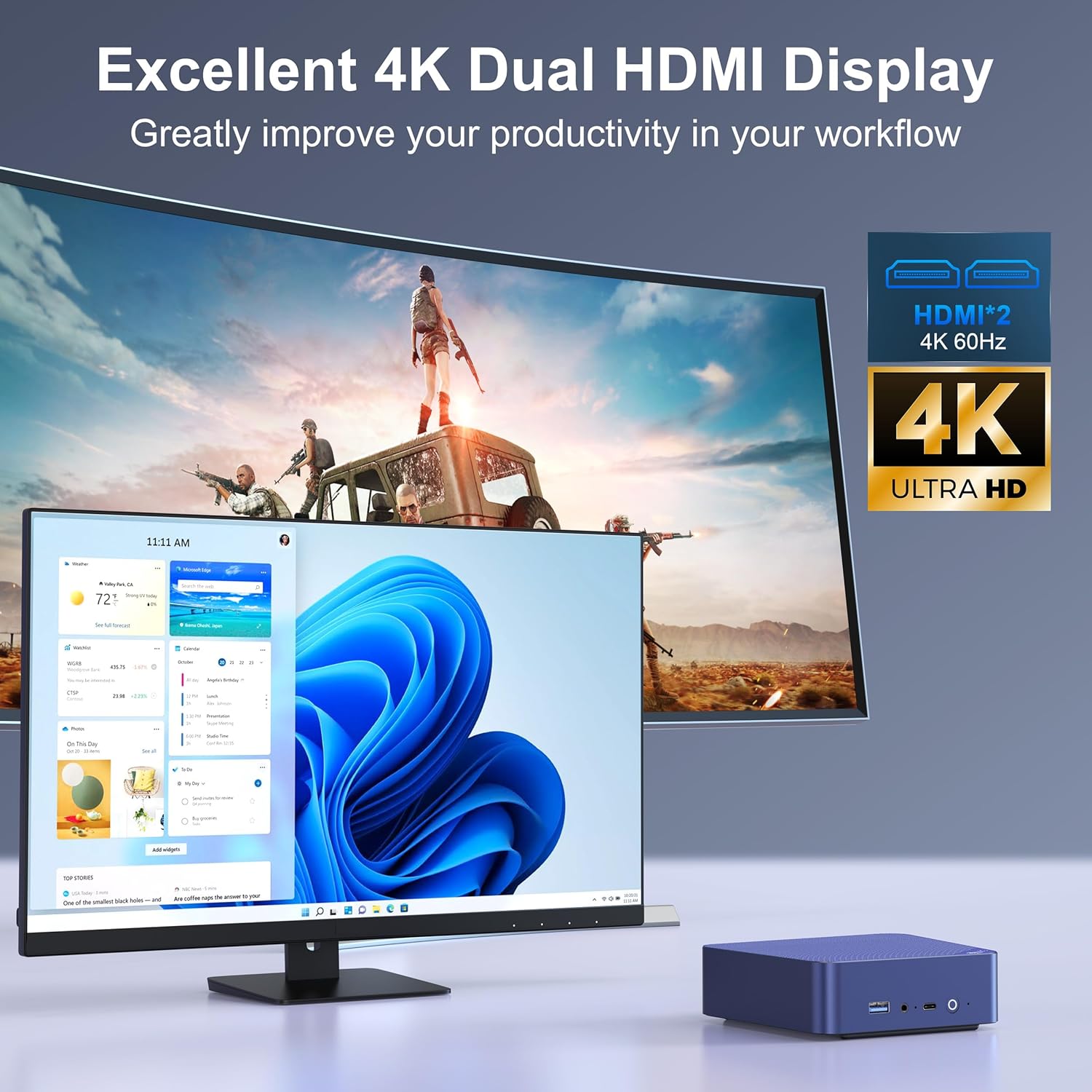
Image: The Beelink EQ13 Mini PC connected to two monitors, demonstrating its dual 4K HDMI display capability.
5.5 Прадукцыйнасць і выкарыстанне
Equipped with an Intel N100 processor, 16GB DDR4 RAM, and a 500GB PCIe 3.0 SSD, the EQ13 is suitable for various tasks:
- офісная праца: Efficiently handle documents, spreadsheets, and presentations.
- Прайграванне мультымедыя: Enjoy 4K video streaming and other media content.
- Web Прагляд: Smooth internet browsing experience.
- Virtual Machines/NAS: Capable for light virtualization or network-attached storage applications.

Image: A visual representation of the Beelink EQ13 Mini PC's versatility, showing it handling web browsing, 4K video, multimedia playback, and office applications simultaneously.
6. Тэхнічнае абслугоўванне
6.1 Сістэма астуджэння
The Beelink EQ13 incorporates an MSC2.0 Cooling System with a new airflow design and dustproof filter at the bottom. This design ensures stable operation and near-silent performance.
- Ensure the bottom air intake vents are not obstructed to maintain optimal airflow.
- Periodically clean the dust filter to prevent dust accumulation.

Image: An illustration depicting the silent operation of the Beelink EQ13 Mini PC, emphasizing its new cooling system design.
6.2 Пашырэнне сховішча
The 500GB M.2 2280 SSD can be expanded up to 2TB. Refer to the internal components image in Section 3.3 for the location of the SSD slot. For storage upgrades, it is recommended to consult a qualified technician or refer to specific upgrade guides provided by Beelink.
7. Выпраўленне непаладак
- Няма харчавання: Ensure the AC cable is securely connected to both the Mini PC and the power outlet. Try a different power outlet.
- Няма дысплея: Check HDMI cable connections to both the Mini PC and the monitor. Ensure the monitor is powered on and set to the correct input source.
- Няма падключэння да сеткі: For wired connections, verify the Ethernet cable is properly connected. For wireless, check WiFi settings in the operating system and ensure the router is functioning.
- Праблемы з перыферыйнымі прыладамі: If a keyboard or mouse is not responding, try connecting it to a different USB port. Ensure Bluetooth devices are properly paired.
- Сістэма не рэагуе: Калі сістэма завісае, націсніце і ўтрымлівайце кнопку харчавання на працягу 5-10 секунд, каб прымусова выключыць прыладу, а затым перазагрузіце яе.
8. Тэхнічныя характарыстыкі
| Асаблівасць | Дэталь |
|---|---|
| Марка | Білінк |
| Назва мадэлі | EQ13 N100 |
| Мадэль працэсара | Intel Processor N100 (4C/4T, up to 3.4GHz) |
| Графічны супрацэсар | Графіка Intel Iris Plus |
| Аператыўная памяць | 16GB DDR4 3200MHz SODIMM |
| Захоўванне | 500GB M.2 2280 PCIe 3.0 SSD (Expandable up to 2TB) |
| Аперацыйная сістэма | OS (Pre-installed Windows 11 mentioned in product description) |
| Відэавыхад | 2x HDMI (Max 4K@60Hz Dual Display) |
| лакальная сетка | Dual 1000Mbps Ethernet Ports |
| Бесправоднае падключэнне | WiFi 6 (802.11ax), Bluetooth 5.2 (AX101) |
| Парты USB | 1x Front USB-C (10Gbps), 3x USB 3.2 (10Gbps), 1x USB 2.0 (480Mbps) |
| Энергаспажыванне | 25 Watts (TDP) |
| Спосаб астуджэння | Air (MSC2.0 Cooling System) |
| Колер | Цёмна-сіні |
9. Гарантыя і падтрымка
The Beelink EQ13 Mini PC comes with a 1 год гарантыі.
For technical support, warranty claims, or further assistance, please contact the manufacturer, Shenzhen AZW Technology Co., Ltd., or visit the official Beelink support channels.
Manufacturer: Shenzhen AZW Technology Co., Ltd.
Для атрымання дадатковай інфармацыі вы можаце наведаць Beelink Store on Amazon.