
DOVIICO HK87
DOVIICO Military Smart Watch HK87 User Manual
Мадэль: HK87
1. Уводзіны
Welcome to the user manual for your new DOVIICO Military Smart Watch HK87. This manual provides essential information for setting up, operating, and maintaining your device. Please read it thoroughly to ensure optimal performance and longevity of your smartwatch.
The DOVIICO HK87 is designed for durability and functionality, featuring IP68 waterproofing, shock resistance, and dust protection, making it suitable for various outdoor activities. It offers comprehensive health monitoring, multiple sports modes, and convenient communication features.
2. Што ў скрынцы
Пасля распакавання пераканайцеся, што ўсе пералічаныя ніжэй элементы наяўныя:
- 1 x DOVIICO Smart Watch HK87
- 1 х магнітны зарадны кабель
- 1 х Кіраўніцтва карыстальніка (гэты дакумент)
3. Прадукт скончыўсяview
Familiarize yourself with the components of your DOVIICO Smart Watch HK87.
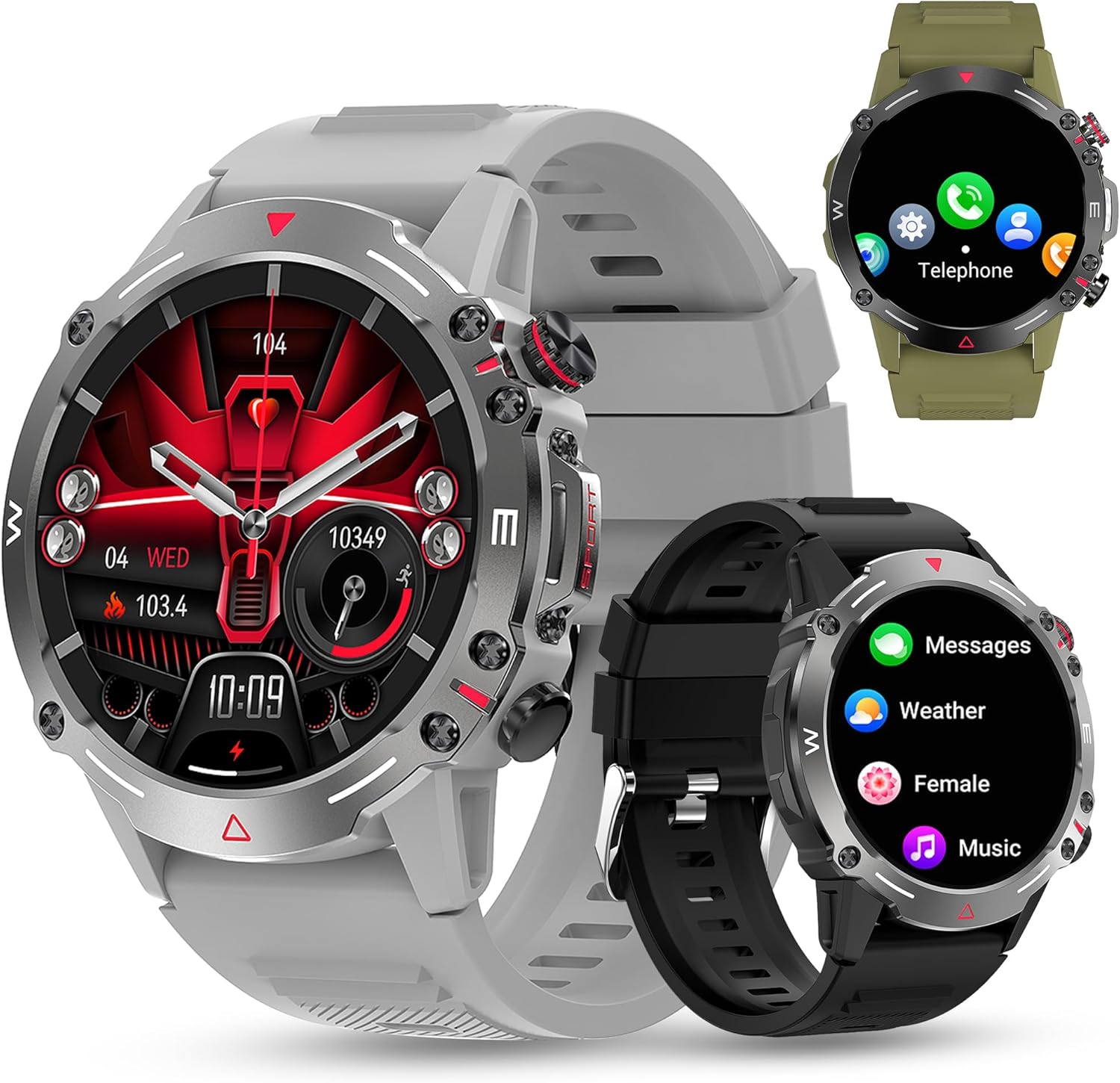
Малюнак 3.1: Фронт view of the DOVIICO Smart Watch HK87, illustrating its robust design and various display options.

Малюнак 3.2: Падрабязны view of the 1.43-inch AMOLED HD screen and the integrated heart rate sensor located on the watch's underside.
Ключавыя кампаненты:
- 1.43" AMOLED HD Display: High-resolution touch screen for clear visuals and easy navigation.
- Бакавыя кнопкі: For power, menu access, and quick functions.
- Датчык сардэчнага рытму: Located on the back for continuous heart rate monitoring.
- Кантакты для зарадкі: Магнітныя кропкі на задняй панэлі для падлучэння зараднага кабеля.
- Speaker & Microphone: For Bluetooth calls and AI voice assistant.
4. Настройка
4.1 Зарадка разумнага гадзінніка
Перад першым выкарыстаннем цалкам зарадзіце свой разумны гадзіннік.
- Connect the USB end of the magnetic charging cable to a power adapter (not included) or a computer's USB port.
- Align the magnetic end of the charging cable with the charging contacts on the back of the watch. The magnets will snap it into place.
- На дысплеі гадзінніка будзе паказвацца стан зарадкі. Поўная зарадка звычайна займае прыблізна 2 гадзіны.

Малюнак 4.1: The watch display showing the charging indicator and battery life expectations.
4.2 Усталёўка і спалучэнне праграм
To unlock the full functionality of your smartwatch, you need to install the companion app on your smartphone and pair the devices. The watch is compatible with Android 4.4 and above, and iOS 8.4 and above.
- Спампаваць прыкладанне: Scan the QR code provided in the watch's quick start guide or search for the designated app (e.g., "FitCloudPro" or similar, check packaging for exact name) in your phone's app store (Google Play Store for Android, Apple App Store for iOS).
- Уключыць Bluetooth: Пераканайцеся, што Bluetooth уключаны на вашым смартфоне.
- Адкрыйце прыкладанне: Запусціце ўсталяваную праграму і выконвайце інструкцыі на экране, каб стварыць уліковы запіс або ўвайсці ў сістэму.
- Дадаць прыладу: Within the app, navigate to the "Device" or "Add Device" section. The app will search for available smartwatches.
- Выберыце свой гадзіннік: Select "HK87" or the corresponding device name from the list. Confirm the pairing request on both your phone and the watch if prompted.
- Дазволы: Grant all necessary permissions requested by the app (e.g., location, notifications, contacts) to ensure full functionality.
Важна: If you experience pairing issues, ensure the watch is sufficiently charged and not paired with another device. Restarting both the watch and your phone can often resolve connectivity problems.
5. Інструкцыя па эксплуатацыі
5.1 Асноўная навігацыя
- Уключэнне/выключэнне харчавання: Націсніце і ўтрымлівайце бакавую кнопку, каб уключыць або выключыць прыладу.
- Экран абуджэння: Падніміце запясце або націсніце бакавую кнопку, каб уключыць экран.
- Правядзенне пальцам уверх/уніз/налева/направа: Навігацыя па меню, апавяшчэннях і хуткіх наладах.
- Націсніце: Выберыце элемент або пацвердзіце дзеянне.
5.2 Званкі і апавяшчэнні праз Bluetooth
Once paired, your smartwatch can handle calls and display notifications.
- Адказ на званкі/набор нумара: Use the watch's dial pad or contact list to make calls. When a call comes in, you can answer or reject it directly from the watch.
- Апавяшчэнні аб паведамленнях: Receive alerts for SMS, WhatsApp, Instagram, Facebook, and other app messages. Swipe down from the main screen to view нядаўнія апавяшчэнні.
5.3 спартыўных рэжымаў
The watch offers over 100 sports modes to track your physical activity.

Малюнак 5.1: A visual representation of the diverse sports modes available on the smartwatch.
- Navigate to the "Sports" menu on your watch.
- Select your desired activity (e.g., Running, Cycling, Hiking).
- Tap to start tracking. The watch will record data such as steps, distance, calories burned, and heart rate.
- Tap again to pause or hold to end the activity.
5.4 Маніторынг здароўя
The DOVIICO HK87 provides continuous monitoring of key health metrics.
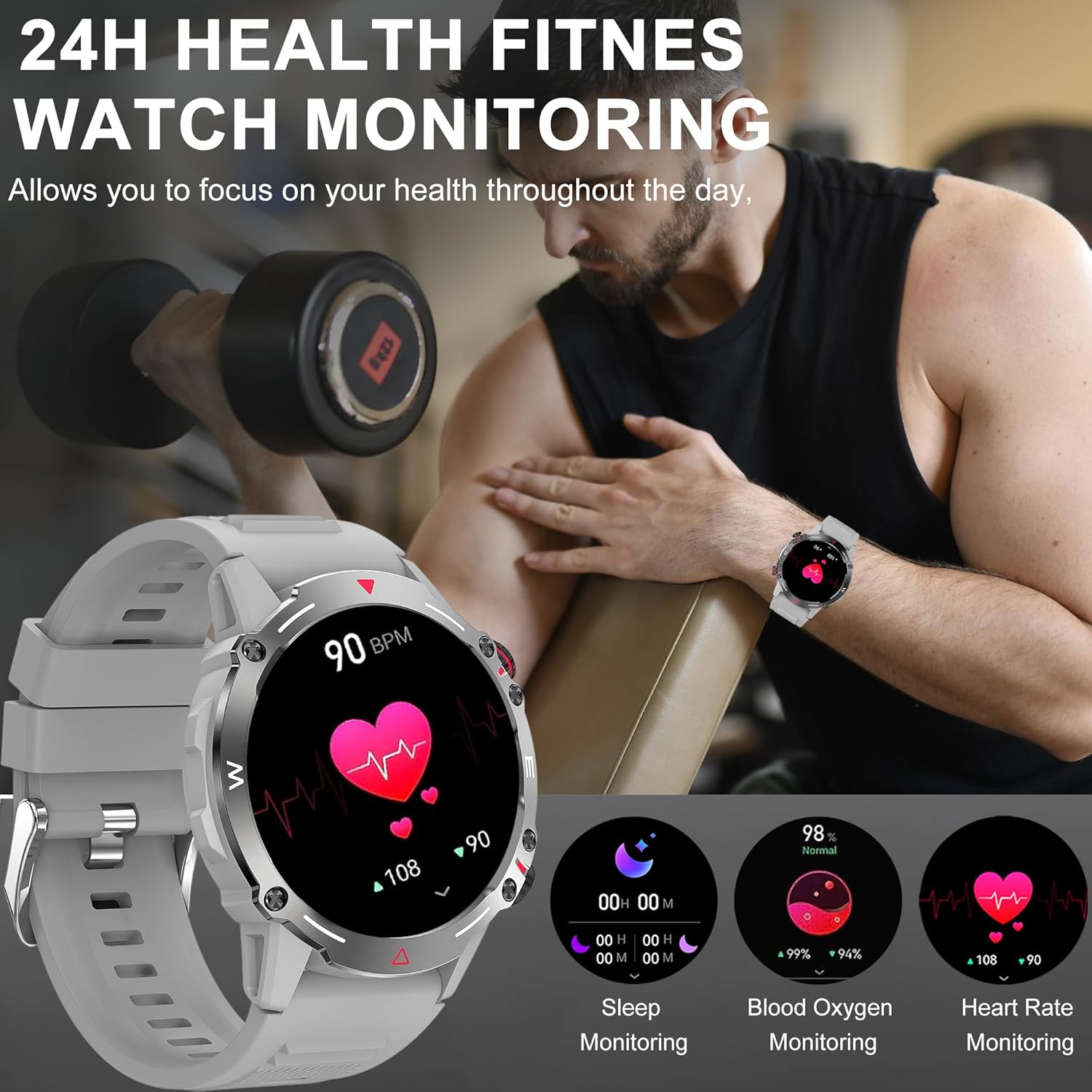
Малюнак 5.2: The watch interface showing real-time health data, including heart rate, blood oxygen, and sleep.
- Маніторынг сардэчнага рытму: The watch continuously tracks your heart rate. View current and historical data in the app.
- Маніторынг кіслароду ў крыві: Вымерайце ўзровень насычэння крыві кіслародам.
- Маніторынг сну: Automatically tracks your sleep patterns (deep sleep, light sleep, wake time). Review падрабязны аналіз сну ў дадатку.
- Маніторынг артэрыяльнага ціску: Provides an estimate of blood pressure. Заўвага: This is not a medical device. Measurement data is for reference only and should not be used for medical diagnosis or treatment.

Малюнак 5.3: The sleep monitoring screen on the smartwatch, providing insights into sleep duration and quality.
5.5 Дадатковыя магчымасці
- Галасавы памочнік AI: Activate the voice assistant for hands-free control.
- NFC: For compatible NFC functions (e.g., access control, check local availability and setup).
- Кіраванне музыкай: Кіруйце прайграваннем музыкі на вашым смартфоне (прайграванне, паўза, пераключэнне трэкаў).
- Аддаленая камера: Выкарыстоўвайце гадзіннік як пульт дыстанцыйнага кіравання затворам для камеры тэлефона.
- Прагноз надвор'я: Атрымлівайце абнаўленні надвор'я ў рэжыме рэальнага часу (патрабуецца сінхранізацыя з праграмай).
- Будзільнікі і напаміны: Set alarms, sedentary reminders, and drink water reminders through the app.
- Жаночы фізіялагічны цыкл: Track and monitor physiological cycles (requires setup in the app).
6. Налада
6.1 Змена цыферблатаў гадзінніка
Personalize your watch with a variety of watch faces.
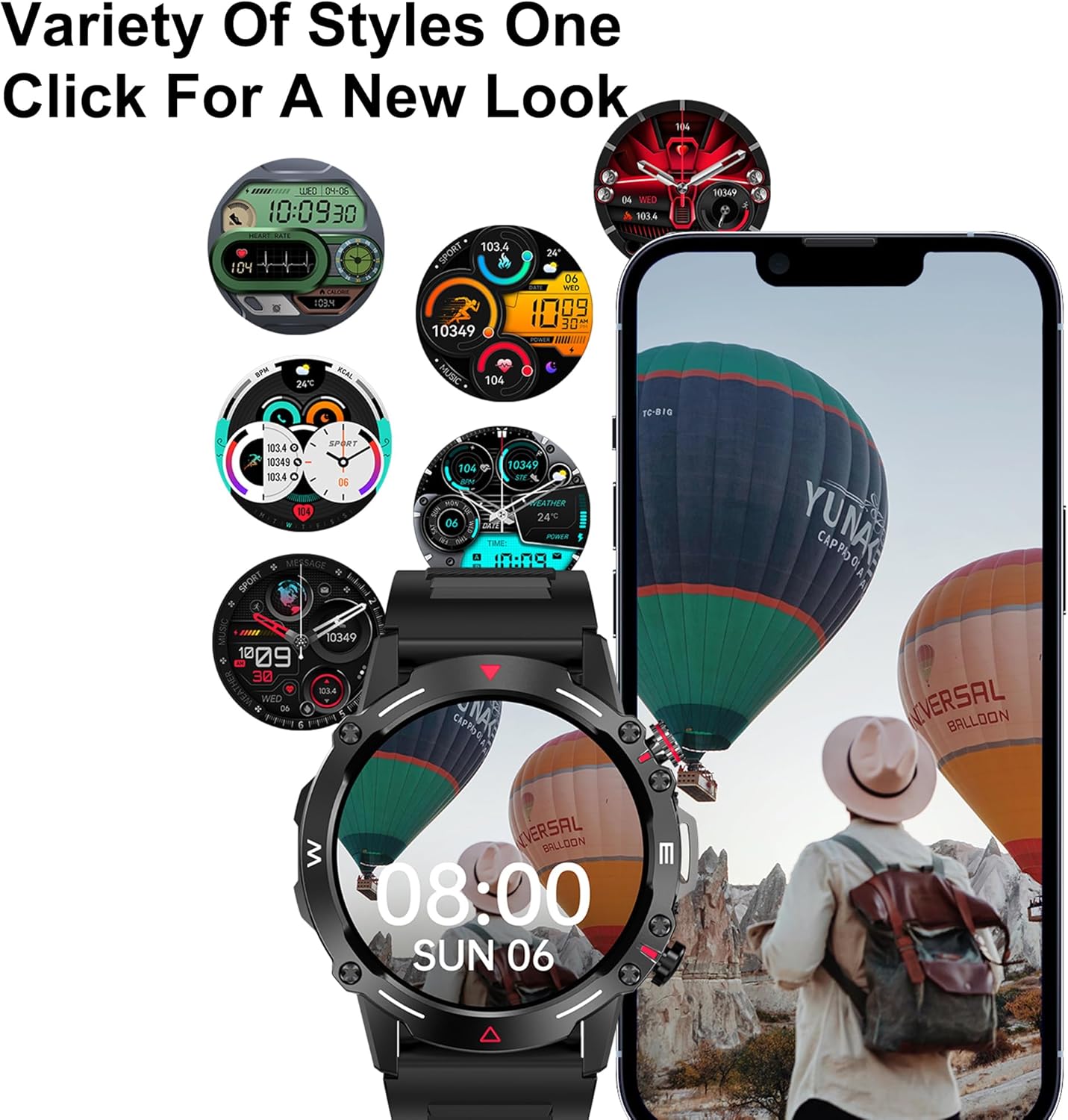
Малюнак 6.1: A selection of customizable watch faces available for the smartwatch.
- На гадзінніку: Press and hold the main screen, then swipe left or right to browse pre-installed watch faces. Tap to select.
- Via the App: Open the companion app, navigate to the "Dial Market" or "Watch Faces" section. You can download and apply additional watch faces, and even customize some with your own photos.
7. Акумулятар і зарадка
The DOVIICO HK87 is equipped with a 410mAh battery, offering extended usage.
- Тэрмін службы батарэі: Expect 7-10 days of typical daily use and up to 45 days of standby time.
- Час зарадкі: Прыкладна 2 гадзіны для поўнай зарадкі.
- Спосаб зарадкі: Use the provided magnetic charging cable. Ensure proper alignment of the charging contacts.
To maximize battery life, consider adjusting screen brightness, reducing notification frequency, and disabling features not actively in use.
8. Тэхнічнае абслугоўванне
8.1 Воданепранікальнасць (IP68)
The DOVIICO HK87 has an IP68 waterproof rating, meaning it is resistant to dust and can withstand immersion in water up to 1.5 meters for up to 30 minutes.
- Ён падыходзіць для штодзённага выкарыстання, напрыклад, для мыцця рук, дажджу і плавання ў неглыбокай вадзе.
- Avoid hot water, saunas, or diving, as steam and high pressure can compromise the seal.
- Не карыстайцеся кнопкамі пад вадой.
- After exposure to water, wipe the watch dry with a soft cloth.
8.2 Ачыстка
- Regularly clean your watch and strap to prevent skin irritation and maintain appearance.
- Працірайце экран і корпус мяккай губкайamp, тканіна без ворса.
- For the strap, use mild soap and water if necessary, then rinse thoroughly and dry completely before wearing.
- Пазбягайце выкарыстання агрэсіўных хімікатаў або абразіўных матэрыялаў.
9. Выпраўленне непаладак
| праблема | Магчымае рашэнне |
|---|---|
| Гадзіннік не ўключаецца. | Пераканайцеся, што гадзіннік цалкам зараджаны. Падключыце яго да зараднай прылады не менш за 10 хвілін. |
| Немагчыма спалучыць са смартфонам. |
|
| Апавяшчэнні не паступаюць. |
|
| Недакладныя дадзеныя пра здароўе. |
|
| Кароткі тэрмін службы батарэі. |
|
10. Тэхнічныя характарыстыкі
Detailed technical specifications for the DOVIICO Military Smart Watch HK87.

Малюнак 10.1: Physical dimensions of the DOVIICO Smart Watch HK87.
| Асаблівасць | Дэталь |
|---|---|
| Нумар мадэлі | HK87 |
| Дысплей | 1.43-inch AMOLED HD Touch Screen, 466*466 Resolution |
| Памеры | 1.93 x 1.93 x 0.47 цалі (дыяметр 49 мм, таўшчыня 11.5 мм) |
| Вага прадмета | 5 унцыі |
| Ёмістасць батарэі | 410mAh літый-іённы |
| Тэрмін службы батарэі | 7-10 дзён (тыповы час выкарыстання), 45 дзён (у рэжыме чакання) |
| Час зарадкі | Прыбл. 2 гадзіны |
| Сувязь | Bluetooth 5.0 |
| Рэйтынг воданепранікальнасці | IP68 |
| Сумяшчальнасць | Android 4.4 і вышэй, iOS 8.4 і вышэй |
| Датчыкі | Heart Rate, Blood Oxygen, Sleep Monitor |
| Асаблівасці | Bluetooth Call, AI Voice Control, NFC, Alipay offline payment, Custom Dials, 100+ Sports Modes, Weather Forecast, Music Control, Remote Camera, Female Physiological Cycle Tracking |
11. Інфармацыя па бяспецы
- Не спрабуйце разабраць або мадыфікаваць гадзіннік.
- Трымайце гадзіннік далей ад экстрэмальных тэмператур і прамых сонечных прамянёў.
- Пазбягайце ўздзеяння моцных магнітных палёў на гадзіннік.
- This device is not a medical instrument. Health data is for reference only and should not be used for medical diagnosis or treatment. Consult a medical professional for health concerns.
- Захоўваць у месцах, недаступных дзецям.
12. Гарантыя і падтрымка
DOVIICO products are designed for quality and reliability. For warranty information, please refer to the warranty card included with your purchase or contact DOVIICO customer support.
If you encounter any issues or have questions regarding your DOVIICO Smart Watch HK87, please contact our customer support team.
- Падтрымка кліентаў: Refer to your product packaging or the DOVIICO official webсайт для кантактных дадзеных.
- Інтэрнэт-рэсурсы: Visit the DOVIICO webсайт з часта задаванымі пытаннямі, абноўленымі інструкцыямі і загрузкамі праграмнага забеспячэння.
Ask a question about this manual
Ask about setup, troubleshooting, compatibility, parts, safety, or missing instructions. Manuals+ will review the question and use this page’s manual context to help answer it.