
1. Уводзіны
Thank you for choosing the Dragon Touch Notepad-102 Android 12 Tablet. This manual provides essential information for setting up, operating, maintaining, and troubleshooting your device. Please read it thoroughly to ensure optimal performance and longevity of your tablet.
2. Прадукт скончыўсяview
The Dragon Touch Notepad-102 is a 10.1-inch Android 12 tablet designed for versatile use, from entertainment to productivity. It features an 8-core CPU, 8GB RAM, 128GB internal storage, and a vibrant IPS display.

Малюнак 2.1: Спераду і ззаду view of the Dragon Touch Notepad-102 tablet. The front displays 'Android 12' and '8GB+128GB', while the back shows a silver finish and the rear camera module.
2.1. Кампаненты і парты
Азнаёмцеся з фізічнымі характарыстыкамі планшэта:
- Дысплей: 10.1-inch IPS screen.
- Пярэдняя камера: 8MP, typically located at the top center when held vertically.
- Задняя камера: 13 Мп, размешчаная на задняй панэлі.
- Кнопка харчавання: Выкарыстоўваецца для ўключэння/выключэння планшэта або пераводу яго ў рэжым сну.
- Кнопкі гучнасці: Адрэгулюйце ўзровень гуку.
- Порт USB Type-C: Для зарадкі і перадачы дадзеных.
- Гняздо для навушнікаў 3.5 мм: Для выхаду гуку.
- Слот для карты MicroSD: For storage expansion (up to 128GB).
- Дакладчыкі: Два стэрэадынамікі для вываду гуку.

Малюнак 2.2: Збоку view of the tablet highlighting the various ports and buttons, including the USB Type-C port and volume controls.
3. Настройка
3.1. Пачатковае ўключэнне
- Націсніце і ўтрымлівайце Кнопка харчавання пакуль экран не загарыцца.
- Выконвайце падказкі на экране, каб выбраць мову, рэгіён і прыняць умовы.
3.2. Злучэнне Wi-Fi
- During initial setup or later, navigate to Налады > Сетка і інтэрнэт > Wi-Fi.
- Уключыць/выключыць Wi-Fi On.
- Выберыце патрэбную сетку Wi-Fi са спісу.
- Увядзіце пароль сеткі, калі будзе запытана, а затым націсніце Злучыцца.
3.3. Налада ўліковага запісу Google
Sign in with your Google account to access the Google Play Store, Gmail, and other Google services. If you don't have an account, you can create one during this step.
4. Асноўная аперацыя
4.1. Navigating Android 12
The tablet runs on Android 12, offering an intuitive user interface. Common gestures include:
- Націсніце: Выберыце элемент або адкрыйце праграму.
- Правядзіце пальцам: Пракручваць старонкі або меню.
- Звядзенне пальцамі для павелічэння: Enlarge or shrink content on the screen.
- Доўгі націск: Доступ да кантэкстных меню або перамяшчэнне значкоў.
4.2. Усталёўка прыкладання
Download and install applications from the Google Play Store. Ensure you have a stable internet connection.

Малюнак 4.1: The tablet screen showing a collection of application icons and photo thumbnails, demonstrating its multimedia capabilities and storage capacity.
5. Пашыраныя магчымасці
5.1. Камеры
The tablet is equipped with an 8MP front camera and a 13MP rear camera. Open the Camera app to capture photos and videos. The front camera is ideal for video calls and selfies.

Малюнак 5.1: The tablet displaying a video call, showcasing the clarity of the front-facing camera for communication.
5.2. Бесправадная праекцыя
The tablet supports wireless projection, allowing you to mirror its screen to a compatible large display, such as a TV. This feature is useful for presentations or sharing media.
5.3. Docking Keyboard Support
Enhance your productivity by connecting a compatible docking keyboard (sold separately). This transforms your tablet into a laptop-like device, suitable for typing and work tasks.
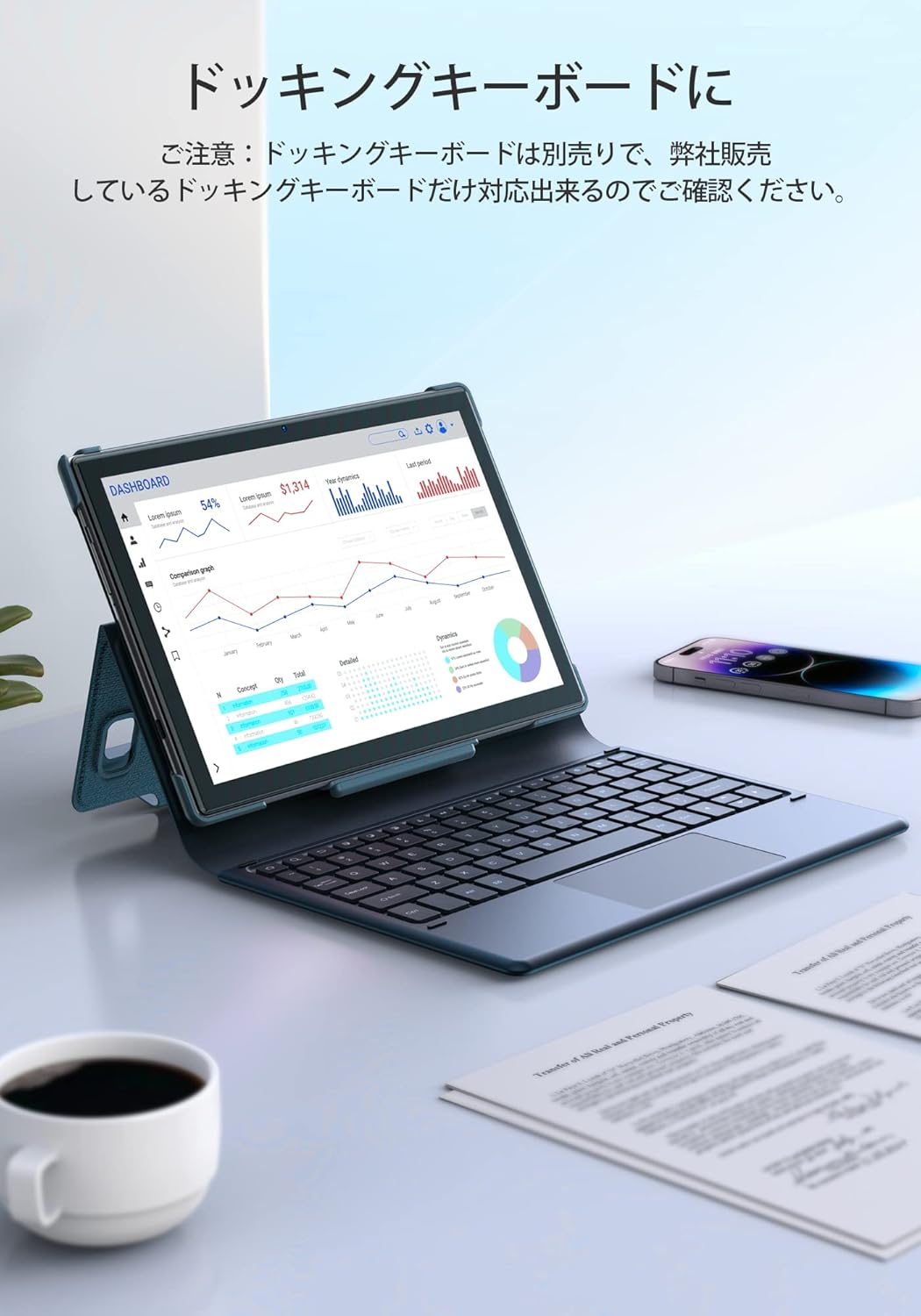
Малюнак 5.2: The tablet docked with a keyboard accessory, displaying a dashboard with charts, illustrating its use for productivity.
6. Сувязь
6.1. WiFi
The tablet supports dual-band Wi-Fi (2.4GHz and 5GHz) with 802.11ac technology for stable and high-speed internet access. To manage Wi-Fi settings, go to Налады > Сетка і інтэрнэт > Wi-Fi.
6.2.Bluetooth
Connect wireless headphones, speakers, or other Bluetooth-enabled devices. Access Bluetooth settings via Налады > Падключаныя прылады > Bluetooth.
7. Кіраванне батарэяй
The Notepad-102 is equipped with a 6000mAh battery. To charge, connect the included Type-C cable to the tablet's Type-C port and a compatible 5V/2A power adapter.
7.1. Battery Life Tips
- Паменшыць яркасць экрана.
- Выключайце Wi-Fi і Bluetooth, калі яны не выкарыстоўваюцца.
- Закрыйце фонавыя праграмы.
- Enable battery saver mode.
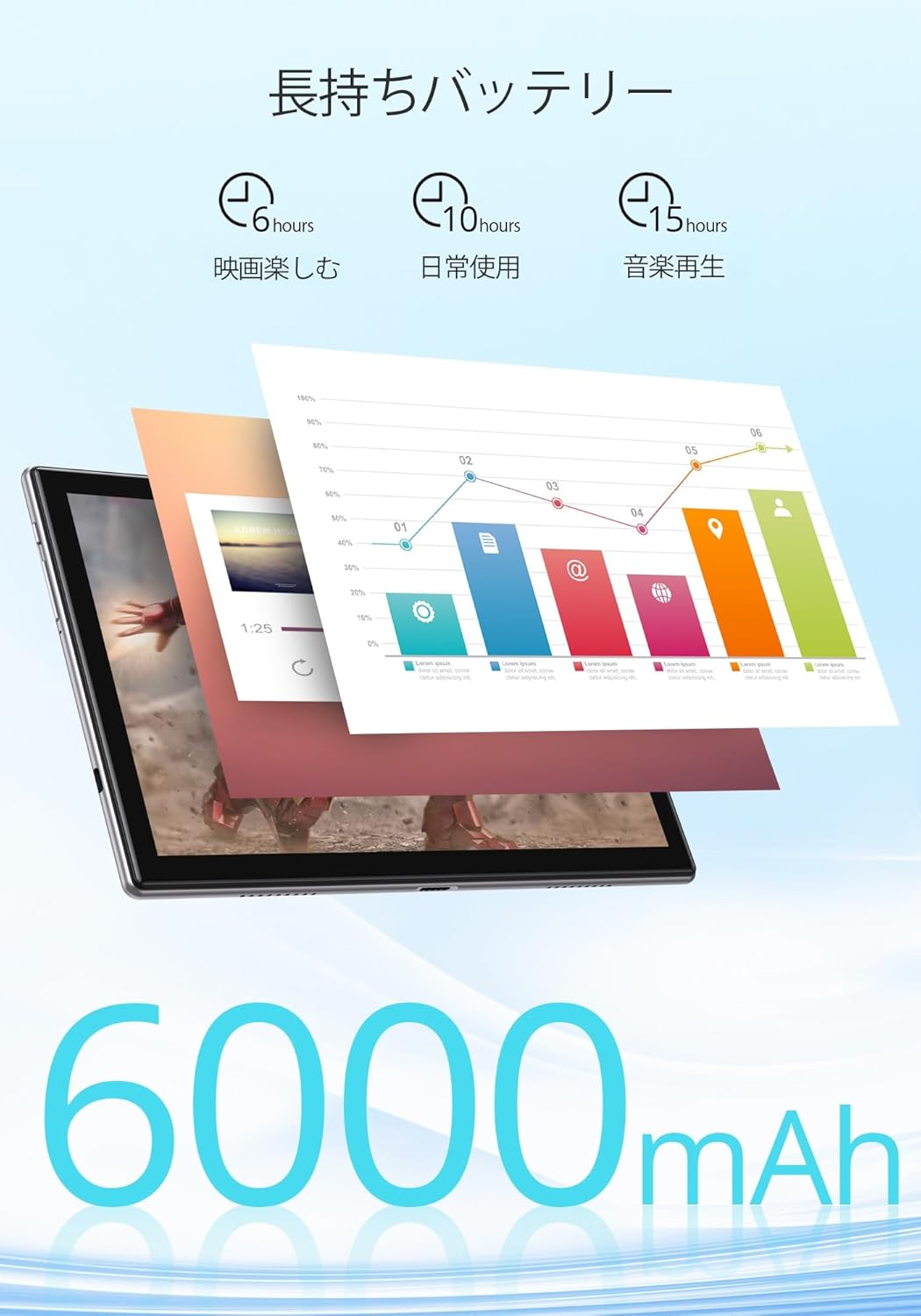
Малюнак 7.1: An infographic showing estimated battery life for various activities: 6 hours for movies, 10 hours for daily use, and 15 hours for music playback, powered by the 6000mAh battery.
8. Тэхнічнае абслугоўванне і догляд
- Keep the tablet away from extreme temperatures and direct sunlight.
- Пазбягайце падзення планшэта або моцных удараў.
- Clean the screen with a soft, lint-free cloth. Do not use harsh chemicals.
- Пераканайцеся, што порт зарадкі не мае пылу і смецця.
9. Выпраўленне непаладак
9.1. Tablet Not Turning On
- Ensure the tablet is sufficiently charged. Connect it to a power source for at least 30 minutes.
- Націсніце і ўтрымлівайце кнопку харчавання на працягу 10-15 секунд, каб выканаць прымусовы перазапуск.
9.2. Праблемы з падключэннем да Wi-Fi
- Перазагрузіце Wi-Fi-роўтар і планшэт.
- Пераканайцеся, што вы знаходзіцеся ў зоне дзеяння сігналу Wi-Fi.
- Забудзьцеся пра сетку ў наладах Wi-Fi і падключыцеся зноў.
- Праверце, ці могуць іншыя прылады падключыцца да той жа сеткі Wi-Fi.
9.3. Збоі або завісанні праграм
- Зачыніце і зноў адкрыйце праграму.
- Ачысціце кэш і дадзеныя праграмы ў Налады > Праграмы > [Назва праграмы] > Сховішча і кэш.
- Пераканайцеся, што праграма абноўлена да апошняй версіі.
10. Тэхнічныя характарыстыкі
| Асаблівасць | Спецыфікацыя |
|---|---|
| Марка | Дотык дракона |
| мадэль | Notepad-102 |
| Аперацыйная сістэма | Android 12 (сертыфікавана GMS) |
| Памер дысплея | 10.1 цаляў |
| Дазвол дысплея | 1280 x 800 pixels (IPS) |
| Працэсар | 8-core CPU (2.0GHz) |
| АЗП | 8 ГБ |
| Унутраная памяць | 128 ГБ |
| Сховішча з магчымасцю пашырэння | MicroSD да 128 ГБ |
| Wi-Fi | 2.4Ghz/5Ghz Dual-band (802.11ac) |
| Bluetooth | так |
| Пярэдняя камера | 8 МП |
| Задняя камера | 13 МП |
| Ёмістасць батарэі | 6000 мАг |
| Порт для зарадкі | Тып-C |
| Памеры | 27.1 х 20 х 4.9 см |
| Вага | 940 г |
11. Гарантыя і падтрымка
The Dragon Touch Notepad-102 tablet comes with a one-year warranty. For any inquiries or support needs, please contact customer service through your Amazon purchase history, providing your order number. Our support team is dedicated to assisting you.
Заўвага: Please use the provided charging cable and a 5V/2A power adapter for optimal charging.