
1. Уводзіны
Thank you for choosing the Sades Whisper Wireless Multiplatform Gaming Headset. This manual provides detailed instructions for setting up, operating, and maintaining your headset to ensure optimal performance and longevity. The Sades Whisper headset offers premium audio, long-lasting battery life, fast charging, and comfortable use, designed for an immersive gaming experience across multiple platforms.
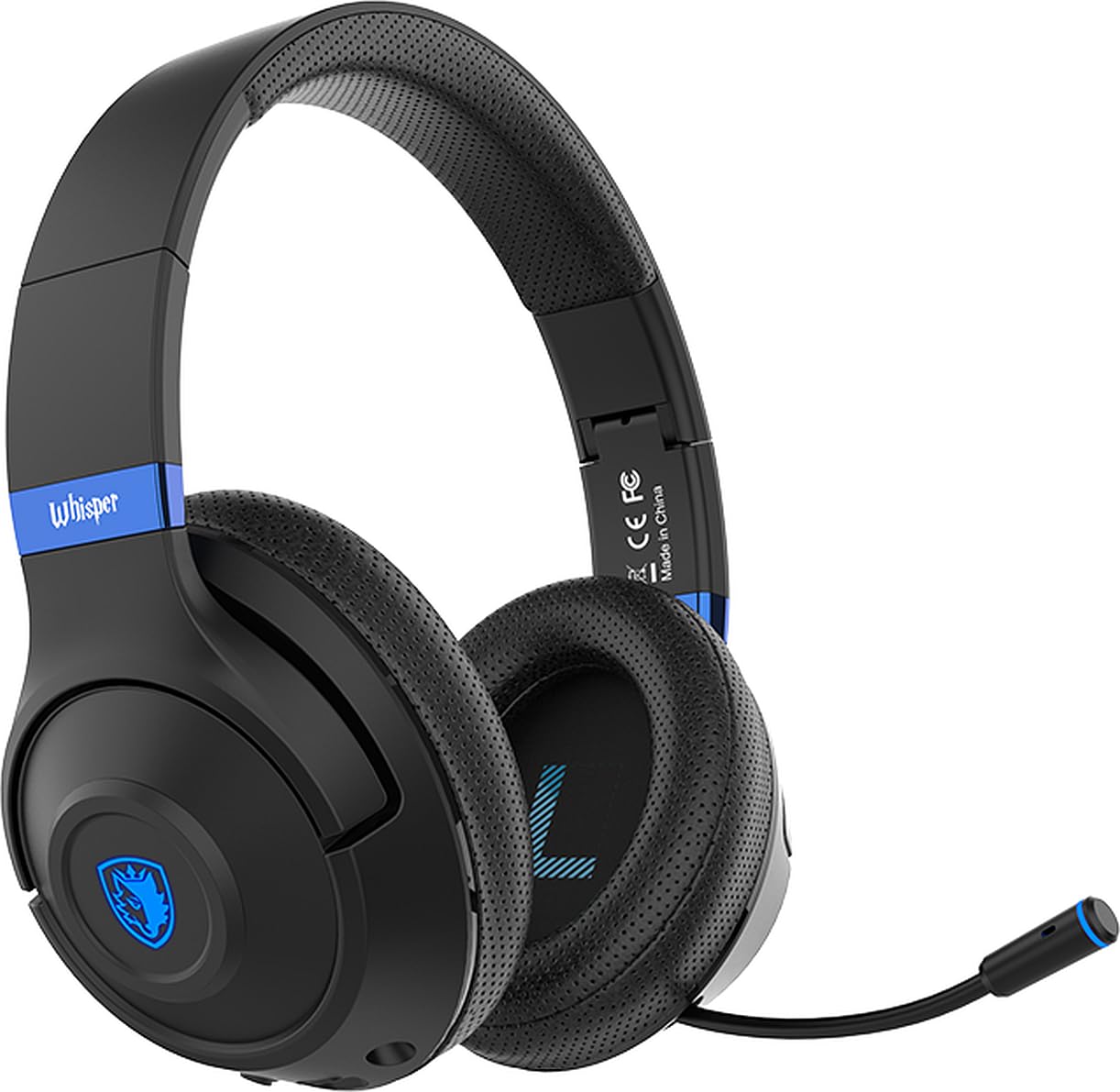
Image 1.1: Sades Whisper Wireless Gaming Headset. This image displays the overall design of the Sades Whisper headset, highlighting its sleek black finish and blue accents.
2. Прадукт скончыўсяview
2.1 Асноўныя магчымасці
- Flexible Retractable Microphone: For clear communication.
- Fashion Blue Lights: Enhances the gaming environment.
- Хуткая зарадка: Via Type-C port.
- Мяккія навушнікі: For extended comfort.
- Comfortable Tiara (Headband): Рэгуляваная для надзейнай фіксацыі.
- Folding Headphones: Для зручнай пераноскі і захоўвання.
- Рэгуляваная павязка на галаву: Ensures a personalized fit.
2.2 Кампаненты і элементы кіравання гарнітуры
Familiarize yourself with the various parts and controls of your Sades Whisper headset.

Image 2.1: Headset Controls. This image provides a detailed view of the control buttons located on the earcup, including volume, multifunction, and power buttons, along with the Type-C charging port and 3.5mm audio jack.
- Рэгулятар гучнасці: Рэгулюе ўзровень гукавога выхаду.
- Multifunction Button (M Button): Controls various functions such as play/pause, mute, game mode, and call management.
- Кнопка харчавання: Used for powering on/off, pairing, and other functions.
- Порт тыпу C: Для зарадкі гарнітуры.
- 3.5 мм аўдыяраз'ём: Для праваднога падключэння.
- Высоўны мікрафон: Can be extended for use and retracted for storage.
3. Настройка
3.1 Першапачатковая зарадка
Before first use, fully charge your Sades Whisper headset. Connect the provided Type-C charging cable to the headset's Type-C port and a compatible USB power source. A full charge takes approximately 2 hours and provides up to 32 hours of battery life.
3.2 Уключэнне/выключэнне
- Каб уключыць: Націсніце і ўтрымлівайце кнопку харчавання, пакуль не загарыцца святлодыёдны індыкатар.
- Каб выключыць: Націсніце і ўтрымлівайце кнопку харчавання, пакуль не пагасне святлодыёдны індыкатар.
4. Інструкцыя па эксплуатацыі
4.1 Варыянты падключэння
The Sades Whisper headset supports both wireless (Bluetooth 5.3) and wired (3.5mm audio jack) connections.

Image 4.1: Dual Connection Options. This image illustrates the headset's ability to connect wirelessly via Bluetooth 5.3 and through a wired 3.5mm audio cable, showing compatibility with various devices.
4.1.1 Падключэнне Bluetooth (бесправадное)
- Ensure the headset is powered on and in pairing mode (LED indicator will flash, typically blue). If not, press and hold the Power button or Multifunction button to initiate pairing.
- On your device (mobile phone, TV with Bluetooth, laptop, MAC, iPad, etc.), go to Bluetooth settings and search for available devices.
- Select "Sades Whisper" from the list of found devices to pair.
- Once connected, the LED indicator will typically show a steady blue light.
4.1.2 Правадное падключэнне 3.5 мм
For devices without Bluetooth or when a wired connection is preferred (e.g., PS4, PS5, Xbox, phones with 3.5mm jack), use the included 3.5mm audio cable.
- Plug one end of the 3.5mm audio cable into the headset's 3.5mm audio jack.
- Plug the other end into the 3.5mm audio port of your device.
- The headset will operate in wired mode, bypassing Bluetooth functionality.
4.2 Выкарыстанне мікрафона
The Sades Whisper features an omni-directional retractable microphone with noise reduction capabilities for clear voice capture.
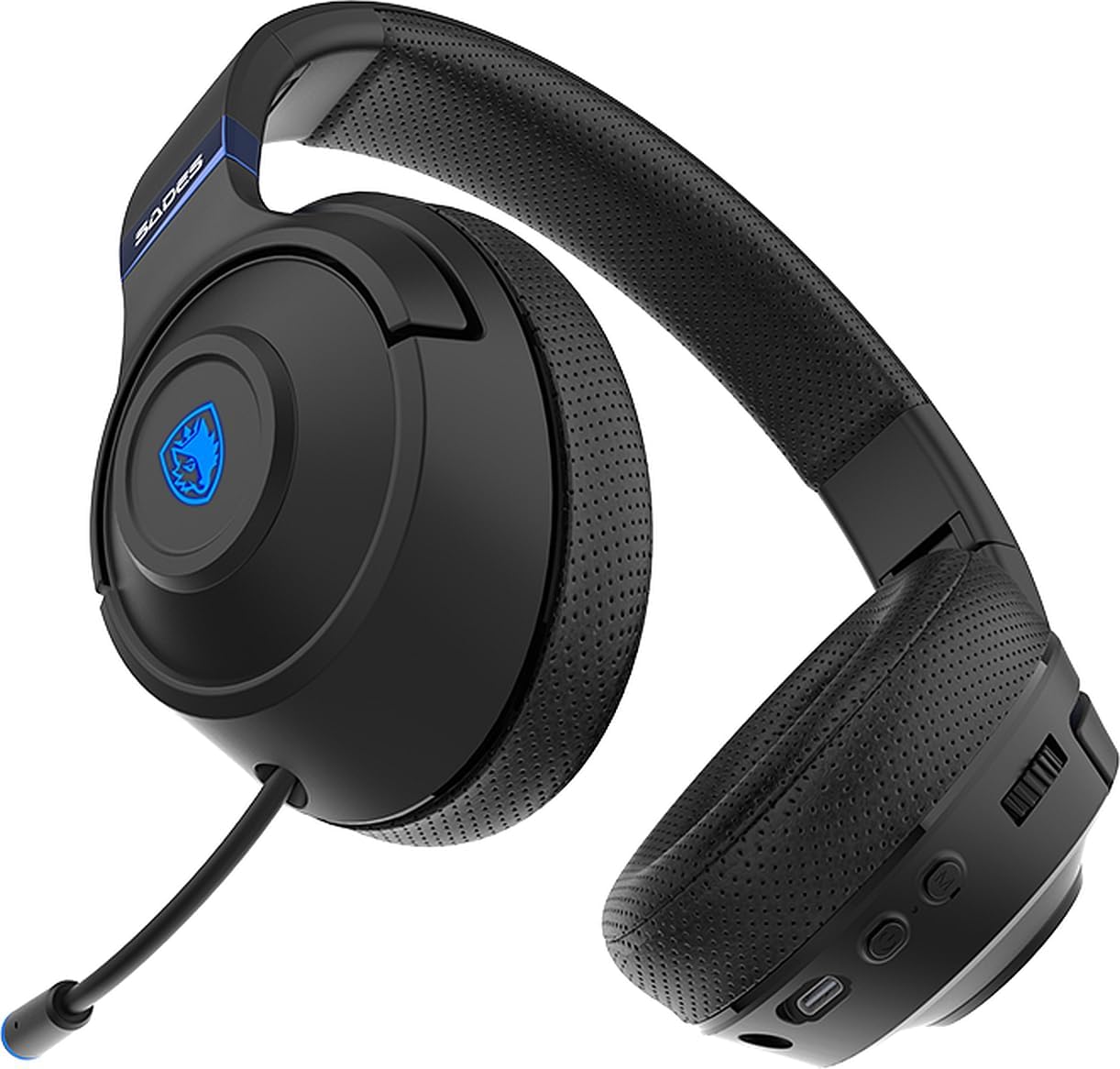
Image 4.2: Retractable Microphone. This image shows the flexible, retractable microphone extended from the headset, ready for use.
- Для выкарыстання: Gently pull out the microphone from its housing until it is in position. Adjust its flexible arm for optimal voice pickup.
- Для захоўвання: Gently push the microphone back into its housing until it is fully retracted.
- Функцыя адключэння гуку: Use the multifunction button on the headset to mute or unmute the microphone during calls or gaming.
5. Тэхнічнае абслугоўванне
Proper maintenance ensures the longevity and performance of your Sades Whisper headset.
- Уборка: Use a soft, dry cloth to clean the headset. Do not use abrasive cleaners or solvents. For earcups, a slightly damp cloth can be used, but ensure no moisture enters the speaker grilles.
- захоўванне: When not in use, store the headset in a cool, dry place. The foldable design allows for compact storage.
- Сыход за батарэяй: Пазбягайце частай поўнай разрадкі акумулятара. Рэгулярна зараджайце гарнітуру, нават калі яна не выкарыстоўваецца пастаянна, каб падтрымліваць яе працаздольнасць.
- Пазбягайце экстрэмальных умоў: Не падвяргайце гарнітуру ўздзеянню экстрэмальных тэмператур, вільготнасці або прамых сонечных прамянёў.

Image 5.1: Foldable Headset Design. This image demonstrates the headset's foldable earcups, illustrating its compact form factor for easy storage and transport.
6. Выпраўленне непаладак
If you encounter issues with your Sades Whisper headset, refer to the following common solutions:
6.1 Няма гуку або нізкі ўзровень гучнасці
- Праверыць аб'ём: Ensure the volume control on the headset and your connected device is turned up.
- падключэнне: Verify that the headset is properly connected via Bluetooth or the 3.5mm cable. For Bluetooth, ensure it is paired and connected.
- Выхад прылады: Confirm that your device's audio output is set to the Sades Whisper headset.
- Узровень батарэі: A low battery can affect performance. Charge the headset fully.
6.2 Cannot Connect via Bluetooth
- Рэжым спалучэння: Пераканайцеся, што гарнітура знаходзіцца ў рэжыме спалучэння Bluetooth (мігае святлодыёдны індыкатар).
- Bluetooth прылады: Пераканайцеся, што Bluetooth уключаны на вашай прыладзе.
- Адлегласць: Keep the headset within 10 meters (33 feet) of your device.
- Перашкоды: Адыдзіце ад іншых бесправадных прылад, якія могуць выклікаць перашкоды.
- Забыць прыладу: On your device, try forgetting "Sades Whisper" from the Bluetooth list and then re-pairing.
6.3 Мікрафон не працуе
- Размяшчэнне мікрафона: Пераканайцеся, што мікрафон цалкам выцягнуты і правільна размешчаны.
- Функцыя адключэння гуку: Check if the microphone is muted using the headset's multifunction button.
- Налады прылады: Verify that the correct microphone input (Sades Whisper) is selected in your device's audio settings.
7. Тэхнічныя характарыстыкі
| Катэгорыя | Спецыфікацыя |
|---|---|
| Нумар мадэлі | SA-205 |
| Версія Bluetooth | V5.3 |
| Bluetooth Profile Падтрымка | A2DP, HFP, SP, AVRCP |
| Дыяпазон Bluetooth | 10 метраў (33 футы) |
| Дыяметр дынаміка | 40 мм |
| Адчувальнасць дынаміка | 113±3dB/ 1kHz |
| Частата рэакцыі дынамікаў | 20-20 кГц |
| Імпеданс дынаміка | 32 Ω/ 1 kHz |
| Speaker Handling Power Capacity | 20 мВт |
| Памер мікрафона | 4 мм |
| Адчувальнасць мікрафона | -42 +/- 3 dB/ 1 kHz |
| АЧХ мікрафона | 100-10 кГц |
| Супраціў мікрафона | <2.2 KΩ 1 kHz |
| Накіраванасць мікрафона | Усенакіраваны |
| Тэрмін службы батарэі | Да 32 гадзін |
| Час зарадкі | Approximately 2 hours (via Type-C) |
| Тып батарэі | 602040 |
| Памеры (дастаўка) | 21.5 х 17.3 х 10 см |
| Вага (дастаўка) | 440 грамаў |
| Сумяшчальнасць | Mobile phone, TV with Bluetooth, mobile devices with Bluetooth (laptop, MAC, iPad, etc.), 3.5mm audio devices (PS4, PS5, XBOX, phones) |
8. Гарантыя і падтрымка
For warranty information and customer support, please refer to the documentation provided with your purchase or contact your retailer. You may also visit the official Sades webсайт для атрымання дадатковай дапамогі і рэгістрацыі прадукту.