
1. Уводзіны
The NUFEBS Mini 1080P Security Camera Q26 is a compact, plug-in wired security camera designed for indoor use. It offers 1080p high-definition video, 2.4G WiFi connectivity, night vision capabilities, two-way audio communication, and motion detection with tracking. This manual provides detailed instructions for setting up, operating, and maintaining your camera to ensure optimal performance and home security.

Image 1.1: The NUFEBS Mini 1080P Security Camera Q26, a compact device for home monitoring.
2. Змесціва ўпакоўкі
Калі ласка, праверце ўпакоўку на наяўнасць наступных прадметаў:
- NUFEBS Mini 1080P Security Camera (Q26)
- Кіраўніцтва па эксплуатацыі
- Зарадная прылада
- Магнітная база
3. Асаблівасці прадукту
The NUFEBS Q26 camera offers a range of features to enhance your home security:
- Раздзяленне 1080P HD: Забяспечвае выразнае і падрабязнае відэа footage.
- Падключэнне Wi-Fi 2.4G: Easy connection to your home network for remote access.
- Начное бачанне: Equipped with color night vision for monitoring in low-light conditions.
- Двухбаковы аўдыё: Дазваляе весці сувязь у рэжыме рэальнага часу праз камеру.
- Выяўленне і адсочванне руху: Automatically detects movement, tracks subjects, and sends alerts.
- Лакальнае і воблачнае сховішча: Supports Micro SD cards (16-128GB) and cloud storage services for recording playback.
- Воданепранікальнасць IP65: While primarily designed for indoor use, the IP65 rating provides protection against dust and low-pressure water jets, enhancing durability.
- Магнітная база: Offers flexible mounting options on various surfaces.
- Кампактны дызайн: Small footprint (4x4x2 CM) allows for discreet placement.
- Сумяшчальнасць Amazon Alexa: Integrates with Amazon Alexa for smart home control.

Image 3.1: Key features of the NUFEBS Q26 security camera.

Малюнак 3.2: Прыкладample of 1080P HD video quality from the camera.

Image 3.3: The camera's IP65 waterproof design for enhanced durability.
4. Кіраўніцтва па наладцы
4.1. Усталёўка прыкладання
To control your NUFEBS Q26 camera, download the 'Tris Home' application:
- Пошук 'Tris Home' in your mobile device's app store (iOS App Store or Google Play Store).
- Спампаваць і ўсталяваць праграму.
- Зарэгіструйце новы ўліковы запіс або ўвайдзіце ў сістэму, калі ён у вас ужо ёсць.
4.2. Скід камеры
Before connecting the camera for the first time, or if you are switching to a new mobile device or WiFi network, it is recommended to reset the camera:
- Locate the reset button on the camera (refer to the camera's physical design for exact placement).
- Press and hold the reset button for approximately 5-10 seconds until you hear a prompt or see an indicator light change.
4.3. Connect to 2.4G WiFi
The NUFEBS Q26 camera operates on a 2.4G WiFi network. Follow these steps to connect:
- Ensure your mobile phone is connected to your home's 2.4G WiFi network.
- Open the 'Tris Home' app and select the option to 'Add Device' or 'Add Camera'.
- Follow the on-screen instructions in the app, which typically involve scanning a QR code displayed on your phone with the camera lens.
- Once connected, the camera will indicate successful pairing, and you can begin live viewінж.
4.4. Варыянты мантажу
The camera comes with a magnetic base, offering versatile placement:
- Магнітная паверхня: Attach the camera directly to any metallic surface using its magnetic base.
- Насценнае/потолочное мацаванне: The magnetic base can also be affixed to a wall or ceiling using screws (not included) for a more permanent installation.
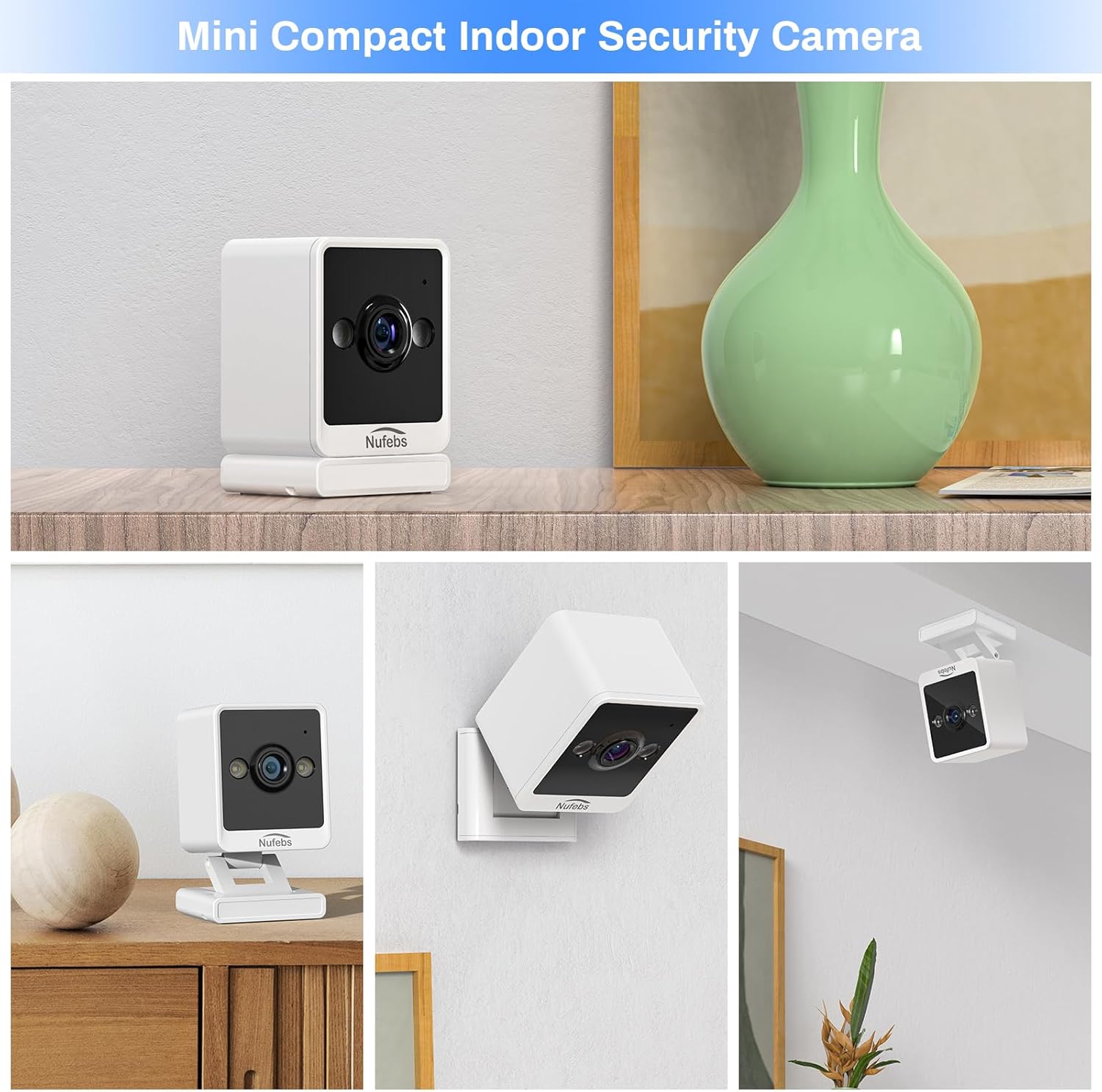
Малюнак 4.1: Прыкладamples of flexible mounting options for the NUFEBS Q26 camera.

Image 4.2: The camera's magnetic base allows for easy attachment to metallic surfaces.
5. Інструкцыя па эксплуатацыі
5.1. Жыць View
Once connected, open the 'Tris Home' app to access the live video feed from your camera. You can monitor your space in real-time from anywhere.

Image 5.1: Remote live preview of the camera feed on a mobile device.
5.2. Двухбаковая аўдыёсувязь
The camera features a built-in microphone and speaker. In the 'Tris Home' app, tap the microphone icon to speak through the camera and the speaker icon to listen to audio from the camera's location.
5.3. Выяўленне руху і абвесткі
Enable motion detection in the app settings to receive instant notifications on your phone when movement is detected. The camera can also activate a spotlight and an alarm sound to deter intruders.

Image 5.2: The camera's intelligent alarm system with motion detection and spotlight.
5.4. Запіс і захоўванне
The camera supports two primary storage methods for recorded footage:
- Micro SD-карта: Insert a Micro SD card (16GB to 128GB, not included) into the camera's designated slot for local storage. Recordings are typically triggered by motion events.
- Воблачны сэрвіс: Subscribe to the optional cloud storage service through the 'Tris Home' app for secure, off-site storage of your video recordings.

Image 5.3: Continuous recording and storage options via SD card and cloud service.
5.5. Начное бачанне
The NUFEBS Q26 camera automatically switches to color night vision in low-light conditions, providing clear surveillance around the clock.

Image 5.4: The camera's spotlight feature for enhanced night vision.
5.6. Smart Home Integration (Amazon Alexa)
The camera is compatible with Amazon Alexa. You can integrate it into your smart home system to view жывыя трансляцыі на сумяшчальных прыладах з падтрымкай Alexa з дапамогай галасавых каманд.

Image 5.5: Integration with Amazon Alexa for smart home control.
6. Тэхнічнае абслугоўванне
6.1. Уборка
To maintain optimal image quality, regularly clean the camera lens and body:
- Gently wipe the lens with a soft, lint-free cloth. Avoid abrasive materials.
- Прачысціце корпус камеры сухой або злёгку змочанай тканінайamp cloth. Do not use harsh chemicals or liquid cleaners directly on the camera.
6.2. Абнаўленне прашыўкі
Periodically check the 'Tris Home' app for available firmware updates. Keeping your camera's firmware updated ensures access to the latest features, security enhancements, and performance improvements.
7. Выпраўленне непаладак
If you encounter issues with your NUFEBS Q26 camera, refer to the following common solutions:
- Камера не падключаецца да Wi-Fi:
- Ensure your router is broadcasting a 2.4G WiFi signal. The camera does not support 5G WiFi.
- Verify that your mobile phone is connected to the same 2.4G WiFi network during setup.
- Double-check the WiFi password entered in the app.
- Try resetting the camera and repeating the connection process.
- Ensure the camera is within range of your WiFi router.
- Дрэнная якасць відэа:
- Праверце хуткасць падключэння да Інтэрнэту. Для аптымальнай трансляцыі патрабуецца стабільнае і хуткае падключэнне.
- Ачысціце аб'ектыў камеры, каб выдаліць пыл або плямы.
- Ensure there are no obstructions directly in front of the camera lens.
- Няма папярэджанняў аб выяўленні руху:
- Confirm that motion detection is enabled in the 'Tris Home' app settings.
- Адрэгулюйце налады адчувальнасці выяўлення руху ў дадатку.
- Пераканайцеся, што поле зроку камеры view ахоплівае вобласць, у якой вы хочаце кантраляваць рух.
- Camera Overheating:
- Ensure the camera has adequate ventilation and is not placed in an enclosed space or direct sunlight.
- If the camera feels excessively warm, disconnect it from power and allow it to cool down. If the issue persists, contact customer support.
8. Тэхнічныя характарыстыкі
| Марка | NUFEBS |
| мадэль | Q26 |
| Дазвол відэазахопу | 1080p |
| Тэхналогія падлучэння | Бесправадная сувязь (Wi-Fi 2.4G) |
| Крыніца харчавання | Правадная электрычная |
| Выкарыстанне ў памяшканні/на вуліцы | Indoor (IP65 rated for durability) |
| Асаблівасць | Easy to Install, Night Vision, 2-Way Talk, Motion Tracking |
| Падтрымка захоўвання | 16-128GB Micro SD card, Cloud Service |
| Сумяшчальнасць з разумным домам | Amazon Alexa |
| Памеры прадмета (Д х Ш х У) | 2.7 x 2.4 x 2.1 inches (approx. 4 x 4 x 2 CM) |
| Вага прадмета | 5.9 унцыі |
9. Інфармацыя па бяспецы
- Use only the provided power adapter to prevent damage or fire.
- Do not expose the camera to extreme temperatures, humidity, or direct water immersion.
- Keep the camera and its accessories out of reach of children and pets.
- Avoid placing the camera near heat sources or in areas with poor ventilation.
- Не спрабуйце разбіраць або мадыфікаваць камеру, бо гэта прывядзе да анулявання гарантыі і можа прывесці да пашкоджанняў.
10. Гарантыя і падтрымка
For warranty information, technical support, or any questions not covered in this manual, please refer to the contact information provided with your purchase or visit the official NUFEBS webсайт. Калі ласка, захавайце пацвярджэнне пакупкі для прэтэнзій па гарантыі.
Відэа 10.1: Оверview video demonstrating the features and functionality of the NUFEBS Mini 1080P Security Camera Q26.