
1. Настройка
This section guides you through the initial setup of your Natec ATX NPC-2038 Semi-Tower PC Case, from unpacking to component installation.
1.1 Распакаванне
- Carefully open the packaging and remove the PC case.
- Праверце корпус на наяўнасць пашкоджанняў падчас транспарціроўкі. Калі вы выявіце пашкоджанні, неадкладна звярніцеся да прадаўца.
- Remove all internal packaging materials and accessories. Keep the packaging for future transport or warranty claims.
1.2 Ідэнтыфікацыя кампанентаў
Familiarize yourself with the key components and features of your PC case.
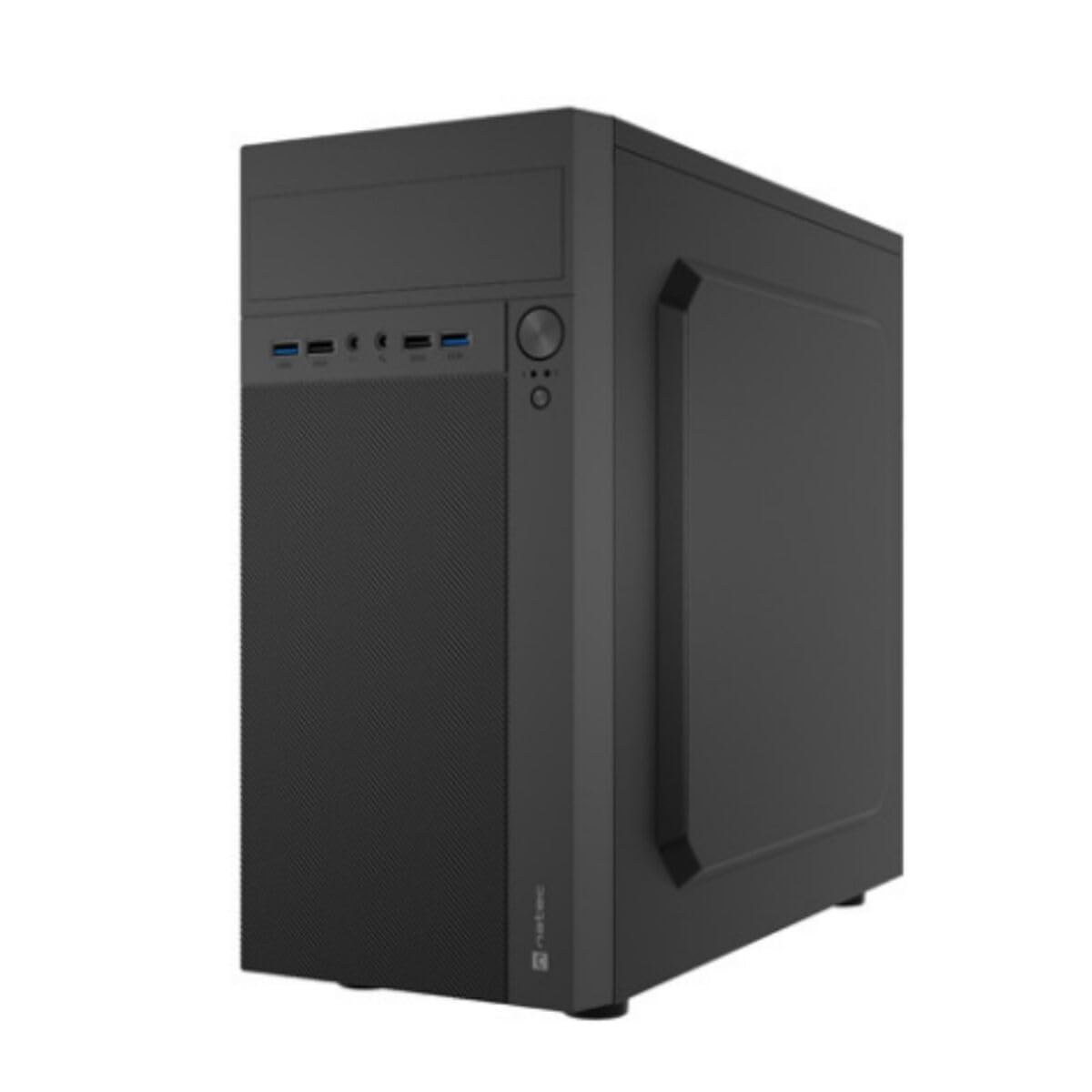
Малюнак 1: Спераду і збоку view of the Natec ATX NPC-2038 Semi-Tower PC Case, highlighting its compact dimensions. The front panel features USB ports, audio jacks, and power/reset buttons. The case measures approximately 3.9 inches in depth, width, and height, indicating a compact design suitable for various setups.
- Пярэдняя панэль: Includes power button, reset button, USB 2.0 ports, USB 3.0 port, and audio input/output jacks.
- Бакавыя панэлі: Removable panels for easy access to internal components.
- Задняя панэль: Features expansion slots and an opening for the motherboard I/O shield.
- Унутраныя адсекі: Provides space for 3.5-inch hard drives and other storage devices.
1.3 Ўстаноўка
- Падрыхтуйце справу: Lay the case on its side and remove the side panel(s) by unscrewing the thumb screws at the rear.
- Усталяваць мацярынскую плату: Secure the Mini ATX motherboard onto the standoffs provided. Ensure all screws are tightened appropriately.
- Усталяваць блок харчавання: Mount the power supply unit (PSU) in the designated front mount area. Connect the necessary power cables to the motherboard and other components.
- Усталюйце назапашвальнікі: Install 3.5-inch hard drives into the internal bays. Secure them with screws.
- Усталюйце платы пашырэння: Remove the necessary expansion slot covers and install any graphics cards or other expansion cards.
- Падключэнне кабеляў пярэдняй панэлі: Connect the front panel USB, audio, power, and reset cables to the corresponding headers on your motherboard. Refer to your motherboard manual for specific pin layouts.
- Кабельнае кіраванне: Route cables neatly to ensure optimal airflow and a clean build.
- Закрыць справу: Reattach the side panel(s) and secure them with the thumb screws.
2. Інструкцыя па эксплуатацыі
This section details how to power on your system and utilize the front panel connections.
2.1 Уключэнне
- Пераканайцеся, што ўсе знешнія перыферыйныя прылады (манітор, клавіятура, мыш) падключаны.
- Connect the power cable from your power supply unit to a wall outlet.
- Press the power button located on the front panel of the case. The system should initiate startup.
2.2 Падключэнне пярэдняй панэлі
The front panel provides convenient access to various ports for your peripherals.
- Парты USB 2.0 (x2): For connecting standard USB devices such as keyboards, mice, and printers.
- Порт USB 3.0 (x1): For connecting high-speed USB devices like external hard drives or flash drives, offering faster data transfer rates.
- Audio Input (Microphone): Connect your microphone for voice communication.
- Audio Output (Headphones): Connect your headphones or speakers for audio playback.
3. Тэхнічнае абслугоўванне
Regular maintenance helps ensure the longevity and optimal performance of your PC components.
3.1 Ачыстка
- Знешні выгляд: Выкарыстоўвайце мяккі, damp тканінай для працірання вонкавых паверхняў корпуса. Пазбягайце абразіўных ачышчальнікаў.
- Інтэр'ер: Periodically open the case and use compressed air to remove dust buildup from fans, heatsinks, and other components. Ensure the system is powered off and unplugged before cleaning the interior.
- Пылавыя фільтры: If your case includes dust filters, remove and clean them regularly to maintain good airflow.
3.2 Кіраванне паветраным патокам
Proper airflow is crucial for cooling your components. Ensure that the case fans are clean and unobstructed. Consider the direction of airflow (intake vs. exhaust) to optimize cooling efficiency.
4. Выпраўленне непаладак
This section addresses common issues you might encounter with your PC case and offers potential solutions.
| праблема | Магчымая прычына | Рашэнне |
|---|---|---|
| Сістэма не ўключаецца. | Power cable disconnected, PSU switch off, front panel power button not connected correctly. | Check power cable connection, ensure PSU switch is on, verify front panel power cable connection to motherboard. |
| USB-парты не працуюць. | USB-кабелі пярэдняй панэлі не падключаны да матчынай платы. | Ensure USB 2.0 and USB 3.0 headers are correctly connected to the motherboard. |
| Audio jacks not working. | Front panel audio cable not connected to motherboard. | Verify the HD Audio cable is securely connected to the motherboard's audio header. |
| Перагрэў кампанентаў. | Poor airflow, dust buildup. | Clean dust filters and internal components. Ensure fans are properly oriented for optimal airflow. |
5. Тэхнічныя характарыстыкі
Detailed technical specifications for the Natec ATX NPC-2038 Semi-Tower PC Case.
| Асаблівасць | Каштоўнасць |
|---|---|
| Марка | Натэк |
| Назва мадэлі | HELIX (NPC-2038) |
| Тып корпуса | Сярэдняя вежа |
| Сумяшчальнасць матчыных поплаткаў | Mini ATX |
| Колер | multicoloured (Black) |
| Матэрыял | Legierter Stahl (Alloy Steel) |
| Тып мацавання блока харчавання | Пярэдняя гара |
| Спосаб астуджэння | паветра |
| Памер вентылятара | 120 міліметра |
| Колькасць вентылятараў | 1 (pre-installed, if applicable) |
| Total Expansion Slots Quantity | 4 |
| Total USB 2.0 Ports | 2 |
| Total USB 3.0 Ports | 1 |
| Internal Bays Quantity | 3 (for 3.5 Inches Hard Disk Form Factor) |
| Вага прадмета | 1 кілаграма |
| Памеры прадмета (Д х Ш х У) | 3.94"D x 3.94"W x 3.94"H (Approximate, based on provided data) |
| Рэкамендуемае выкарыстанне для прадукту | General-Purpose Computing |
6. Інфармацыя аб гарантыі
Natec products are manufactured to high-quality standards. This product is covered by a manufacturer's warranty against defects in materials and workmanship. The specific duration and terms of the warranty may vary by region and retailer. Please retain your proof of purchase for warranty claims. For detailed warranty information, refer to the documentation provided with your purchase or visit the official Natec webсайт.
7. Падтрымка
If you encounter any issues not covered in this manual or require further assistance, please contact Natec customer support or your retailer. You can typically find contact information on the official Natec webсайце або на ўпакоўцы вашага прадукту.
- Інтэрнэт-падтрымка: Visit the official Natec webсайт з часта задаванымі пытаннямі, драйверамі і рэсурсамі падтрымкі.
- Звязацца з прадаўцом: For purchase-related issues or initial troubleshooting, your retailer may be able to provide immediate assistance.