
Уводзіны
Welcome to the user manual for your new Candy Smart Pro Washing Machine. This appliance is designed to provide efficient and convenient laundry care with advanced features such as intelligent KG detection, delayed start, and remote control via the Simply-Fi app. Please read this manual carefully before using the appliance to ensure safe and optimal operation.

Малюнак 1: Фронт view of the Candy Smart Pro Washing Machine, showcasing its sleek white design and central control panel.
Інфармацыя па бяспецы
Заўсёды выконвайце наступныя меры бяспекі, каб пазбегнуць траўмаў або пашкоджання прылады:
- Пераканайцеся, што прыбор належным чынам зазямлены.
- Не дазваляйце дзецям гуляць з пральнай машынай або карыстацца ёю.
- Адключайце прыладу ад сеткі перад чысткай або любым тэхнічным абслугоўваннем.
- Не сцірайце рэчы, забруджаныя лёгкаўзгаральнымі рэчывамі.
- Keep the area around the washing machine clear of obstructions.
Што ў скрынцы
Upon unpacking your Candy Smart Pro Washing Machine, please ensure all the following components are present:
- Кіраўніцтва карыстальніка
- Зліўны шланг
- Пральная машына
Настройка і ўстаноўка
Правільная ўстаноўка мае вырашальнае значэнне для прадукцыйнасці і даўгавечнасці вашай пральнай машыны. Рэкамендуецца, каб устаноўку прылады праводзіў кваліфікаваны спецыяліст.
1. Распакоўка і размяшчэнне
- Акуратна выдаліце ўсе ўпаковачныя матэрыялы.
- Remove the transport bolts from the rear of the machine. These bolts secure the drum during transit and must be removed before operation. Refer to the diagram below for bolt locations.
- Place the washing machine on a firm, level surface. Ensure there is adequate space around the unit for ventilation and access.

Малюнак 2: Dimensions of the washing machine: 85cm height, 60cm width, 53cm depth. Ensure sufficient space for installation.
2. Water and Drain Connections
- Падключыце шланг падачы вады да крана халоднай вады. Забяспечце шчыльнае ўшчыльненне, каб пазбегнуць уцечак.
- Insert the drain hose into a suitable drain pipe or sink, ensuring it is securely positioned to prevent dislodgement during operation.
3. Электрычнае падключэнне
- Падключыце шнур сілкавання да заземленай электрычнай разеткі. Не выкарыстоўвайце падаўжальнікі або адаптары.
Інструкцыя па эксплуатацыі
Your Candy Smart Pro washing machine offers a variety of programs and smart features for optimal laundry care.
Панэль кіравання скончыласяview

Малюнак 3: The control panel features a program selector dial, a digital display, and touch buttons for various functions.
- Пераключальнік праграм: Выкарыстоўваецца для выбару патрэбнай праграмы мыцця.
- Лічбавай дысплей: Паказвае працягласць праграмы, коды памылак і выбраныя опцыі.
- Функцыянальныя кнопкі: Allow selection of temperature, spin speed, delayed start, and other special functions.
Загрузка бялізны

Малюнак 4: Open the door and load laundry into the drum, ensuring not to overload the machine.
Open the washing machine door and load your laundry into the drum. Do not overload the machine; leave enough space for clothes to tumble freely. The intelligent KG detector will automatically adjust water and electricity consumption based on the load weight.
Выбар праграмы мыцця
- Turn the program selector dial to choose the appropriate wash program for your laundry type (e.g., Cotton, Synthetics, Delicates).
- Adjust the temperature and spin speed using the corresponding buttons on the control panel if desired.
- Для выкарыстання Адкладзены старт function, press the relevant button and set the desired delay time (up to 24 hours).
- Націсніце кнопку Пуск/Паўза, каб пачаць цыкл.
Simply-Fi App Connectivity
The Candy Smart Pro washing machine can be controlled remotely via the Simply-Fi app (Wi-Fi + BLE connection). This allows you to manage cycles, receive washing advice, and monitor the appliance from your smartphone.
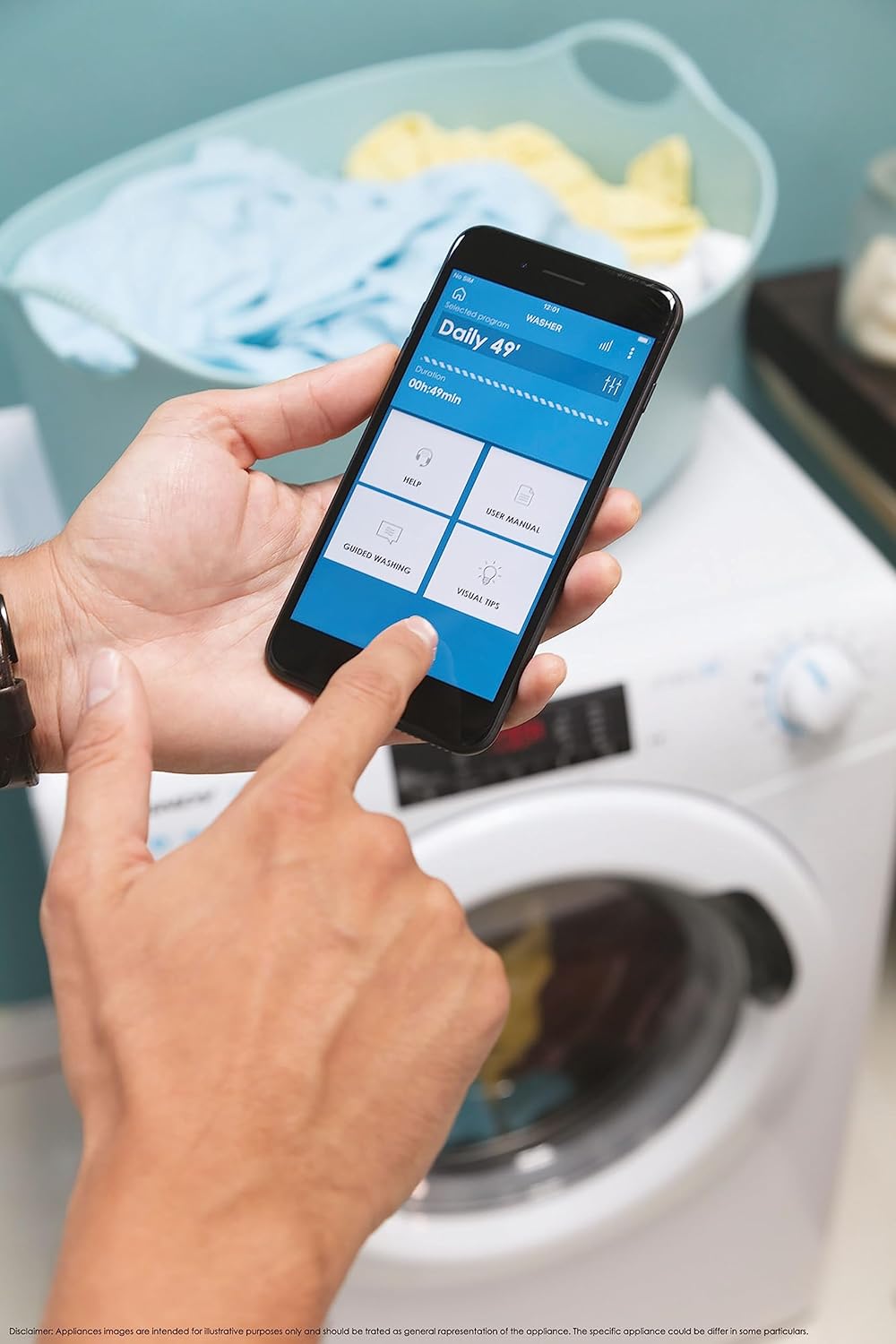
Малюнак 5: Control your washing machine remotely using the Simply-Fi app on your smartphone.
- Download the Simply-Fi app from your smartphone's app store.
- Выконвайце інструкцыі ў дадатку, каб падключыць пральную машыну да хатняй сеткі Wi-Fi.
- Once connected, you can access additional programs, monitor cycle status, and receive maintenance reminders.
Тэхнічнае абслугоўванне
Regular maintenance ensures the efficiency and extends the lifespan of your washing machine.
Ачыстка дазатара мыйнага сродкі
- Выцягніце скрыню дазатара мыйнага сродкі.
- Remove any residue and rinse thoroughly under running water.
- Зноў устаўце скрыню.
Ачыстка фільтра
- Знайдзіце вечка фільтра ў ніжняй пярэдняй частцы машыны.
- Пастаўце пад кавалачак неглыбокую ёмістасць, каб сабраць рэшткі вады.
- Unscrew the filter slowly to drain water, then remove and clean it of lint and debris.
- Шчыльна закруціце фільтр назад.
Чыстка барабана
- Run a hot wash cycle with no laundry and a washing machine cleaner or a cup of white vinegar to remove odors and residue.
Smart Check-Up Function
Utilize the Smart Check-Up function via the Simply-Fi app to monitor the health of your washing machine. It provides notifications for errors or malfunctions, helping you maintain the appliance effectively.
Ліквідацыю непаладак
Перад тым, як звяртацца ў службу падтрымкі кліентаў, азнаёмцеся з наступнымі распаўсюджанымі праблемамі і іх рашэннямі:
| праблема | Магчымая прычына | Рашэнне |
|---|---|---|
| Машына не запускаецца | Power cord unplugged, door not closed properly, delayed start active. | Check power connection, ensure door is latched, cancel delayed start. |
| Празмерная вібрацыя/шум | Транспарціровачныя балты не выдаленыя, машына нераўнамерна ўстаноўлена, нераўнамерная загрузка. | Remove transport bolts, adjust leveling feet, redistribute laundry inside drum. |
| Уцечка вады | Hoses loose, drain filter clogged, excessive detergent. | Check hose connections, clean drain filter, use appropriate amount of detergent. |
| Праблемы з падключэннем праграмы | Wi-Fi signal weak, app not updated, incorrect pairing. | Ensure strong Wi-Fi signal, update app, re-pair device following app instructions. |
Тэхнічныя характарыстыкі
| Асаблівасць | Дэталь |
|---|---|
| Марка | Цукеркі |
| мадэль | CSO 1295TW4/1-S |
| Ёмістасць | 9 кілаграма |
| Памеры (ВxШxГ) | 85 х 60 х 53 см |
| Вага | 65 кілаграма |
| Клас энергаэфектыўнасці | B |
| Максімальная хуткасць адціску | 1200 XNUMX абаротаў у хвіліну |
| Сувязь | Wi-Fi + BLE (Simply-Fi App) |
| Тып кіравання | Націсніце, набярыце |
Гарантыя і падтрымка
Your Candy Smart Pro Washing Machine is covered by a manufacturer's warranty. For specific details regarding the warranty period and terms, please refer to the documentation provided with your purchase or visit the official Candy webсайт.
For technical assistance, spare parts, or to schedule a service appointment, please contact Candy customer support. Have your model number (CSO 1295TW4/1-S) and serial number ready when contacting support.
Палітыка вяртання: If you wish to return a product within 30 days of receipt because you have changed your mind, please consult the return policy on the retailer's website. If you have received a defective or damaged product, please refer to the retailer's help page on defective or damaged products.