
1. Уводзіны
Thank you for choosing the Mesqool CR1024 Projection Alarm Clock. This device combines a digital alarm clock with a time projector, displaying time on your wall or ceiling. It also features temperature and humidity monitoring, dual alarms, a night light, and USB charging ports. This manual will guide you through the setup, operation, and maintenance of your new alarm clock.
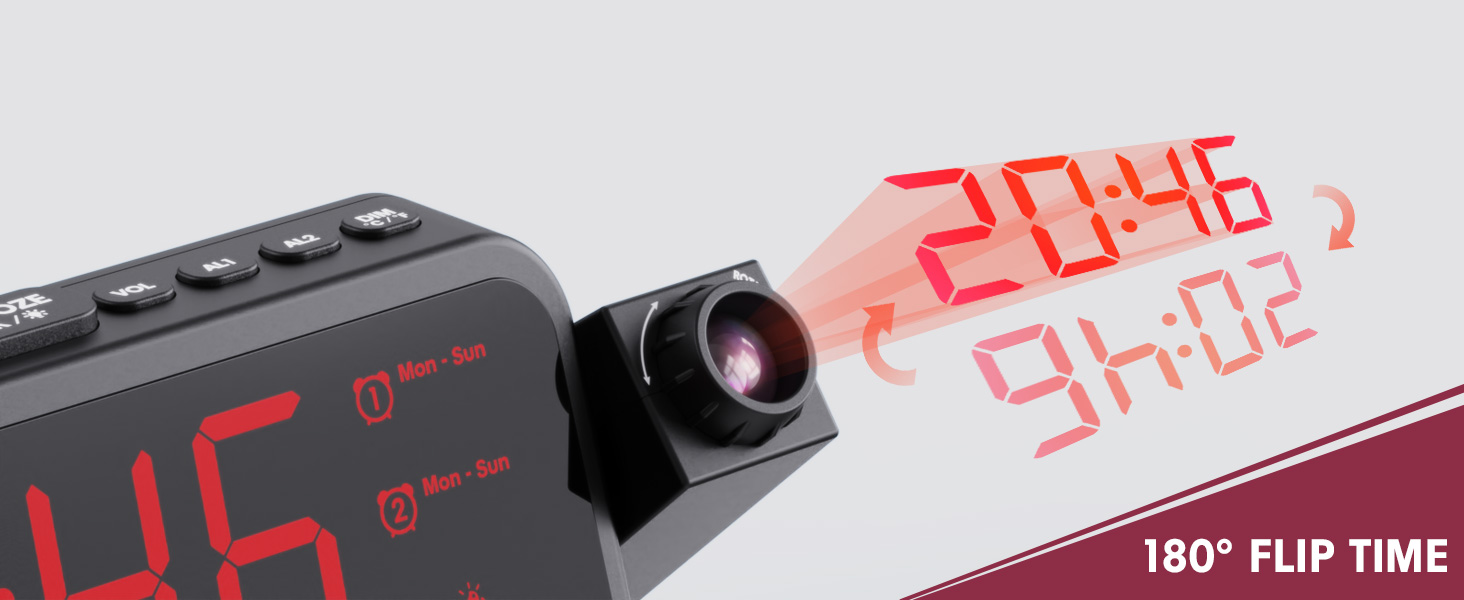
Image 1.1: Mesqool CR1024 Projection Alarm Clock with a smartphone connected for charging.
Асноўныя характарыстыкі:
- 180° Swivel Projection with Adjustable Focus
- Large LED Display with Time, Date, Day, Temperature, and Humidity
- Dual Alarms with Weekday/Weekend/7-Day/One-time Modes
- 9-Minute Snooze Function
- Integrated Soft LED Night Light with Adjustable Brightness
- 7-Level Adjustable Alarm Volume
- 5-ўзроўневы зацямненне дысплея
- Memory Function (requires 2x AAA batteries, not included)
- Dual USB Charging Ports (Type-C and USB-A)
2. Настройка
2.1 Падключэнне харчавання
- Падключыце адаптар сілкавання, які ўваходзіць у камплект, да порта DC IN на задняй панэлі будзільніка.
- Падключыце адаптар сілкавання да звычайнай электрычнай разеткі. Загарыцца дысплей гадзінніка.
- Для рэзервовага харчавання падчас выхадуtages, insert two AAA batteries (not included) into the battery compartment. This will preserve time and alarm settings.
2.2 Пачатковая ўстаноўка часу і даты
- Націсніце і ўтрымлівайце УСТАНОВА ЧАСУ кнопку для ўваходу ў рэжым налады часу.
- Выкарыстоўвайце + or - кнопкі для налады гадзіны. Націсніце УСТАНОВА ЧАСУ каб пацвердзіць.
- Repeat the process to set the minute, year, month, and day.
- Прэса УСТАНОВА ЧАСУ зноў, каб выйсці з рэжыму налад.
2.3 12/24 Hour Format and DST
- Каб пераключыцца паміж 12-гадзінным і 24-гадзінным фарматамі часу, націсніце кнопку 12/24 гадзіны кнопка.
- To activate or deactivate Daylight Saving Time (DST), press the летні час button. An indicator will appear on the display when DST is active.

Image 2.1: The clock displaying time in both 12-hour and 24-hour formats.
3. Інструкцыя па эксплуатацыі
3.1 Налада будзільнікаў
The clock supports two independent alarms (AL1 and AL2).
- Націсніце і ўтрымлівайце AL1 or AL2 кнопка для ўваходу ў рэжым налады будзільніка.
- Выкарыстоўвайце + or - кнопкі для налады гадзіны будзільніка. Націсніце адпаведную кнопку будзільніка (AL1 or AL2) пацвердзіць.
- Repeat to set the alarm minute.
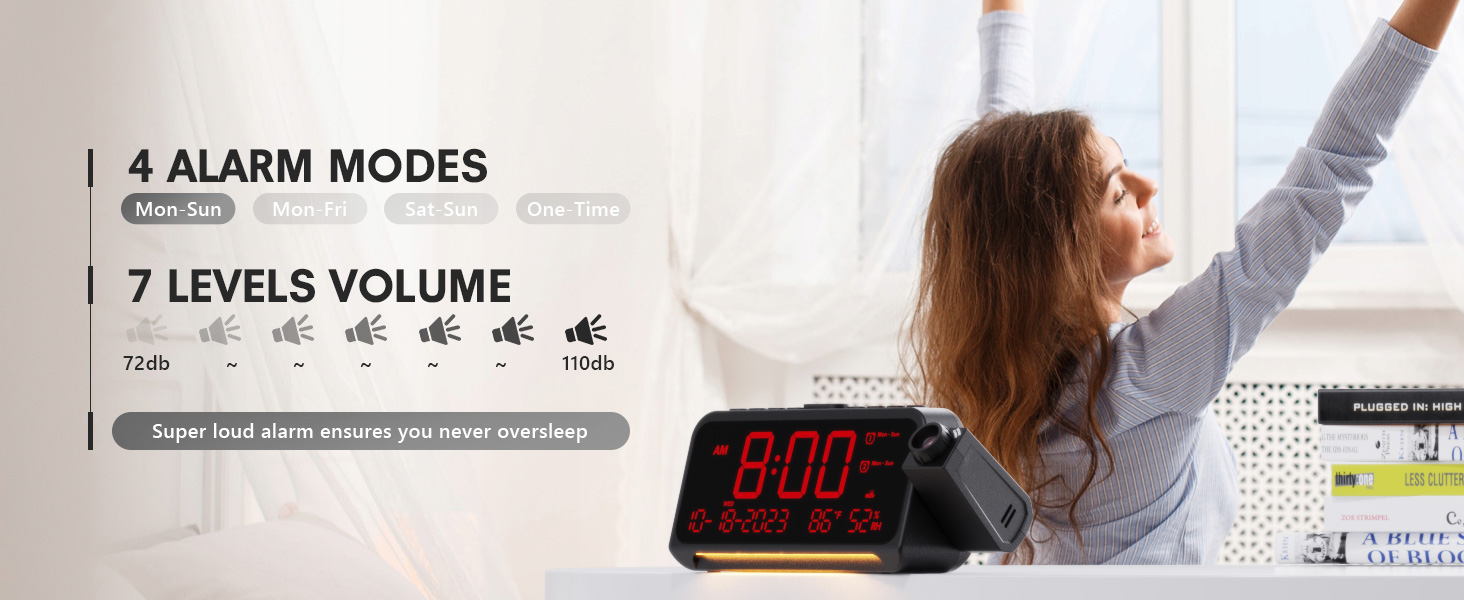
- After setting the minute, use + or - to select the alarm mode: Mon-Sun, Mon-Fri, Sat-Sun, or One-time.
- Press the alarm button again to confirm and exit.
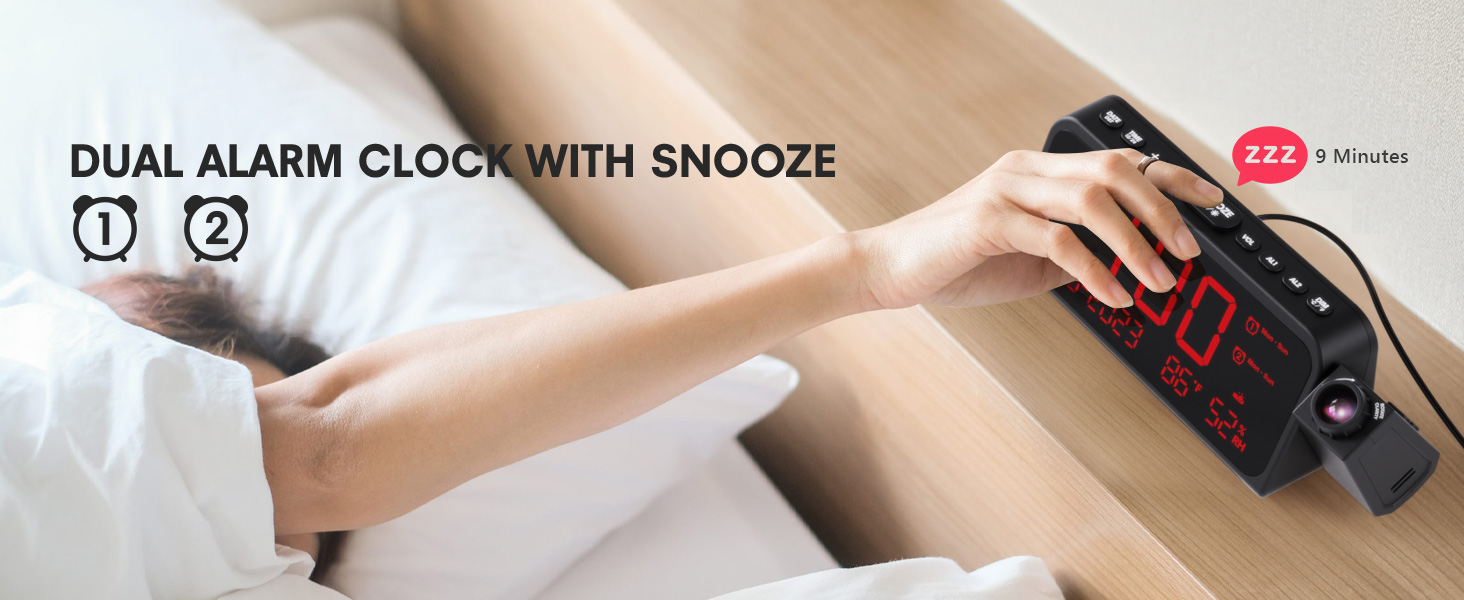
Image 3.1: The clock displaying dual alarm settings and snooze functionality.
3.2 Функцыя паўтору
Калі гучыць будзільнік, націсніце вялікую кнопку SNOOZE/OK/* кнопку, каб актываваць функцыю паўзы. Будзільнік спыніцца на 9 хвілін, а потым зноў загучыць.
3.3 Рэгуляванне гучнасці сігналу трывогі
Націсніце VOL button to cycle through 7 levels of alarm volume. Adjust to your preferred loudness.

Image 3.2: Visual representation of the 4 alarm modes and 7 adjustable volume levels.
3.4 Налады праекцыі
- Праекцыя ВКЛ/ВЫКЛ: Націсніце ПРАЕКЦЫЯ кнопку, каб уключыць або выключыць праекцыю.
- Яркасць праекцыі: Неаднаразова націскайце ПРАЕКЦЫЯ button to cycle through 5 brightness levels (Dim, Low, Medium, High, Full).
- Projection Orientation: The projector arm can swivel 180 degrees. Rotate the arm to direct the time display to your desired surface (wall or ceiling).
- Рэгуляванне фокусу: Use the focus ring on the projector lens to sharpen the projected image.
Малюнак 3.3: Падрабязны view of the projection features, including distance, time flip, rotation, focus, and brightness levels.
3.5 Рэгулятар яркасці дысплея
Націсніце ДЫММЕР button to adjust the brightness of the main LED display. There are 5 levels of brightness to choose from, allowing you to customize it for comfort, especially at night.
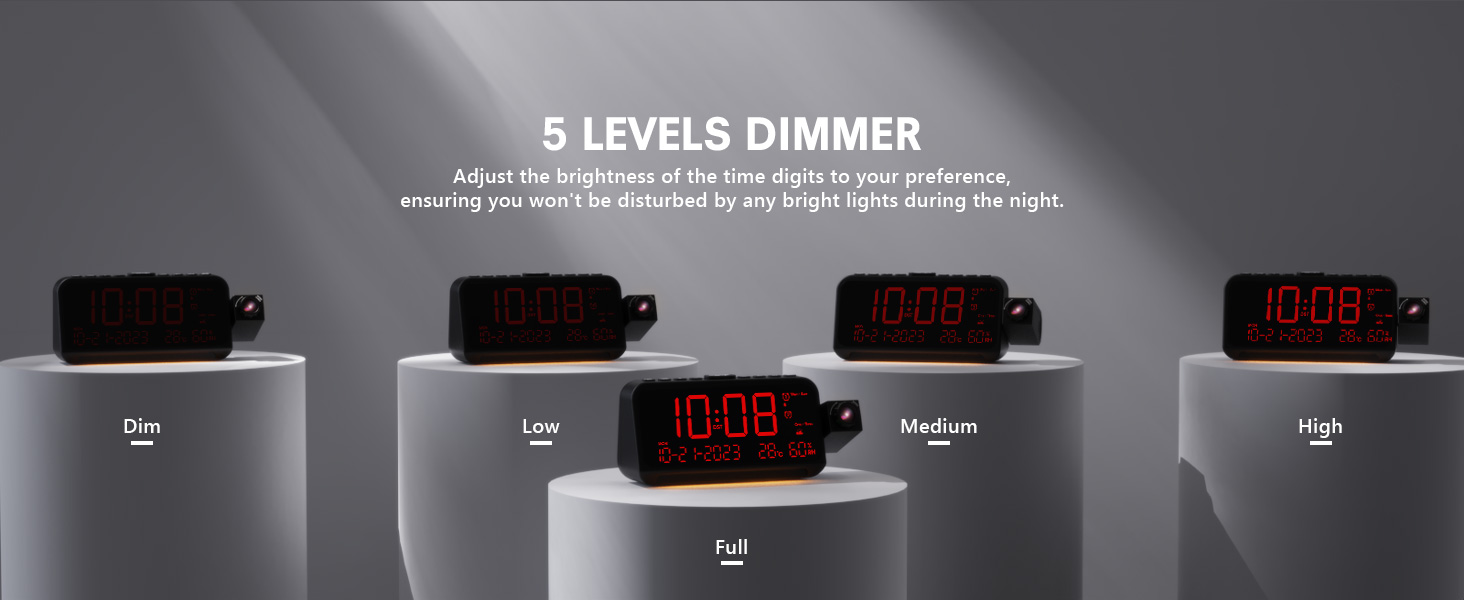
Image 3.4: The clock demonstrating its 5-level adjustable display dimmer.
3.6 Начное святло
The clock features a soft LED night light located at the bottom. Press the СВЯТЛО button to cycle through Off, Medium, and Full brightness settings for the night light.
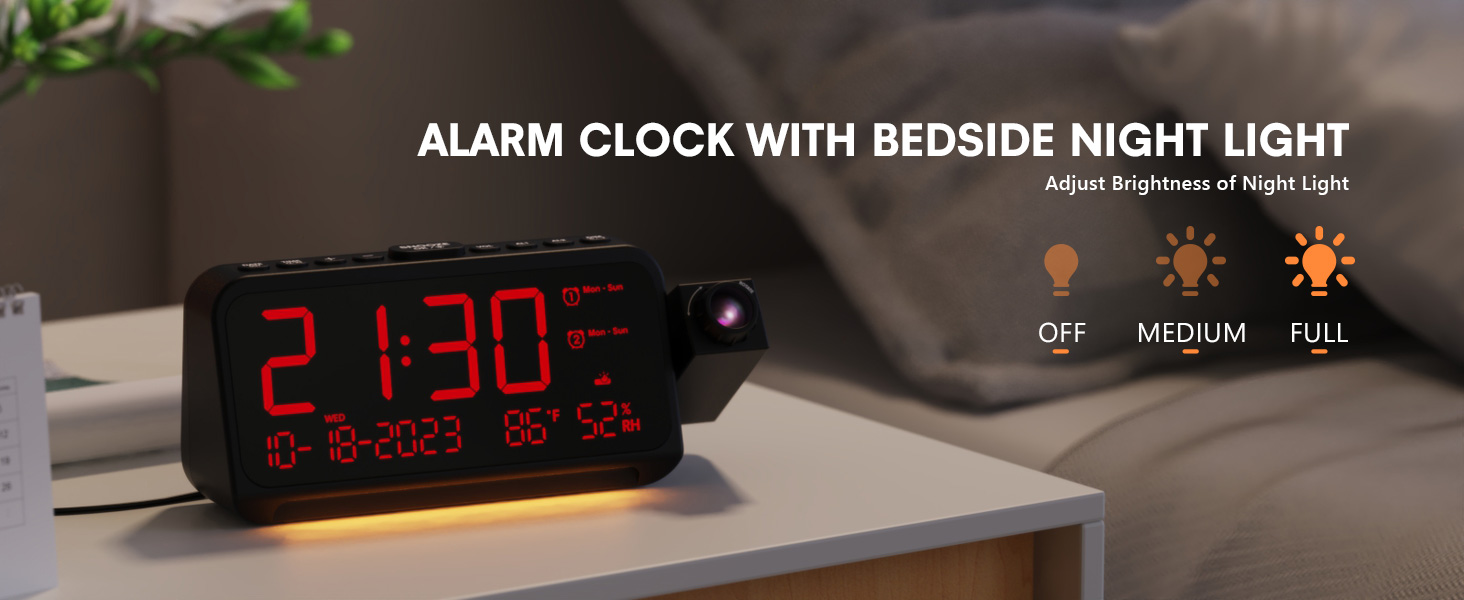
Image 3.5: The clock with its integrated night light, showing different brightness options.
3.7 порта USB для зарадкі
The clock is equipped with a Type-C and a standard USB-A charging port on the back. You can use these ports to charge your mobile devices while the clock is powered.

Image 3.6: The back of the clock showing the Type-C and USB-A charging ports in use.
4. Тэхнічнае абслугоўванне
To ensure the longevity and optimal performance of your Mesqool CR1024 Projection Alarm Clock, follow these maintenance guidelines:
- Уборка: Wipe the clock's surface with a soft, dry cloth. Avoid using abrasive cleaners, solvents, or chemical sprays, as these can damage the finish or electronic components.
- Асяроддзе: Place the clock in a dry environment, away from direct sunlight, extreme temperatures, and high humidity.
- Вентыляцыя: Пераканайцеся, што вентыляцыйныя адтуліны не заблакіраваны, каб прадухіліць перагрэў.
- Замена батарэі: If using AAA batteries for backup, replace them annually or when the low battery indicator appears to ensure settings are retained during power outagэс.
5. Выпраўленне непаладак
If you encounter issues with your Mesqool CR1024 Projection Alarm Clock, please refer to the following common problems and solutions:
| праблема | Магчымая прычына | Рашэнне |
|---|---|---|
| Projection is blurry or unclear. | Incorrect focus or projection distance. | Adjust the focus ring on the projector lens. Ensure the clock is within the optimal projection distance (4.92-9.84 ft). |
| Сігналізацыя не гучыць або гучыць занадта ціха. | Alarm not activated or volume set too low. | Ensure the alarm is enabled (AL1/AL2 indicator on display). Press the VOL button to increase the alarm volume. |
| Дысплей занадта яркі або занадта цьмяны. | Display dimmer setting is not optimal. | Націсніце ДЫММЕР button to cycle through the 5 brightness levels. |
| Скід часу/налад пасля адключэння харчаванняtage. | Рэзервовых батарэй няма, альбо батарэі разрадзіліся. | Install two fresh AAA batteries (not included) in the battery compartment for memory backup. |
| Cannot change time format from 24-hour to 12-hour. | Incorrect button press or temporary glitch. | Націсніце 12/24 гадзіны button. If the issue persists, try unplugging the clock for a few minutes and then reconnecting power. |
6. Тэхнічныя характарыстыкі
| Асаблівасць | Дэталь |
|---|---|
| Марка | Мескул |
| Нумар мадэлі | CR1024 |
| Тып дысплея | Лічбавы святлодыёд |
| Крыніца харчавання | Правадная электрычная |
| Рэзервовы акумулятар | 2 батарэі AAA (не ўключаны) |
| Памеры прадукту | 7.87"W x 3.4"H (7.87x2.36x3.43 inch) |
| Вага прадмета | 12 унцыі (0.34 кілаграма) |
| Матэрыял | Акрыланітрылбутадыенстырол (АБС) |
| Асаблівасці | Projection, Dual Alarms, Snooze, Night Light, Temperature, Humidity, Calendar, DST, USB Charging |

Image 6.1: Dimensions of the Mesqool CR1024 Projection Alarm Clock.
7. Гарантыя і падтрымка
7.1 Інфармацыя аб гарантыі
This Mesqool CR1024 Projection Alarm Clock comes with a Гарантыя 24 месяцаў from the date of purchase. Mesqool also provides lifetime support for this product. Please retain your proof of purchase for warranty claims.
7.2 Падтрымка кліентаў
For any questions, technical assistance, or warranty inquiries, please contact Mesqool customer support through the retailer where you purchased the product or refer to the official Mesqool webсайт для кантактнай інфармацыі.