
Yitouniu YTU021
Yitouniu Zigbee 2-Channel DC 7-32V Smart Relay Switch Module
Model: YTU021
Уводзіны
The Yitouniu Zigbee 2-Channel DC 7-32V Smart Relay Switch Module (Model YTU021) is a versatile smart home device designed for controlling various appliances. It supports Zigbee 3.0 protocol, allowing integration with compatible Zigbee gateways and smart assistants like Amazon Alexa and Google Home. This module offers three distinct working modes: Inching, Self-Lock, and Interlock, providing flexibility for different automation needs. Its compact design and broad voltage compatibility make it suitable for a wide range of DIY smart home projects.
Інфармацыя па бяспецы
- Ensure all power is disconnected before installation or wiring to prevent electric shock.
- Installation should be performed by qualified personnel or under the supervision of an expert.
- Праверце правільны томtage and current ratings for your application to avoid damage to the device or connected appliances.
- Не падвяргайце прыладу ўздзеянню вільгаці або экстрэмальных тэмператур.
- Прылада прызначана толькі для выкарыстання ўнутры памяшканняў.
Змест пакета
- 1 x Zigbee Smart Switch Module
- 1 х Кіраўніцтва па эксплуатацыі на англійскай мове
- 1 х ўпаковачная скрынка
Тэхнічныя характарыстыкі
| Вытворца | Yitouniu |
| Нумар дэталі | AYTU021 |
| Нумар мадэлі тавару | YTU021 |
| Вага прадмета | 2.12 унцыі |
| Памеры прадукту | 4.69 х 1.46 х 1.1 цалі |
| Колер | Белы |
| тtage | DC/AC 7-32V, USB 5V |
| Макс. Ток | 10А |
| Бесправадной пратакол | Zigbee 3.0 |
| ВЧ частата | 433.92MHz (for RF control) |
Кантрольны спіс перад устаноўкай
Перад тым, як працягнуць усталёўку, пераканайцеся ў наступным:
- A 2.4GHz WiFi network is available (5G networks are not supported).
- Your mobile device runs Android version 4.0 or above.
- If your wireless router has MAC address filtering enabled, disable it temporarily during the pairing process.
- A Zigbee gateway (hub) is required and not included with this module. Ensure the gateway is powered on and within close proximity during pairing.
Setup and Wiring
Прадукт скончаныview
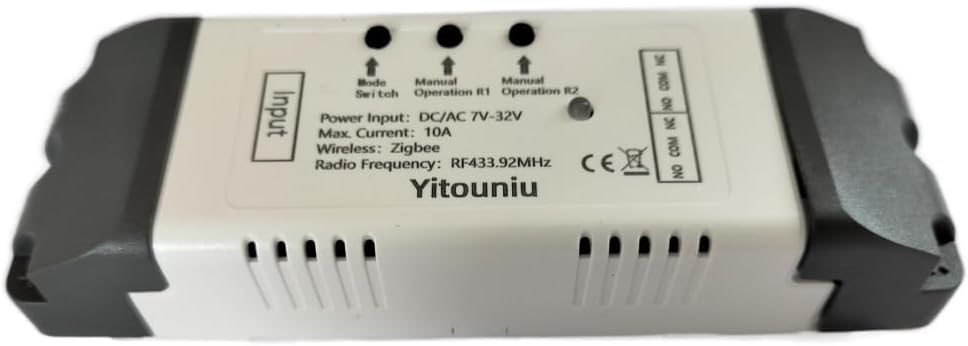
This image displays the Yitouniu Zigbee 2-Channel Smart Relay Switch Module. It shows the input terminals for power, the mode switch button, manual operation buttons for relays R1 and R2, and the output terminals (NO, COM, NC) for connecting appliances. The device is housed in a white casing with ventilation slots.

Гэта выява дае падрабязную інфармацыю view of the module's internal circuit board with key components labeled. It highlights the 'Model switch button', 'Manual switch' buttons, 'Network indicator' (red light), 'RF Pairing indicator' (blue light), and the 'Relay' components. Input terminals for DC 7-32V and USB 5V are shown, along with output terminals (NC, COM, NO) for connecting external devices.
Варыянты харчавання
The module can be powered via two methods:
- DC/AC 7-32V: Connect your power source to the 'Input DC/AC 7-32V' terminals.
- USB 5 В: Connect a 5V USB power adapter to the micro USB port.
Wiring Diagrams for Operating Modes
The module supports three operating modes: Inching (Momentary), Self-Lock, and Interlock. The wiring for connected appliances will vary based on the chosen mode and application.

This image illustrates typical wiring configurations. The top diagram shows an Рэжым блакіроўкі connection for a motor, where the module controls the motor's direction (e.g., upload/download). The middle diagram shows a Three-Wire Motor Connection in Interlock Mode, detailing how to connect a 220V motor for directional control. The bottom diagram demonstrates an Appliance Connection in Self-lock Mode for AC 220V lights, where each relay acts as an independent on/off switch.
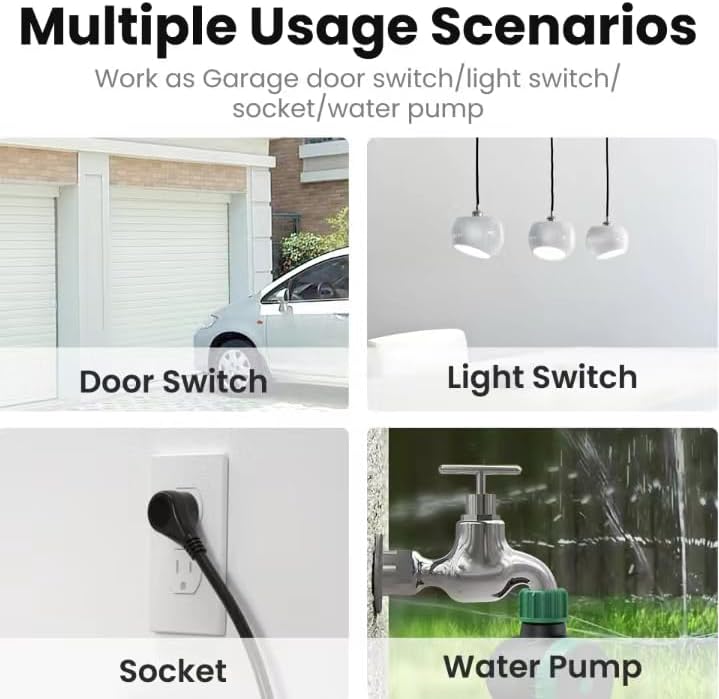
This diagram specifically shows a Self-locking mode wiring example for a single light bulb. The input power is DC 7-32V, and the light bulb is connected to the relay's output terminals, allowing it to be toggled on or off independently.
Pairing with Zigbee Gateway
This module requires a Zigbee gateway (hub) for smart control. Ensure your Zigbee gateway is set up and ready for device pairing.

This image emphasizes that a Tuya Zigbee Hub is required to connect and manage multiple Zigbee smart devices, including this relay module, within your smart home ecosystem.
- Спампаваць прыкладанне: Install the Tuya Smart or Smart Life app on your smartphone.
- Connect to Hub: Ensure your Zigbee gateway is connected to your home network.
- Увайдзіце ў рэжым спалучэння: Power on the Yitouniu module. Press and hold the 'Mode Switch' button for approximately 5 seconds until the network indicator light blinks, indicating it's in pairing mode.
- Дадаць прыладу ў праграму: Open the Tuya Smart or Smart Life app, navigate to your Zigbee gateway, and select 'Add Sub Device' or 'Пошук devices'. The app should detect the module.
- Пацвердзіць спалучэнне: Follow the on-screen prompts to complete the pairing process. Once successfully paired, the network indicator light will stop blinking.

This visual guide outlines the quick setup process: 1. Download the Alexa/SmartThings app. 2. Connect to your Alexa/SmartThings hub. 3. The Yitouniu 2CH Smart Switch module. 4. Add devices within the app.
Рэжымы працы
The Yitouniu Smart Relay Switch Module offers three distinct operating modes:
- Self-Lock Mode: In this mode, each relay acts as a standard on/off switch. A single command (or button press) toggles the relay's state (ON to OFF, or OFF to ON). This is ideal for controlling lights or other appliances that require a persistent state.
- Inching (Momentary) Mode: When activated, the relay turns ON for a preset duration (e.g., 1 to 3600 seconds) and then automatically turns OFF. This mode is commonly used for applications like garage door openers, where a brief pulse is needed to trigger an action.
- Interlock Mode: This mode ensures that only one relay can be ON at any given time. If one relay is activated, any other active relay will automatically turn OFF. This is useful for controlling devices with mutually exclusive states, such as motor direction (forward/reverse) or fan speed selection.
You can switch between these modes using the 'Mode Switch' button on the device or through the connected smart home app, depending on the specific gateway and app features.
Функцыі разумнага кіравання
Галасавое кіраванне
The module is compatible with Amazon Alexa and Google Assistant, allowing for hands-free voice control of connected appliances. Once integrated with your Zigbee gateway and linked to your voice assistant, you can use commands like:
- "Alexa, turn on the garage light."
- «Гэй, Google, выключы вентылятар».
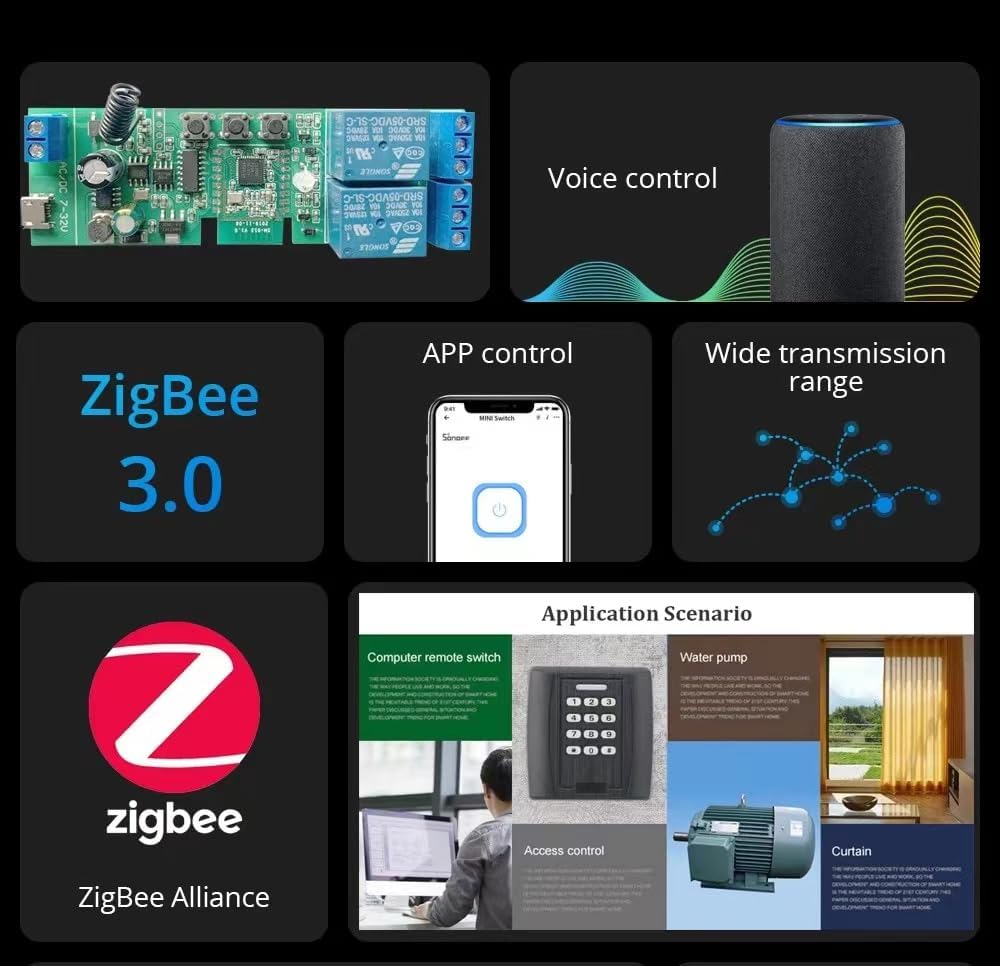
This image highlights key features including Zigbee 3.0 compatibility, voice control integration with smart speakers, app control via a smartphone, and the wide transmission range offered by Zigbee networks.
Кантроль і планаванне праграм
Manage your connected appliances remotely using the Tuya Smart or Smart Life app. Features include:
- Пульт дыстанцыйнага ўключэння/выключэння: Control devices from anywhere.
- Адсочванне стану: View the real-time status of your devices in the app.
- Таймеры: Set countdown, scheduled, or cycle timers for automated operation.
- Разумныя сцэны: Create custom automation rules based on conditions like departure/home mode, temperature, humidity, or other Zigbee product interactions.
ВЧ кантроль
The module includes a built-in 433MHz RF receiver, allowing it to be controlled by compatible 433MHz learning code remote controls (not included).
Тэхнічнае абслугоўванне
The Yitouniu Smart Relay Switch Module is designed for low maintenance. To ensure optimal performance and longevity:
- Трымайце прыладу ў чысціні і ад пылу.
- Avoid exposing it to direct sunlight or high humidity.
- Перыядычна правярайце злучэнні правадоў, каб пераканацца ў іх надзейнасці.
- Ensure your Zigbee gateway firmware and smartphone app are updated to the latest versions for best compatibility and features.
Ліквідацыю непаладак
- Прылада не спалучаецца:
- Ensure the Zigbee gateway is powered on and within range.
- Confirm the module is in pairing mode (blinking network indicator).
- Check if your router's MAC filtering is disabled.
- Verify you are using a 2.4GHz WiFi network for the gateway.
- No response from voice control:
- Ensure the module is successfully paired with your Zigbee gateway and linked to Alexa/Google Home.
- Праверце падключэнне да Інтэрнэту.
- Verify the device name in the Alexa/Google Home app matches your voice command.
- Прылада не ўключаецца/выключаецца:
- Check all wiring connections for security and correctness according to the chosen operating mode.
- Verify the power supply to the module and the connected appliance.
- Ensure the module is receiving commands from the app or voice assistant.
Падтрымка

This image provides information on how to contact customer support. For assistance, please visit your 'Orders' page, locate your Yitouniu order, and click the 'Contact Seller' button. This method ensures quick access to your order details for efficient problem resolution.
няма адпаведных дакументаў