
Strong SW8000M
Кіраўніцтва карыстальніка для 8-партовага гігабітнага настольнага камутатара STRONG SW8000M
Model: SW8000M
1. Уводзіны
This manual provides instructions for the installation, operation, and maintenance of your STRONG SW8000M 8-Port Gigabit Desktop Switch. This device is designed to expand your network connectivity with high-speed Gigabit Ethernet ports, suitable for home and office environments.
2. Асаблівасці прадукту
- Gigabit Speed: Provides 10/100/1000 Mbps for fast network connections.
- 8-Port Connectivity: Expands network with 8 Gigabit Ethernet ports.
- Plug and Play: No software or configuration required for basic operation.
- Robust Metal Design: Durable metal housing for longevity.
- Гнуткі мантаж: Supports desktop placement or wall mounting.
- Fanless Operation: Ensures quiet performance, ideal for noise-sensitive areas.
- Optimized Data Traffic: Supports QoS, IGMP, and VLAN functions.
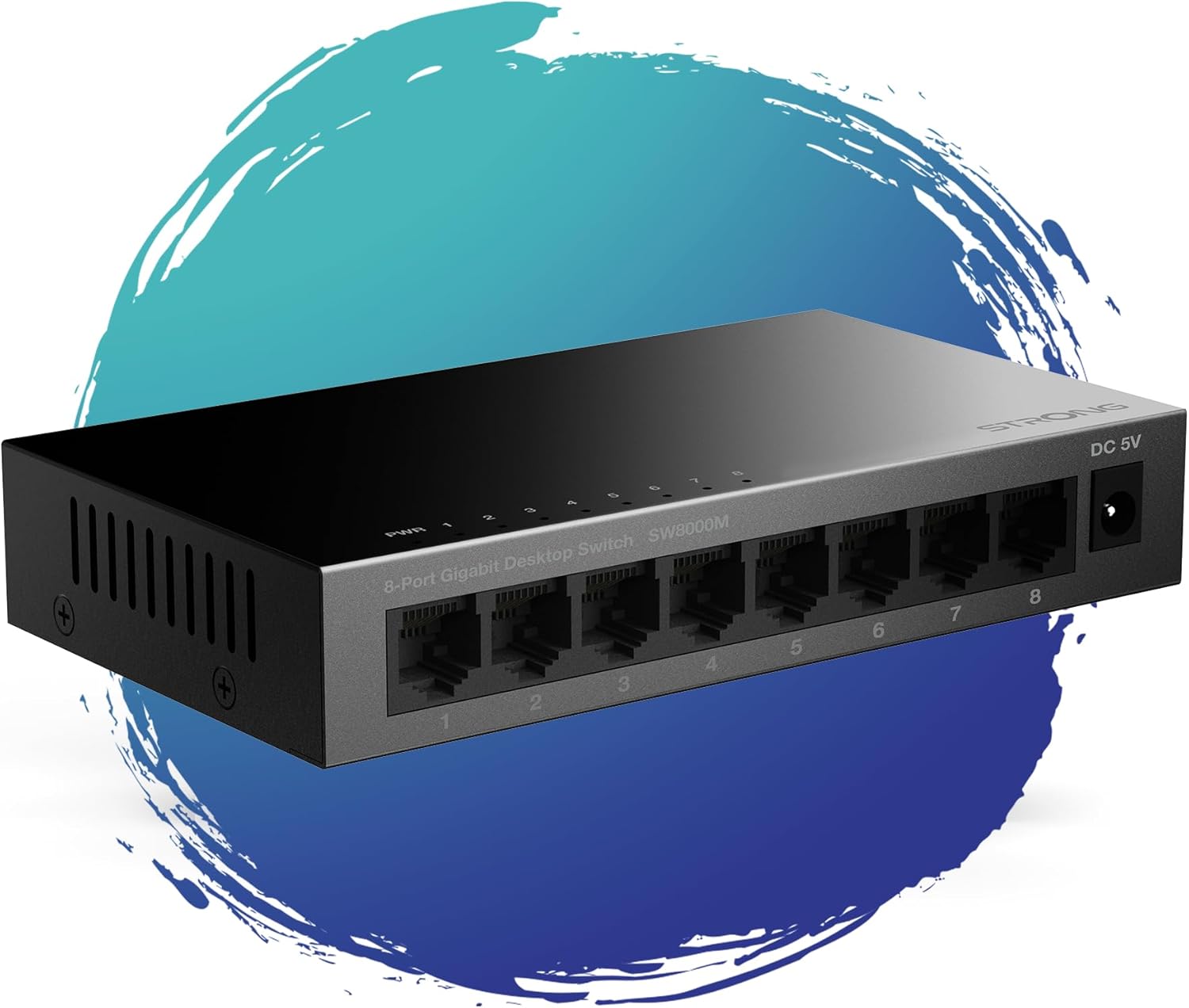
Малюнак 1: Спераду view of the STRONG SW8000M 8-Port Gigabit Desktop Switch, highlighting its compact design and 8 RJ45 ports.
3. Змесціва ўпакоўкі
Праверце наяўнасць усіх прадметаў у камплекце:
- STRONG SW8000M 8-Port Gigabit Desktop Switch
- Power Adapter (Mains plug)
- Інструкцыі па ўстаноўцы (гэтае кіраўніцтва)
- Гарантыйны талон
4. Настройка і ўстаноўка
4.1 Фізічнае размяшчэнне
The SW8000M switch can be placed on a desktop or mounted on a wall. Ensure the location is well-ventilated and away from direct heat sources or moisture.
- Размяшчэнне на працоўным стале: Пастаўце выключальнік на роўную ўстойлівую паверхню.
- Насценны мантаж: Use the provided mounting options (if applicable) to secure the switch to a wall.

Figure 2: Illustrates the switch's advanced features like QoS, traffic optimization, and IEEE 802.3x flow control.
4.2 Падключэнне камутатара
- Connect the power adapter to the DC 5V port on the switch and then plug it into a power outlet. The Power LED (PWR) on the switch will illuminate.
- Connect your network devices (e.g., computers, printers, network-attached storage, routers) to any of the 8 Gigabit RJ45 ports using standard Ethernet cables.
- The corresponding LED indicator for each connected port will light up, indicating an active connection. A blinking LED indicates data activity.

Малюнак 3: Задняя частка view of the switch, detailing the 8 Gigabit RJ45 ports and the DC 5V power input.
5. Кіраванне перамыкачом
The STRONG SW8000M is a plug-and-play device. Once connected, it automatically detects the speed and duplex mode of connected devices, providing optimal performance without manual configuration.
- Святлодыёдныя індыкатары: Each port has an LED indicator. A solid light indicates a link, and a blinking light indicates data transmission. The PWR LED indicates the device is powered on.
- Data Flow: The switch intelligently manages data traffic to ensure smooth and efficient communication between all connected devices.
6. Тэхнічнае абслугоўванне
- Уборка: Для чысткі вонкавага боку перамыкача выкарыстоўвайце мяккую сухую тканіну. Не выкарыстоўвайце вадкія або аэразольныя ачышчальнікі.
- Вентыляцыя: Ensure that the ventilation openings on the sides of the switch are not blocked to prevent overheating.
- Безвентылятарны дызайн: The fanless design reduces dust accumulation and eliminates operational noise, requiring minimal internal maintenance.
7. Выпраўленне непаладак
- Няма харчавання: Ensure the power adapter is securely connected to the switch and a working power outlet. Check if the PWR LED is illuminated.
- Няма індыкатара сувязі: Verify that the Ethernet cables are properly connected to both the switch and the network device. Try a different port or cable. Ensure the connected device is powered on.
- Павольнае падключэнне: Ensure all connected devices and cables support Gigabit Ethernet for optimal speed. Check for excessive network traffic or faulty cables.
- Перарывістае злучэнне: Check cable connections. Ensure the switch is placed in a stable environment, free from strong electromagnetic interference.
8. Тэхнічныя характарыстыкі
| Асаблівасць | Апісанне |
|---|---|
| мадэль | SW8000M |
| Колькасць партоў | 8 гігабітны Ethernet RJ45 |
| Хуткасць перадачы даных | 10/100/1000 Мбіт/с |
| Тып інтэрфейсу | RJ45 |
| Увод магутнасці | 5 вольт, 1 Amp |
| Матэрыял корпуса | Метал |
| Памеры прадукту (Д х Ш х У) | 3.07" x 0.98" x 5.43" |
| Вага прадмета | 240 грам (8.5 унцый) |
| Працоўная тэмпература | Да 50 градусаў Цэльсія |
| Уключаныя кампаненты | Switch, Power Adapter, Manual, Warranty Card |
9. Гарантыя і падтрымка
The STRONG SW8000M switch comes with a manufacturer's warranty. Please refer to the included Warranty Card for specific terms and conditions. For technical support or further assistance, please visit the official Strong webсайт або звярніцеся ў службу падтрымкі кліентаў.
Тэрмін наяўнасці запасных частак у ЕС: 2 гады