
1. паview
The Geevon 14-inch Retro Wall Clock is designed to provide accurate timekeeping along with environmental monitoring. It features a silent, non-ticking quartz movement, an integrated hygrometer to measure humidity, and a thermometer to display temperature. The clock's large, easy-to-read numbers and durable construction make it suitable for various indoor settings.

2. Асаблівасці прадукту
2.1 Silent & Non-Ticking Movement
This wall clock incorporates a high-quality quartz movement mechanism that ensures precise timekeeping without the distracting ticking sound. The smooth-sweeping second hand contributes to a quiet environment, ideal for bedrooms, offices, or any space where silence is preferred.

2.2 Integrated Hygrometer and Thermometer
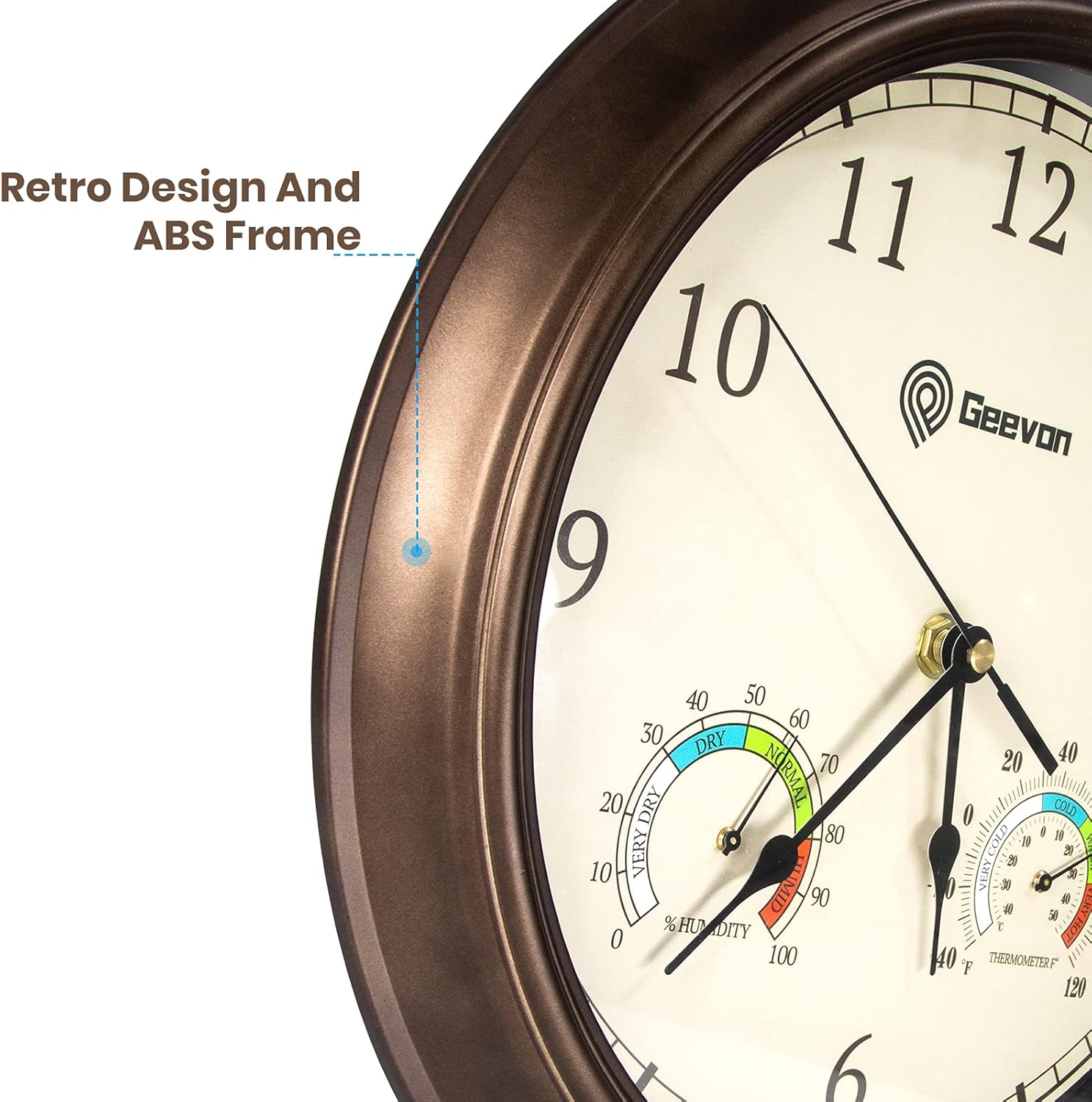
The clock features built-in hygrometer and thermometer functions, allowing you to monitor indoor temperature and humidity levels accurately. Two colorful indicator plates provide a quick visual reference for comfort levels: 'VERY DRY/DRY/NORMAL/HUMID' for humidity and 'VERY COLD/COLD/WARM/VERY HOT' for temperature.

2.3 Durable Design & Clear Display
Constructed with a retro-designed ABS frame and a premium quality glass lens, the clock is both aesthetically pleasing and functional. The glass lens is anti-fog and dustproof, ensuring a crystal-clear view of the large numbers from a distance and simplifying cleaning.

3. Усталёўка і налада
3.1 Устаноўка батарэі
- Знайдзіце батарэйны адсек на задняй частцы гадзінніка.
- Insert one (1) AA battery (not included), ensuring the (+) and (-) terminals are properly aligned.
- Зачыніце крышку батарэйнага адсека.

3.2 Настройка часу
- Пасля ўстаноўкі батарэйкі знайдзіце ручку ўстаноўкі часу на задняй панэлі гадзінніка.
- Rotate the knob to set the clock hands to the correct time.
3.3 Устаноўка гадзінніка
- Choose a suitable indoor location for your clock.
- Use the included hook for easy installation. Securely attach the hook to the wall.
- Hang the clock onto the installed hook using the back slot design.

4. Інструкцыя па эксплуатацыі
4.1 Вызначэнне часу
The clock features large, clear numbers and distinct hour, minute, and second hands for easy readability from a distance.
4.2 Reading Humidity and Temperature
The two smaller dials on the clock face indicate humidity (left) and temperature (right). The colored segments on each dial represent different comfort zones:
- Вільготнасць: Very Dry, Dry, Normal, Humid
- тэмпература: Very Cold, Cold, Warm, Very Hot
Allow some time for the sensors to stabilize after initial setup or significant environmental changes to ensure accurate readings.
5. Тэхнічнае абслугоўванне
5.1 Ачыстка
To clean the clock, gently wipe the glass lens and frame with a soft, dry cloth. Avoid using abrasive cleaners or solvents, as these may damage the finish or the glass.
5.2 Замена батарэі
When the clock stops or timekeeping becomes inaccurate, it is time to replace the battery. Use one (1) AA carbon or alkaline battery. Avoid heavy-duty or rechargeable batteries, as they may affect the clock movement's lifespan and accuracy.
6. Выпраўленне непаладак
| выпуск | Магчымая прычына | Рашэнне |
|---|---|---|
| Clock stops running or is inaccurate. | Low or dead battery; incorrect battery type. | Replace with a fresh AA carbon or alkaline battery. Ensure correct polarity. |
| Humidity or temperature readings seem incorrect. | Sensors not stabilized; extreme environmental conditions. | Allow the clock to sit in its intended location for at least 30 minutes for sensors to adjust. Ensure it is not placed near direct heat sources, vents, or in direct sunlight. |
| Clock makes a ticking sound. | Не ўжываецца. | This clock features a silent, non-ticking movement. If a ticking sound is heard, please contact customer support. |
7. Тэхнічныя характарыстыкі
| Асаблівасць | Дэталь |
|---|---|
| Марка | Джівон |
| Нумар мадэлі | EWT8296E |
| Памер | 14 цалі (дыяметр) |
| Тып дысплея | Аналаг |
| Тып руху | Quartz (Silent, Non-Ticking) |
| Крыніца харчавання | 1 батарэі АА (не ўключаны) |
| Асаблівасці | Hygrometer, Thermometer, Comfort Indicator |
| Матэрыял | Acrylonitrile Butadiene Styrene (ABS) Frame, Glass Lens |
| Выкарыстанне ў памяшканні/на вуліцы | У памяшканні |
| Вага прадмета | 1.4 фунта |
8. Гарантыя і падтрымка
8.1 Return and Refund Policy
This product is eligible for a 30-day return and refund policy. Please refer to your purchase platform for specific details and procedures.
8.2 Падтрымка кліентаў
Geevon is committed to providing lifetime consulting services for its products. If you encounter any issues or have questions regarding your Geevon wall clock, please contact our customer support team directly for a satisfactory solution.