
1. Уводзіны і большview
Thank you for choosing the Acoyer Roku TV Remote and Remote Cover set. This product provides reliable replacement remote controls for your compatible Roku TV, along with durable silicone protective covers. The covers are designed to enhance visibility, provide protection against drops, and prevent loss, ensuring a more convenient and worry-free viewвопыту.

Image: The Acoyer Roku TV Remote and Remote Cover set, featuring two black remote controls and two brightly colored silicone protective covers (green and blue).
2. Змесціва ўпакоўкі
Your Acoyer Roku TV Remote and Remote Cover package includes the following items:
- 2 x Acoyer Roku TV Remote Controls
- 2 x Acoyer Remote Control Sleeves (Green and Blue)
3. Сумяшчальнасць
The Acoyer Remote Control is designed for broad compatibility with Roku Series TVs. Please review the compatibility information below:
3.1 сумяшчальныя прылады
This remote control is compatible with the following Roku TV brands and models:
- Roku TV
- Тэлевізар Hisense Roku
- Onn Roku TV
- Sharp Roku TV
- Element Roku TV
- Тэлевізар Westinghouse Roku
- Тэлевізар Philips Roku
- Знакі адрознення Roku TV
- Тэлевізар JVC Roku
- RCA Roku TV
- Hitachi Roku TV
- Sanyo Roku TVs
3.2 Non-Applicable Devices
The Acoyer Remote is НЕ compatible with the following Roku devices:
- Roku Stick
- Roku Streaming Stick
- Roku Box 1/2/3/4 (HD/LT/XS/XD)
- Roku Ultra
- Roku Express
- Прэм'ера Roku
- Roku Player

Image: Visual guide illustrating the types of Roku remotes that are compatible (standard TV remotes) and incompatible (remotes with headphone jacks or for streaming sticks/boxes).
4. Настройка
The Acoyer Roku TV Remote is designed for easy setup. No complex programming or settings are required for most compatible Roku TVs.
4.1 Initial Setup (Pairing)
- Устаўце батарэі: Open the battery compartment on the back of the remote. Insert two AAA batteries (not included), ensuring correct polarity (+/-).
- Аўтаматычнае спалучэнне: For most compatible Roku TVs, the remote should automatically pair with your TV once batteries are inserted and the TV is on.
- Manual Pairing (If Needed): If the remote does not respond, ensure your Roku TV is powered on. Press and hold the pairing button located inside the battery compartment (or on the back of some Roku TVs) for 5 seconds. A pairing message should appear on your TV screen. Follow any on-screen prompts.
- Праверка функцыянальнасці: Once paired, test all buttons to ensure full functionality.
5. Інструкцыя па эксплуатацыі
The Acoyer Roku TV Remote provides intuitive control over your Roku TV. The included remote covers offer additional features for convenience and protection.
5.1 Функцыі дыстанцыйнага кіравання
The remote features standard Roku TV controls, including:
- Кнопка харчавання: Уключае або выключае тэлевізар.
- Directional Pad (D-Pad) with OK Button: Навігацыя па меню і выбар опцый.
- Кнопка "Назад": Вяртае да папярэдняга экрана.
- Кнопка дадому: Вяртаецца на галоўны экран Roku.
- Павялічыць/паменшыць гучнасць: Рэгулюе гучнасць тэлевізара.
- Кнопка адключэння: Уключае або выключае гук тэлевізара.
- Імгненны паўтор: Перамотвае на некалькі секунд назад падчас прайгравання відэа.
- Rewind/Fast Forward/Play/Pause: Кіруе прайграваннем мультымедыя.
- Кнопкі прамога доступу: Dedicated buttons for popular streaming services like Netflix, Hulu, YouTube, and Disney+ for quick access.
5.2 Remote Control Cover Features
The silicone remote covers are designed with several user-friendly features:
- Палепшаная бачнасць: The bright green and blue colors make your remote easier to spot, reducing the chance of it getting lost between cushions or in dark rooms.
- Glow-in-the-Dark Functionality: The green and blue covers glow in the dark after being exposed to light. For optimal glow, place the cover under strong light for a period.
- Поўная абарона: The durable silicone material provides protection against drops, impacts, and daily wear and tear.
- Дакладныя выразы: Customized openings ensure all buttons and functions, including infrared signals, are fully accessible and usable without obstruction.
- Дызайн супраць слізгацення: The textured surface of the cover provides a better grip, preventing accidental slips.
- Шнурок у камплекце: Each cover features a lanyard for added security, allowing you to attach it to a convenient location or wear it around your wrist to prevent loss.

Image: The green remote cover absorbing light, demonstrating the glow-in-the-dark feature.
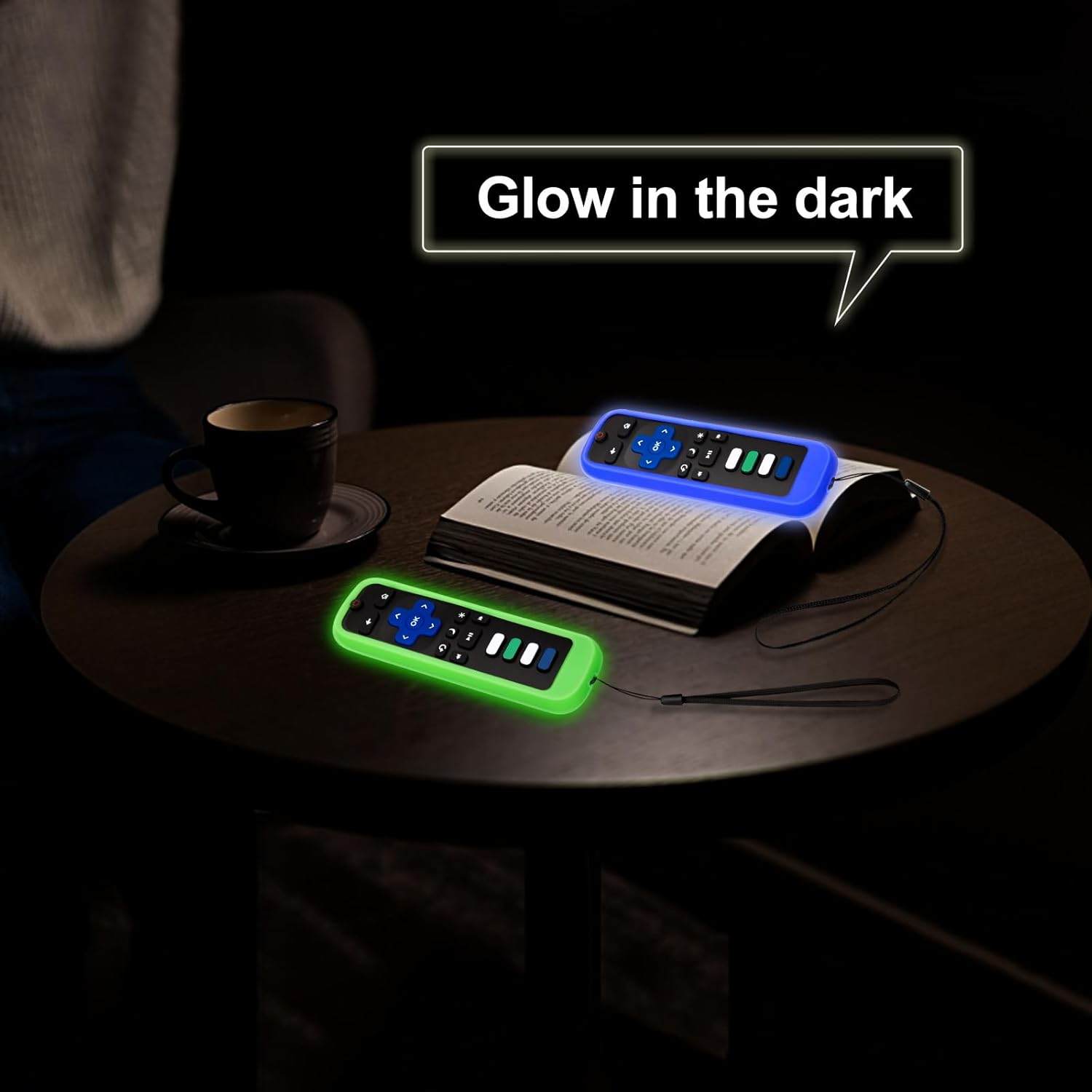
Image: Both the green and blue remote covers glowing in a dark environment, making them easy to locate.

Выява: Падрабязная view of the remote cover's design, showcasing the lanyard, precise cutouts for buttons, anti-slip texture, and signal window.
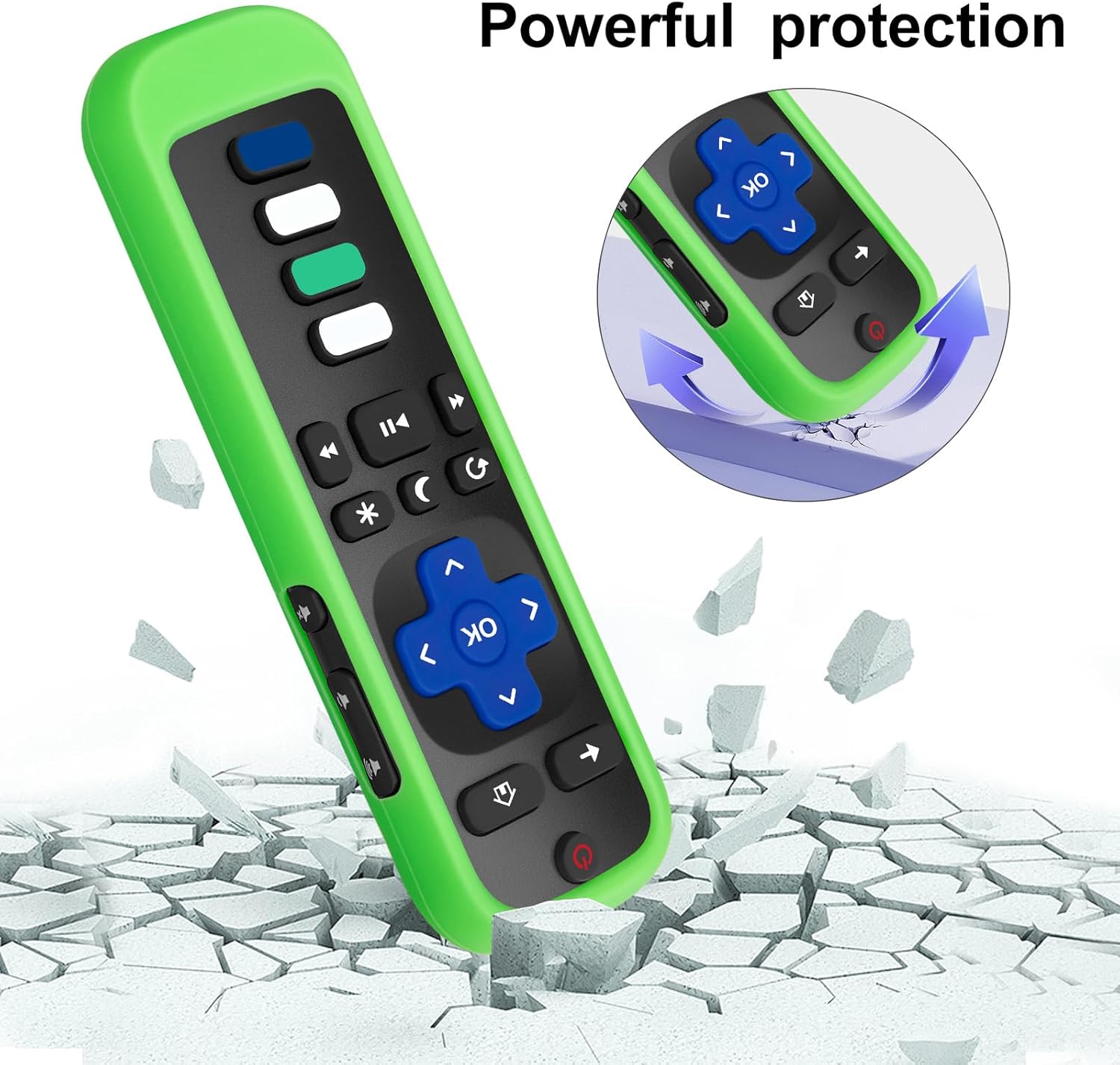
Image: Illustration of the remote cover's protective capabilities, showing a remote on a cracked surface with an arrow indicating impact absorption.
6. Тэхнічнае абслугоўванне
Proper care and maintenance will extend the life of your Acoyer Roku TV Remote and its protective cover.
- Cleaning the Remote: Use a soft, dry cloth to wipe down the remote control. For stubborn dirt, slightly dampПрацярыце тканіну вадой або мяккім неабразіўным ачышчальнікам. Пазбягайце празмернай вільготнасці.
- Ачыстка вечка: The silicone cover can be removed and washed with mild soap and water. Ensure it is completely dry before placing the remote back inside.
- Замена батарэі: Replace batteries when the remote's performance degrades. Always use new, high-quality AAA batteries and dispose of old batteries responsibly.
- захоўванне: Захоўвайце пульт у прахалодным, сухім месцы, удалечыні ад прамых сонечных прамянёў і экстрэмальных тэмператур.
7. Выпраўленне непаладак
If you encounter issues with your Acoyer Roku TV Remote, try the following troubleshooting steps:
| праблема | Рашэнне |
|---|---|
| Пульт не адказвае. |
|
| Glow-in-the-dark feature is weak or not working. |
|
| Buttons feel stiff or unresponsive with the cover on. |
|
8. Тэхнічныя характарыстыкі
| Асаблівасць | Дэталь |
|---|---|
| Марка | Acoyer |
| мадэль | Roku TV Remote (Replacement) |
| Тып кантролера | Кіраванне кнопкамі |
| Асаблівасць | Эрганамічны дызайн для зручнага захопу |
| Remote Cover Material | Сілікон |
| Remote Cover Colors | Black, Green, Blue (covers) |
| Сумяшчальныя прылады | Roku Series TVs (TCL, Hisense, Onn, Sharp, Element, Westinghouse, Philips, Insignia, JVC, RCA, Hitachi, Sanyo) |
9. Гарантыя і падтрымка
Acoyer is committed to providing high-quality products and excellent customer service.
9.1 Return and Refund Service
Acoyer Products come with an unlimited return and refund service for 60 days from the date of purchase.
9.2 Падтрымка кліентаў
If you have any questions, concerns, or require assistance regarding your order or product, please do not hesitate to reach out to Acoyer customer support. You can typically find contact information on the product packaging or through the retailer's webсайт, дзе вы зрабілі пакупку.