
1. Уводзіны
This manual provides essential information for the safe and effective use of your Soocas X3U-NEW Pink Electric Toothbrush. Please read it thoroughly before first use and retain it for future reference.

Image: The Soocas X3U-NEW Pink Electric Toothbrush, including the handle, three different brush heads, a facial brush, and a travel case.
2. Інфармацыя па бяспецы
- Do not charge the device in a wet environment to prevent electrical hazards.
- Do not use this product while it is charging.
- Захоўваць у месцах, недаступных дзецям да 6 гадоў.
- Consult a dentist before use if you have severe gum disease or oral surgery.
- The product contains ABS and METAL components.
3. Змесціва ўпакоўкі
Праверце, ці ёсць усе прадметы ў вашай упакоўцы:
- Soocas X3U-NEW Pink Electric Toothbrush Handle
- 3 x Toothbrush Heads (Clean, Sensitive, Polish)
- 1 х насадка для шчоткі для асобы
- 1 х дарожны футляр
- 1 х кабель для зарадкі USB-C
- Кіраўніцтва карыстальніка (гэты дакумент)

Image: Various brush heads included with the toothbrush, designed for different cleaning needs.

Image: An illustration showing the four different brush types: whitening, facial cleansing, sensitive, and standard cleaning.

Image: The electric toothbrush and its heads neatly stored within the included travel case.
4. Настройка
- Зарадзіць прыладу: Before first use, fully charge the toothbrush. Connect the USB-C charging cable to the port at the bottom of the handle and plug it into a compatible USB power source (e.g., power bank, laptop, adapter, car charger). A full charge takes approximately 4 hours.
- Прымацаваць галоўку шчоткі: Align the desired brush head with the metal shaft on the toothbrush handle and push it down firmly until it clicks into place.

Image: The Soocas electric toothbrush connected to a USB-C charging cable, illustrating the charging process.

Выява: Падрабязны view of the USB-C charging port located at the base of the toothbrush handle, showing compatibility with various power sources.
5. Інструкцыя па эксплуатацыі
5.1 Уключэнне/выключэнне харчавання і выбар рэжыму
- Press the power button once to turn on the toothbrush. It will start in the last used mode due to the Smart Memory Chip Technology.
- Press the power button repeatedly within 5 seconds to cycle through the available modes: Cleaning, Sensitive, Gentle, Whitening.
- To turn off the toothbrush, press and hold the power button for 2 seconds, or press the power button once if it has been operating in the same mode for more than 5 seconds.

Image: A close-up of the toothbrush handle, highlighting the power button and the four distinct cleaning modes: Cleaning, Sensitive, Gentle, and Whitening.

Image: An internal diagram of the toothbrush highlighting the Smart Memory Chip Technology, which remembers the last used brushing mode.
5.2 Brushing Technique and Smart Timer
- Нанесці невялікую колькасць зубной пасты на галоўку шчоткі.
- Прыкладзеце галоўку шчоткі да зубоў пад невялікім вуглом да лініі дзёсен.
- Move the brush slowly across your teeth, allowing the sonic vibrations to clean each tooth surface. Do not scrub vigorously.
- Зубная шчотка мае 2-minute Smart Timer, which is the dentist-recommended brushing time.
- A 30-second Reminder will briefly pause the vibrations every 30 seconds, signaling you to move to a different quadrant of your mouth.

Image: A user demonstrating proper brushing technique with the Soocas electric toothbrush, highlighting the integrated 2-minute smart timer and 30-second quadrant reminder.
5.3 Using the Facial Brush
- Attach the facial brush head to the toothbrush handle.
- Wet your face and apply your preferred facial cleanser to the brush head or directly to your skin.
- Gently move the facial brush in circular motions across your face. The high-density bristles provide deep cleaning, while the patterned silicone massages and soothes the skin.
- Rinse your face and the facial brush thoroughly after use.

Image: A woman using the facial cleansing brush attachment, demonstrating its application for deep cleaning and skin massage.
5.4 Product Video Guide
Video: An official product video from the seller demonstrating the features and operation of the Soocas X3U-NEW Pink Electric Toothbrush.
6. Зарадка
- The Soocas X3U-NEW Pink Electric Toothbrush features a long-lasting battery. A 4-hour charge provides approximately 30 days of use (based on 2 minutes of brushing, twice daily).
- To charge, locate the USB-C port at the bottom of the handle.
- Connect the provided USB-C cable to the toothbrush and a suitable USB power source.
- Індыкатар батарэі будзе паказваць стан зарадкі.
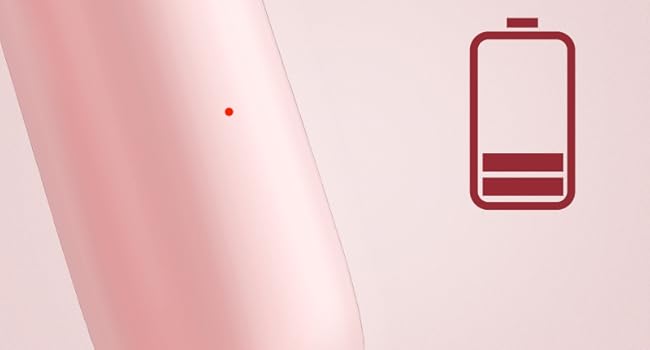
Image: An illustration of the battery indicator on the toothbrush handle, showing the current charge level.
7. Тэхнічнае абслугоўванне і догляд
7.1 Чыстка зубной шчоткі
- Пасля кожнага выкарыстання старанна прамыйце галоўку шчоткі пад праточнай вадой, не здымаючы зубную шчотку, каб выдаліць рэшткі зубной пасты і смецце.
- Turn off the toothbrush and remove the brush head. Rinse the brush head and the metal shaft of the handle separately.
- Працярыце ручку аб'явайamp cloth. Do not immerse the entire handle in water for extended periods, although it is IPX7 waterproof.
- Пераканайцеся, што вечка порта зарадкі шчыльна зачынена, калі прылада не зараджаецца, каб забяспечыць воданепранікальнасць.

Image: The Soocas electric toothbrush partially submerged in water, demonstrating its IPX7 waterproof capability for easy cleaning.
7.2 Замена шчотак
- Dentists recommend replacing toothbrush heads every 3 months, or sooner if the bristles appear frayed or worn.
- Каб зняць галоўку шчоткі, пацягніце яе прама з ручкі.
- To attach a new brush head, align it with the metal shaft and push down firmly until it clicks.
- The brush heads feature DuPont Soft Bristles with 100% rounded ends and non-metal bristles for effective yet gentle cleaning.

Image: A diagram detailing the DuPont Soft Bristles technology, highlighting features like increased bristle count, 100% rounded ends, and non-metal construction for gentle and effective cleaning.
8. Выпраўленне непаладак
| праблема | Магчымая прычына | Рашэнне |
|---|---|---|
| Зубная шчотка не ўключаецца. | Акумулятар разраджаны. | Зараджайце зубную шчотку не менш за 4 гадзіны. |
| Weak vibration or reduced performance. | Low battery or worn brush head. | Recharge the toothbrush. Replace the brush head if it is old or frayed. |
| Зубная шчотка не зараджаецца. | Charging cable or adapter issue; charging port not clean. | Ensure the USB-C cable is properly connected and the power source is functional. Clean the charging port if necessary. |
| Незвычайны шум падчас працы. | Галоўка шчоткі няправільна прымацаваная. | Remove and re-attach the brush head, ensuring it clicks into place. |
9. Тэхнічныя характарыстыкі
- мадэль: X3U-NEW Pink
- Крыніца харчавання: Праводная электрычнасць, харчаванне ад батарэі
- акумулятар: Патрабуецца 1 літый-іённы акумулятар (у камплекце)
- Час зарадкі: Прыкладна 4 гадзіны
- Тэрмін службы батарэі: Up to 30 days (based on 2 minutes, twice daily)
- Рэжымы чысткі: 4 (Cleaning, Sensitive, Gentle, Whitening)
- Вібрацыі: 30,600 вібрацый у хвіліну
- Асаблівасці: 3 Toothbrush Heads + 1 Facial Brush, Brushing Timer, Gum Care, Smart Memory Chip, Low Noise (<65dB)
- Рэйтынг воданепранікальнасці: IPX7
- Bristle Type: DuPont Soft Bristles, 100% Rounded Ends, Non-metal
- Памеры прадукту: 3.8 х 9.84 х 2.8 цалі
- Вага прадмета: 1.09 фунта
- матэрыялы: АБС, метал
- Узроставы дыяпазон: Adult and Kids over 6 years old

Image: A visual representation indicating the low noise level of the toothbrush, operating at less than 65 decibels.
10. Гарантыя і падтрымка
Soocas is committed to providing quality products and customer satisfaction. Your Soocas X3U-NEW Pink Electric Toothbrush comes with the following:
- 2-гадовая гарантыя: Enjoy peace of mind with a 2-year warranty covering manufacturing defects.
- Бясплатная замена: Defective products are eligible for free replacement.
For any inquiries, support, or warranty claims, please contact our dedicated support team:
электронная пошта: support@soocas.com

Image: Information on how to contact Soocas customer support via email for assistance.