
Уводзіны
This manual provides detailed instructions for the safe and efficient operation of your YABER E1 Mini Projector. Please read this manual thoroughly before using the product and retain it for future reference.
Важная інфармацыя па бяспецы
- Не глядзіце непасрэдна ў аб'ектыў праектара, калі ён уключаны.amp уключаны.
- Забяспечце належную вентыляцыю вакол праектара, каб прадухіліць перагрэў.
- Выкарыстоўвайце толькі адаптар сілкавання, які пастаўляецца з праектарам.
- Трымайце праектар далей ад вады або іншых вадкасцей.
- Пазбягайце размяшчэння праектара на няўстойлівых паверхнях.
- Do not attempt to disassemble or repair the projector yourself. Contact customer support for assistance.
Што ў скрынцы
Пасля распакавання пераканайцеся, што ўсе наступныя прадметы ў камплекце:
- 1 E1 Projector
- Пульт дыстанцыйнага кіравання
- Шнур харчавання
- Кабель HDMI
- Набор для ачысткі
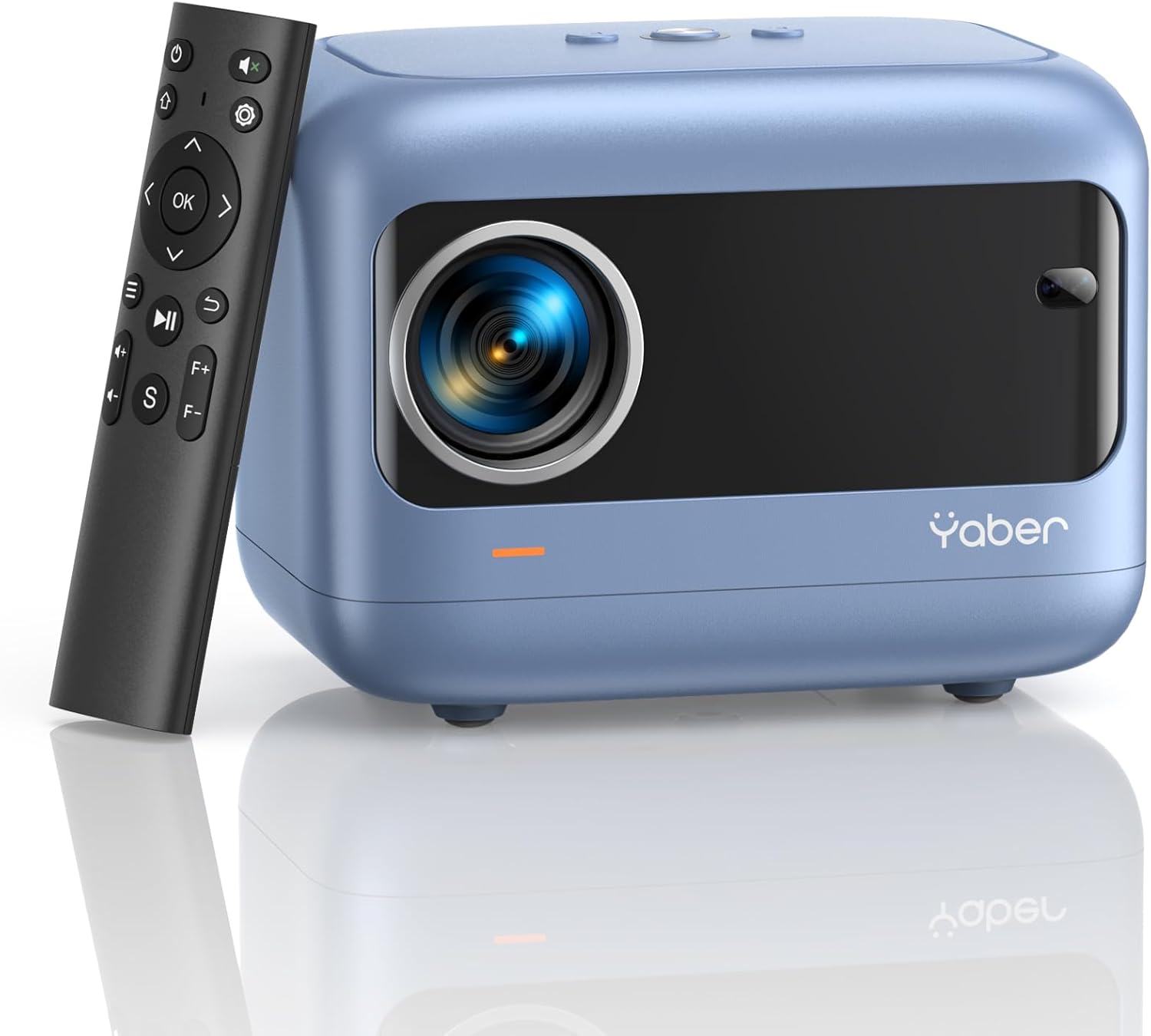
Image: YABER E1 Mini Projector with its remote control.
Кіраўніцтва па ўстаноўцы
1. Фізічнае размяшчэнне
Place the projector on a stable, flat surface. Ensure there is adequate space around the projector for ventilation. The optimal projection distance ranges from 2.6 feet to 16.4 feet, allowing for a screen size of 50 to 200 inches.
2. Падключэнне сілкавання
Connect the provided power cord to the projector's power input and then to a power outlet.
3. Initial Adjustments: Electric Focus and Keystone Correction
The YABER E1 features advanced electric focus and keystone correction for optimal image clarity and shape. Use the remote control or the buttons on the projector panel to adjust these settings.
- Электрычны фокус: Automatically adjusts the lens position for precise focus.
- Карэкцыя трапецеідальных скажэнняў: Corrects image distortion (up to ±40° vertical) when the projector is not perfectly perpendicular to the screen.

Image: Adjusting electric focus using the remote control.

Image: Illustrating vertical keystone correction.
Інструкцыя па эксплуатацыі
1. Параметры падключэння
The YABER E1 offers various connectivity methods to display your content.
- Wireless Connectivity (5GHz WiFi): Supports wireless screen mirroring for iOS, Android, and Windows devices. Navigate to the WiFi settings in the projector menu to connect to your home network and enable screen mirroring from your device.
- Bluetooth 5.2: Connect external Bluetooth speakers, headphones, or other audio equipment for an enhanced sound experience. Access Bluetooth settings in the menu to pair devices.
- Правадныя злучэнні: The projector includes multiple ports for wired connections:
- 2 порта USB
- 1 порта HDMI
- 1 x 3.5mm audio port
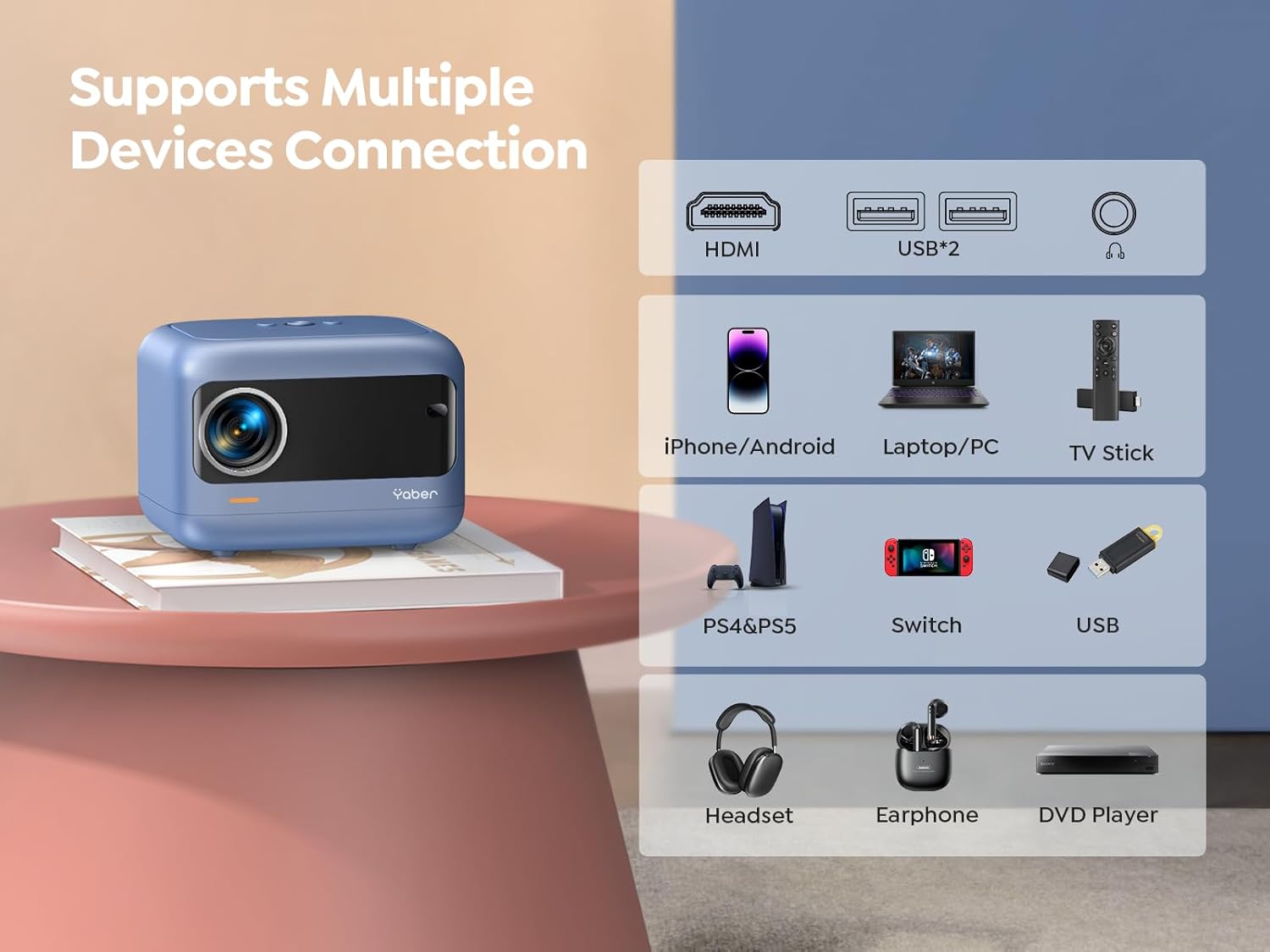
Выява: Зверхуview of available ports and compatible devices.

Image: Demonstrating 5G and 2.4G WiFi connectivity for streaming.

Image: Connecting external audio devices via Bluetooth 5.2.
2. Screen Zoom Function
The zoom function allows you to adjust the screen size without moving the projector. This is useful for fine-tuning the image to fit your projection surface.
3. Аўдыёвыхад
The YABER E1 includes dual 6W built-in speakers. For a more immersive audio experience, connect external speakers or headphones via Bluetooth 5.2 or the 3.5mm audio jack.
Тэхнічнае абслугоўванне
- Ачыстка аб'ектыва: Use the provided cleaning kit or a soft, lint-free cloth to gently clean the projector lens. Avoid abrasive materials that could scratch the lens.
- Выдаленне пылу: Regularly clean the projector's vents to ensure proper airflow and prevent dust buildup, which can affect performance and lifespan.
- захоўванне: When not in use, store the projector in a cool, dry place, ideally with the lens cap on to protect it from dust and damage.
Ліквідацыю непаладак
For common issues such as signal loss, sound problems, or connectivity difficulties, please refer to the detailed troubleshooting guide available on the product detail page or contact YABER customer support.
- Няма выявы/сігналу: Check all cable connections (HDMI, USB) and ensure the correct input source is selected on the projector. For wireless connections, verify WiFi settings and screen mirroring activation on your device.
- Размытая выява: Use the electric focus function to sharpen the image. Ensure the projector is placed within the recommended projection distance.
- Скажоная выява: Utilize the keystone correction feature to adjust the image shape.
- Няма гуку: Check the volume settings on both the projector and the connected device. If using external speakers, ensure they are properly connected and powered on. Verify Bluetooth pairing if applicable.

Image: General troubleshooting tips for quick resolution.
Тэхнічныя характарыстыкі
| Асаблівасць | Дэталь |
|---|---|
| Памеры прадукту | 6.26 х 4.92 х 4.61 цалі |
| Вага прадмета | 2.11 фунта |
| Нумар мадэлі | YABER E1 |
| Дазвол дысплея | 1920 x 1080 (Full HD) |
| Тэхналогія падлучэння | Wireless (5G WiFi), Bluetooth 5.2, HDMI, USB |
| Асаблівасці | Electric Focus, ±40° Keystone Correction, Dual 6W Speakers, Wireless Screen Mirroring |
| Рэкамендуемае выкарыстанне | Хатні кінатэатр |
Гарантыя і падтрымка
YABER offers comprehensive customer support for your E1 Mini Projector.
- Сэрвіс: 24/7 customer service team.
- Замена: 3-year free replacement policy.
- падтрымка: Пажыццёвая тэхнічная падтрымка.
- Кантакты: For any questions or assistance, please contact us via email at support03@yaberauto.com.

Выява: Зверхуview of YABER's customer service commitments.