
1. Уводзіны
This manual provides detailed instructions for the installation, operation, and maintenance of your IROAD FX1 Dash Camera. Please read this manual thoroughly before using the product to ensure proper functionality and safety. Keep this manual for future reference.
2. Інфармацыя па бяспецы
- Не спрабуйце разбіраць, рамантаваць або мадыфікаваць прыладу. Гэта можа ануляваць гарантыю і прывесці да пашкоджанняў.
- Ensure the device is securely mounted to prevent obstruction of the driver's view або ўмяшанне ў кіраванне транспартным сродкам.
- Пазбягайце падвяргання прылады ўздзеянню экстрэмальных тэмператур, прамых сонечных прамянёў на працягу доўгага часу або празмернай вільгаці.
- Use only the provided power cable and accessories. Using unauthorized accessories may cause damage or malfunction.
- Regularly check the memory card for errors and format it as recommended to maintain optimal recording performance.
3. Змесціва ўпакоўкі
Праверце наяўнасць усіх прадметаў у камплекце:
- Пярэдняя камера
- Ключ Wi-Fi
- Карта MicroSD
- Бесперабойны кабель з засцерагальнікамі
- Кароткае кіраўніцтва
- Mount with 3M tape (1ea)

Image: Contents of the IROAD FX1 Dash Camera package, including the front camera, Wi-Fi dongle, MicroSD card, uninterrupted fuse cable, quick guide, and mount with 3M tape.
4. Прадукт скончыўсяview
4.1 Кампаненты
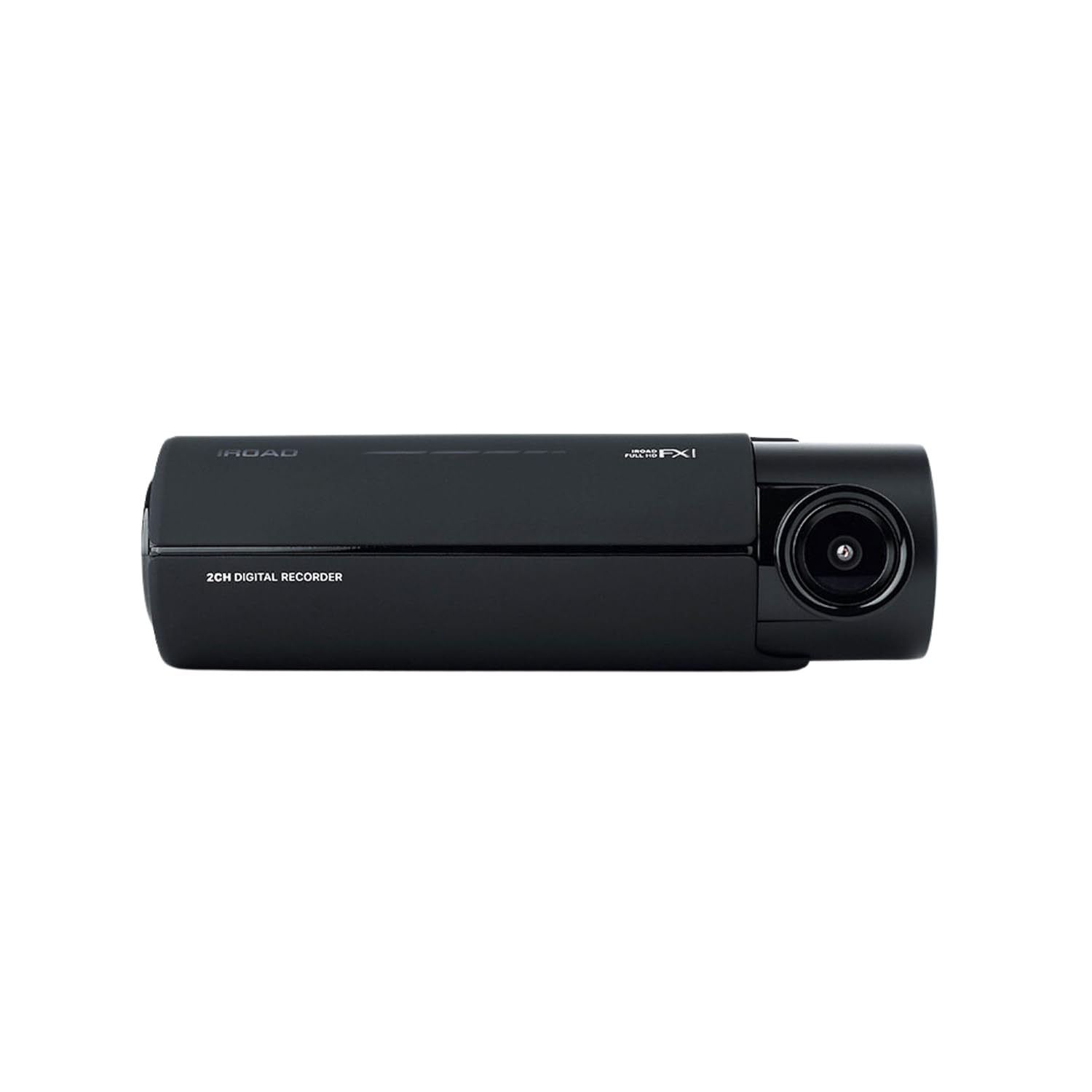
Выява: спераду view of the IROAD FX1 Dash Camera, showing the lens and main body.

Выява: Пад вуглом view of the IROAD FX1 Dash Camera, highlighting its compact design.
4.2 Асноўныя магчымасці
- Запіс у фармаце Full HD 1080P: Захоплівае выразнае відэаtage.
- Шырокавугольны аб'ектыў 140°: Забяспечвае шырокі view дарогі.
- Sony STARVIS Image Sensor: Enhances image clarity and night vision performance.
- ADAS (Пашыраная сістэма дапамогі кіроўцу): Includes features like Lane Departure Warning System (LDWS), Front Collision Warning System (FCWS), and Front Vehicle Departure Warning (FVDW).
- Падключэнне Wi-Fi: Connects to the IROAD app for viewзапіс, спампоўванне і абмен файламіtage.
- Убудаваны GPS: Records speed, location, and route tracking data.
- Рэжым паркоўкі: Utilizes motion detection and impact sensors to record incidents when the vehicle is parked.
- High-Temperature Durability: Designed for reliable performance in various weather conditions.

Image: The IROAD FX1 Dash Camera with icons representing its key features: 140° wide angle, Full HD 1080p, ADAS, Wi-Fi connection, and night vision.
5. Настройка
5.1 Ўстаноўка
- Выберыце месца ўстаноўкі: Select a location on the windshield that does not obstruct the driver's view and is close to the center of the windshield. Ensure the camera lens has a clear view дарогі наперадзе.
- Чыстае лабавое шкло: Clean the chosen area on the windshield thoroughly to ensure proper adhesion of the mount.
- Прымацаваць мацаванне: Peel off the protective film from the 3M adhesive tape on the mount. Firmly press the mount onto the cleaned windshield area for at least 30 seconds.
- Attach Dash Camera: Slide the IROAD FX1 Dash Camera onto the mounted bracket until it clicks into place.
- Наладзіць кут: Adjust the camera angle to ensure the road ahead is centered in the camera's view.

Image: The IROAD FX1 Dash Camera securely mounted on the interior side of a car's windshield, positioned for optimal road visibility.
5.2 Электраправодка
- Устаўце карту MicroSD: Insert the provided MicroSD card into the designated slot on the dash camera.
- Падключыце кабель сілкавання: Connect the uninterrupted fuse cable to the power input port on the dash camera.
- Маршрутны кабель: Carefully route the power cable along the edge of the windshield, down the A-pillar, and towards the vehicle's fuse box. Use the included installation tool to tuck the cable neatly under trim panels.
- Падключэнне да блока засцерагальнікаў: Connect the fuse cable to the appropriate fuse slots in your vehicle's fuse box according to the instructions in the quick guide or a professional installer. This connection enables parking mode functionality.
- Connect Wi-Fi Dongle: Insert the Wi-Fi dongle into the USB port on the dash camera.
6. Інструкцыя па эксплуатацыі
6.1 Уключэнне/выключэнне
- The dash camera will automatically power on and begin continuous recording when the vehicle's ignition is turned on.
- When the ignition is turned off, the dash camera will transition to parking mode (if configured) or power off after a short delay.
6.2 Рэжымы запісу
- Бесперапынная запіс: Records continuously while the vehicle is in operation. Footage is saved in short segments.
- Запіс падзеі: Аўтаматычна запісвае і захоўвае ежуtage when an impact or sudden braking/acceleration is detected by the G-sensor.
- Запіс у рэжыме паркоўкі: When the vehicle is parked, the camera uses motion detection and impact sensors to record incidents, helping to protect your vehicle.
6.3 ADAS (Advanced Driver-Assistance System)
The IROAD FX1 includes ADAS features to enhance driving safety:
- LDWS (сістэма папярэджання аб выездзе з паласы): Alerts the driver if the vehicle drifts out of its lane.
- FCWS (Front Collision Warning System): Warns the driver of a potential collision with a vehicle ahead.
- FVDW (Front Vehicle Departure Warning): Notifies the driver when the vehicle ahead starts moving from a stop.

Выява: паветраная антэнная view illustrating the Advanced Driver-Assistance System (ADAS) with vehicles and highlighted warning zones for potential hazards.
6.4 Wi-Fi Connection and IROAD App
Каб атрымаць доступ да запісанага footage, adjust settings, and update firmware, connect your smartphone to the dash camera via Wi-Fi:
- Download the official IROAD app from your smartphone's app store.
- Ensure the Wi-Fi dongle is inserted into the dash camera.
- On your smartphone, go to Wi-Fi settings and connect to the IROAD dash camera's Wi-Fi network (SSID and password can be found in the quick guide or on the device).
- Open the IROAD app to view жывы footagе, прайграванне запісаў, загрузка files, and configure device settings.

Image: An abstract illustration depicting Wi-Fi connectivity with multiple signal icons, representing the camera's wireless communication capabilities.
6.5 Функцыянальнасць GPS
The built-in GPS module records accurate speed, location, and route information, which can be viewed during video playback through the IROAD app or PC viewэр праграмнае забеспячэнне.
7. Тэхнічнае абслугоўванне
7.1 Кіраванне картамі памяці
- Фарматаванне: It is recommended to format the MicroSD card regularly (e.g., once a month) to prevent data corruption and ensure optimal recording performance. This can be done via the IROAD app.
- Замена: If the memory card shows signs of degradation or errors, replace it with a high-quality, compatible MicroSD card.
7.2 Абнаўленне прашыўкі
Periodically check for firmware updates via the IROAD app. Keeping the firmware updated ensures the best performance and access to new features.
7.3 Ачыстка
- Gently wipe the camera lens with a soft, lint-free cloth to remove dust or smudges.
- Clean the exterior of the dash camera with a slightly damp тканіна. Не выкарыстоўвайце агрэсіўныя хімікаты або абразіўныя ачышчальнікі.
8. Выпраўленне непаладак
| праблема | Магчымая прычына | Рашэнне |
|---|---|---|
| Камера не ўключаецца. | Няма харчавання; няшчыльнае падключэнне кабеля. | Check power cable connection to the camera and fuse box. Ensure vehicle ignition is on. |
| Запіс спыняецца абоtagе пашкоджаны. | Memory card error; full memory card; incompatible card. | Format the MicroSD card. Replace with a new, compatible card if issues persist. |
| Праблемы з падключэннем да Wi-Fi. | Wi-Fi dongle not inserted; incorrect password; app issues. | Ensure Wi-Fi dongle is properly inserted. Verify Wi-Fi password. Restart the app and camera. |
| ADAS warnings are inaccurate. | Improper camera angle; environmental factors. | Adjust camera angle to ensure clear, centered view. ADAS performance can be affected by weather or road conditions. |
9. Тэхнічныя характарыстыкі
| Асаблівасць | Спецыфікацыя |
|---|---|
| Назва мадэлі | FX1 |
| Дазвол відэазахопу | 1080p Full HD |
| Поле View | 140 градусаў |
| Тэхналогія падлучэння | GPS, Wi-Fi |
| Асаблівасць | Кантроль прыкладанняў |
| Тып мацавання | Мацаванне лабавога шкла |
| Вага прадмета | 350 г |
| Памеры прадукту | 3.29 х 5.7 х 10.82 см |
| Вытворца | IROAD |
10. Гарантыя і падтрымка
For warranty information and technical support, please refer to the official IROAD webсайт або звярніцеся да мясцовага дыстрыбутара. Захоўвайце чэк аб куплі як пацверджанне пакупкі для гарантыйных прэтэнзій.
Інтэрнэт-рэсурсы: Visit the IROAD official website for FAQs, software downloads, and additional support materials.