
Уводзіны
This manual provides essential instructions for setting up, operating, and maintaining your ApoloSign NJP561P-Z Laptop Computer. Please read this manual thoroughly before using your device to ensure proper function and longevity.
Змест пакета
- ApoloSign NJP561P-Z Laptop
- Адаптар сілкавання
- Кіраўніцтва карыстальніка
Настройка
Першае выкарыстанне і зарадка
Before initial use, connect the provided power adapter to the laptop's DCIN port and then to a power outlet. Allow the battery to charge fully. The DCIN port is located on the right side of the laptop.

Image: The ApoloSign NJP561P-Z laptop connected to its power adapter, illustrating the charging process.
Першапачатковая загрузка
Press the power button located on the top right of the keyboard to turn on the laptop. Follow the on-screen instructions to complete the Windows 11 setup process, including language selection, network connection, and user account creation.
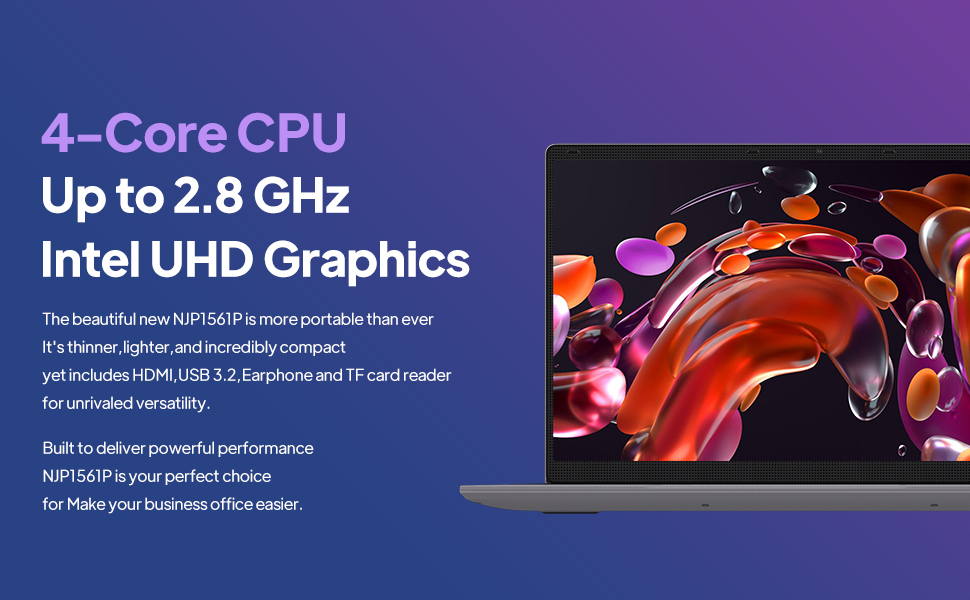
Image: The ApoloSign NJP561P-Z laptop displaying the Windows 11 operating system interface.
Інструкцыя па эксплуатацыі
Клавіятура і тачпад
The laptop features a full-size QWERTY keyboard with an integrated numeric keypad for efficient data entry and typing. The touchpad supports multi-touch gestures for intuitive navigation and control of the operating system.

Выява: буйны план view of the ApoloSign NJP561P-Z laptop's full-size keyboard and touchpad.
Сувязь
The laptop supports Wi-Fi for wireless internet access and Ethernet for stable wired network connections. It offers a variety of ports for connecting external devices:
- USB 3.2 ports (x2): Для хуткаснай перадачы дадзеных з сумяшчальнымі прыладамі.
- Выхад HDMI: To connect to external monitors or projectors.
- Слот для карты TF: Для пашырэння сховішча або пераносу files з карт памяці.
- Microphone/Headphone jack: Для ўваходу і выхаду гуку.
- DCIN: Порт ўводу харчавання.

Выява: бок А view of the ApoloSign NJP561P-Z laptop highlighting its various connectivity ports, including USB, HDMI, and TF Card slot.
Камера
The integrated HD front camera is suitable for video conferencing, online classes, and virtual meetings.
Video: An official product video demonstrating the ApoloSign laptop's features, including the HD camera for video conferencing and various connectivity options.
Дысплей
The 15.6-inch FHD IPS display offers clear and vibrant visuals with a resolution of 1920x1080 pixels. The screen can open up to 175 degrees, providing flexible viewing angles for various uses.

Image: The ApoloSign NJP561P-Z laptop showcasing its 15.6-inch IPS Full HD screen with a colorful display.
Тэхнічнае абслугоўванне
Уборка
Use a soft, lint-free cloth to gently clean the screen and exterior surfaces of the laptop. For stubborn smudges, slightly dampen the cloth with water or a screen-safe cleaning solution. Avoid using harsh chemicals, abrasive materials, or excessive moisture.
Сыход за батарэяй
To prolong the lifespan of your laptop's battery, avoid exposing the device to extreme temperatures (both hot and cold). It is also recommended to avoid frequently fully discharging the battery. The laptop is equipped with a 5000mAh Lithium-ion polymer battery, providing an estimated 5-6 hours of usage depending on workload.

Image: A graphic representation of the ApoloSign laptop's 5000mAh battery and its estimated 5-6 hours of endurance.
Ліквідацыю непаладак
Агульныя праблемы і рашэнні
- Прылада не ўключаецца: Пераканайцеся, што адаптар сілкавання надзейна падключаны, а акумулятар дастаткова зараджаны. Паспрабуйце ўтрымліваць кнопку харчавання 10-15 секунд, каб выканаць апаратны скід налад.
- Павольная прадукцыйнасць: Close unnecessary applications running in the background. Check for system updates and ensure your storage is not full. A system cleanup or disk defragmentation may also help.
- Touchpad unresponsive: Verify that the touchpad has not been accidentally disabled (often via a function key combination, e.g., Fn + F9 or F10). Restarting the laptop can often resolve temporary driver issues.
- Няма падключэння да Wi-Fi: Confirm that Wi-Fi is enabled in Windows settings. Check if your wireless router is functioning correctly and within range. Restarting both the laptop and the router can resolve connectivity problems.
- Праблемы з адлюстраваннем на экране: If the screen is blank or flickering, try connecting an external monitor via HDMI to determine if the issue is with the laptop's display or graphics card.
Тэхнічныя характарыстыкі
| Асаблівасць | Дэталь |
|---|---|
| Марка | Знак Апола |
| Нумар мадэлі | NJP561P-Z |
| Аперацыйная сістэма | Windows 11 |
| Памер экрана | 15.6 цалі |
| Дазвол экрана | 1920 x 1080 пікселяў (FHD IPS) |
| Працэсар | Intel Celeron N5095 Quad-Core (Up to 2.8GHz) |
| АЗП | 12 ГБ DDR4 SDRAM |
| Захоўванне | SSD на 512 ГБ |
| Графіка | Інтэграваная відэакарта Intel UHD |
| Бесправоднае падключэнне | Wi-Fi |
| Правадное падключэнне | Ethernet |
| Парты | USB 3.2 (x2), HDMI, TF Card, Headphone Jack, DCIN |
| Вага прадмета | 3.63 фунта |
| Памеры прадукту | 14 х 9 х 0.8 цалі |
Гарантыя і падтрымка
For detailed warranty information, technical support, or service inquiries, please refer to the official ApoloSign webсайт або звярніцеся ў службу падтрымкі кліентаў. Рэкамендуецца захоўваць чэк аб куплі ў якасці пацверджання пакупкі для любых гарантыйных прэтэнзій.
Інфармацыя па бяспецы
- Не падвяргайце прыладу ўздзеянню экстрэмальных тэмператур, прамых сонечных прамянёў або высокай вільготнасці.
- Не кідайце прыладу і не падвяргайце яе моцным ударам.
- Use only the power adapter provided with your laptop to prevent damage.
- Keep liquids away from the device to prevent electrical hazards and damage.
- Не спрабуйце разбіраць або рамантаваць прыладу самастойна. Звярніцеся да кваліфікаванага абслугоўваючага персаналу.