
1. Уводзіны
This manual provides comprehensive instructions for the installation, operation, and maintenance of your OLUMAT Smart Door Lock with Handle. This device offers multiple keyless entry options, including fingerprint recognition, keypad codes, key fobs, and smartphone control. The included WiFi Gateway and door sensor enhance security and convenience, allowing for remote management and real-time door status monitoring.
2. Інфармацыя па бяспецы
- Перад устаноўкай і выкарыстаннем уважліва прачытайце ўсе інструкцыі.
- Do not attempt to disassemble or repair the lock yourself. Contact customer support for assistance.
- Use only specified batteries (4 AAA batteries, not included). Do not mix old and new batteries or different types of batteries.
- Keep traditional keys in a safe location outside the property, accessible only in emergencies.
- Ensure the door is properly aligned and closes smoothly before installing the lock to prevent damage or malfunction.
3. Змесціва ўпакоўкі
Перад пачаткам усталёўкі пераканайцеся, што ўсе кампаненты наяўныя:
- OLUMAT Smart Door Lock (Exterior and Interior Handles)
- Шлюз WiFi
- Door Sensor (Magnetic Contact)
- Брелкі (2)
- Традыцыйныя ключы (2)
- Installation Hardware (Screws, Spindle, Latch, Strike Plate)
- Кіраўніцтва карыстальніка

This image displays the main components of the OLUMAT Smart Door Lock system, including the smart lock unit with its keypad and fingerprint sensor, the interior handle, the WiFi gateway for remote connectivity, the door sensor for status monitoring, two key fobs, and two traditional keys for manual access. All necessary installation hardware is also included.
4. Настройка і ўстаноўка
The OLUMAT Smart Door Lock is designed for easy installation, typically requiring only a Phillips screwdriver. No additional drilling is needed for standard door preparations, and a locksmith is generally not required. The reversible door handle accommodates both left and right-handed doors.
4.1 Сумяшчальнасць з дзвярыма
Пераканайцеся, што вашы дзверы адпавядаюць наступным патрабаванням:
- Таўшчыня дзвярэй: 1.30" – 1.97" (33mm – 50mm)
- Дыяметр адтуліны: 2.13 цалі (54 мм)
- Задняя сядзіба адтуліны: 2.36" (60mm) or 2.76" (70mm)
Note: This lock is not compatible with storm doors due to the lock handle size.
This diagram provides critical measurements for door thickness, bore hole diameter, and backset, ensuring proper fit and function of the OLUMAT Smart Door Lock. Please verify your door's dimensions against these specifications before proceeding with installation.
4.2 Этапы ўстаноўкі (гл. вышэй)view)
- Remove existing door hardware.
- Усталюйце зашчапку ў край дзвярэй.
- Install the exterior handle assembly, ensuring the spindle is correctly oriented.
- Install the interior handle assembly, connecting the cable from the exterior unit.
- Secure both handle assemblies with screws.
- Install batteries (4 AAA, not included) into the interior unit.
- Усталюйце запорную пласціну на дзвярную раму.
- Test the lock's basic mechanical function.

This image illustrates the recommended installation position for the OLUMAT Smart Door Lock, specifically advising placement above an existing deadbolt lock if one is present. This ensures optimal functionality and security integration.
4.3 WiFi Gateway Setup
The WiFi Gateway enables remote control and smart home integration. Plug the gateway into a power outlet within range of your smart lock and your home WiFi network. Follow the instructions in the mobile application to pair the gateway with your lock and connect it to your WiFi.
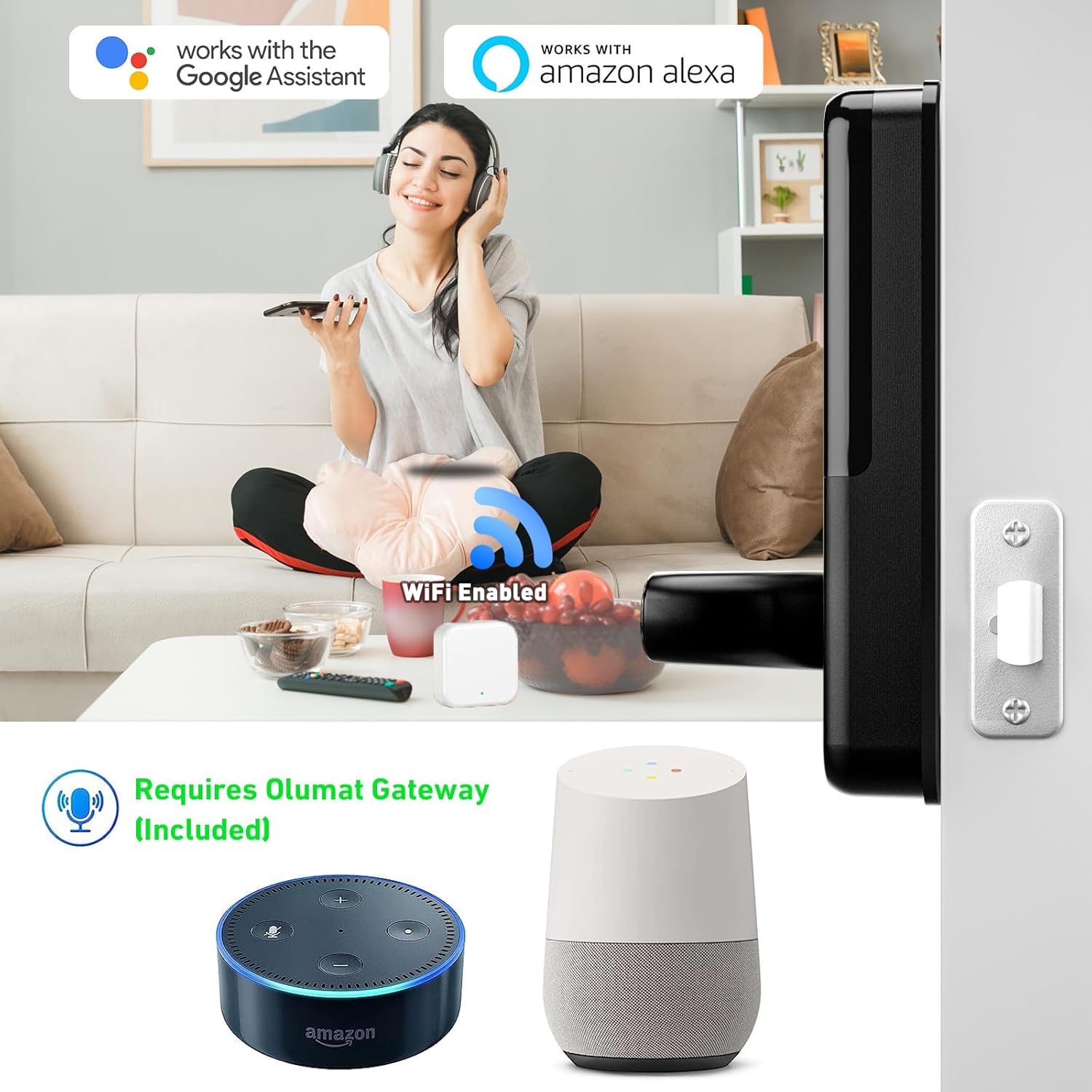
This image demonstrates the OLUMAT Smart Door Lock's compatibility with Google Assistant and Amazon Alexa, facilitated by the included WiFi Gateway. The gateway allows for voice control and remote management of the lock.
4.4 Устаноўка датчыка дзвярэй
Install the door sensor on the door frame and the door itself, ensuring the two parts are aligned and within 1/2 inch (1.27 cm) of each other when the door is closed. This sensor allows the app to monitor the door's open/closed status.

This image illustrates the OLUMAT Door Sensor in action, showing how it monitors whether the door is open or closed and relays this information to the mobile application, providing real-time status updates.
5. Інструкцыя па эксплуатацыі
5.1 Спосабы разблакіроўкі
The OLUMAT Smart Door Lock offers multiple ways to unlock:
- Распазнаванне адбіткаў пальцаў: Размесціце зарэгістраваны адбітак пальца на датчыку.
- Код клавіятуры: Enter your programmed code on the keypad.
- Брэлкі: Present a registered key fob to the lock.
- Прыкладанне для смартфона: Use the OLUMAT app to unlock remotely (requires WiFi Gateway).
- Традыцыйныя ключы: Use the physical keys for manual override.

This image visually represents the diverse unlocking options available for the OLUMAT Smart Door Lock, including app control, traditional keys, keypad entry, and key fobs, providing flexibility for users.
5.2 Enhanced Security Features
- Аўтаматычная блакіроўка: The lock can be configured to automatically lock after a set period when the door is closed, providing an additional layer of security.
- Супрацьугонная сігналізацыя: The lock features an alarm system to deter unauthorized access attempts.
- Anti-Peeping Passcode: You can enter random digits before or after your actual passcode to prevent others from guessing your code. The lock will still recognize the correct sequence within the longer string of numbers.

This image highlights two key security features of the OLUMAT Smart Door Lock: the automatic locking function, which engages when the door is closed, and an anti-theft alarm designed to alert users to potential security breaches.
5.3 App Management and Remote Control
The OLUMAT mobile application allows for comprehensive management of your smart lock:
- Кіраванне карыстальнікамі: Add, modify, or delete fingerprints, passcodes, and key fobs for various users.
- Кантроль доступу: Grant temporary or scheduled access to guests or service providers.
- Аднаразовыя паролі: Generate unique, single-use passcodes for convenient temporary access.
- Activity Logs: View a history of lock and unlock events.
- Дыстанцыйнае разблакіраванне/блакіроўка: Control the lock from anywhere via the app (requires WiFi Gateway to be online).
- Door Status Monitoring: Check if the door is open or closed, and locked or unlocked, in real-time (requires door sensor).

This image displays the OLUMAT Smart Lock's management interface, accessible via both computer and smartphone. It illustrates the capabilities for user and access control, including generating passcodes and monitoring lock activity.

This image demonstrates the process of generating a one-time passcode through the OLUMAT mobile application, allowing users to grant temporary access to visitors or service personnel.
6. Тэхнічнае абслугоўванне
- Уборка: Працірайце знешні бок замка мяккай сухой тканінай. Пазбягайце выкарыстання абразіўных ачышчальнікаў або растваральнікаў, якія могуць пашкодзіць пакрыццё або электронныя кампаненты.
- Замена батарэі: The lock will provide a low battery warning. Replace all four AAA batteries promptly. Do not use rechargeable batteries, as they may not provide consistent voltage.
- Выраўноўванне дзвярэй: Periodically check that your door and frame remain properly aligned. Misalignment can cause the lock to bind or malfunction.
- Абнаўленні прашыўкі: Regularly check the OLUMAT app for available firmware updates to ensure optimal performance and security.
7. Выпраўленне непаладак
| праблема | Магчымая прычына | Рашэнне |
|---|---|---|
| Lock does not respond to input (fingerprint, keypad, fob). | Low batteries; incorrect input; sensor obstruction. | Replace batteries. Re-enter code carefully. Clean fingerprint sensor. Re-register fingerprint/fob. |
| Remote unlock/lock via app not working. | WiFi Gateway offline; poor WiFi signal; app not connected. | Ensure WiFi Gateway is powered on and connected to home WiFi. Check internet connection. Restart app. Re-pair gateway if necessary. |
| Door sensor not reporting status correctly. | Sensor misalignment; low sensor battery (if applicable); interference. | Realign sensor parts. Check sensor battery. Ensure no metal objects are interfering. |
| Lock is difficult to operate mechanically. | Door/frame misalignment; incorrect installation. | Check door alignment and hinges. Re-check installation steps, especially latch and spindle. |
| Cannot create new passcodes or open remotely when away from home. | WiFi Gateway is not connected or online. | Ensure the WiFi Gateway is properly set up, powered, and connected to the internet. Remote functions rely on the gateway's active connection. |
8. Тэхнічныя характарыстыкі
| Асаблівасць | Дэталь |
|---|---|
| Марка | АЛЮМАТ |
| Назва мадэлі | Smart door lock (OL-0825) |
| Тып замка | Keypad, Fingerprint |
| Асаблівасці | Fingerprint, Keyless Entry, WiFi Connectivity, Door Sensor |
| Матэрыял | цынк |
| Тып аздаблення | Пафарбаваны |
| Колер | Чорны |
| Памеры прадмета (Д х Ш х У) | 7.1 х 2.8 х 1.2 цалі |
| Вага прадмета | 4.3 фунта |
| Крыніца харчавання | 4 батарэйкі AAA (не ўключаны) |
| Пратакол злучэння | Wi-Fi |
| Метад кантролю | App, Keypad, Fingerprint, Key Fob, Traditional Key |
| Тып кантролера | Amazon Alexa, Google Assistant (via WiFi Gateway) |
| Рэкамендуемае выкарыстанне | Residential use, short-term rentals, property management |
| UPC | 769129866231 |
9. Гарантыя і падтрымка
OLUMAT stands behind its products with the following:
- 30-дзённая гарантыя вяртання грошай: Калі вы не задаволены сваёй пакупкай, вы можаце вярнуць яе на працягу 30 дзён для поўнага вяртання грошай.
- 1-гадовая гарантыя на прадукт: The smart door lock is covered by a 1-year warranty against manufacturing defects.
- Пажыццёвая падтрымка кліентаў: OLUMAT provides lifetime customer support for any questions or issues you may encounter.
For technical assistance, warranty claims, or general inquiries, please contact OLUMAT customer support through the contact information provided on the official OLUMAT webсайт або ваша платформа для пакупак.