
Уводзіны
Thank you for choosing the Cherry KW 3000 Wireless Keyboard. This full-size keyboard is designed for quiet and comfortable typing, featuring 2.4 GHz wireless technology for reliable connectivity with Windows and Mac operating systems. This manual provides essential information for setting up, operating, and maintaining your keyboard.
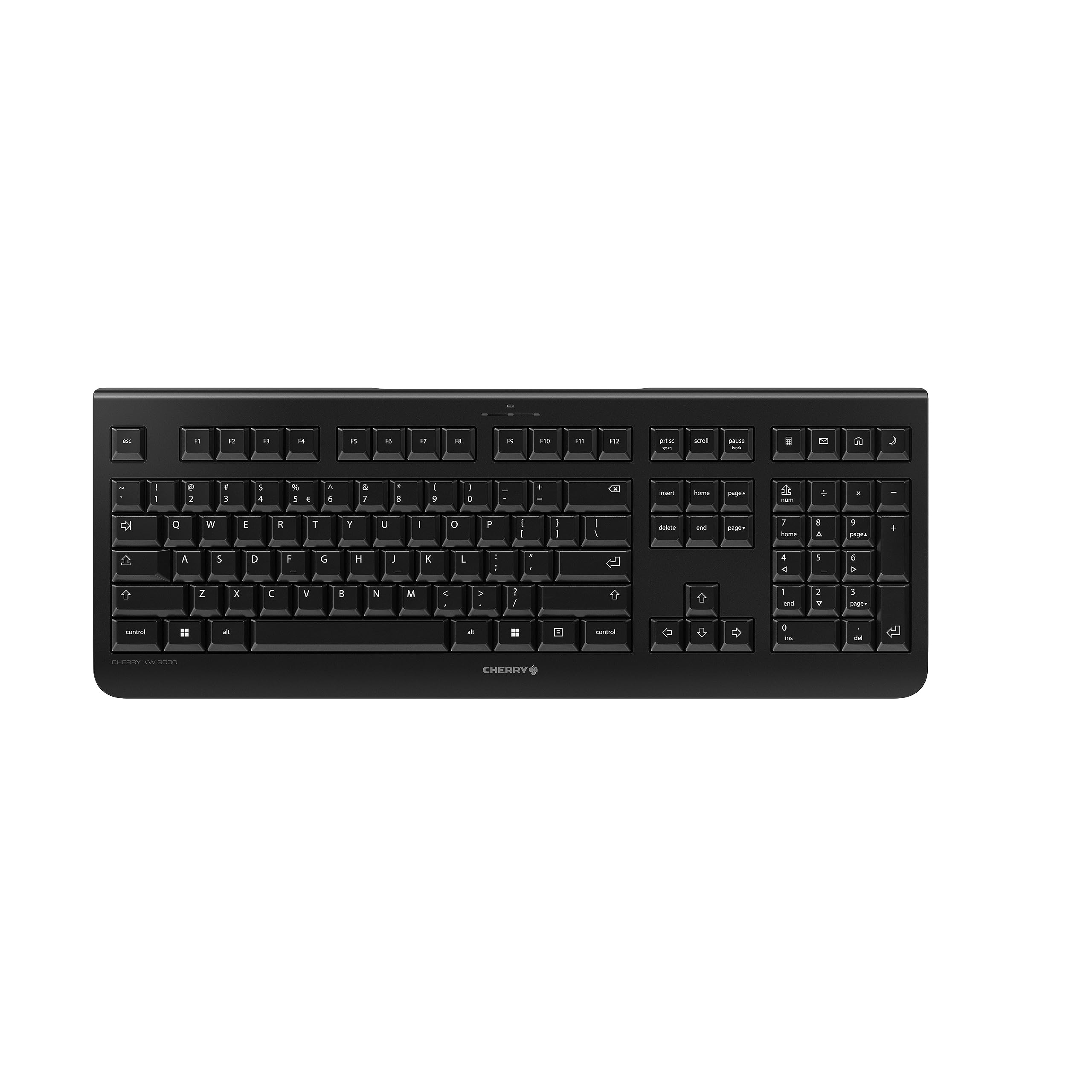
Image: The Cherry KW 3000 Wireless Keyboard, a full-size black keyboard, is shown on a light-colored desk mat. A laptop and an external monitor are visible in the background, indicating a typical office or home workspace setup. A computer mouse is also next to the keyboard.
Змест пакета
Калі ласка, праверце ўпакоўку на наяўнасць наступных прадметаў:
- Cherry KW 3000 Wireless Keyboard
- USB Nano Receiver (dongle)
- 2 х ААА батарэі
- Кароткае кіраўніцтва (гэты дакумент)
Настройка
Follow these steps to set up your Cherry KW 3000 Wireless Keyboard:
- Устаўце батарэі: Locate the battery compartment on the underside of the keyboard. Open the cover and insert the two AAA batteries, ensuring correct polarity (+/-). Close the battery cover securely.
- Падключыце USB-рэсівер: Plug the USB nano receiver into an available USB-A port on your computer (Windows or Mac). The operating system will automatically detect and install the necessary drivers.
- Пачніце друкаваць: Your keyboard is now ready for use. There is no on/off switch; the keyboard enters a power-saving sleep mode automatically when not in use and wakes up with any key press.

Image: The underside of the keyboard is shown, highlighting the battery compartment. The adjustable feet are also visible in their extended position.

Image: A small black USB nano receiver, labeled 'CHERRY', is shown on a light-colored surface, ready to be plugged into a computer's USB port.
Інструкцыя па эксплуатацыі
асноўнае прымяненне
The Cherry KW 3000 features a standard full-size QWERTY layout, including a numeric keypad and function keys. Simply begin typing as you would with any standard keyboard.
Гарачыя клавішы
The keyboard includes four dedicated hotkeys for quick access to common functions:
- калькулятар: Opens the calculator application.
- электронная пошта: Launches your default email client.
- Браўзэр: Адкрывае па змаўчанні web браўзер.
- Рэжым сну: Puts your computer into sleep mode.

Выява: буйны план view of the upper right section of the keyboard, showing the four dedicated hotkeys with icons for calculator, email, web browser, and sleep mode.
Рэгуляваныя ножкі
For ergonomic comfort, the keyboard is equipped with stable fold-out feet on the underside. You can extend these feet to adjust the typing angle to your preference. The keyboard also features a non-slip bottom for stability.
Выява: Пабочны прафесіяналfile of the Cherry KW 3000 keyboard, illustrating its slim design and the adjustable feet extended to provide an elevated typing angle.
Асаблівасці
- 2.4 GHz Wireless Technology: Provides a stable and reliable connection with a range of up to 10 meters.
- Поўнапамерны макет: Includes a numeric keypad and cursor keys for comprehensive functionality.
- Quiet Membrane Keys: Designed for low-noise typing, ideal for office and home environments.
- Трывалы дызайн: Built for longevity with a keystroke lifespan of up to 10 million actuations.
- Гарачыя клавішы: Four convenient hotkeys for quick access to essential applications.
- Рэгуляваная эрганоміка: Fold-out feet allow for customizable typing angles.
- Plug & Play: Easy installation without the need for complex software.

Image: A close-up of the keyboard keys, emphasizing their low-profile design and durable lettering, indicative of a quiet and long-lasting typing experience.
Тэхнічнае абслугоўванне
Уборка
To clean your keyboard, disconnect the USB receiver from your computer. Use a soft, lint-free cloth slightly dampened with water or a mild cleaning solution. Avoid excessive moisture and do not spray cleaners directly onto the keyboard. For cleaning between keys, use compressed air or a small brush.
Замена батарэі
When the keyboard's performance degrades or it stops responding, it's likely time to replace the batteries. Open the battery compartment on the underside, remove the old AAA batteries, and insert new ones, observing the correct polarity. Dispose of old batteries responsibly according to local regulations.
Ліквідацыю непаладак
- Клавіятура не рэагуе:
- Пераканайцеся, што USB-прыёмнік надзейна падключаны да спраўнага USB-порта вашага кампутара.
- Check the batteries. Replace them if they are low or depleted.
- Перамясціце клавіятуру бліжэй да USB-прыёмніка, каб пазбегнуць праблем з дыяпазонам.
- Паспрабуйце падключыць USB-прыёмнік да іншага порта USB.
- Клавішы заліпаюць або не рэагуюць:
- Clean the keyboard as described in the Maintenance section to remove any debris that might be affecting key presses.
- Перарывістае падключэнне:
- Ensure there are no large metal objects or other wireless devices causing interference between the keyboard and the receiver.
- Try using the keyboard in a different location to check for environmental interference.
Тэхнічныя характарыстыкі
| Асаблівасць | Дэталь |
|---|---|
| Нумар мадэлі | JK-3000EU-2 |
| Тэхналогія падлучэння | 2.4 GHz Wireless (USB-A receiver) |
| Апісанне клавіятуры | Мембрана |
| Сумяшчальныя прылады | Mac, Windows |
| Асаблівасці | Durable, Hotkeys and Media Keys, Wireless |
| Колер | Чорны |
| Матэрыял | Пластыкавыя |
| Памеры прадукту | 18.03 х 6.69 х 0.79 цалі (45.8 х 17 х 2 см) |
| Вага прадмета | 1.11 фунта (0.5 кг) |
| Батарэі | 2 батарэйкі AAA (у камплекце) |
| Вытворца | ВІШНЯ |
Гарантыя і падтрымка
Cherry products are manufactured to high-quality standards. This product comes with a standard manufacturer's warranty against defects in materials and workmanship. For specific warranty terms, duration, and to access customer support, please refer to the official Cherry webсайт або звярніцеся непасрэдна ў службу падтрымкі кліентаў. Захоўвайце пацвярджэнне пакупкі для прэтэнзій па гарантыі.
Інфармацыя па бяспецы
- Не падвяргайце клавіятуру ўздзеянню вадкасці або празмернай вільгаці.
- Пазбягайце экстрэмальных тэмператур.
- Не спрабуйце разбіраць або мадыфікаваць клавіятуру. Гэта прывядзе да анулявання гарантыі.
- Захоўвайце батарэі ў месцах, недаступных дзецям. Пры пападанні ўнутр неабходна неадкладна звярнуцца па медыцынскую дапамогу.
- Dispose of batteries and electronic waste responsibly.