
1. Уводзіны
The Poly Studio Table Microphone is designed to enhance audio capture in conference environments, specifically for Poly Studio X50, X52, V52, X70, X72, and V72 video systems. It features superior 3-way audio pickup, automatically leveling voices and suppressing background noise and echo for clear, natural conversations. Its robust design includes an easily accessible mute button with an indicator light and offers a pick-up range of 2.5 meters (8.2 feet).
This manual provides instructions for setting up, operating, and maintaining your Poly Studio Table Microphone.
2. Што ў скрынцы
Праверце наяўнасць усіх кампанентаў ва ўпакоўцы:
- Poly Studio Table Microphone (Model 875M6AA)
- Кабель RJ-11
- Кіраўніцтва па ўстаноўцы (гэты дакумент)
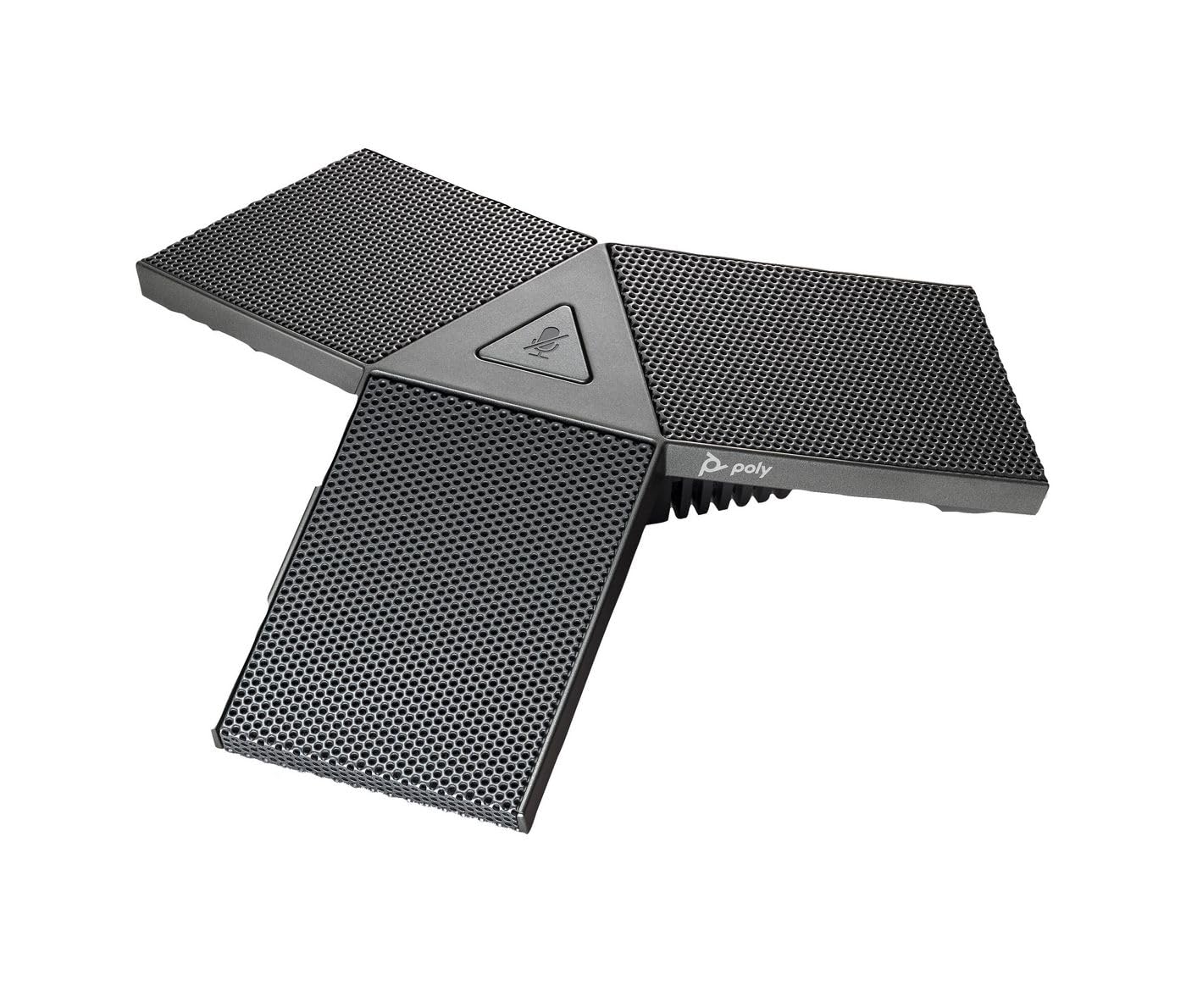
Image 1: Poly Studio Table Microphone with its RJ-11 connection cable.
3. Настройка
The Poly Studio Table Microphone is designed for simplified setup. Follow these steps to connect the microphone to your Poly Studio video system:
- Размяшчэнне: Position the Poly Studio Table Microphone on a flat surface in your conference room. Ensure it is centrally located to maximize its 2.5-meter (8.2 feet) audio pickup range.
- падключэнне: Locate the RJ-11 port on the underside of the microphone and on your Poly Studio video system (X50, X52, V52, X70, X72, or V72).
- Устаўка кабеля: Connect one end of the provided RJ-11 cable into the microphone's RJ-11 port.
- Сістэма злучэння: Connect the other end of the RJ-11 cable into the corresponding RJ-11 port on your Poly Studio video system.
- Уключэнне: Ensure your Poly Studio video system is powered on. The microphone will automatically be detected and configured.
No additional drivers or software are typically required for basic functionality.
4. Інструкцыя па эксплуатацыі
The Poly Studio Table Microphone is designed for intuitive operation, integrating seamlessly with your Poly Studio video system.
4.1 Audio Pickup
- The microphone features three (3) directional microphones for 360-degree audio coverage, ensuring voices are captured from all directions within its 2.5-meter (8.2 feet) range.
- Advanced audio technology automatically levels voices and suppresses background noise and echo, providing clear audio for remote participants.
4.2 Функцыя адключэння гуку
- A convenient mute button is located on the microphone for quick control.
- Press the mute button to toggle the microphone's audio input on or off.
- An indicator light on the microphone will illuminate or change color to clearly show the mute status. Refer to your Poly Studio video system's documentation for specific indicator light behaviors.
5. Тэхнічнае абслугоўванне
To ensure optimal performance and longevity of your Poly Studio Table Microphone, follow these maintenance guidelines:
- Уборка: The microphone features integrated Microban® protection to help keep surfaces cleaner and fresher for longer. For general cleaning, gently wipe the exterior surfaces with a soft, dry, or slightly damp тканінай. Пазбягайце выкарыстання агрэсіўных хімікатаў, абразіўных ачышчальнікаў або растваральнікаў.
- захоўванне: Калі мікрафон не выкарыстоўваецца працяглы час, захоўвайце яго ў чыстым, сухім месцы, удалечыні ад экстрэмальных тэмператур і прамых сонечных прамянёў.
- Сыход за кабелем: Avoid bending or crimping the RJ-11 cable excessively. Ensure it is not placed where it can be tripped over or damaged.
6. Выпраўленне непаладак
If you encounter issues with your Poly Studio Table Microphone, refer to the following common troubleshooting steps:
- Няма аўдыя:
- Ensure the RJ-11 cable is securely connected to both the microphone and the Poly Studio video system.
- Verify that the microphone is not muted (check the indicator light).
- Check the audio settings on your Poly Studio video system to ensure the external microphone is selected and volume levels are appropriate.
- Restart the Poly Studio video system.
- Дрэнная якасць гуку (рэха, шум):
- Ensure the microphone is placed on a stable surface and not too close to speakers or other noise sources.
- Confirm that the room acoustics are suitable for conferencing.
- Verify that the microphone's surface is clean.
- Кнопка адключэння гуку не рэагуе:
- Упэўніцеся, што мікрафон правільна падключаны і сілкуецца.
- Restart the Poly Studio video system.
If problems persist, consult the comprehensive user manual for your specific Poly Studio video system or contact Poly technical support.
7. Тэхнічныя характарыстыкі
| Асаблівасць | Дэталь |
|---|---|
| Марка | ПОЛІ |
| Назва мадэлі | Студыя |
| Нумар мадэлі | 875M6AA |
| Тэхналогія падлучэння | USB (via RJ-11 connection to Poly Studio system) |
| Тып раздыма | RJ-11 |
| Палярны ўзор | Unidirectional (3-way audio pickup for 360-degree coverage) |
| Формаў-фактар мікрафона | Настольнае мацаванне |
| Асаблівасць | Mute button with indicator light, Microban® protection |
| Сумяшчальныя прылады | Poly Studio X50, X52, V52, X70, X72, V72 video systems |
| Дыяпазон падбору | 2.5 метраў (8.2 футы) |
| АЧХ | 20 Гц - 20 кГц |
| Стаўленне сігнал / шум | 78 дБ |
| Вага прадмета | 0.2 фунта (прыблізна 90 грамаў) |
| Памеры прадмета (Д х Ш х У) | 1.1 х 4.9 х 5.6 цалі (прыблізна 2.8 х 12.4 х 14.2 см) |
| Колер | Стрэльба |
| Вытворца | Кампанія HP Inc. |
8. Гарантыя і падтрымка
Інфармацыя аб гарантыі: The warranty description for this product is not explicitly available in the provided details. Please refer to the official Poly (HP Inc.) webна сайце або ў дакументацыі па куплі, каб даведацца пра канкрэтныя гарантыйныя ўмовы.
Тэхнічная падтрымка: For further assistance, technical support, or service inquiries, please contact Poly (HP Inc.) customer support through their official website or the contact information provided with your Poly Studio video system.
You can often find support resources, FAQs, and updated documentation on the Полі webсайт.