
1. Уводзіны
This manual provides instructions for the assembly, operation, maintenance, and troubleshooting of your FLEXISPOT E6 Pro Electric Standing Desk. Please read this manual thoroughly before use to ensure proper function and safety.

Figure 1: FLEXISPOT E6 Pro Electric Standing Desk
2. Інфармацыя па бяспецы
Важныя меры бяспекі:
- Ensure the desk is properly anchored to the wall or floor when height is adjusted, especially if loading heavy items.
- Keep children and pets away from the desk during operation to prevent injury from moving parts.
- Do not place hands or other body parts near the lifting mechanism while the desk is in motion.
- Do not overload the desk. Refer to the specifications section for maximum weight capacity.
- Выкарыстоўвайце толькі прадастаўлены адаптар сілкавання і кампаненты.
- If any unusual sounds or movements occur, immediately stop operation and unplug the desk.
3. Інструкцыя па зборцы
Assembly is required for this product. It is recommended to have two people for assembly due to the weight and size of the components. All necessary hardware and tools are typically included. Follow the steps below for a smooth assembly process.
3.1 Распакоўка і падрыхтоўка
- Акуратна адкрыйце ўпакоўку і выміце ўсе кампаненты.
- Праверце наяўнасць усіх дэталяў у адпаведнасці са спісам дэталяў, які ўваходзіць у камплект.
- Раскладзеце ўсе кампаненты на мяккай, чыстай паверхні, каб пазбегнуць драпін.
3.2 Зборка рамы
Attach the desk legs to the crossbar and feet. Ensure all screws are tightened securely.
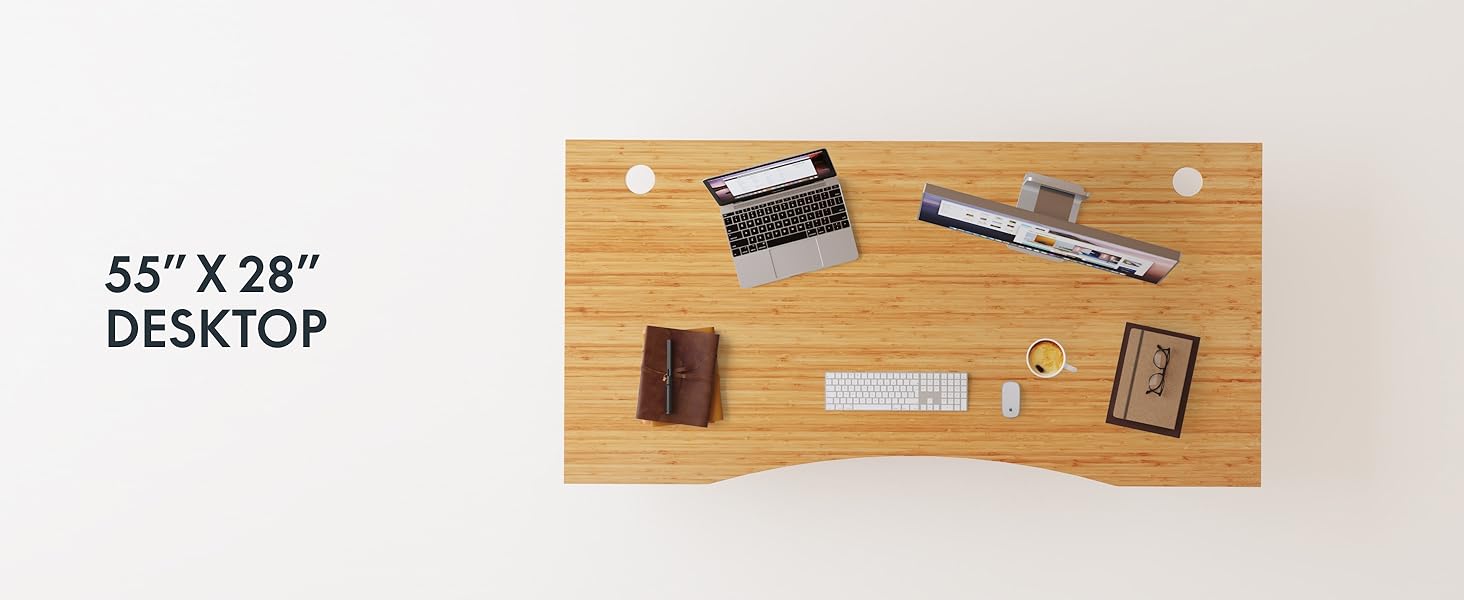
Figure 2: Desk Frame Assembly
3.3 Desktop Attachment
Carefully place the bamboo desktop onto the assembled frame. Align the pre-drilled holes and secure the desktop with the provided screws. The desktop features a curved design for ergonomic comfort.

Figure 3: Curved Bamboo Desktop
3.4 Control Panel and Cable Management
Mount the digital control panel to the underside of the desk. Connect all motor and power cables according to the diagram. Utilize the integrated cable management holes to organize wires and prevent clutter.

Figure 4: Control Panel and Cable Management

Figure 5: Cable Management Hole
4. Інструкцыя па эксплуатацыі
The FLEXISPOT E6 Pro desk features a user-friendly digital control panel for height adjustment and memory presets.

Малюнак 6: Лічбавая панэль кіравання
4.1 Adjusting Desk Height
- Націсніце Стрэлка ўверх кнопка, каб падняць стол.
- Націсніце Стрэлка ўніз кнопка, каб апусціць стол.
- Адпусціце кнопку на патрэбнай вышыні.
4.2 Налада папярэдніх налад памяці
The control panel allows you to save up to two preferred height settings.
- Адрэгулюйце стол на патрэбную вам вышыню.
- Націсніце "М" кнопка. Дысплей будзе міргаць.
- Націсніце альбо "1" or "2" button within 3 seconds to save the current height to that preset.
- To recall a saved height, simply press the corresponding "1" or "2" button. The desk will automatically move to the saved position.
4.3 USB-порт для зарадкі
A USB port is integrated into the control panel for convenient charging of your devices.
4.4 Anti-Collision Function
The desk is equipped with an anti-collision system that automatically stops and slightly reverses movement if it encounters an obstruction during height adjustment. This feature helps prevent damage and injury.

Малюнак 7: Сістэма прадухілення сутыкненняў у дзеянні
5. Тэхнічнае абслугоўванне
Regular maintenance ensures the longevity and optimal performance of your standing desk.
- Уборка: The bamboo desktop has a smooth, waterproof surface, making it easy to clean. Use a soft, damp cloth with mild soap to wipe down the surface. Avoid abrasive cleaners or harsh chemicals.
- агляд: Перыядычна правярайце ўсе шрубы і злучэнні, каб пераканацца ў іх зацягнутасці. Пры неабходнасці падцягвайце.
- Кабельнае кіраванне: Ensure cables are neatly organized and not pinched or tangled, which could affect desk operation.

Figure 8: Waterproof Bamboo Surface
6. Выпраўленне непаладак
If you encounter issues with your FLEXISPOT E6 Pro desk, refer to the following common problems and solutions:
| праблема | Магчымая прычына | Рашэнне |
|---|---|---|
| Стол не рухаецца. | Power cable disconnected, control panel locked, or motor error. | Check power connections. Unlock control panel if applicable. Unplug for 10 seconds and plug back in to reset. |
| Няроўная рэгуляванне вышыні. | Uneven load, loose connections, or motor synchronization issue. | Ensure weight is evenly distributed. Check all frame connections. Perform a reset procedure (refer to full manual if available). |
| Desk stops unexpectedly. | Anti-collision system activated, or overload. | Check for obstructions. Reduce weight on the desk if exceeding maximum capacity. |
| Шум падчас працы. | Loose components or normal motor sound. | Tighten all screws. A low hum from the dual motors (less than 45 dB) is normal. |
If the problem persists, please contact FLEXISPOT customer support.
7. Тэхнічныя характарыстыкі
| Асаблівасць | Дэталь |
|---|---|
| Марка | ФЛЕКСІСПОТ |
| Нумар мадэлі | ET365 |
| Памеры прадукту | 77.9" Г x 29.5" Ш x 23.6" У |
| Памер працоўнага стала | 78"x30" Whole-piece |
| Колер | Black Frame + Curved Bamboo Top |
| Базавы матэрыял | Метал |
| Верхні тып матэрыялу | Драўніна (бамбук) |
| Пад'ёмны механізм | Electric Dual Motor |
| Мінімальная вышыня | 23.6 цалі |
| Максімальная вышыня | 48.8 цалі |
| Рэкамендацыя па максімальнай вазе | 352 фунта |
| Узровень шуму | Менш за 45 дБ |
| Неабходная зборка | так |
8. Гарантыя і падтрымка
8.1 Інфармацыя аб гарантыі
FLEXISPOT provides the following warranty coverage for your E6 Pro Electric Standing Desk:
- 10-гадовае пакрыццё: Desk frame and motor.
- 2-гадовае пакрыццё: Control panel and electronics.
This warranty covers manufacturing defects and malfunctions under normal use. Please retain your proof of purchase for warranty claims.
8.2 Падтрымка кліентаў
For any assistance, questions, or warranty claims, please contact FLEXISPOT customer support. You can find more information and contact details on the official FLEXISPOT webсайт або праз вашу платформу для пакупак.
Visit the official FLEXISPOT Store: FLEXISPOT Store on Amazon