
Уводзіны
This manual provides essential instructions for setting up, operating, and maintaining your KALOC Fitness Tracker. Please read this guide thoroughly to ensure proper use and to maximize the device's features.
Што ў скрынцы
Пасля распакавання пераканайцеся, што ўсе прадметы наяўныя:
- KALOC Fitness Tracker (main unit)
- Глядзець гурт
- Зарадны кабель
- Кіраўніцтва карыстальніка
Настройка
1. Зарадка прылады
Before first use, fully charge your fitness tracker. Connect the charging cable to the charging port on the back of the device and to a USB power source. The screen will indicate charging status.

Image: The KALOC Fitness Tracker displaying a '100% Fully charged' message while connected to its charging cable.
2. Усталёўка праграмы і спалучэнне
To utilize all features and synchronize data, download the companion application to your smartphone. The app is compatible with Android 6.0 and iOS 12.0 or above, and requires Bluetooth 4.0.
- Scan the QR code in the quick guide or search for the app name (usually mentioned in the quick guide or packaging) in your phone's app store.
- Усталюйце прыкладанне.
- Open the app and follow the on-screen instructions to create an account and pair your fitness tracker via Bluetooth. Ensure Bluetooth is enabled on your phone.
- Allow necessary permissions for the app to function correctly (e.g., location, notifications).
Інструкцыя па эксплуатацыі
Дысплей і навігацыя
The KALOC Fitness Tracker features a 1.58-inch AMOLED touch display. Navigate through menus and functions by swiping up, down, left, or right, and tapping to select options.

Image: The 1.58-inch AMOLED screen of the KALOC Fitness Tracker, highlighting its resolution and brightness capabilities.
Асноўныя функцыі
- Час і дата: Automatically synchronizes with your paired smartphone.
- Гадзіннік: Customize your watch face through the companion app or directly on the device.

Малюнак: Examples of personalized watch faces available for the KALOC Fitness Tracker.
Функцыі адсочвання здароўя
The KALOC Fitness Tracker provides comprehensive health monitoring throughout the day.
- Маніторынг сардэчнага рытму: Пастаянна адсочвае ваш пульс. View дадзеныя ў рэжыме рэальнага часу на прыладзе або падрабязныя тэндэнцыі ў дадатку.
- Вымярэнне ўзроўню кіслароду ў крыві (SpO2): Вымярае ўзровень насычэння крыві кіслародам.
- Маніторынг сну: Аналізуе вашы рэжымы сну, у тым ліку глыбокі сон, лёгкі сон і час няспання.
- Stress Level Tracking: Monitors your stress levels and provides insights into your mental well-being.
- Pedometer & Calorie Tracker: Records daily steps, distance covered, and estimated calories burned.

Image: The KALOC Fitness Tracker displaying 24-hour health tracking data, including heart rate, sleep, and stress.

Image: The KALOC Fitness Tracker tracking daily fitness data, including steps, distance, calories, and activity time.
Спартыўныя рэжымы
The fitness tracker supports over 100 sports modes to accurately track your workouts. Select the appropriate mode before starting an activity for precise data collection.
- Examples include outdoor walking, running, cycling, strength training, yoga, and various ball games.
- Access sports modes from the device menu and select your desired activity.
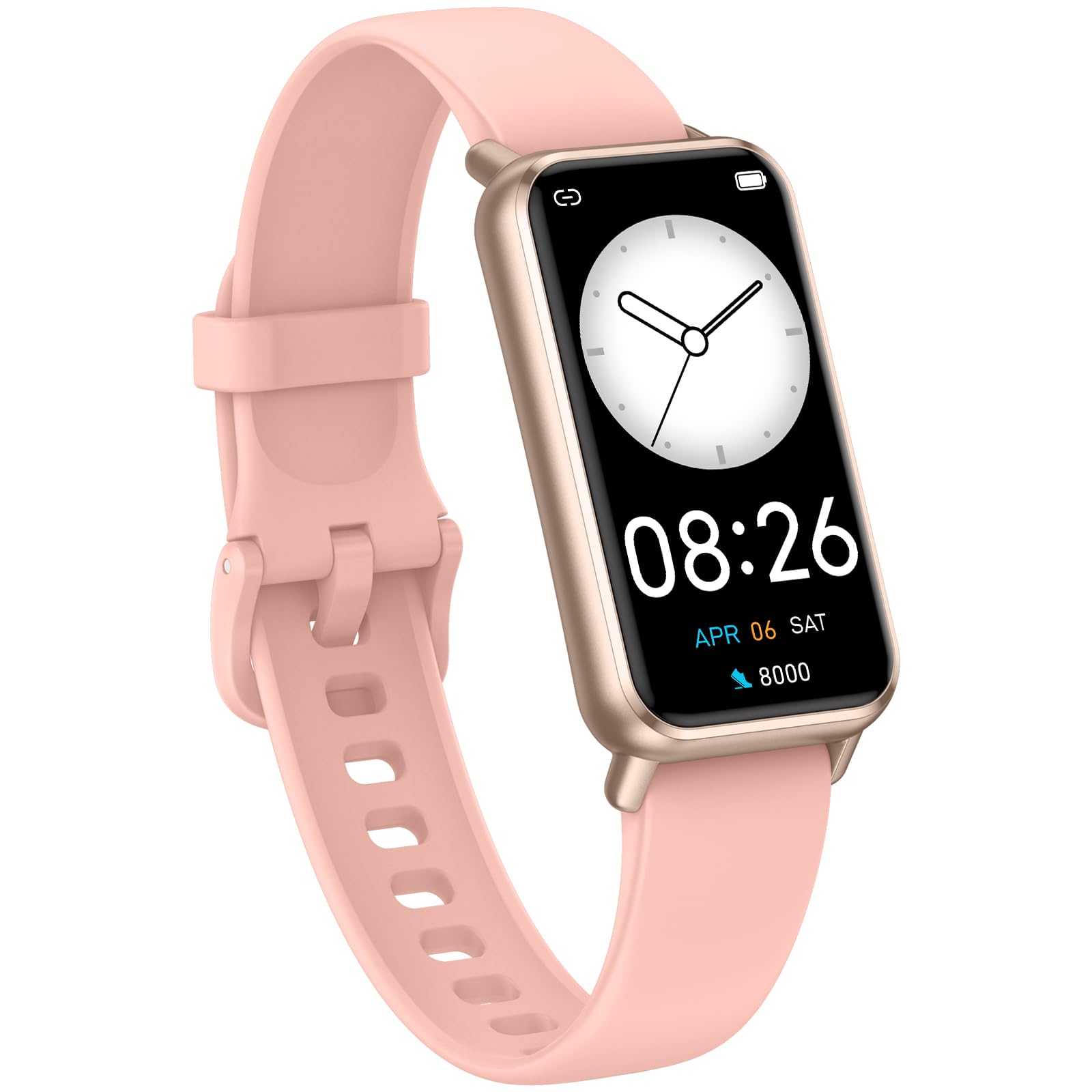
Image: The KALOC Fitness Tracker highlighting its support for over 100 sports modes.
Воданепранікальнасць
The KALOC Fitness Tracker is 50-meter waterproof, making it suitable for various water activities.
- Suitable for washing hands, showering, swimming, and shallow water activities.
- Not recommended for diving, hot water activities, or high-pressure water exposure.

Image: The KALOC Fitness Tracker demonstrating its 50-meter waterproof feature during swimming.
Тэрмін службы батарэі
The device offers an extended battery life, providing up to 14 days of typical use or 30 days of standby time on a single charge.

Image: The KALOC Fitness Tracker highlighting its 14-day battery life.
Разумныя апавяшчэнні
Receive notifications for calls, messages, and app alerts directly on your wrist when paired with your smartphone.

Image: The KALOC Fitness Tracker receiving smart notifications from various applications.
Іншыя функцыі
The KALOC Fitness Tracker includes several additional useful features:
- Кіраванне камерай: Дыстанцыйна кіруйце камерай тэлефона.
- Кіраванне музыкай: Manage music playback on your paired phone.
- Прагноз надвор'я: View бягучыя ўмовы надвор'я і прагнозы.
- Напамін пра пітво: Усталюйце напаміны, каб падтрымліваць водны баланс.
- Сядзячы напамін: Папярэджвае вас аб неабходнасці рухацца пасля перыядаў бяздзейнасці.
- Будзільнік: Set alarms directly on your device.
- Трэніроўка дыхання: Дыхальныя практыкаванні з інструкцыямі дапамагаюць справіцца са стрэсам.

Image: The KALOC Fitness Tracker showcasing its multiple functions.
Тэхнічнае абслугоўванне
To ensure the longevity and optimal performance of your KALOC Fitness Tracker, follow these maintenance guidelines:
- Уборка: Рэгулярна чысціце прыладу і раменьчык мяккай губкайamp тканіна. Пазбягайце выкарыстання агрэсіўных хімічных рэчываў або абразіўных матэрыялаў.
- Зарадка: Use only the provided charging cable. Do not expose the charging contacts to water or corrosive liquids.
- захоўванне: Захоўвайце прыладу ў прахалодным, сухім месцы, калі яна не выкарыстоўваецца. Пазбягайце экстрэмальных тэмператур.
- Ўздзеянне вады: While waterproof, it is advisable to dry the device thoroughly after exposure to water to prevent skin irritation and ensure proper sensor function.
Ліквідацыю непаладак
If you encounter issues with your KALOC Fitness Tracker, refer to the following common solutions:
- Прылада не ўключаецца: Пераканайцеся, што прылада цалкам зараджана. Падключыце яе да зараднай прылады як мінімум на 30 хвілін.
- Немагчыма спалучыць з тэлефонам:
- Пераканайцеся, што Bluetooth уключаны на вашым тэлефоне.
- Пераканайцеся, што трэкер знаходзіцца ў зоне дзеяння Bluetooth вашага тэлефона.
- Restart both your phone and the fitness tracker.
- Check if the app has the necessary permissions.
- Недакладныя дадзеныя:
- Ensure the tracker is worn snugly on your wrist, about one finger's width from your wrist bone.
- Clean the sensors on the back of the device.
- Update the device firmware via the app if available.
- Апавяшчэнні не атрыманы:
- Verify that notifications are enabled in both the tracker's app and your phone's settings.
- Пераканайцеся, што праграма працуе ў фонавым рэжыме.
If problems persist, consult the support section of the companion app or contact customer support.
Тэхнічныя характарыстыкі
| Нумар мадэлі | 529d841c-3537-4f97-bf0f-2a0c001c6b1e |
| Памер дысплея | 1.58 цалі AMOLED |
| Воданепранікальнасць | 50 метраў |
| Тэрмін службы батарэі | Да 14 дзён (пры тыповым выкарыстанні) |
| Сувязь | Bluetooth 4.0 |
| Сумяшчальнасць | Android 6.0+ / iOS 12.0+ |
| Вага прадмета | 2.82 унцыі |
| Памеры прадукту | 6.4 х 3 х 0.7 цалі |
Гарантыя і падтрымка
For warranty information and customer support, please refer to the documentation included with your purchase or visit the official KALOC webсайт. Захоўвайце чэк аб куплі як пацвярджэнне пакупкі для гарантыйных прэтэнзій.