
1. Уводзіны
This manual provides detailed instructions for the installation, operation, and maintenance of your Mumusuki Smart Energy Meter, Model Mumusuki2mf1ikz3uv. This device is designed for real-time monitoring of electricity consumption, offering convenient energy management through a mobile application.
2. Асаблівасці прадукту
- Маніторынг у рэжыме рэальнага часу: Intelligent metering switch electricity meter for real-time monitoring of electricity consumption, providing detailed electricity usage data.
- APP Пульт дыстанцыйнага кіравання: Supports mobile APP remote control, allowing you to control the on/off status of the electricity meter anytime and anywhere, achieving convenient energy management.
- Некалькі функцый: Primarily used for metering electrical energy, with voltage monitoring and power analysis functions to meet various user needs.
- Разумная тэхналогія: Utilizes Tuya intelligent technology to ensure the safety and reliability of the energy meter, preventing energy waste and device overload.
- Лёгкая ўстаноўка: Compact structure, convenient and fast installation, suitable for home use without requiring professional assistance.
3. Змесціва ўпакоўкі
Пасля адкрыцця ўпакоўкі пераканайцеся, што ўсе пералічаныя ніжэй прадметы наяўныя і знаходзяцца ў добрым стане:
- 1 x Mumusuki Smart Energy Meter
- 1 х Кіраўніцтва карыстальніка на англійскай мове (гэты дакумент)
- 4 x Decorative Covers
- 1 x Cover Opener
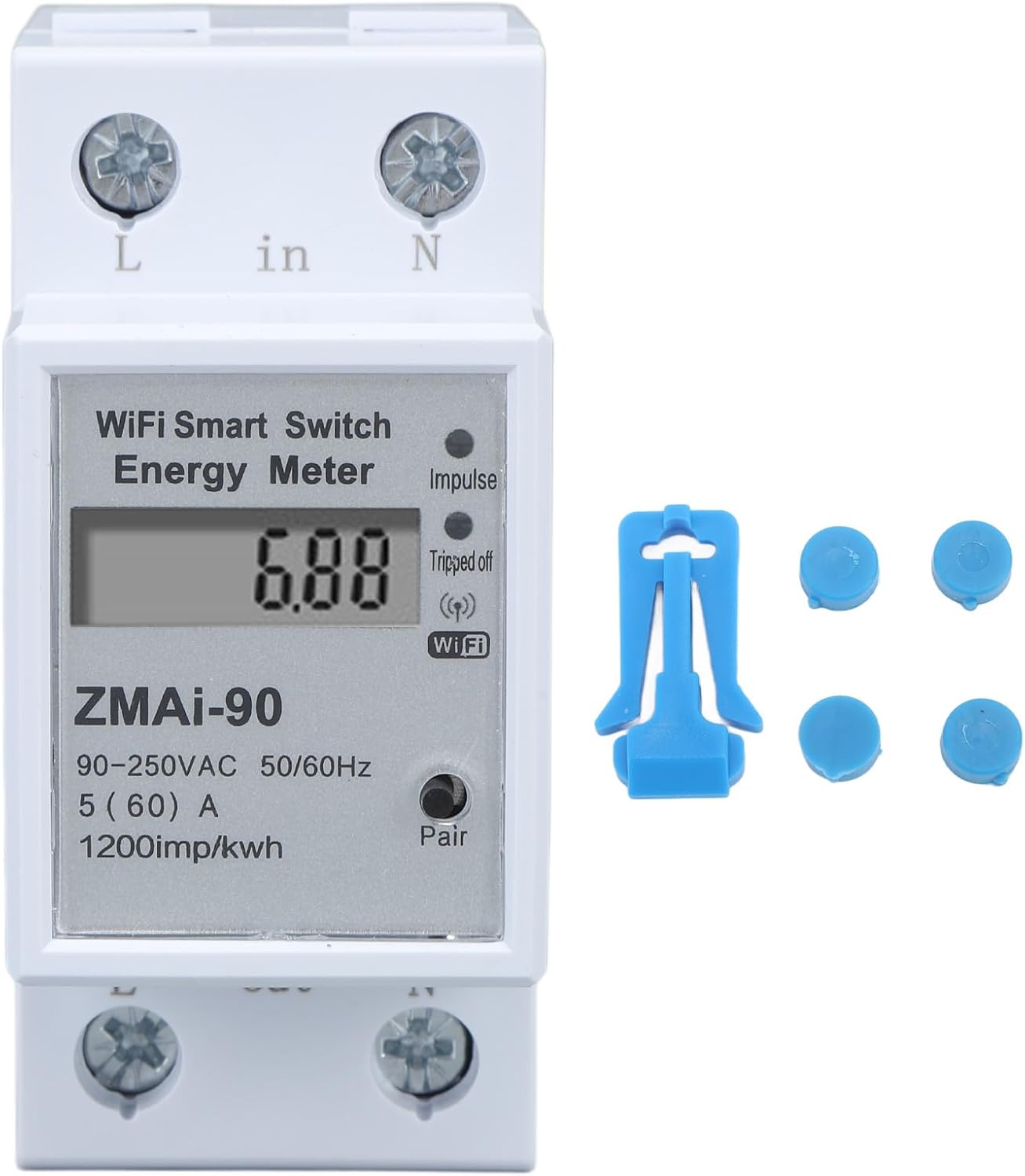
Малюнак 3.1: Спераду view of the Smart Energy Meter, showing the display, Wi-Fi indicator, and terminals, alongside a blue clip and four blue decorative covers.
4. Тэхнічныя характарыстыкі
| Параметр | Каштоўнасць |
|---|---|
| Марка | Мумусукі |
| Нумар мадэлі | Mumusuki2mf1ikz3uv |
| Даведка Voltage | 110-230В |
| Матэрыял | АБС |
| Вага прадмета | Approx. 160g / 5.6oz (Product only), 3 pounds (Shipping weight) |
| Памеры прадукту | Прыблізна 36 x 79 x 66 мм / 1.4 x 3.1 x 2.6 цалі |
| Памеры ўпакоўкі | 3.54 х 3.15 х 1.57 цалі |
| Патрабуюцца батарэі | няма |
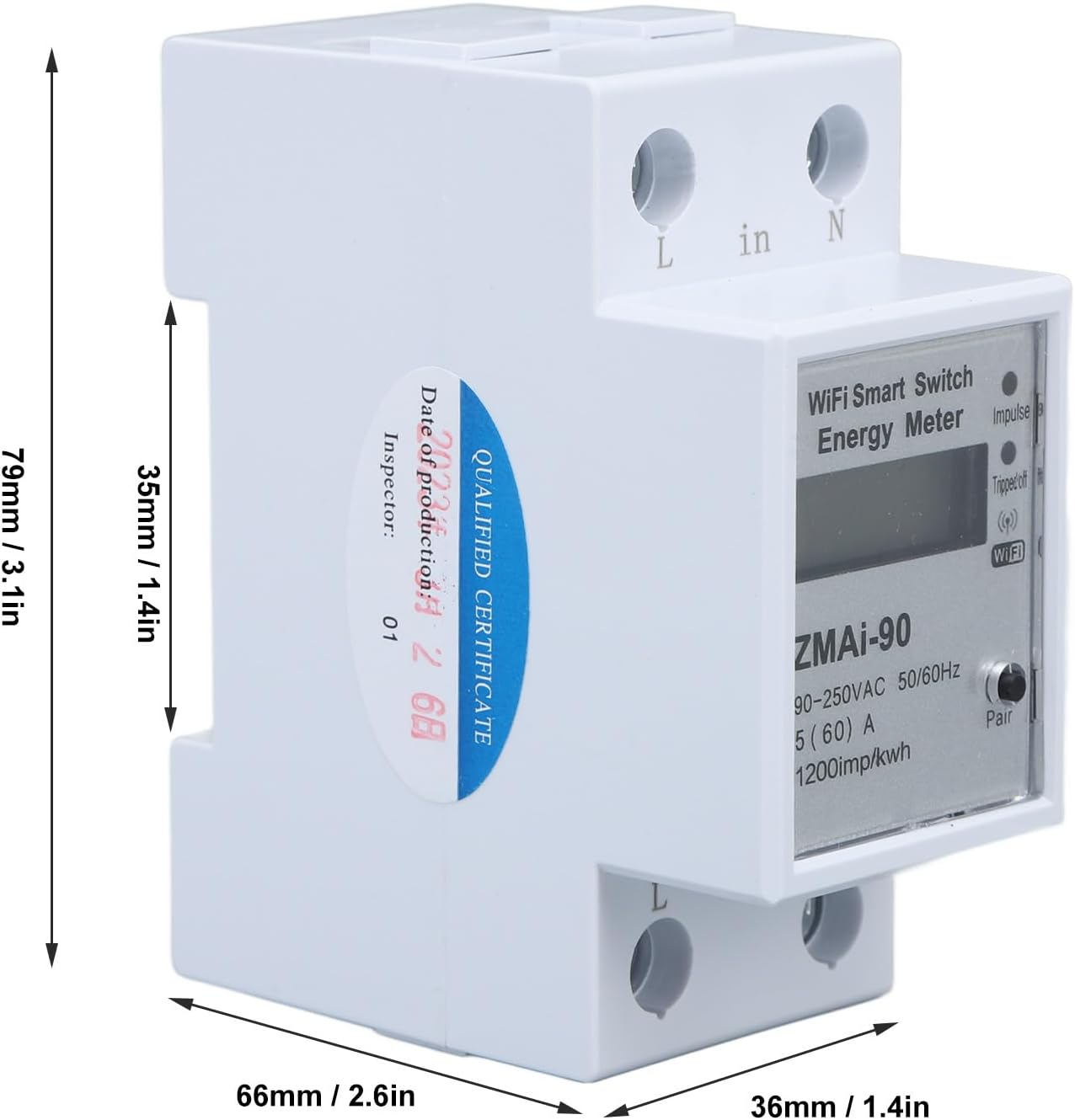
Figure 4.1: Diagram illustrating the dimensions of the Smart Energy Meter: 79mm (3.1in) height, 66mm (2.6in) depth, and 36mm (1.4in) width.
5. Інфармацыя па бяспецы
WARNING: Electrical installation should only be performed by qualified personnel. Ensure power is disconnected before installation to prevent electric shock.
- Заўсёды адключайце харчаванне з дапамогай галоўнага выключальніка перад устаноўкай або абслугоўваннем прылады.
- Ensure wiring connections are secure and comply with local electrical codes.
- Не выкарыстоўвайце прыладу, калі яна выглядае пашкоджанай.
- Трымайце прыладу далей ад вады і празмернай вільгаці.
- Гэта прылада прызначана толькі для выкарыстання ў памяшканні.
6. Настройка і ўстаноўка
The Mumusuki Smart Energy Meter is designed for easy installation in a standard electrical panel. Follow these steps carefully:
- Адключэнне сілкавання: Locate the main circuit breaker for the circuit where the meter will be installed and turn it OFF. Verify that the power is off using a voltagэлектронны тэстар.
- Мантаж: Mount the energy meter onto a standard DIN rail within your electrical panel. Ensure it is securely clipped into place.
- Праводка:
- Connect the incoming Live (L) wire to the 'L in' terminal.
- Connect the incoming Neutral (N) wire to the 'N in' terminal.
- Connect the outgoing Live (L) wire to the 'L out' terminal.
- Connect the outgoing Neutral (N) wire to the 'N out' terminal.
Refer to the wiring diagram on the device for correct connections. Ensure all connections are tight to prevent loose contacts and overheating.
- Аднаўленне харчавання: Once all wiring is complete and secure, restore power by turning the main circuit breaker ON. The meter's display should illuminate.

Малюнак 6.1: Пад вуглом view of the Smart Energy Meter, highlighting the 'L in', 'N in', 'L out', and 'N out' terminals for electrical connections.
7. Інструкцыя па эксплуатацыі
7.1. Initial Setup and APP Connection
- Спампаваць APP: Запампуйце праграму «Tuya Smart» або «Smart Life» з крамы праграм вашай мабільнай прылады (iOS або Android).
- Рэгістрацыя/Уваход: Адкрыйце праграму і зарэгіструйце новы ўліковы запіс або ўвайдзіце ў сістэму, калі ў вас ужо ёсць уліковы запіс.
- Дадаць прыладу: In the app, tap the "+" icon to add a new device. Select "Electrical Engineering" -> "Energy Meter (Wi-Fi)".
- Рэжым спалучэння: On the energy meter, press and hold the "Pair" button (usually located near the Wi-Fi indicator) until the Wi-Fi indicator starts blinking rapidly. This indicates pairing mode.
- Падключыцеся да Wi-Fi: Follow the on-screen instructions in the app to connect the meter to your 2.4GHz Wi-Fi network. Ensure your phone is also connected to the same 2.4GHz Wi-Fi network.
- Дададзена прылада: Once successfully paired, the app will confirm "Device added successfully". You can then rename the device for easy identification.

Figure 7.1: A mobile phone screen showing the "SINO TIMER WiFi Smart Switch" app interface, demonstrating remote control functionality with a large power button indicating the socket is on.
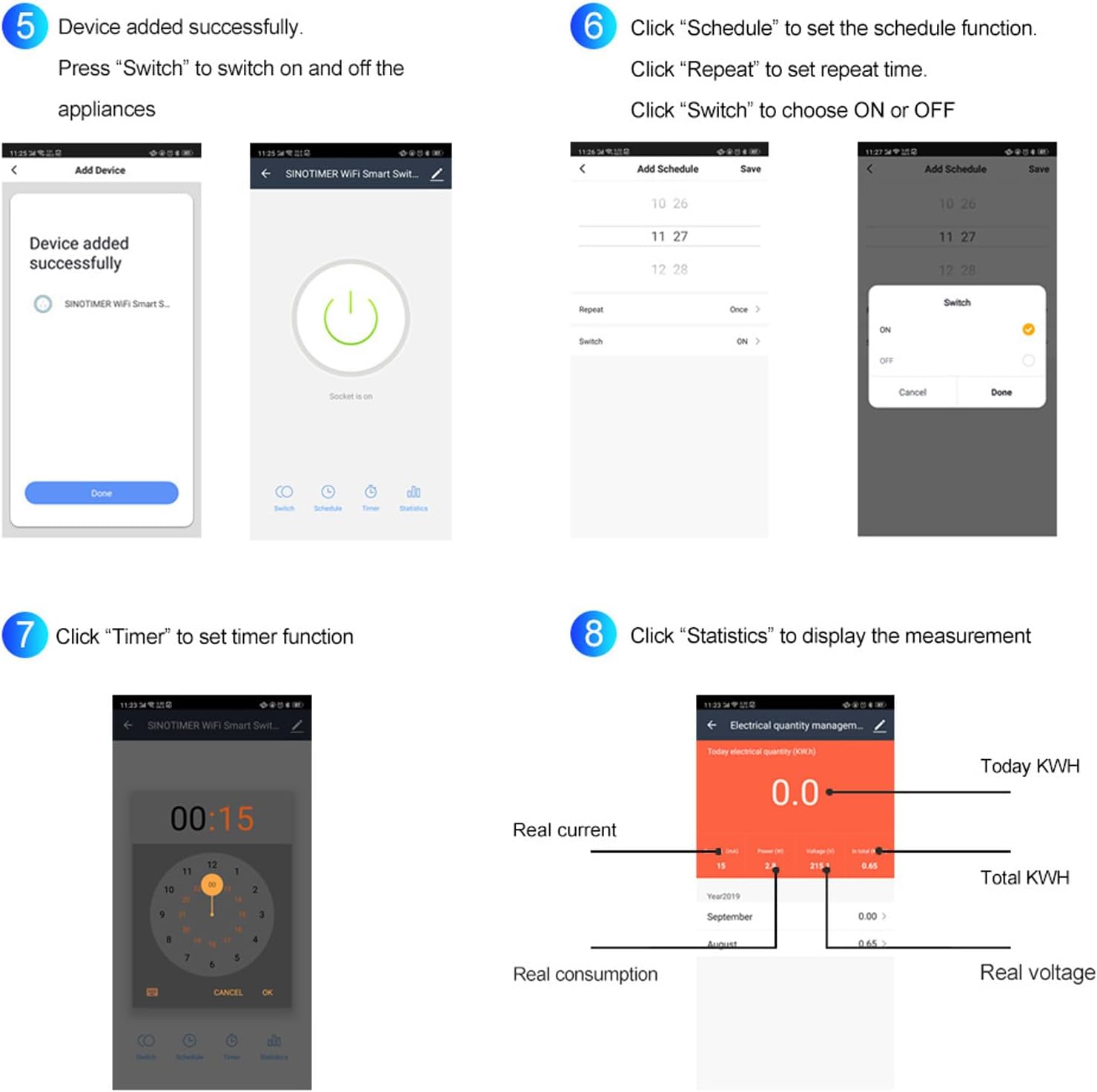
Figure 7.2: A composite image showing various app screens: 1) Device added successfully, 2) Main control screen with Switch, Schedule, Timer, Statistics options, 3) Setting a schedule with time and repeat options, 4) Choosing ON or OFF for a scheduled event, 5) Setting a timer, and 6) Displaying electrical quantity management with real current, power, voltage, and KWH data.
7.2. Real-Time Monitoring and Data Analysis
After successful connection, you can monitor your electricity usage in real-time through the app:
- Open the app and select your energy meter device.
- The main screen will display current power consumption, voltagе, і ток.
- Navigate to the "Statistics" or "Electrical quantity management" section to view historical data, including daily, monthly, and yearly KWH consumption.
- The app provides insights into real current, real consumption, total KWH, and real voltage.
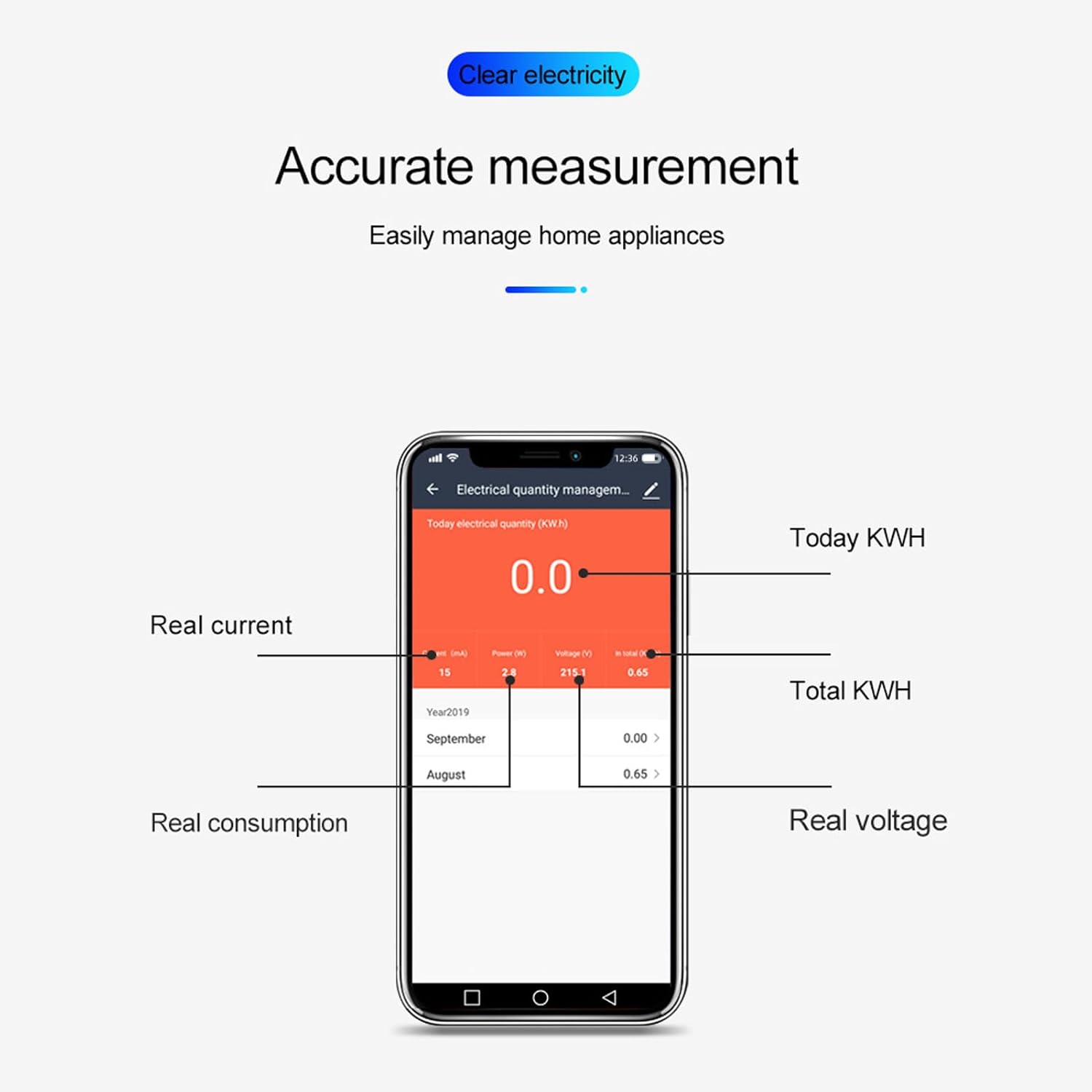
Figure 7.3: A mobile phone screen showing the "Electrical quantity management" interface, detailing real current, power, voltage, total KWH, and historical consumption data.
7.3. Функцыі планавання і таймера
The app allows you to set schedules and timers for automated control of connected appliances:
- Планаванне:
- From the device control screen, tap "Schedule".
- Set the desired time for the action (e.g., turn on/off).
- Choose the "Repeat" option for daily, weekly, or custom repetitions.
- Select "Switch" to choose whether the action is ON or OFF.
- Захавайце расклад.
Example: Automatically turn on your water heater before you go home every day.
- Таймер:
- From the device control screen, tap "Timer".
- Set a countdown duration. The device will perform the opposite of its current state (e.g., if ON, it will turn OFF after the timer; if OFF, it will turn ON).
- Запусціце таймер.
Example: Automatically turn off your air conditioning after you go to sleep.
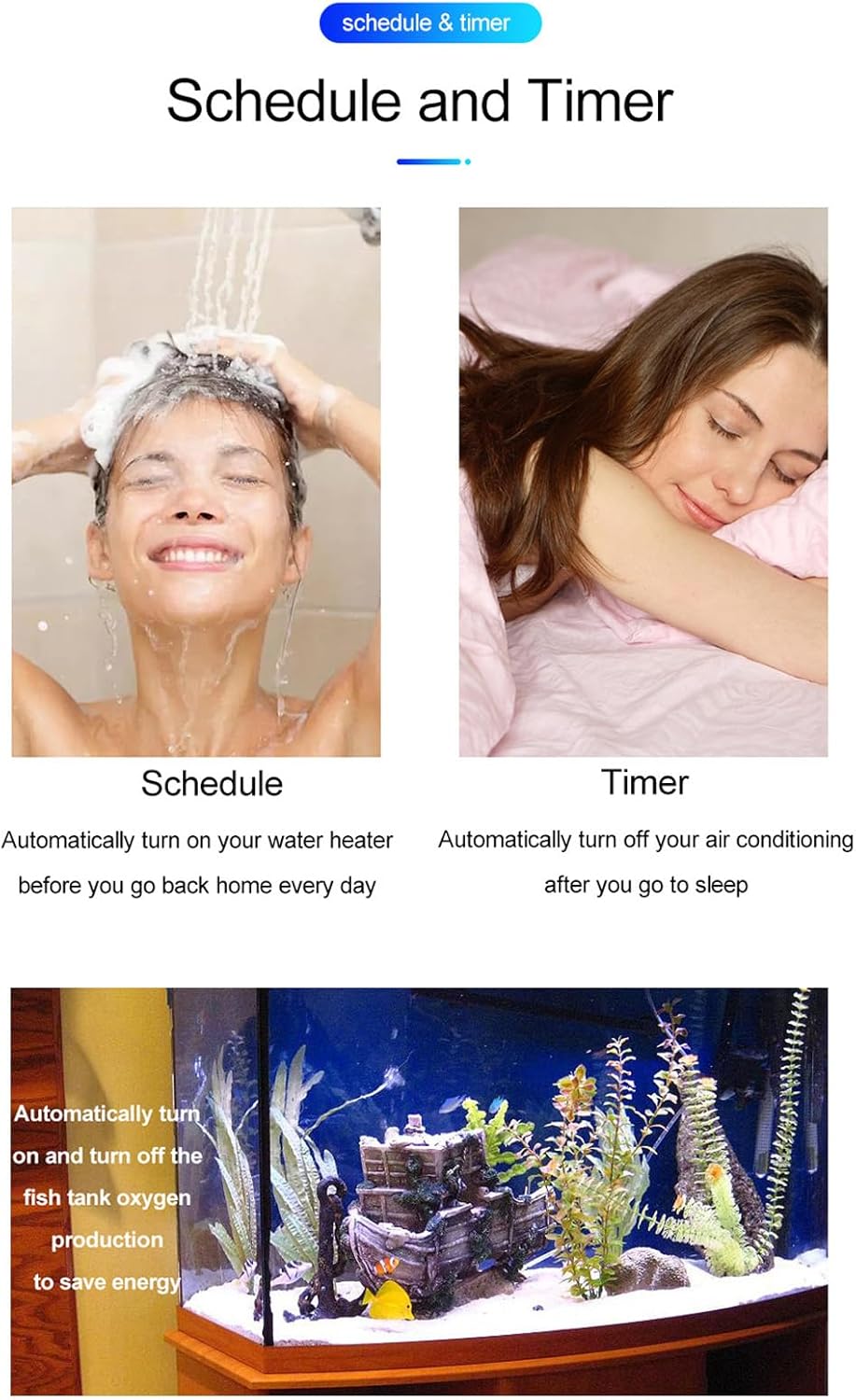
Малюнак 7.4: Візуальны прыкладamples of scheduling (turning on a water heater) and timer functions (turning off air conditioning), along with an example of automating fish tank oxygen production.
8. Тэхнічнае абслугоўванне
The Mumusuki Smart Energy Meter requires minimal maintenance to ensure optimal performance and longevity:
- Уборка: Gently wipe the device with a dry, soft cloth. Do not use abrasive cleaners or solvents. Ensure power is disconnected before cleaning.
- Абнаўленні прашыўкі: Periodically check the mobile app for any available firmware updates for the device. Updates can improve performance, add features, or fix bugs.
- Праверка злучэння: Occasionally verify that the electrical connections are still tight and secure.
- Умовы навакольнага асяроддзя: Ensure the device is operating within its specified temperature and humidity ranges to prevent damage.
9. Выпраўленне непаладак
| праблема | Магчымая прычына | Рашэнне |
|---|---|---|
| Прылада не ўключаецца. | No power to the circuit; incorrect wiring. | Check the circuit breaker. Verify all wiring connections are correct and secure (refer to Section 6). |
| Wi-Fi indicator not blinking or not connecting. | Not in pairing mode; incorrect Wi-Fi password; 5GHz Wi-Fi network. | Press and hold the "Pair" button to enter pairing mode. Ensure you are connecting to a 2.4GHz Wi-Fi network. Double-check the Wi-Fi password. Move the device closer to the router. |
| Inaccurate readings or no data in app. | Loose electrical connections; app synchronization issue. | Ensure all electrical connections are tight. Restart the app. If the issue persists, try re-pairing the device with the app. |
| Не працуе пульт дыстанцыйнага кіравання. | No internet connection; device offline in app. | Check your home internet connection. Ensure the device is showing as "Online" in the app. Restart your router and the energy meter. |
10. Гарантыя і падтрымка
For warranty information and technical support, please refer to the documentation provided with your purchase or visit the official Mumusuki webсайт. Захоўвайце чэк аб куплі як пацверджанне пакупкі.
For further assistance, you may contact Mumusuki customer service through their official channels.
Заўвага: Планы абароны можна набыць асобна. Калі ласка, звярніцеся да прадаўца для атрымання падрабязнай інфармацыі.