
Уводзіны
This manual provides comprehensive instructions for the setup, operation, and maintenance of your Surfans F22 Portable HiFi MP3 Player. Please read this manual thoroughly before using the device to ensure proper functionality and to maximize your listening experience.
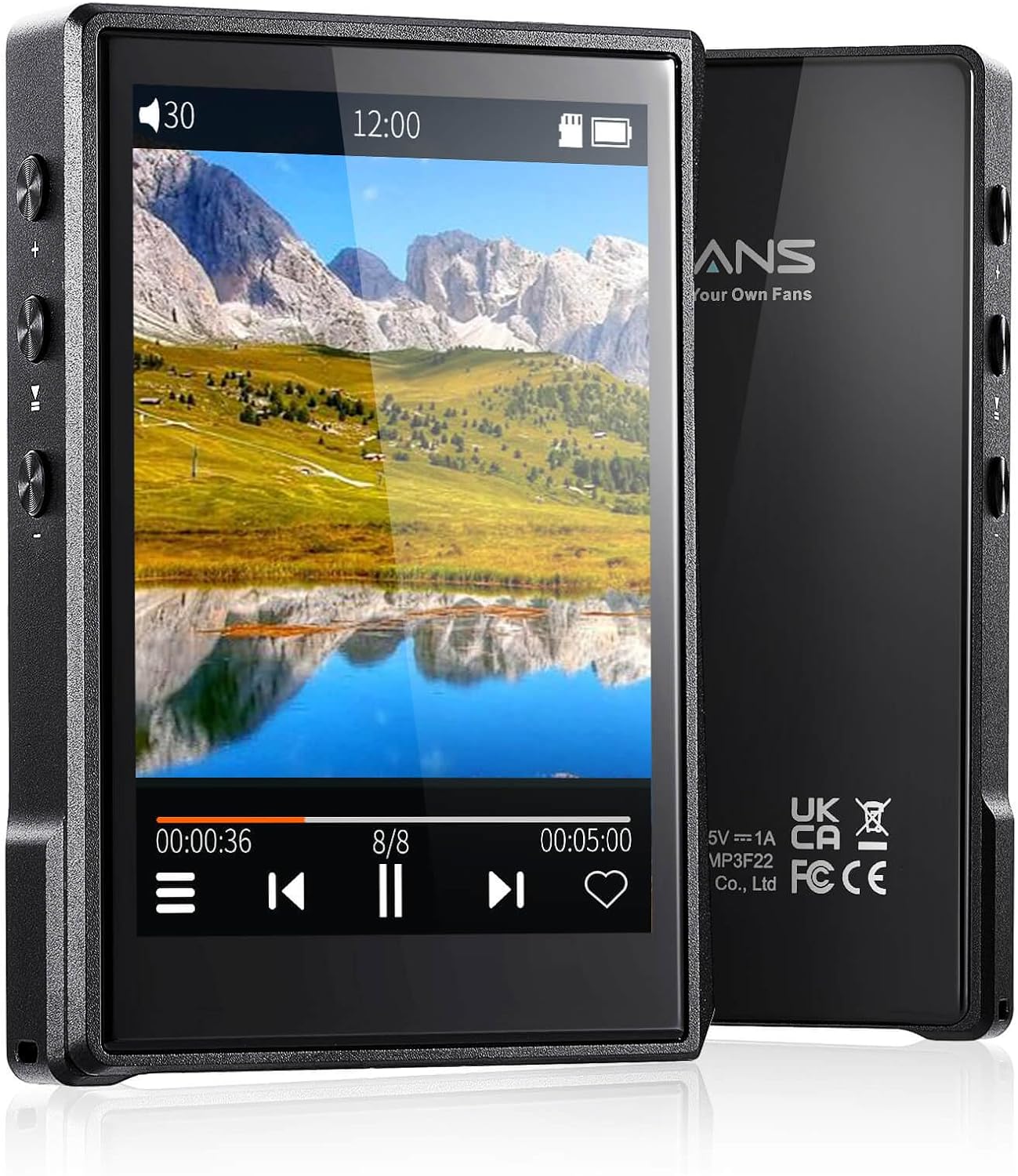
Выява: спераду і ззаду view of the Surfans F22 Portable HiFi MP3 Player, showcasing its 2.8-inch touchscreen and sleek design.
Змест пакета
Праверце наяўнасць усіх прадметаў у камплекце:
- Surfans F22 HiFi Music Player
- Кіраўніцтва карыстальніка (гэты дакумент)
- USB-кабель C
- Карта памяці на 32 ГБ (папярэдне ўсталяваная або ўваходзіць у камплект асобна)
Прылада скончыласяview
Familiarize yourself with the physical components of your F22 player.

Image: Diagram illustrating the various ports and buttons on the Surfans F22 MP3 Player, including the power button, volume controls, headphone jack, and USB-C port.
- 2.8-inch IPS TFT Full Touchscreen: Main interface for navigation and control.
- Кнопка харчавання: Уключае/выключае прыладу і блакуе/разблакуе экран.
- Кнопкі гучнасці: Рэгулюе ўзровень гукавога выхаду.
- Раз'ём для навушнікаў (3.5 мм): Падключыце правадныя навушнікі.
- Порт USB-C: Для зарадкі і перадачы дадзеных.
- Слот для карты Micro SD: For expandable storage up to 1TB.
Настройка
1. Зарадка прылады
Before first use, fully charge the F22 player. Connect the provided USB-C cable to the device's USB-C port and the other end to a USB power adapter (not included) or a computer's USB port. The charging indicator will show progress. A full charge typically takes approximately 2 hours and provides up to 10 hours of playback.
2. Устаўка карты Micro SD
The F22 comes with a 32GB memory card. For additional storage, you can insert a Micro SD card (up to 1TB) into the designated slot. Ensure the card is inserted correctly until it clicks into place.

Image: A Surfans F22 MP3 Player shown with a Micro SD card being inserted into its slot, illustrating the expandable storage capability.
3. Перадача музыкі Files
Connect the F22 player to your computer using the USB-C cable. The device will appear as a removable storage drive. Drag and drop your music files (FLAC, WMA, WAV, DSF, DSD, MP3, etc.) into the appropriate folders on the player's internal storage or the Micro SD card.

Image: A Surfans F22 MP3 Player displaying music playback, with a person wearing headphones in the background, symbolizing the high-fidelity audio experience.
Інструкцыя па эксплуатацыі
1. Power On/Off and Screen Lock
- Каб уключыць прыладу, націсніце і ўтрымлівайце кнопку харчавання, пакуль не падсвеціцца экран.
- To power off, press and hold the Power button, then select "Power Off" on the screen.
- To lock/unlock the screen, briefly press the Power button.
2. Навігацыя па інтэрфейсе
The F22 features a 2.8-inch touchscreen for navigation. Swipe left/right or up/down to browse menus and lists. Tap icons to select options or open applications.
3. Прайграванне музыкі
- From the main menu, select "Music" to access your library.
- Browse by Artist, Album, Song, Genre, or Folder.
- Націсніце на песню, каб пачаць прайграванне.
- During playback, use the on-screen controls for play/pause, skip track, and volume adjustment. Physical volume buttons also control volume.

Image: The Surfans F22 MP3 Player screen showing options for music playback modes: List play, Single play, List loop, and Random, indicating flexible listening options.
4. Злучэнне Bluetooth
The F22 supports Bluetooth 4.2 for wireless audio output.
- Перайдзіце ў «Налады» і абярыце «Bluetooth».
- Turn Bluetooth on. The player will scan for available devices.
- Выберыце патрэбныя Bluetooth-навушнікі або дынамік са спісу для спалучэння.
- Once paired, audio will stream wirelessly to the connected device.

Image: A visual representation of the Surfans F22 MP3 Player's Bluetooth 4.2 capabilities, showing connections to Bluetooth headphones, a Bluetooth speaker, and a car stereo system.
5. E-Book Functionality
The F22 also supports E-book reading.
- Transfer compatible E-book files да прылады.
- From the main menu, select "E-book".
- Browse and select a book to open and read.
Тэхнічнае абслугоўванне
- Уборка: Для чысткі прылады выкарыстоўвайце мяккую сухую тканіну. Пазбягайце выкарыстання вадкіх ачышчальнікаў або абразіўных матэрыялаў.
- захоўванне: Захоўвайце прайгравальнік у прахалодным, сухім месцы, удалечыні ад прамых сонечных прамянёў і экстрэмальных тэмператур.
- Сыход за батарэяй: Каб падоўжыць тэрмін службы батарэі, пазбягайце частай поўнай разрадкі батарэі. Рэгулярна зараджайце прыладу, нават калі яна не выкарыстоўваецца працяглы час.
- Абнаўленні праграмнага забеспячэння: Праверце вытворцы webперыядычна правяраць сайт на наяўнасць абнаўленняў прашыўкі, каб забяспечыць аптымальную прадукцыйнасць і новыя функцыі.
Ліквідацыю непаладак
| праблема | Магчымая прычына | Рашэнне |
|---|---|---|
| Прылада не ўключаецца. | Нізкі акумулятар. | Зараджайце прыладу не менш за 30 хвілін. |
| Няма гуку. | Volume too low; headphones not connected properly; incorrect audio output. | Increase volume; ensure headphones are fully plugged in; check Bluetooth connection if using wireless. |
| Немагчыма перадаць files. | USB cable issue; device not recognized by computer. | Try a different USB port or cable; ensure the device is in data transfer mode if prompted. |
| Нестабільнае злучэнне Bluetooth. | Interference; device too far from player. | Reduce distance between devices; avoid obstacles; try re-pairing. |
| Экран не рэагуе. | Часовы збой праграмнага забеспячэння. | Perform a soft reset by holding the Power button until the device restarts. |
Тэхнічныя характарыстыкі
| Асаблівасць | Дэталь |
|---|---|
| мадэль | Surfans F22 Hi Res Music Player |
| Працэсар | RK3308G 64-bit Quad-core ARM Cortex-A35 |
| Дысплей | 2.8-inch IPS TFT Full Touchscreen (240*320 resolution) |
| Аўдыё фарматы падтрымліваюцца | FLAC, WMA, WAV, DSF, DSD (Native DSD 128/256), PCM (up to 384kHz/32bit), DFF, DTS, APE, OGG, M4A, AIFF, AAC, MP3, Apple Lossless |
| Bluetooth | Версія 4.2 |
| Унутраная памяць | 32 ГБ (у камплекце) |
| Сховішча з магчымасцю пашырэння | Карта Micro SD да 1 ТБ |
| акумулятар | 1500mAh літый-палімер |
| Тэрмін службы батарэі | Да 10 гадзін прайгравання |
| Час зарадкі | Approximately 2 hours (fast charge) |
| Памеры | 4.72 х 3.15 х 1.77 цалі |
| Вага | 7.4 унцыі |
| Сувязь | USB-C |
| Асаблівасці | Equalizer, Hi-Res Audio, E-book function |
Гарантыя і падтрымка
The Surfans F22 Portable HiFi MP3 Player comes with a one-year return and exchange guarantee from the date of purchase. This warranty covers manufacturing defects under normal use.
For technical support, warranty claims, or further assistance, please contact Surfans customer service through their official website or the retailer where the product was purchased. Please have your purchase receipt and product model number (F22) available when contacting support.
вытворца: Сёрфінгісты
Webсайт: Surfans Official Store