
1. Важная інфармацыя па бяспецы
Калі ласка, прачытайце і зразумейце ўсе інструкцыі па тэхніцы бяспекі перад выкарыстаннем гэтага прадукта. Захоўвайце гэтую інструкцыю для далейшага выкарыстання.
- Крыніца харчавання: Выкарыстоўвайце толькі пазначаны адаптар сілкавання або батарэйкі. Пераканайцеся, што гучнасцьtage is compatible before plugging in.
- Вада і вільгаць: Do not expose the radio to rain, moisture, or immerse it in water.
- Цяпло: Трымайце радыё далей ад крыніц цяпла, такіх як радыятары, абагравальнікі, пліты або іншыя прыборы (у тым ліку ampLifiers), якія вырабляюць цяпло.
- Вентыляцыя: Не блакуйце вентыляцыйныя адтуліны. Забяспечце належную цыркуляцыю паветра вакол прылады.
- Уборка: Адключыце радыё ад разеткі перад чысткай. Выкарыстоўвайце толькі сухую тканіну.
- Абслугоўванне: Не спрабуйце самастойна абслугоўваць гэты прадукт. Звярніцеся да ўсіх абслугоўванняў кваліфікаванага абслуговага персаналу.
- батарэі: When using batteries, ensure correct polarity. Do not mix old and new batteries, or different types of batteries. Remove batteries if the radio will not be used for an extended period.
2. Прадукт скончыўсяview
The Audiocrazy Portable AM FM Radio with Bluetooth (Model AC-BT2210) is a versatile audio device designed for clear reception and convenient playback. It features traditional AM/FM radio tuning, Bluetooth 5.0 connectivity for wireless streaming, and an AUX input for wired connections. The radio can be powered via an AC cord or 4 AA batteries, offering flexibility for both indoor and outdoor use.

Выява 2.1: Спераду view of the Audiocrazy Portable AM FM Radio, showcasing its retro design and main controls.
Асноўныя характарыстыкі:
- AM/FM-цюнэр: Wide frequency range (FM 87-108MHz, AM 520-1710KHz) for easy station capture.
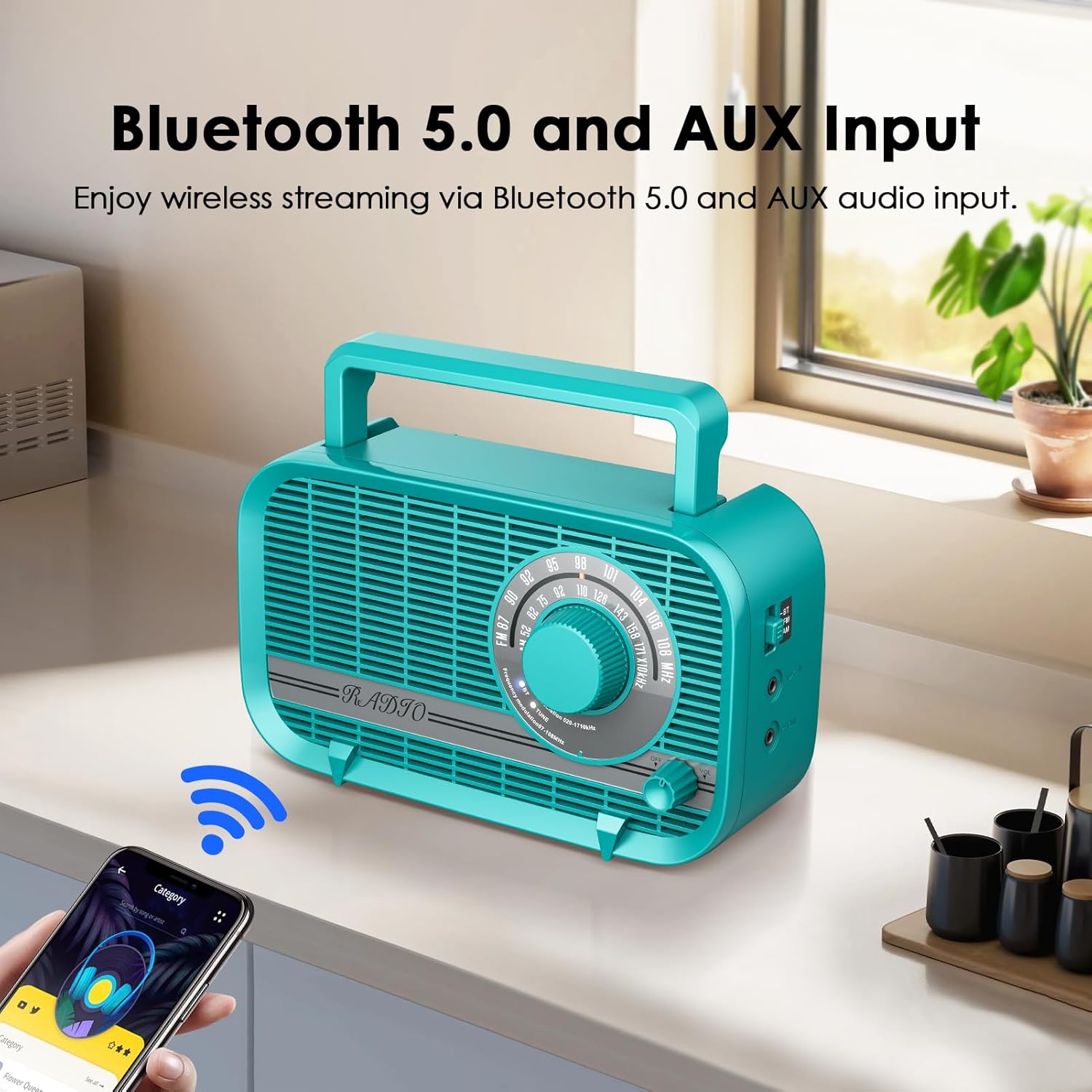
- Bluetooth 5.0: Seamless wireless connection to smart devices for audio streaming.
- 3-Watt Speaker: Delivers clear and vivid sound quality.
- Headphone/AUX-in Jack: For private listening or connecting external audio sources.
- Двайныя рэжымы харчавання: Operates with AC power cord (included) or 4 AA batteries (not included).
- Партатыўны дызайн: Lightweight and compact with an integrated handle for easy transport.
3. Змесціва ўпакоўкі
Калі ласка, пастаўце галачку для наступных пунктаў:
- Audiocrazy Portable AM FM Radio with Bluetooth (Model AC-BT2210)
- Шнур сілкавання
- Інструкцыя па эксплуатацыі (гэты дакумент)

Image 3.1: The included AC power cord for operating the radio.
4. Элементы кіравання і функцыі
Азнаёмцеся з элементамі кіравання радыё:
- Цыферблат налады: Located on the front, used to select AM or FM radio frequencies.
- Рэгулятар гучнасці: Located on the front, controls the audio output level. Also functions as the power ON/OFF switch.
- Пераключальнік рэжымаў: Typically on the side or front, allows switching between AM, FM, and Bluetooth modes.
- Раз'ём для навушнікаў: 3.5mm port for connecting headphones for private listening.
- Раз'ём AUX-in: 3.5mm port for connecting external audio devices via an AUX cable.
- Улада пераменнага току: Port for connecting the AC power cord.
- Батарэйны адсек: Located on the back, holds 4 AA batteries.
- Тэлескапічная антэна: Высуўная антэна для паляпшэння прыёму FM.

Image 4.1: Detail of the large tuning dial and volume knob for easy operation.
Малюнак 4.2: Збоку view illustrating the Bluetooth mode switch, headphone jack, and AUX-in port.
5. Настройка
5.1 Уключэнне радыё
Your radio can be powered by two methods:
- Магутнасць пераменнага току:
- Insert the included AC power cord into the AC power input jack on the back of the radio.
- Падключыце другі канец шнура харчавання да стандартнай разеткі (120 В пераменнага току, 60 Гц).
- Магутнасць батарэі:
- Адкрыйце вечка батарэйнага адсека, размешчанага на задняй панэлі радыёпрыёмніка.
- Insert 4 new AA batteries (not included) into the compartment, ensuring correct polarity (+/-).
- Надзейна зачыніце крышку батарэйнага адсека.
Заўвага: When the AC power cord is connected, the radio will automatically draw power from the AC source, even if batteries are installed. Remove batteries if not using for extended periods to prevent leakage.

Image 5.1: Illustration of the two power supply modes: AC powered and battery operated.
5.2 Рэгуляванне антэны
For optimal FM reception, fully extend the telescopic antenna. For AM reception, the radio has a built-in ferrite bar antenna, so antenna adjustment is generally not required, but rotating the radio itself may improve reception.

Image 5.2: The radio with its telescopic antenna extended, indicating improved signal reception.
6. Інструкцыя па эксплуатацыі
6.1 Уключэнне/выключэнне харчавання і рэгуляванне гучнасці
- Каб уключыць радыё ON, rotate the Volume knob clockwise until you hear a click and the radio powers on.
- To adjust the volume, continue rotating the Volume knob clockwise to increase volume, or counter-clockwise to decrease volume.
- Каб уключыць радыё ВЫКЛ, rotate the Volume knob counter-clockwise until you hear a click and the radio powers off.
6.2-дыяпазонны рэжым AM/FM-радыё
- Turn on the radio using the Volume knob.
- Set the Mode switch to either FM or AM.
- Rotate the Tuning Dial to scan for radio stations. The frequency scale will indicate the current station.
- Adjust the telescopic antenna for FM or reposition the radio for AM to achieve the best reception.
6.3 Праца Bluetooth
- Уключыце радыё.
- Усталюйце пераключальнік рэжыму ў становішча BT (Bluetooth). The radio will enter pairing mode, indicated by an audible prompt or flashing indicator light (if available).
- На прыладзе з падтрымкай Bluetooth (напрыклад, смартфоне, планшэце) уключыце Bluetooth і знайдзіце даступныя прылады.
- Select "AC-BT2210" (or similar name) from the list of devices to pair.
- Once paired, you will hear a confirmation sound, and you can now play audio from your device through the radio.
Заўвага: The effective Bluetooth range is approximately 10 meters (33 feet) without obstacles.

Image 6.1: The radio wirelessly connected to a smartphone via Bluetooth, illustrating the streaming capability.
6.4 Выкарыстанне AUX-уваходу
- Уключыце радыё.
- Connect one end of a 3.5mm audio cable (not included) to the AUX-in jack on the radio.
- Connect the other end of the audio cable to the headphone jack or audio output of your external device (e.g., MP3 player, CD player).
- Play audio from your external device. The sound will be routed through the radio's speaker.
6.5 Headphone Usage
- Connect a pair of 3.5mm headphones (not included) to the Headphone Jack on the radio.
- The radio's main speaker will automatically mute, and audio will be directed to your headphones.
- Адрэгулюйце гучнасць з дапамогай ручкі гучнасці на радыё.
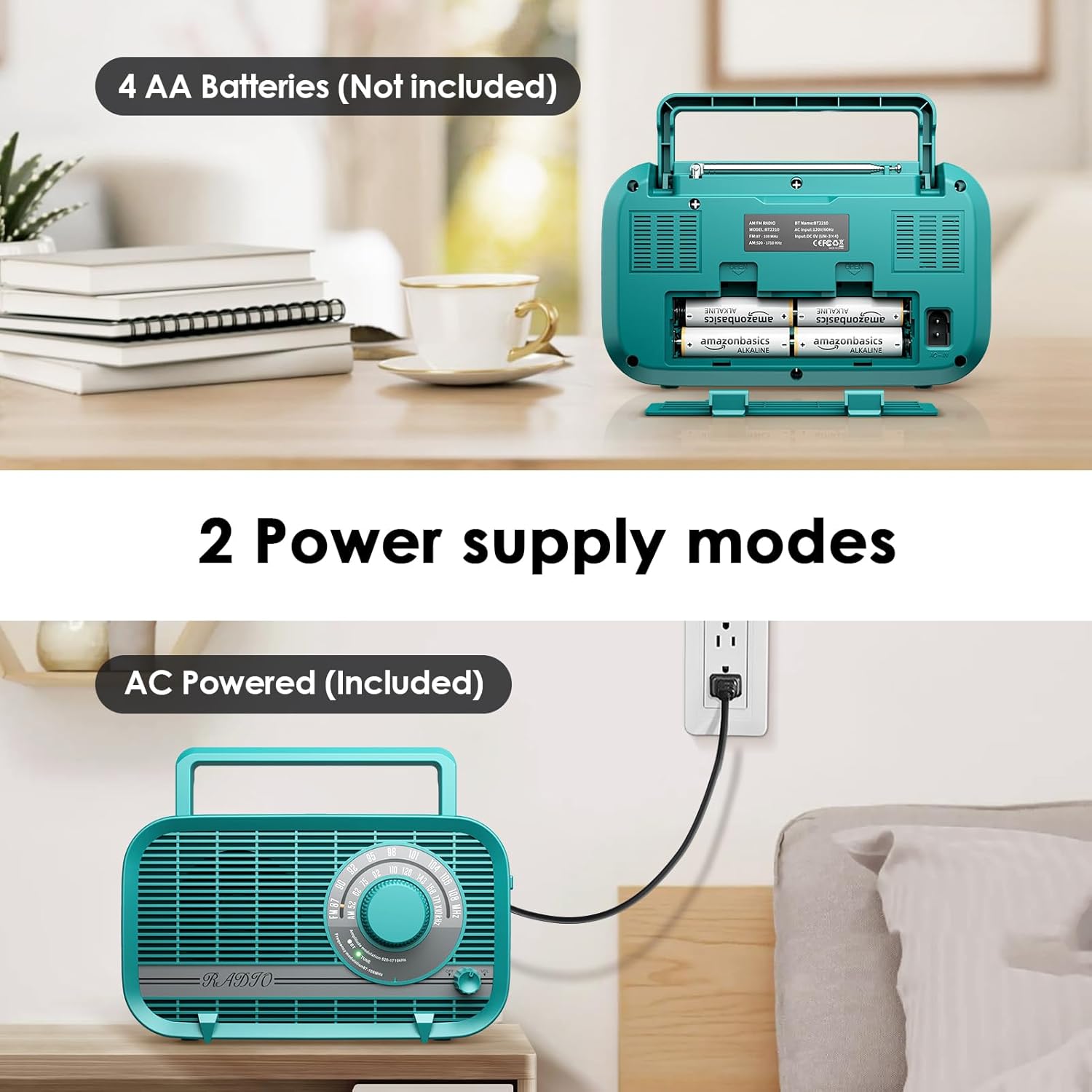
Image 6.2: A user enjoying private listening with headphones connected to the radio's headphone jack.
7. Тэхнічнае абслугоўванне
- Уборка: Wipe the radio with a soft, dry cloth. Do not use abrasive cleaners, waxes, or solvents.
- захоўванне: If storing the radio for an extended period, remove the batteries to prevent leakage. Store in a cool, dry place away from direct sunlight and extreme temperatures.
- Сыход за антэнай: Акуратна звяртайцеся з тэлескапічнай антэнай, каб пазбегнуць згінання або паломкі.
8. Выпраўленне непаладак
| праблема | Магчымая прычына | Рашэнне |
|---|---|---|
| Радыё не ўключаецца. | No power source; batteries depleted or incorrectly inserted; AC cord not properly connected. | Ensure AC cord is securely plugged in or replace batteries with new ones, checking polarity. |
| Poor radio reception (static/weak signal). | Antenna not extended (FM); radio position (AM); interference from other electronics. | Fully extend the telescopic antenna for FM. Rotate the radio for AM. Move the radio away from other electronic devices. |
| Няма гуку з дынаміка. | Volume too low; headphones connected; incorrect mode selected. | Increase volume. Disconnect headphones. Ensure correct mode (AM/FM/BT) is selected. |
| Прылада Bluetooth не можа быць спалучана. | Radio not in BT mode; device too far; Bluetooth not enabled on external device. | Set radio to BT mode. Ensure external device's Bluetooth is on and within range. Forget device on external device and try pairing again. |
| AUX input not working. | AUX cable not connected properly; external device volume too low. | Ensure AUX cable is fully inserted into both the radio and the external device. Increase volume on both the radio and the external device. |
9. Тэхнічныя характарыстыкі
| Асаблівасць | Спецыфікацыя |
|---|---|
| Нумар мадэлі | AC-BT2210 |
| Памеры прадукту | 8.66"L x 3"W x 5"H (220x75x128 mm) |
| Вага прадмета | 1.96 фунта (0.89 кг) |
| Тэхналогія цюнэра | AM/FM |
| Падтрымліваюцца радыёдыяпазоны | AM (520-1710KHz), FM (87-108MHz) |
| Тэхналогія падлучэння | Bluetooth 5.0, AUX-in |
| Выхад на дынамік | 3 ват |
| Крыніца харчавання | AC Powered (Power Cord Included), 4 x AA Batteries (Not Included) |
| Уключаныя кампаненты | Шнур харчавання |
| Вытворца | Аўдыявар'яты |
10. Гарантыя і падтрымка
Audiocrazy products are designed and manufactured to the highest quality standards. For specific warranty information and customer support, please refer to the warranty card included with your purchase or visit the official Audiocrazy website. If you encounter any issues not covered in this manual, please contact Audiocrazy customer service for assistance.