
Уводзіны
Thank you for choosing the Fintie Keyboard Case for your Samsung Galaxy Tab A9 Plus 11 Inch 2023. This versatile case provides robust protection and enhances your tablet's functionality with a magnetic, removable Bluetooth keyboard. Designed for seamless integration, it allows for faster and more comfortable typing, transforming your tablet into a portable workstation. This manual provides essential information for setup, operation, maintenance, and troubleshooting to ensure optimal performance of your device.
Compatibility and Package Contents
Паведамленне аб сумяшчальнасці
This keyboard case is specifically designed for the Samsung Galaxy Tab A9 Plus 11 Inch 2023 мадэлі: SM-X210, SM-X216, and SM-X218. It is not compatible with other Samsung Galaxy tablet models. Please verify your tablet's model number before use.
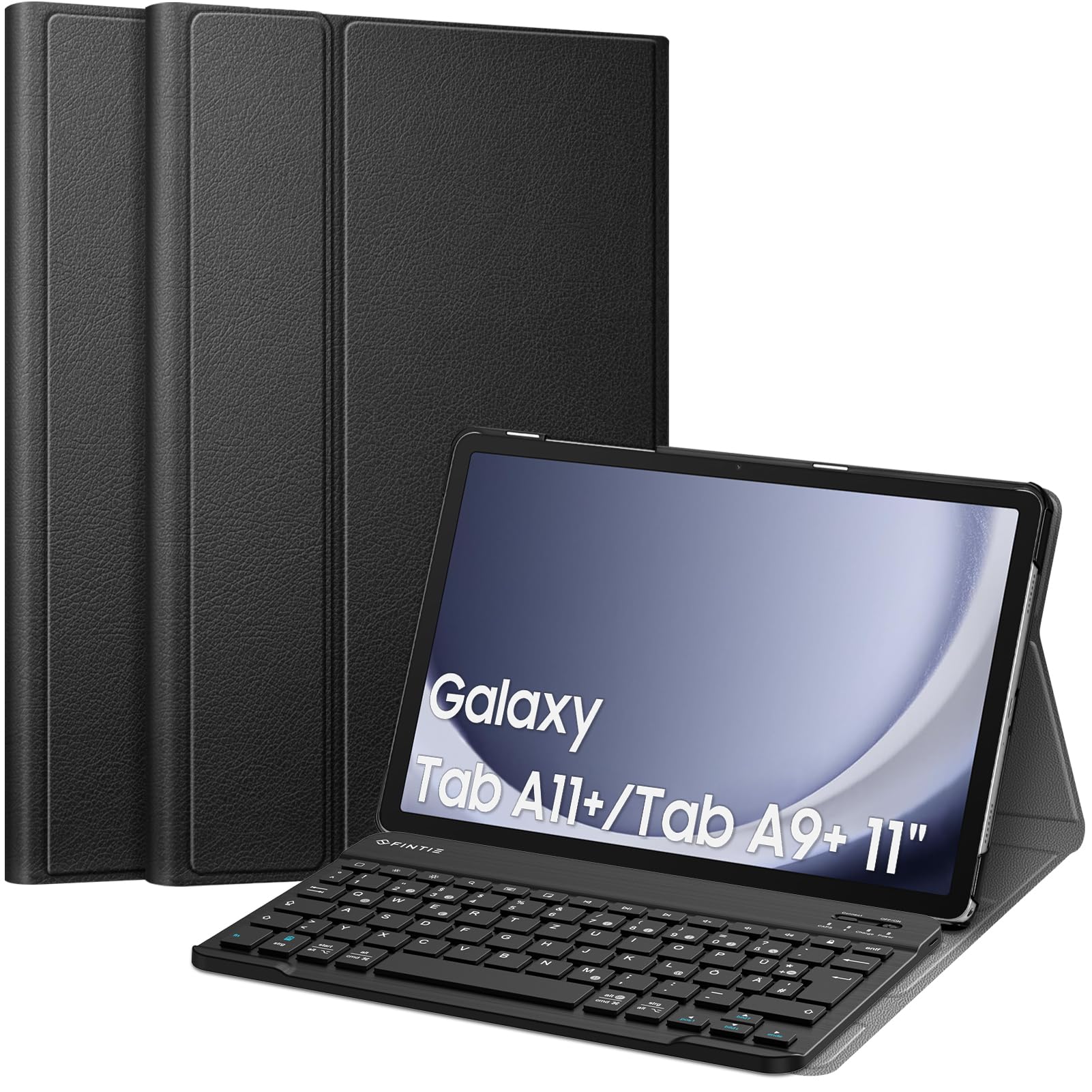
Image: Compatibility chart for Fintie Keyboard Case. This image illustrates the compatible tablet models (Samsung Galaxy Tab A9 Plus 11 Inch 2023, models SM-X210/X216/X218) and provides instructions on how to locate your tablet's model number via the device settings (Settings > About tablet > Model number).
Як знайсці нумар мадэлі вашага планшэта:
- Open your tablet's Налады прымяненне.
- Перайсці да Пра планшэт.
- Locate and confirm the Нумар мадэлі (e.g., SM-X210, SM-X216, SM-X218).
Змест пакета
Пасля распакавання пераканайцеся, што ўсе наступныя рэчы наяўныя:
- 1 x Fintie Ultra-thin Case
- 1 x клавіятура Bluetooth
- 1 х кабель для зарадкі USB-C
- 1 х Кіраўніцтва карыстальніка (гэты дакумент)
Настройка
1. Attaching Your Tablet to the Case
The Fintie case features a durable faux leather exterior and a non-slip inner lining designed to securely hold your tablet. Simply align your Samsung Galaxy Tab A9 Plus with the case's frame and gently press it into place. The case provides full access to all tablet features, including ports and buttons.
2. Charging the Bluetooth Keyboard
Before initial use, fully charge the keyboard. Use the included USB-C charging cable. Connect the small end of the cable to the keyboard's charging port and the larger end to a USB power adapter (not included) or a computer's USB port. The charging indicator light will illuminate during charging and turn off once fully charged.
3. Pairing the Bluetooth Keyboard with Your Tablet
Follow these steps to establish a Bluetooth connection:
- Пераканайцеся, што клавіятура зараджана.
- Уключыце клавіятуру, ссунуўшы кнопку ВКЛ/ВЫКЛ switch to the 'ON' position. The power indicator light will briefly turn on.
- Націсніце «Злучыцца» button on the keyboard. The Bluetooth indicator light will start blinking, indicating it is in pairing mode.
- On your Samsung Galaxy Tab A9 Plus, go to Налады > Падключаныя прылады > Bluetooth.
- Ensure Bluetooth is enabled on your tablet.
- Your tablet will search for available devices. Select 'Bluetooth Keyboard' (or a similar name) from the list of found devices.
- If prompted, enter the pairing code displayed on your tablet onto the keyboard and press Увайдзіце.
- Once paired, the Bluetooth indicator light on the keyboard will stop blinking and remain solid for a moment, then turn off to save power. The keyboard is now ready for use.

Image: Magnetically Integrated Keyboard. This image demonstrates how the keyboard can be magnetically attached to the case for use or easily removed for flexible positioning.
Інструкцыя па эксплуатацыі
Выкарыстанне клавіятуры
The Fintie Bluetooth keyboard features a QWERTZ layout, providing a familiar typing experience. Each key is designed with a jump mechanism, offering tactile feedback for precise and efficient typing. The keyboard is made from high-end ABS material for durability and a comfortable feel.

Image: High End ABS Material Keyboard. This image provides a detailed view of the keyboard, emphasizing its construction from high-quality ABS material.
Рэгуляваны Viewвуглавыя куты
The case's rear cover can be converted into a stand, offering three adjustable viewing angles. This allows you to find the most comfortable position for typing, watching videos, or browsing.

Выява: некалькі Viewing Angles. This image illustrates the three adjustable viewing angles provided by the case's stand feature, along with anti-slip grooves for stability.
Адлегласць перадачы Bluetooth
The Bluetooth keyboard operates effectively within a range of up to 10 meters (approximately 33 feet) from your tablet, providing flexibility in your workspace setup.

Image: Bluetooth Transmission Distance 10M. This image depicts the tablet and keyboard in use, highlighting the effective Bluetooth transmission range of up to 10 meters.
Auto Sleep/Wake Function
The case supports an auto sleep/wake function for your tablet. Please note that this feature only works when the keyboard is removed from the case. When the keyboard is attached, the auto sleep/wake function may not operate as intended.

Image: Turn Your Tablet into An Ultraportable Laptop. This collage showcases different ways the Fintie keyboard case can be used, illustrating its versatility for work and leisure.
Тэхнічнае абслугоўванне
Чыстка корпуса і клавіятуры
- Справа: Wipe the faux leather exterior with a soft, damp тканінай. Пазбягайце агрэсіўных хімічных рэчываў або абразіўных ачышчальнікаў.
- Клавіятура: Use a soft, dry cloth to clean the keyboard surface. For dust between keys, use compressed air. Do not immerse the keyboard in water or use liquid cleaners directly on the keys.
Сыход за батарэяй
- Каб падоўжыць тэрмін службы батарэі, пазбягайце частай поўнай разрадкі батарэі клавіятуры.
- Рэгулярна зараджайце клавіятуру, нават калі яна не выкарыстоўваецца пастаянна.
- Захоўвайце клавіятуру ў прахалодным, сухім месцы, калі яна не выкарыстоўваецца працяглы час.

Image: Improved Bluetooth Low Energy (BLE) Technology. This graphic illustrates the extended operational and standby times achieved with BLE technology compared to classic Bluetooth, highlighting the energy efficiency of the keyboard.

Image: High Quality Material & Craftsmanship. This image displays the exterior of the Fintie case, emphasizing its durable faux leather material and construction quality.
Ліквідацыю непаладак
Клавіятура не падключаецца/не спалучаецца
- Праверце акумулятар: Ensure the keyboard is fully charged. Low battery can prevent connection.
- Перазапуск прылад: Turn off and on both the keyboard and your tablet's Bluetooth.
- Паўторная пара: Go to your tablet's Bluetooth settings, 'forget' or 'unpair' the keyboard, then repeat the pairing steps in the 'Setup' section.
- Адлегласць: Ensure the keyboard is within the 10-meter Bluetooth range of your tablet.
- Перашкоды: Адыдзіце ад іншых бесправадных прылад, якія могуць выклікаць перашкоды.
Клавішы не рэагуюць
- падключэнне: Verify the keyboard is still connected via Bluetooth. If not, re-pair it.
- Магутнасць: Ensure the keyboard is turned on and has sufficient battery.
- Перазапуск: Выключыце і ўключыце клавіятуру.
Auto Sleep/Wake Not Working
- Confirm the keyboard is removed from the case. The auto sleep/wake function is designed to work only when the keyboard is detached.
- Ensure your tablet's screen lock settings are configured for auto sleep/wake.
Тэхнічныя характарыстыкі
| Асаблівасць | Спецыфікацыя |
|---|---|
| Марка | КАНЦА |
| Нумар мадэлі | CDE0837 |
| Сумяшчальныя прылады | Samsung Galaxy Tab A9 Plus 11 inch 2023 (SM-X210/X216/X218) |
| Тэхналогія падлучэння | Bluetooth |
| Апісанне клавіятуры | Бесправадная сувязь |
| Рэкамендуемае выкарыстанне | Штодзённае выкарыстанне |
| Асаблівасці прадукту | Партатыўны, акумулятарны |
| Колькасць ключоў | 79 |
| Крыніца харчавання | Харчаванне ад батарэі |
| Тып перамыкача | Тактыльны |
| Раскладка клавіятуры | КВЭРТЦ (нямецкая) |
| Рука арыентацыі | Амбідэкстр |
| Колькасць кнопак | 100 |
| Колер | Чорны |
| Назва стылю | Класіка |
| Матэрыял корпуса | Акрыланітрылбутадыенстырол (АБС) |
| UPC | 840173956984 |
Інфармацыя аб гарантыі
Fintie products are designed for quality and reliability. For specific warranty details regarding your Fintie Keyboard Case, please refer to the warranty card included with your purchase or visit the official Fintie webсайт. Захоўвайце чэк аб куплі як пацвярджэнне пакупкі ў выпадку любых гарантыйных прэтэнзій.
Падтрымка кліентаў
Should you encounter any issues or have questions not covered in this manual, please contact Fintie customer support. Contact information can typically be found on the product packaging, the official Fintie website, or through your retailer's support channels. Please have your product model number (CDE0837) and purchase details ready when contacting support.