
1. Уводзіны
This manual provides essential information for the safe and efficient installation, operation, and maintenance of your ebm-papst K3G250-AI27-05 Axial Cabinet Fan. Please read this manual thoroughly before using the product and retain it for future reference. This fan is designed for ventilation and heat dissipation in various industrial and electronic applications.
2. Інфармацыя па бяспецы
Важныя інструкцыі па бяспецы:
- Заўсёды адключайце электрычнасць перад устаноўкай, абслугоўваннем або чысткай.
- Забяспечце належнае зазямленне, каб прадухіліць паражэнне электрычным токам.
- Do not operate the fan with damaged wiring or if the housing is compromised.
- Keep fingers and other objects away from rotating blades.
- Install the fan in a location with adequate ventilation and away from flammable materials.
- This product is intended for professional installation and use. If you are unsure about any aspect of installation or operation, consult a qualified electrician or technician.
- Пераканайцеся, што аб'ём блока харчаванняtage and frequency match the fan's specifications (220-240VAC, 50/60Hz).
3. Змесціва ўпакоўкі
Verify that all items are present and undamaged upon opening the package. If any components are missing or damaged, contact your supplier immediately.
- 1 x ebm-papst K3G250-AI27-05 Axial Cabinet Fan
- 1 х Кіраўніцтва карыстальніка (гэты дакумент)
4. Настройка і ўстаноўка
Proper installation is crucial for the fan's performance and longevity. Follow these steps carefully.
- Мантаж: Securely mount the fan to a stable surface within the cabinet or enclosure using appropriate fasteners. Ensure there is sufficient clearance for airflow on both intake and exhaust sides.
- Электрычнае падключэнне:
- Перад тым, як выконваць якія-небудзь электрычныя падключэнні, пераканайцеся, што электрасілкаванне адключана.
- Connect the fan's power connector (SATA/Molex type) to a compatible power source.
- Пераканайцеся, што тtage (220-240VAC) and frequency (50/60Hz) of the power supply match the fan's requirements.
- Пераканайцеся, што ўсе злучэнні шчыльныя і надзейныя, каб пазбегнуць няшчыльных кантактаў і патэнцыйных небяспек.
- Напрамак паветранага патоку: Observe the arrows on the fan housing, if present, to ensure correct airflow direction for your application. Typically, axial fans are designed to draw air from one side and expel it from the other.
- Канчатковая праверка: Before restoring power, double-check all connections and mounting points. Ensure no wires are obstructing the fan blades.
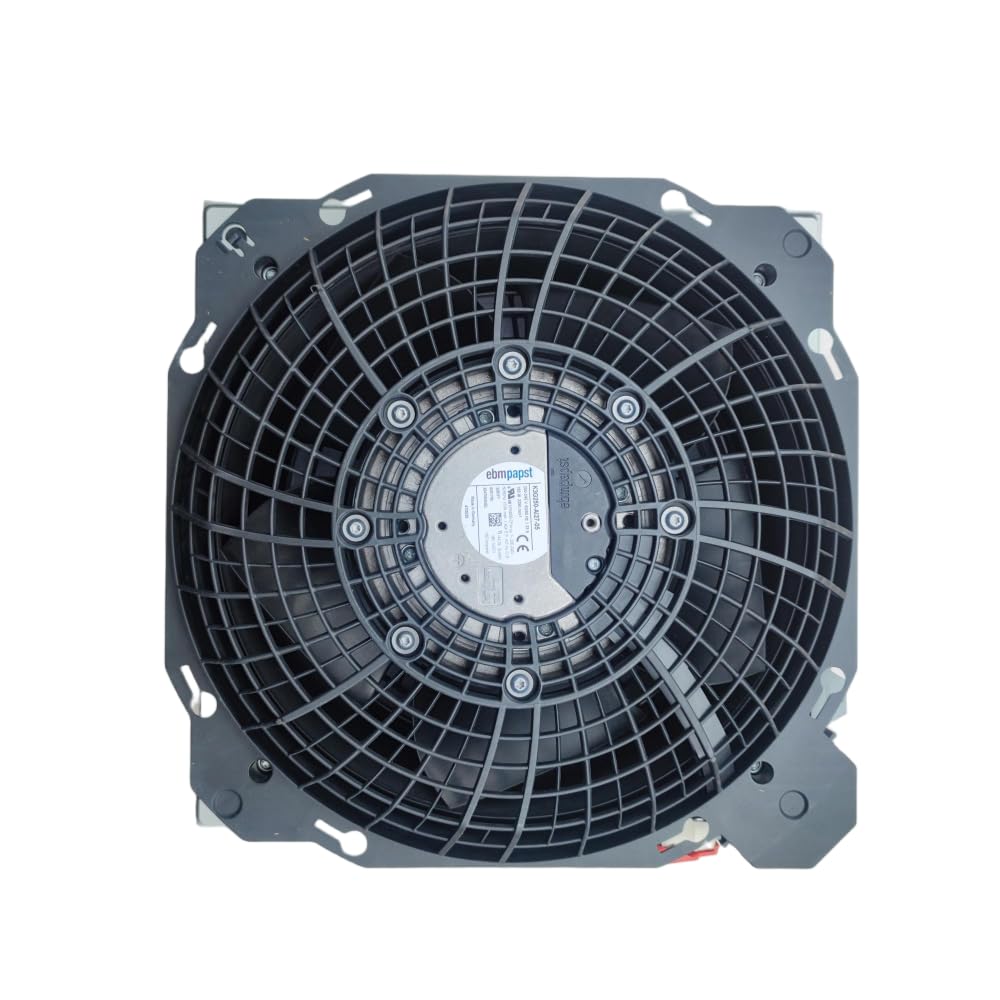
Figure 1: ebm-papst K3G250-AI27-05 Axial Cabinet Fan. This image shows the overall design of the fan, including its housing and blades, ready for installation.
5. Інструкцыя па эксплуатацыі
Once installed and connected, the fan operates automatically when power is supplied.
- Уключэнне: Apply power to the circuit the fan is connected to. The fan should start rotating immediately.
- Праверка: Observe the fan to ensure it is rotating smoothly and quietly. Check for proper airflow in the intended direction.
- Выключэнне: Disconnect power from the circuit to stop the fan.
The fan is designed for continuous operation within its specified parameters. Avoid frequent power cycling if not necessary for your application.
6. Тэхнічнае абслугоўванне
Рэгулярнае тэхнічнае абслугоўванне забяспечвае аптымальную прадукцыйнасць і падаўжае тэрмін службы вашага вентылятара.
- Уборка: Periodically inspect the fan blades and housing for dust and debris accumulation. Disconnect power before cleaning. Use a soft brush or compressed air to gently remove dust. Do not use liquids or abrasive cleaners.
- агляд: Regularly check for any signs of wear, such as unusual noises, vibrations, or visible damage to the blades or wiring.
- змазка: This fan is designed with maintenance-free bearings. No additional lubrication is required.
- Умовы навакольнага асяроддзя: Каб прадухіліць заўчасны знос, пераканайцеся, што тэмпература і вільготнасць у рабочым асяроддзі знаходзяцца ў межах зададзеных дыяпазонаў.
7. Выпраўленне непаладак
Калі ў вас узніклі праблемы з вентылятарам, звярніцеся да наступных распаўсюджаных праблем і іх рашэнняў:
| праблема | Магчымая прычына | Рашэнне |
|---|---|---|
| Вентылятар не запускаецца | No power supply; Incorrect wiring; Damaged fan motor | Check power connection and source; Verify wiring according to installation instructions; If motor is damaged, replace the fan. |
| Незвычайны шум або вібрацыя | Loose mounting; Obstruction in fan blades; Worn bearings | Tighten mounting screws; Disconnect power and remove any obstructions; If bearings are worn, replace the fan. |
| Паменшаны паток паветра | Dust accumulation on blades/grille; Obstruction in airflow path | Disconnect power and clean fan blades and grille; Remove any obstructions from the intake or exhaust. |
| Перагрэў | Insufficient ventilation; Fan operating outside specified parameters | Ensure adequate space for airflow; Verify operating conditions match specifications. |
Калі праблема не знікне пасля спробы гэтых рашэнняў, звярніцеся ў службу падтрымкі кліентаў.
8. Тэхнічныя характарыстыкі
| Параметр | Каштоўнасць |
|---|---|
| мадэль | K3G250-AI27-05 |
| Марка | ebm-papst |
| Тып | Axial Cabinet Fan |
| Матор | M3G055-CF |
| Намінальны выпtage | 220-240 В пераменнага току |
| Частата | 50/60 Гц |
| Бягучы розыгрыш | 1.33А |
| Магутнасць | 165 Вт |
| хуткасць | 3290 XNUMX абаротаў у хвіліну |
| Клас ізаляцыі | B |
| Тып раздыма харчавання | SATA/Molex |
| Спосаб астуджэння | паветра |
| Матэрыял | медзь |
| Узровень шуму | 165 дэцыбел (Note: This value seems unusually high for a fan and might be a data entry error. Please refer to official ebm-papst documentation for precise noise levels.) |
| UPC | 761241577118 |
9. Гарантыя і падтрымка
For warranty information and technical support, please contact your point of purchase or the official ebm-papst distributor in your region. Keep your purchase receipt as proof of purchase.
For further assistance, you may also refer to the official ebm-papst website for product documentation and contact details.