
1. Уводзіны
Дзякуй за пакупкуasing the ULTIMEA Nova S50 Dolby Atmos Soundbar. This 2.1 channel sound system, featuring a powerful 190W output and a dedicated subwoofer, is designed to deliver an immersive audio experience for your home theater, PC, or TV. This manual provides detailed instructions for setting up, operating, maintaining, and troubleshooting your device to ensure optimal performance.

Figure 1.1: ULTIMEA Nova S50 Soundbar delivering immersive Dolby Atmos sound.
2. Настройка
2.1 Змест пакета
Перад пачаткам працы пераканайцеся, што ўсе прадметы ёсць у камплекце:
- Гукавая панэль (x1)
- Wired Subwoofer (x1)
- Адаптар харчавання (x1)
- Кабель HDMI (x1)
- HDMI Adapter (x1)
- Remote Control (x1, batteries not included)
- Optical Cable (x1)
- Аўдыёкабель 3.5 мм (x1)
- Wall Mounting Kit (x1)
- Кіраўніцтва карыстальніка (x1)

Малюнак 2.1: Камплектуючыя і аксэсуары.
2.2 Фізічнае размяшчэнне
The Nova S50 soundbar features a compact and slim design, allowing for flexible placement options. It can be placed on a TV stand, a tabletop, or wall-mounted. Ensure the soundbar is positioned centrally in front of your TV for the best audio experience. The subwoofer can be placed on the floor near the soundbar.

Figure 2.2: Compact design allows for placement under a TV without obstructing the view.
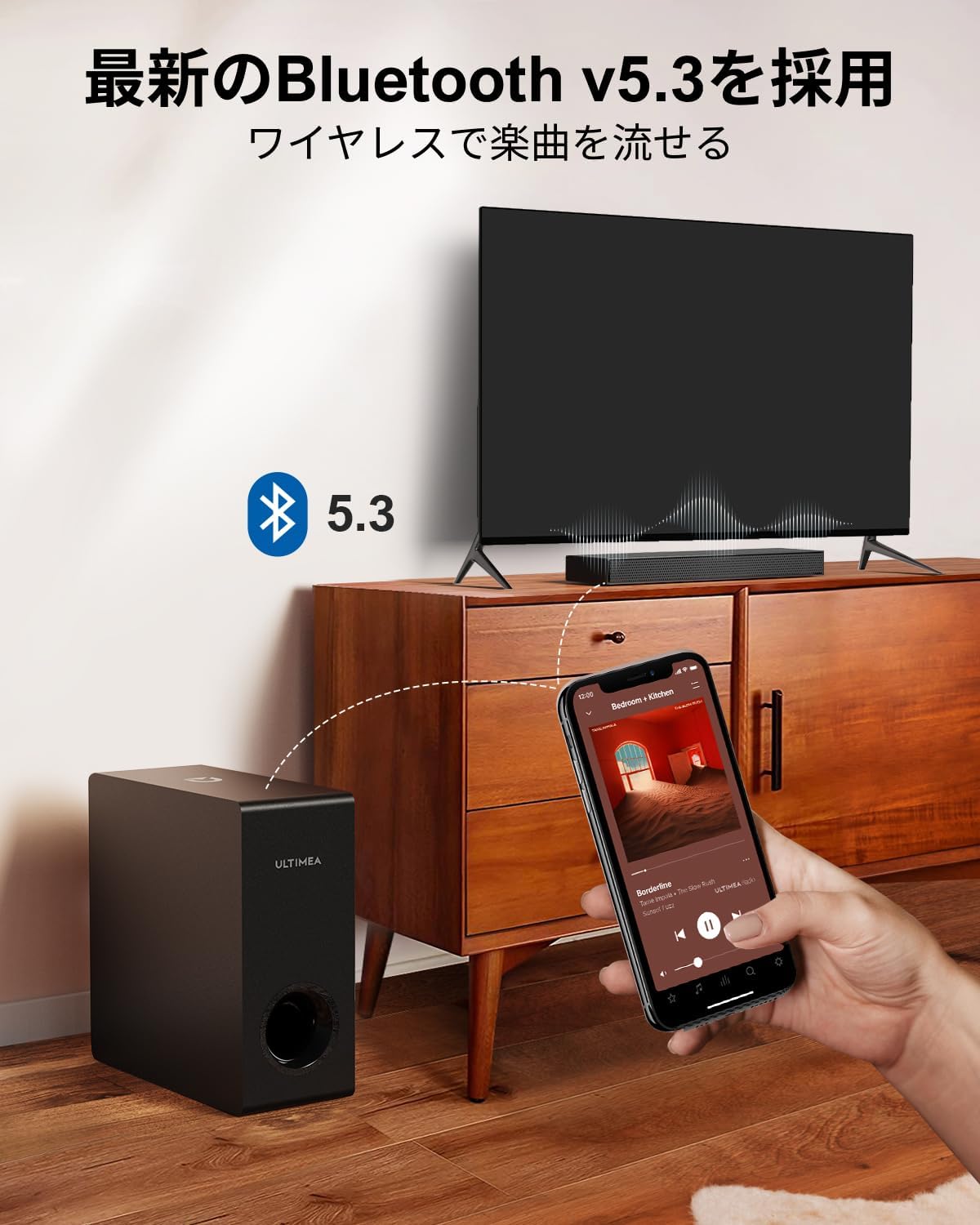
Figure 2.3: Dimensions of the soundbar and subwoofer.
2.3 Злучэнні
The Nova S50 offers multiple connectivity options. Choose the method that best suits your device.

Малюнак 2.4: Падключэнні на задняй панэлі.
2.3.1 HDMI eARC Connection
For the highest quality audio transmission, connect your TV to the soundbar using the HDMI eARC port.
- Connect one end of the provided HDMI cable to the HDMI eARC port on your TV.
- Connect the other end of the HDMI cable to the HDMI eARC port on the soundbar.
- On the soundbar's remote control, press the 'eARC' button to select the HDMI eARC input mode.
- Ensure your TV's audio output settings are configured for HDMI eARC (usually found under TV Settings > Sound > Digital Audio Output > Auto).

Figure 2.5: HDMI eARC connection steps.
2.3.2 Аптычнае падключэнне
Use the optical cable for digital audio connection if your TV does not support HDMI eARC.
- Connect one end of the optical cable to the optical output port on your TV.
- Connect the other end of the optical cable to the optical input port on the soundbar.
- Select the 'OPT' input mode on the soundbar using the remote control.
2.3.3 Злучэнне AUX
Для аналагавых аўдыёпрылад выкарыстоўвайце кабель AUX 3.5 мм.
- Connect one end of the 3.5mm audio cable to the audio output of your device (e.g., PC, smartphone).
- Connect the other end to the AUX input port on the soundbar.
- Select the 'AUX' input mode on the soundbar using the remote control.
2.3.4 Злучэнне Bluetooth
Падключайце мабільныя прылады бесправадным спосабам праз Bluetooth 5.3.
- Turn on the soundbar and select 'BT' input mode using the remote control. The soundbar will enter pairing mode.
- On your mobile device, enable Bluetooth and search for 'Nova S50'.
- Select 'Nova S50' from the list of available devices to pair. Once connected, you will hear an audible confirmation.

Figure 2.6: Wireless audio streaming via Bluetooth 5.3.
3. Інструкцыя па эксплуатацыі
3.1 Уключэнне/выключэнне сілкавання
Press the power button on the soundbar or the remote control to turn the unit on or off.
3.2 Выбар уводу
Use the dedicated input buttons (HDMI eARC, OPT, AUX, BT, USB) on the remote control to switch between audio sources.
3.3 Рэгулятар гучнасці
Adjust the volume using the Volume Up (+) and Volume Down (-) buttons on the remote control or the soundbar. The soundbar also supports HDMI-CEC, allowing you to control its volume with your TV remote if your TV supports this feature.

Figure 3.1: Remote control with HDMI-CEC support.
3.4 рэжыму гуку
The Nova S50 features audio algorithms and machine learning technology to optimize sound based on content. Use the remote control to select from the following sound modes:
- ФІЛЬМ: Enhances cinematic sound for movies and TV shows, emphasizing vocals and dynamic scenes.
- ГУЛЬНЯ: Optimized for gaming, providing clear sound effects and immersive spatial audio.
3.5 BassMX Adjustment
The dedicated subwoofer and ULTIMEA's proprietary BassMX technology provide powerful and adjustable bass. Use the BassMX button on the remote to cycle through different bass levels (Weak, Medium, Strong) to suit your preference.

Figure 3.2: BassMX technology for enhanced bass.
4. Тэхнічнае абслугоўванне
4.1 Ачыстка
To maintain the appearance and performance of your soundbar, regularly clean it with a soft, dry cloth. Do not use liquid cleaners or abrasive materials, as these can damage the finish or internal components.
4.2 Захоўванне
If storing the soundbar for an extended period, disconnect it from the power source and store it in a cool, dry place, away from direct sunlight and extreme temperatures.
5. Выпраўленне непаладак
If you encounter issues with your ULTIMEA Nova S50 soundbar, refer to the following common problems and solutions:
- Няма гуку:
- Пераканайцеся, што саўндбар уключаны і выбрана правільная крыніца ўваходнага сігналу.
- Праверце надзейнасць усіх кабельных злучэнняў (HDMI, аптычны, AUX).
- Verify the TV's audio output settings are correctly configured for the chosen connection type (e.g., HDMI eARC, PCM for Optical).
- Павялічце гучнасць як на саўндбары, так і на падлучанай прыладзе.
- If using HDMI eARC, ensure HDMI-CEC is enabled on your TV.
- Праблемы з падключэннем Bluetooth:
- Пераканайцеся, што саўндбар знаходзіцца ў рэжыме спалучэння Bluetooth.
- Адключыце і зноў уключыце Bluetooth на мабільнай прыладзе.
- Move your device closer to the soundbar to ensure it is within the 10-meter range.
- Ачысціце папярэднія спалучэнні Bluetooth на прыладзе і паспрабуйце зноў.
- Скажоны гук:
- Reduce the volume on both the soundbar and the connected device.
- Check for any physical obstructions or interference near the soundbar or subwoofer.
- Пераканайцеся, што кабелі не пашкоджаныя і не падключаныя няшчыльна.
- Пульт дыстанцыйнага кіравання не працуе:
- Замяніце батарэйкі ў пульце дыстанцыйнага кіравання.
- Пераканайцеся, што паміж пультам дыстанцыйнага кіравання і датчыкам саўндбара няма перашкод.
- Накіруйце пульт непасрэдна на гукавую панэль.
6. Тэхнічныя характарыстыкі
| Асаблівасць | Дэталь |
|---|---|
| Назва мадэлі | Nova S50 |
| Тып дынаміка | Dolby Atmos Soundbar 2.1ch (with Subwoofer) |
| Тэхналогія падлучэння | AUX, Bluetooth, HDMI-eARC, Optical |
| Тэхналогія бесправадной сувязі | Bluetooth 5.3 |
| Максімальная выхадная магутнасць | 190 Вт |
| АЧХ | 45 Гц - 18 кГц |
| Памеры саўндбара (Д х Ш х В) | 40 см х 7.9 см х 3.8 см |
| Subwoofer Dimensions (L x W x H) | 27 см х 11.4 см х 27 см |
| Вага прадукту | 4.52 кг |
| Метад кантролю | Дыстанцыйнае |
| Рэкамендуемая плошча памяшкання | ≤ 25 м² |

Figure 6.1: Ultra-thin driver technology for high-fidelity sound.
7. Гарантыя і падтрымка
7.1 Абмежаваная гарантыя
ULTIMEA products come with a limited warranty. Please refer to the warranty card included in your package or visit the official ULTIMEA webсайт для атрымання падрабязных гарантыйных умоў.
7.2 Падтрымка кліентаў
For any questions, technical assistance, or support needs, please contact ULTIMEA customer service. We offer 365-day support and a 30-day free return policy. You can find contact information on our official webсайт або праз вашу платформу для пакупак.